October 1, 2026

6
min read
Data Loss Prevention Software: A Guide for 2026
Data loss prevention software finds and redacts sensitive data across SaaS, cloud, browser, endpoint, AI tools and MCP agents. See how DLP works in 2026 with Strac.

Data loss prevention software finds and redacts sensitive data across SaaS, cloud, browser, endpoint, AI tools and MCP agents. See how DLP works in 2026 with Strac.

Data loss prevention software is a set of tools that identifies sensitive data, monitors how it is used and shared, and stops it from reaching people, apps or models that should not have it. The data classes are familiar: personally identifiable information (PII), protected health information (PHI), payment card data, credentials and API keys, source code and intellectual property.
What makes a product DLP rather than monitoring is enforcement. A logging tool records that a card number was posted in a channel. DLP software removes the card number from the channel.
The classic categories still describe where a control sits: network DLP on egress traffic, endpoint DLP on devices, cloud DLP on SaaS and storage, and email DLP on mail flow. The types of DLP guide covers each one. The sections below show why a modern program needs all of them working from a single policy.
Older DLP guides focused on blocking an email with a Social Security number or stopping a design file from reaching personal cloud storage. Those still happen. They are no longer where most sensitive data leaves.
Three shifts moved the risk.
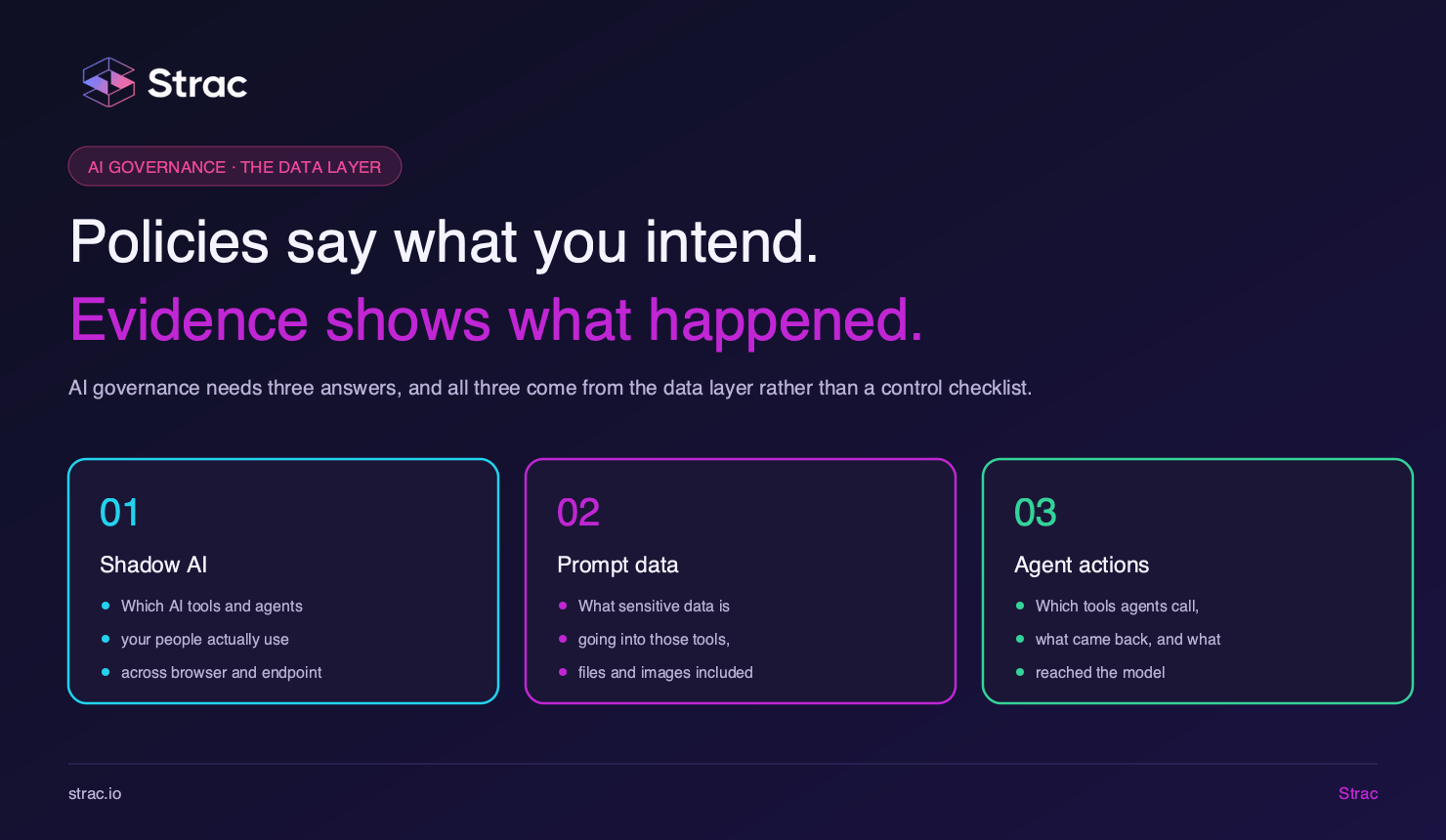
Generative AI became an exit. An analyst pastes a customer export into a free summarizer in one second. Shadow AI tools arrive on managed devices without procurement, and the data enters them through the browser, not through a file transfer.
Agents started acting on data. An AI agent connected over the Model Context Protocol queries a CRM, reads a support queue and hands the raw result to a model. Tool responses are a data path most DLP software never inspects.
Collaboration apps became the system of record. Customers send card photos in support chats; engineers paste secrets into Slack threads to debug faster. The sensitive data does not pass through a perimeter. It sits in the SaaS app until someone removes it.
Same objective, different surfaces. A DLP program that ignores the browser, the agent and the SaaS app no longer fits the risk.
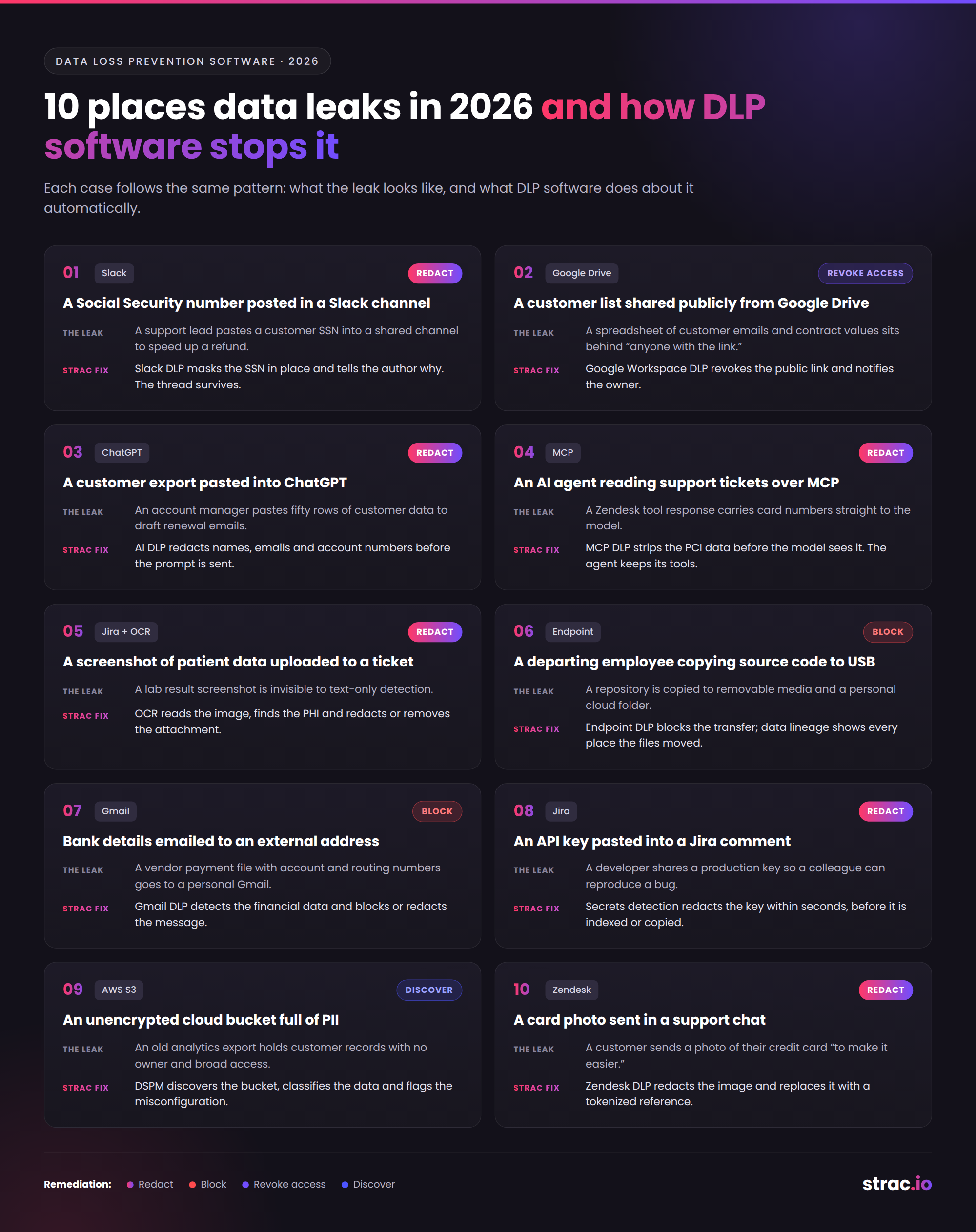
Each case follows the same pattern: what the leak looks like, and what DLP software does about it automatically.
A support lead pastes a customer's SSN into a shared channel to speed up a refund. Slack DLP detects the identifier the moment the message posts, masks it in place, and tells the author why. The thread survives; the SSN does not.
A spreadsheet of customer emails and contract values sits behind an "anyone with the link" setting. Google Workspace DLP scans the file content, flags the exposure and revokes the public link automatically, with a note to the owner explaining the change.
An account manager pastes fifty rows of customer data into a chat assistant to draft renewal emails. Browser-level AI DLP inspects the prompt before it is submitted and redacts the names, emails and account numbers, so the employee still gets the draft and the model never receives the records.
An internal agent summarizes a Zendesk queue through an MCP server, and several tickets contain card numbers. MCP DLP inspects the tool response and strips the PCI data before the model sees it. The agent keeps its tools; it loses the data it never needed.
A clinician attaches a screenshot of a lab result to a Jira ticket. Text-only detection misses it entirely. DLP software with OCR reads the image, recognizes the PHI and redacts or removes the attachment, which keeps the ticketing tool out of HIPAA scope.
Two weeks before leaving, an engineer copies a repository to removable media and a personal cloud folder. Endpoint DLP on Windows, macOS or Linux blocks the transfer, and data lineage shows where the files originated and every place they moved before the attempt.
A finance team member forwards a vendor payment file with account and routing numbers to a personal Gmail. Gmail DLP detects the financial data in the attachment and blocks or redacts the outbound message according to policy.
A developer pastes a production API key into a ticket so a colleague can reproduce a bug. Secrets detection catches the key pattern and redacts it in the comment within seconds, before it is indexed, exported or copied into another tool.
An old analytics export in AWS S3 holds millions of customer records with no owner and broad access. DSPM discovers the bucket, classifies what is inside and flags the misconfiguration, so the exposure is fixed before anyone finds it from the outside.
A customer sends a photo of their credit card through Zendesk or Intercom to "make it easier." Zendesk DLP detects the card image, redacts it and replaces it with a tokenized reference, which keeps the support stack out of PCI DSS scope.
Ten scenarios, one set of capabilities underneath. Look for these in any DLP software you evaluate.
Content inspection. Trained detectors for PII, PHI, PCI data and secrets, custom detectors for your own identifiers, and OCR for images and scanned PDFs. Regex alone floods the queue with false positives.
Context. Who is sending, to which destination, with what sharing setting. The same card number is fine in a payment system and a violation in a public channel.
Discovery at rest. Sensitive data discovery and classification across SaaS and cloud storage, so you know where data lives before it moves.
Automated remediation, in this order:
Audit evidence. Every detection and remediation logged and mapped to SOC 2, ISO 27001, HIPAA, PCI DSS, GDPR and CCPA.
An alert tells you data leaked. Redaction means it did not.
The old choice was cloud, on premises or hybrid. The real choice now is how the software reaches each surface.
API-based SaaS connectors. Connect to Slack, Google Workspace, Microsoft 365, Zendesk, Salesforce and Jira by API. No proxy, no traffic rerouting, deployed in minutes.
Browser extension. Chrome and Edge extensions inspect pastes, uploads and form submissions to generative AI tools and web apps at the moment of the action.
Endpoint agent. A lightweight agent on managed Windows, macOS and Linux devices covers USB, printing, local files and desktop apps. The DLP endpoint agent guide explains what it should and should not collect.
MCP gateway. Sits between agents and their tools, inspecting every call and response.
On premises. Still required by some regulated environments, usually for legacy file shares and network egress. It rarely reaches SaaS content or AI prompts.
A network appliance sees traffic; an API connector sees content. For cloud-first companies, the second matters more.
Strac is a DLP, data discovery and DSPM platform that inspects content wherever sensitive data moves and remediates it automatically, from one console and one policy set.
SaaS. SaaS DLP connects by API to Slack DLP, Google Drive DLP, Gmail, Microsoft 365, OneDrive, Zendesk, Intercom, Salesforce, Jira, Notion, HubSpot and Box. It redacts in place, revokes public and external sharing, and applies labels. The full list lives on the integrations page.
Endpoint and browser. Endpoint DLP covers Windows, macOS and Linux, and Browser DLP in Chrome and Edge inspects pastes and uploads in real time. Strac keeps no keystroke logs or screenshots.
Generative AI and shadow AI. AI DLP and ChatGPT DLP redact sensitive data before it reaches ChatGPT, Claude, Gemini or Copilot, while shadow AI discovery shows which tools are in use and which data classes are heading to them. See how to detect shadow AI for the detection side.
MCP and agents. MCP DLP inspects every agent tool call and response across the MCP integrations, redacts PII, PHI and secrets, and flags prompt injection attempts. It is how you protect AI agents without taking their tools away.
Discovery, DSPM and lineage. Strac scans SaaS, AWS S3, Azure and Google Cloud at rest, flags overexposed data through DSPM, and tracks file origin through data lineage. The PII scanner reads documents and images, not only text fields.
Compliance. Controls map to HIPAA, SOC 2, ISO 27001, PCI DSS, GDPR and CCPA, and every remediation event doubles as audit evidence.
Other DLP software tells you where sensitive data went; Strac changes what arrives there.
For a side-by-side view of vendors, read the data loss prevention products comparison.
Every leak path in this guide starts the same way: sensitive data in a place it should not be, one action away from leaving. Identity, network and model controls all fail eventually, and the data layer is the backstop. Redact sensitive data on every action across SaaS, cloud, browser, endpoint, generative AI and MCP, and a compromise never becomes a breach. Book a demo to see Strac run that data layer in your own environment.
No. A CASB controls access to cloud apps and inspects traffic that passes through its proxy. DLP software inspects the content itself, at rest and in motion, and remediates it. Content already sitting inside a SaaS app never crosses the proxy, so a CASB alone misses it.
Because it was built for email, network and file channels. A prompt travels inside an encrypted browser session and an MCP response travels between an agent and a tool, and neither path passes a mail gateway or network appliance. Coverage has to sit in the browser and at the agent.
No. Blocking pushes employees to personal devices and removes visibility entirely. Redaction and vaulting let people keep using generative AI while the sensitive element never leaves, which is safer for the data and easier on productivity.
No. Every detector has a false negative rate, and prompt injection remains an open problem. That is why the data layer matters: when remediation defaults to redaction on every action, whatever slips past another control is already stripped of its sensitive parts.
DLP is the enforcement layer. Governance sets which tools, agents and data classes are allowed; DLP makes that policy true on every paste, upload and tool call. See AI data governance and AI agent governance for the full picture.
“Don’t just alert on problems, fix them.”
Scott Roberts, Chief Information Security Officer, UiPath









Customers include