October 29, 2026

5
min read
How to Detect and Secure Sensitive Data in HAR Files?
Find and redact session tokens, API keys, and PII in HAR files across support tickets, Slack, AI chat tools, and MCP agents. A 2026 guide with a checklist.
A HAR (HTTP Archive) file is a JSON log of every request and response a browser made while a page loaded. Support and engineering teams ask for one because it lets them replay exactly what the customer saw: the failing call, the slow endpoint, the redirect loop.
That is also what makes it risky. A HAR file does not record a summary of the session. It records the session itself, including whatever the browser sent to prove who the user was.
A typical HAR file contains:
Some browsers now leave cookies and authorization headers out of the default export and require a separate setting to include them. That helps, but request bodies, query strings, and response payloads still come through, and many support guides tell customers to turn the full export on so the issue can be reproduced.
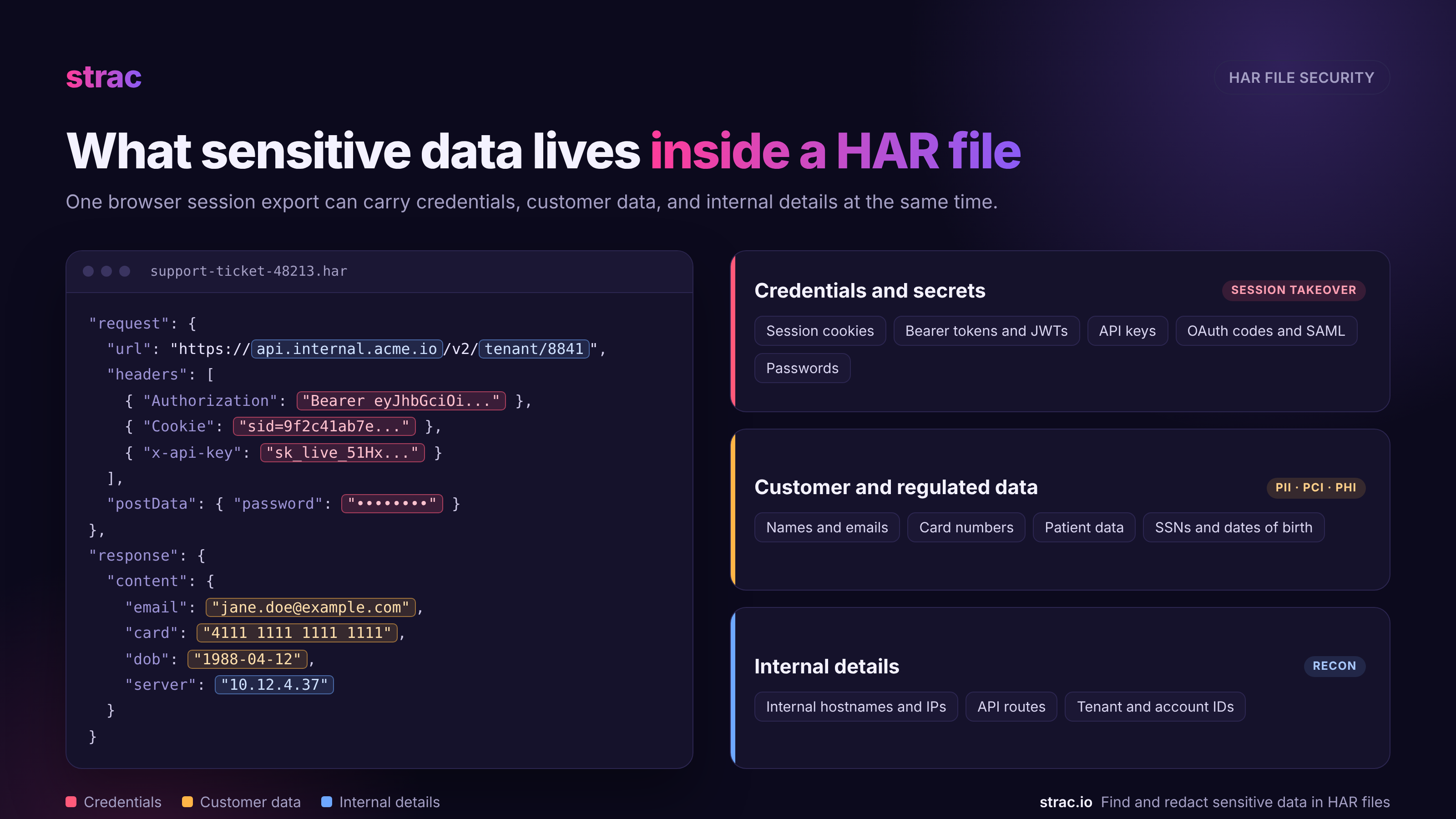
The dangerous part of a HAR file is anything that lets someone act as the user without logging in. The second risk is customer data that rides along in request and response bodies.
Credentials and secrets
Customer and regulated data
Internal details
A single HAR file from an admin session can hold all three groups at once. That is the file most likely to be shared with a vendor when something breaks.
The clearest example of HAR file risk is still the 2023 Okta support system breach. An attacker used a stolen service account credential to get into Okta's support case system and had access from September 28 to October 17, 2023 (The Hacker News).
Inside the system were HAR files that customers had uploaded to support cases. Files tied to 134 customers were accessed, and the session tokens in those files were used to hijack the live Okta sessions of five customers, including 1Password, BeyondTrust, and Cloudflare (Dark Reading).
At 1Password, an IT team member had shared a HAR file with Okta support. The attacker later used the same Okta session that created that file to reach the Okta admin portal (Help Net Security).
Three lessons still hold in 2026:
In 2023 the question was "what is sitting in our support tool?" In 2026 a HAR file can pass through five or six systems in a single afternoon, and two of them are new.
1. Support tickets. Customers attach HAR files to Zendesk, Intercom, Freshdesk, and Salesforce cases. Agents forward them to engineering.
2. Engineering trackers and chat. The same file gets re-attached to a Jira issue, dropped into a Slack channel, or linked from a Confluence page so the on-call engineer can look at it.
3. Shared drives and cloud storage. Files pile up in Google Drive, OneDrive, SharePoint, Box, and S3 buckets, often in folders shared with whole teams or vendors.
4. AI chat tools. This is the big change. An engineer who wants a fast answer uploads the raw HAR file to ChatGPT, Claude, Gemini, or Copilot and asks "why is this request failing?" Every cookie and token in the file goes with it.
5. AI agents through MCP. Coding agents now read browser traffic on their own. Google's Chrome DevTools MCP server lets an agent control Chrome and inspect network requests, and the Playwright MCP server lets agents read traces and network captures. The agent never exports a .har file, but it reads the same headers, cookies, and bodies, and they land straight in the model's context.
6. Endpoints. HAR files sit in Downloads folders, get copied to USB drives, and get re-uploaded from laptops long after the original ticket is closed.
A control that only watches one of these paths leaves the other five open.
Cleaning a HAR file before you share it is good practice, and there are decent free tools for it:
These tools share the same limits:
Sanitizing is a habit. Security teams also need a control that runs whether or not anyone remembers.
Strac covers every place a HAR file travels from one console: SaaS apps, cloud storage, the browser, the endpoint, and MCP connections used by AI agents. The same detection rules for PII, PHI, PCI data, and secrets apply on each path.
Strac's data discovery (DSPM) connects to your SaaS and cloud apps by API and runs historical scans, so HAR files attached to tickets years ago show up next to the one uploaded this morning. Each finding shows which file it is in, what was detected, and who can see it.
Coverage includes 50+ integrations, among them Zendesk, Intercom, Salesforce, Jira, Confluence, Slack, Google Workspace, Microsoft 365, AWS, and Azure.

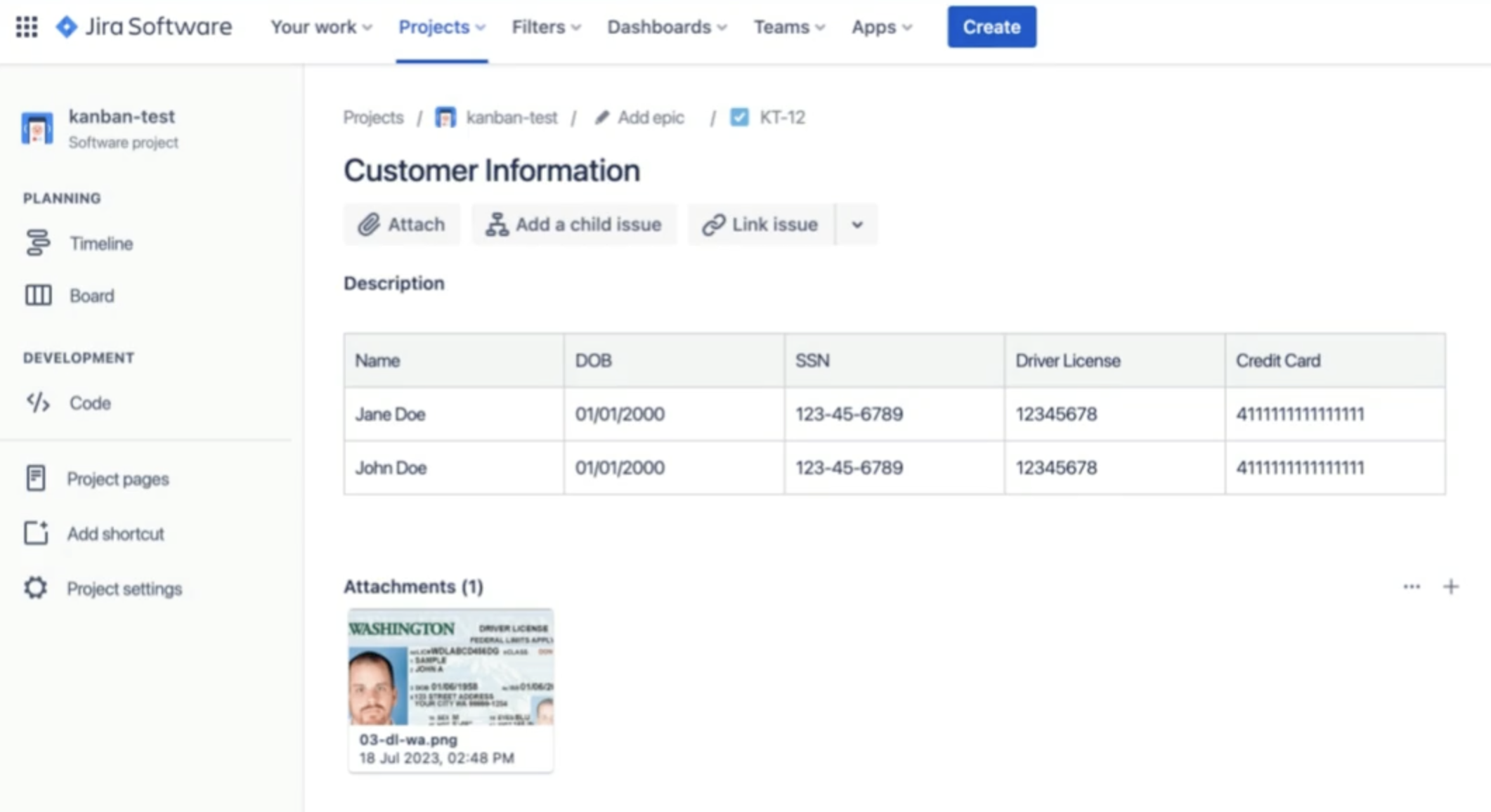
Native ticket redaction in many support tools stops at comments or chat text. Strac reads the attachment itself. In Zendesk it continuously checks tickets, comments, and file attachments across 100+ file types, and in Jira it redacts sensitive data in issues and comments.
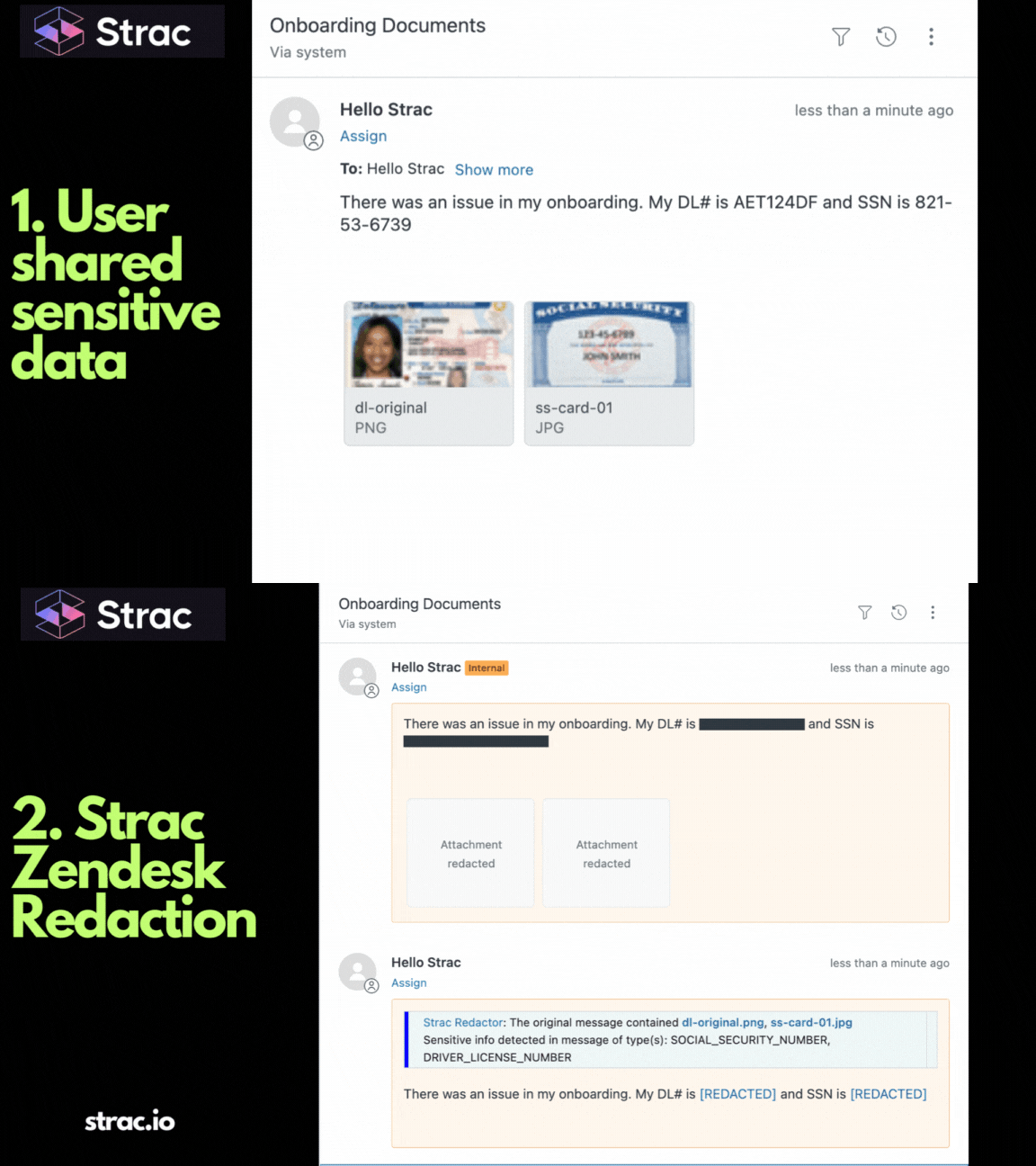
Teams that need the file during troubleshooting can use delayed redaction: Strac redacts after the ticket closes or after a set time window, so engineering gets the HAR file while the case is open and the tokens do not sit there forever.
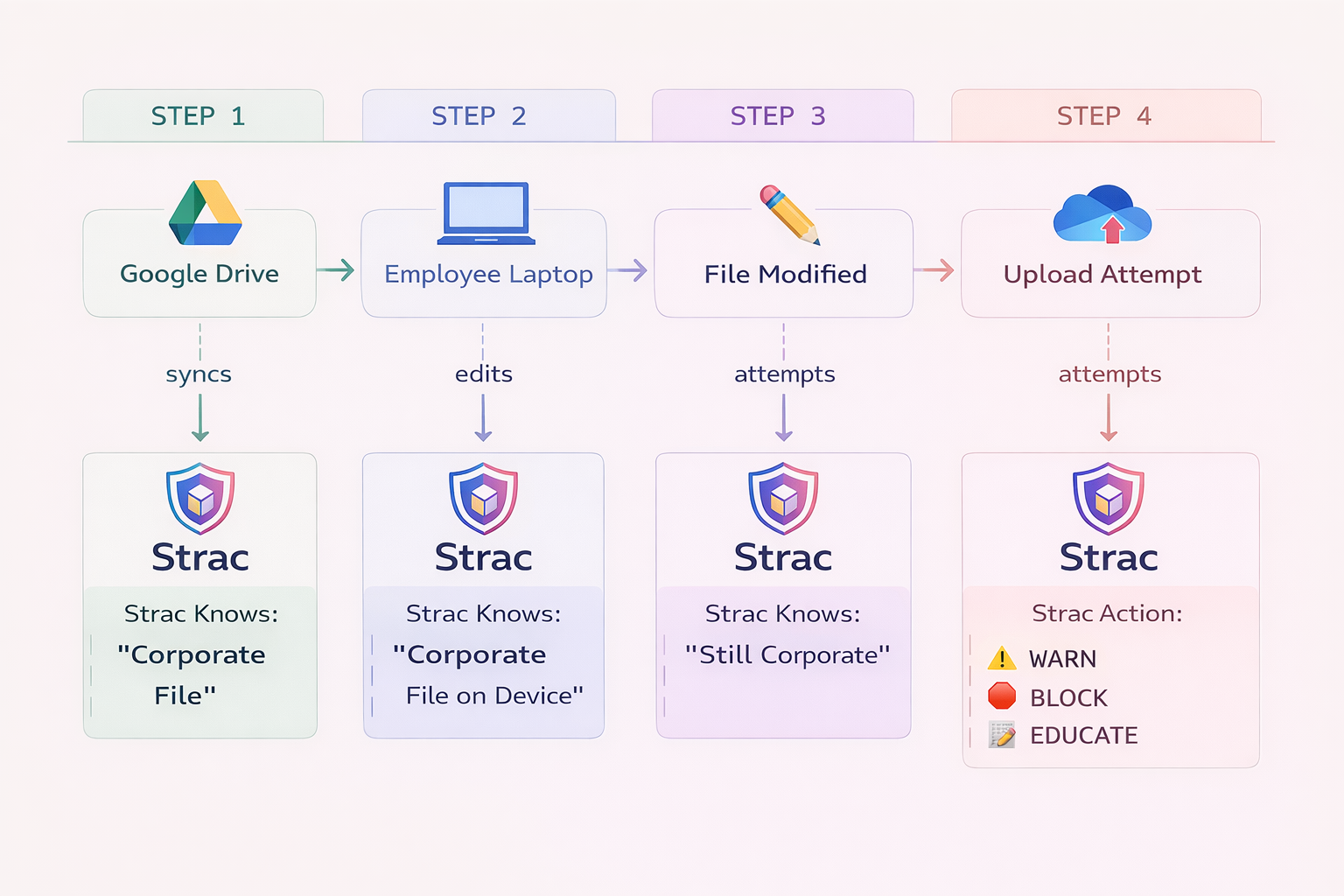
The Strac browser extension checks text that is typed or pasted and files that are uploaded into ChatGPT, Claude, Gemini, Copilot, Perplexity, and other AI apps before anything is sent. When a HAR file carries tokens or PII, Strac can redact those values and let the rest through, warn the user, or block the upload.
It runs on Chrome, Edge, Firefox, and Safari, and rolls out through Chrome Enterprise, Edge policy, or your MDM. The Shadow AI dashboard also shows which AI tools people are using, so you can see where HAR files might be going. See browser DLP.

When an agent reads browser traffic through an MCP server, there is no file to scan. Strac MCP DLP sits between the agent and the MCP server and checks every tool call. Credentials, PII, PHI, card data, and source code are redacted before the response reaches the model. It works with Claude, Cursor, ChatGPT, and custom agents. See Strac for the Playwright MCP server.
Strac also lists every MCP server and connected agent in use, including ones set up outside approved channels, and lets you allow or block which servers run. See shadow MCP.

Strac endpoint DLP covers the paths a HAR file takes once it is on a laptop: downloads, USB copies, printing, and other ways files leave the device.
For internal tools and upload pipelines, the Strac redaction API takes a file, redacts the data elements you choose, and returns a clean copy. Teams use it to sanitize HAR files automatically at the point of upload. See redaction API.
Every detection and redaction can go to the Strac dashboard, your SIEM, email, or Slack. Strac Comply turns that activity into evidence for SOC 2, HIPAA, PCI DSS, ISO 27001, and GDPR audits.
Use this list to turn HAR handling from a habit into a policy.
Most teams are surprised by how many HAR files are sitting in old tickets, Slack threads, and shared folders, and how many still hold working tokens. Book a 30-minute demo and Strac will scan a support or collaboration app you choose, show you the HAR files and secrets it finds, and walk through redaction on your own data.

Only after the secrets are gone. Remove or redact cookies, Authorization headers, tokens, and personal data first, and assume the file will be stored in the vendor's ticketing system for a long time.
It helps. Leaving cookies and auth headers out by default removes the most dangerous values. Request bodies, query strings, and response payloads can still hold PII, card data, and API keys, and many users switch to the full export when support asks.
Not a raw one. Uploading sends every token and personal field in the file to a third party. Strac's browser extension can redact those values before the upload, so the request structure and errors still go through for debugging.
Agents using the Chrome DevTools or Playwright MCP servers read the same headers and bodies a HAR file contains, without ever creating a file. Strac MCP DLP redacts credentials and PII on those tool calls before the data reaches the model.
Run a historical scan to find them, redact the ones holding live secrets or regulated data, and rotate any credentials you find. Then turn on ongoing redaction so new uploads are handled automatically.
No. Strac replaces only the sensitive values, so URLs, status codes, timings, and request order stay intact. With delayed redaction, engineers can work with the original file until the ticket closes.
Any that cover the data inside them. A HAR file with card numbers falls under PCI DSS, one with patient data falls under HIPAA, and one with EU customer data falls under GDPR. Auditors for SOC 2 and ISO 27001 increasingly ask how support attachments and AI tools are controlled.
“Don’t just alert on problems, fix them.”
Scott Roberts, Chief Information Security Officer, UiPath









Customers include