October 11, 2026

7
min read
Data Loss Prevention with Microsoft Purview
Data loss prevention with Microsoft Purview in 2026: Copilot, Edge, network, and endpoint DLP explained, plus how Strac covers the SaaS and AI Purview misses.
.webp)
Data loss prevention with Microsoft Purview in 2026: Copilot, Edge, network, and endpoint DLP explained, plus how Strac covers the SaaS and AI Purview misses.

Microsoft Purview data loss prevention is the DLP engine built into Microsoft 365. You write a policy once in the Purview portal, and it enforces across Exchange Online, SharePoint, OneDrive, Microsoft Teams, managed Windows and Mac devices, and Copilot.
Every policy has the same three parts. Locations say where it applies. Conditions say what counts as sensitive, using sensitive information types, trainable classifiers, exact data match, and sensitivity labels. Actions say what happens: audit, show a policy tip, block with override, or block outright.
The model is sound. The question in 2026 is how far that one engine reaches, and what happens to the data that never touches Microsoft.
Two years ago, Purview DLP was a Microsoft 365 email and file control. Today it is also an AI control, because the riskiest data movement at most companies now runs through Copilot, browser chatbots, and agents.
The shift shows up in three places. Copilot reads everything a user can read, so an overshared SharePoint folder becomes an answer in a chat window. Employees paste customer records into ChatGPT, Claude, and Gemini from any browser. And agents built on MCP move data between tools with no human in the loop.
Legacy DLP watched files and emails. Modern DLP has to watch prompts, pastes, and agent actions. That is why legacy DLP fails for AI, and it is the lens for reading the Purview feature list.
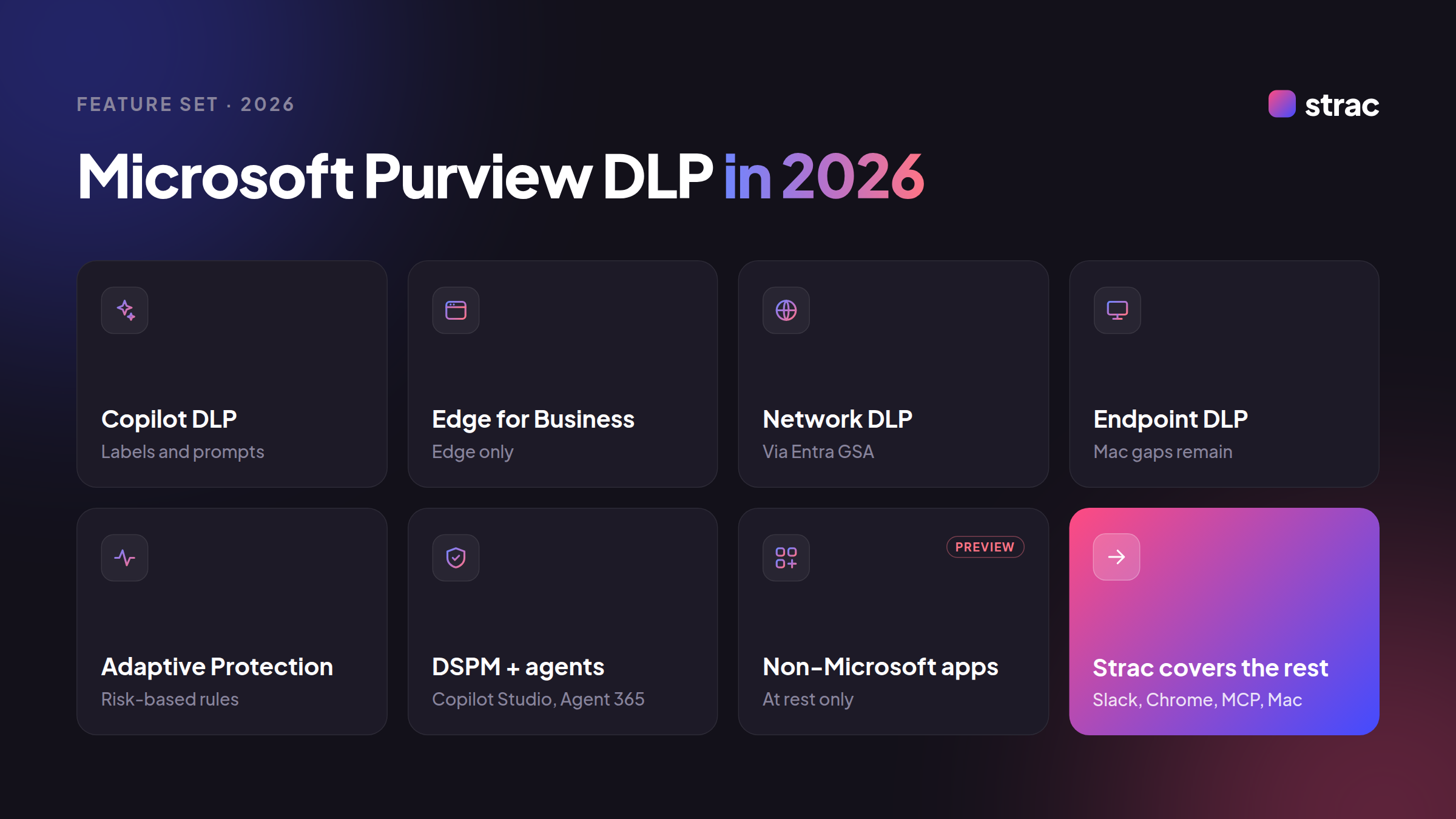
DLP for Microsoft 365 Copilot. Policies can stop Copilot from processing files and emails that carry specific sensitivity labels. Purview can also detect sensitive information types typed straight into a Copilot prompt, and a newer condition keeps Copilot from using email from external senders as grounding data. Read more on Copilot data privacy.
DLP in Edge for Business. Inline protection inspects text pasted or typed into unmanaged generative AI sites inside Edge, without full device enrollment. It stops at the edge of Edge: Chrome, Firefox, and other browsers need a separate control such as Chrome DLP.
Network data security. Integrated with Entra Global Secure Access, Purview can now inspect text, files, and AI interactions at the network layer, which extends coverage to traffic that never touches a managed browser.
Endpoint DLP. Purview watches copy to USB, print, upload, and paste on onboarded devices, and 2026 added device group scoping and Advanced Hunting data. Restricted app policies still work on Windows but not macOS, which matters for mixed fleets.
Adaptive Protection and the triage agent. Adaptive Protection ties Insider Risk Management scores to DLP, so a user flagged as risky gets stricter rules automatically. A Security Copilot triage agent sorts DLP alerts by risk so analysts review the worst first.
DSPM and agent coverage. Purview merged its posture tools into one data security posture management experience, and it now applies DLP, auditing, and labels to Copilot Studio agents and Agent 365.
Non-Microsoft apps, in preview. Purview is starting to scan data at rest in connected apps such as Box and Google Workspace. It is early, it is at rest only, and it does not act inside the conversation.
Purview is strongest where Microsoft owns the surface. The further data travels from Exchange and SharePoint, the thinner the control gets.
A block tells a user no. A redaction lets the work continue without the risky part. That difference decides whether a DLP program gets adopted or bypassed.
Microsoft 365, redacted rather than blocked. Strac connects to Office 365 email, SharePoint, OneDrive, and Microsoft Teams by API and masks PII, PHI, PCI data, and secrets inside the message or file.

The SaaS Purview does not see. SaaS DLP covers Slack, Google Drive, Gmail, Salesforce, Zendesk, Jira, Confluence, Notion, and the full integrations list.
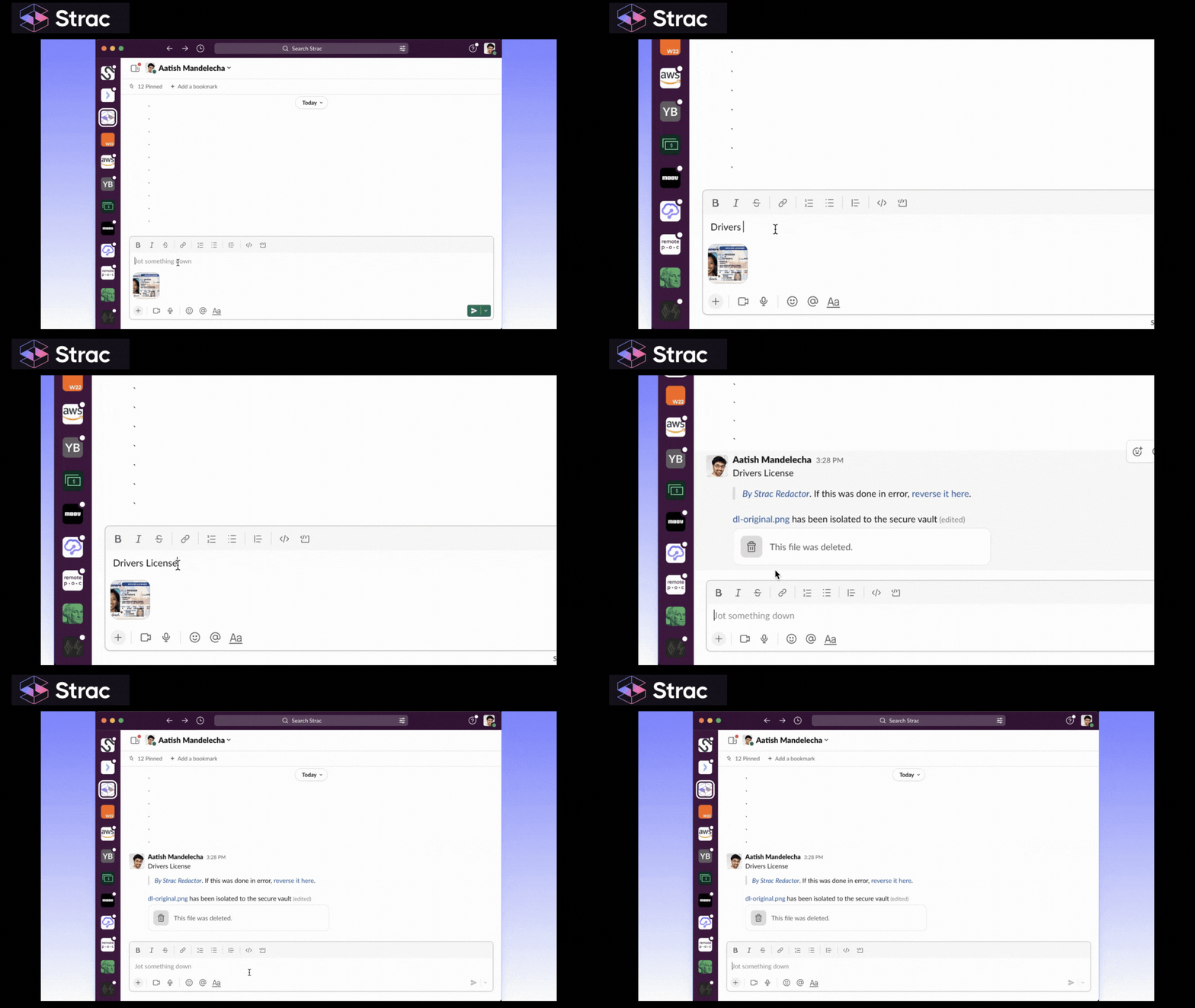
Every browser and every AI tool. Browser DLP runs in Chrome and Edge and redacts sensitive data before it reaches ChatGPT, Claude, Gemini, or Copilot. That same view is how you detect shadow AI.
.gif)
Devices across the fleet. Endpoint DLP covers Windows, macOS, and Linux under one policy set, including the Mac controls Purview leaves out.
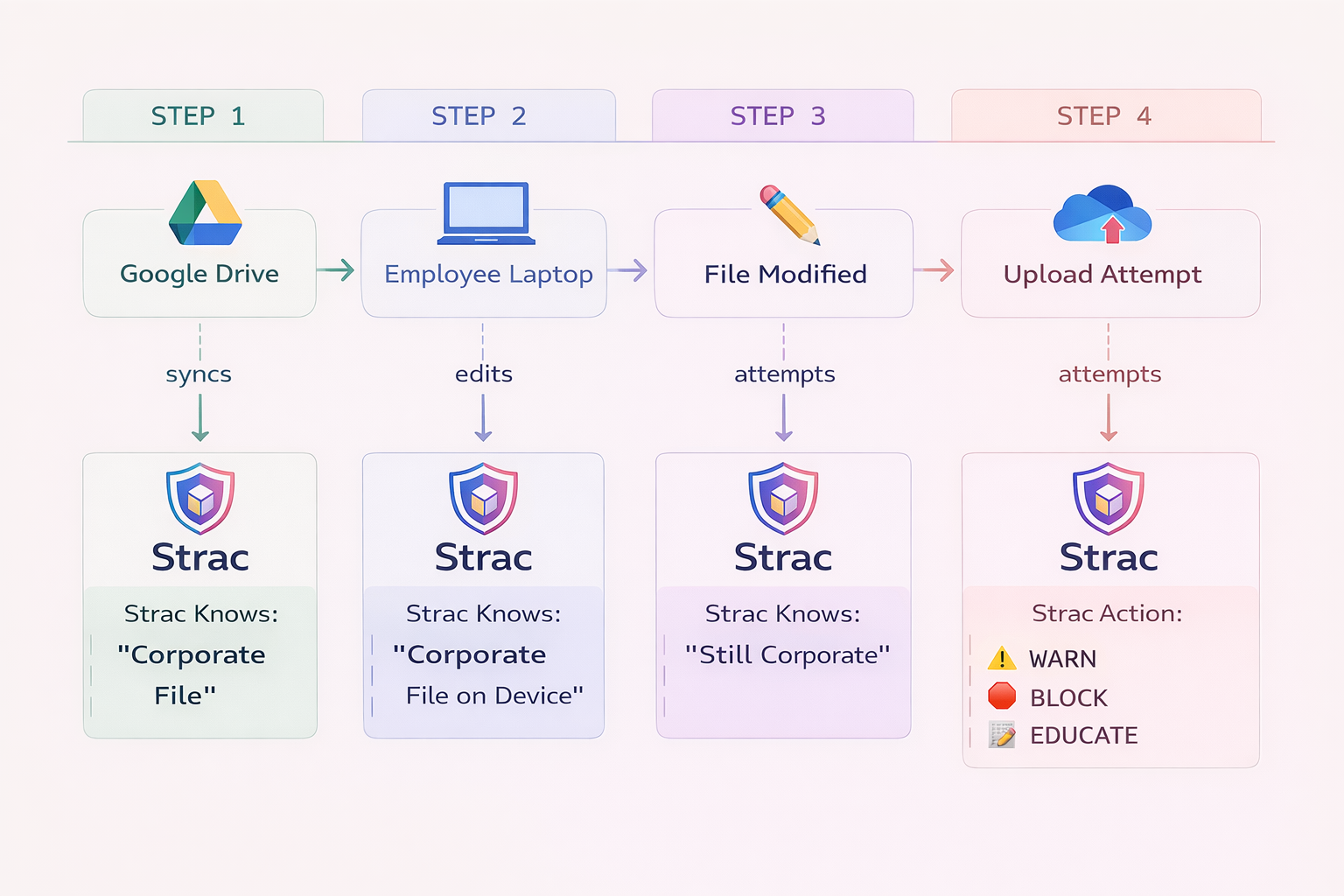
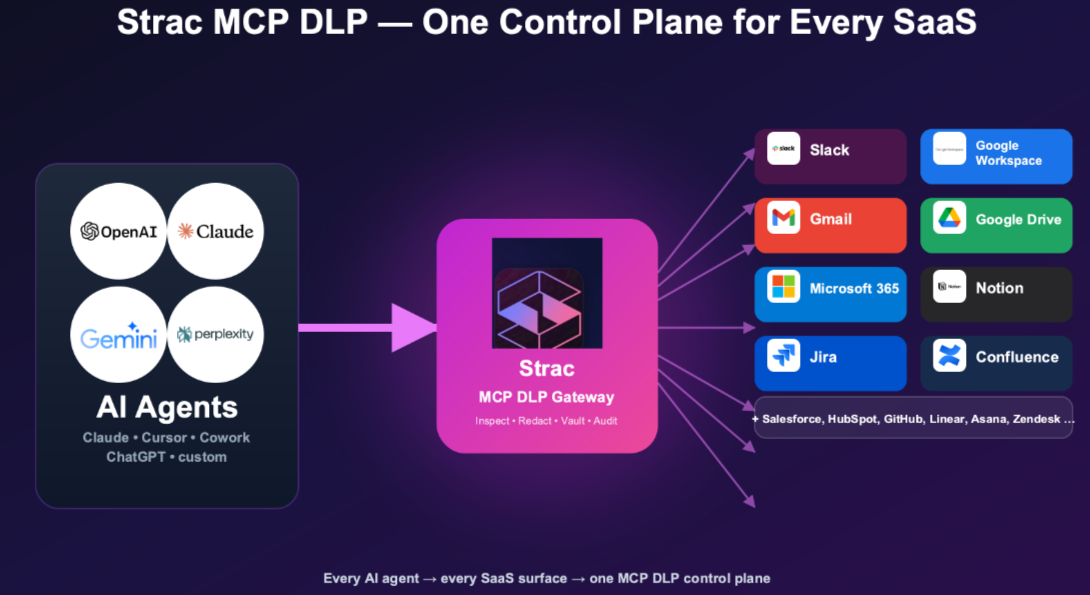
Agents and MCP. MCP DLP inspects every tool call an agent makes and redacts sensitive fields in the response, so a hijacked agent still cannot pull raw customer data. See the MCP integrations.
Data at rest. DSPM and data discovery and classification scan SaaS and cloud stores, including Azure Blob storage and AWS S3, and fix overexposure before Copilot or an agent can surface it.
Remediation follows one order on every surface:
Days 0 to 30, discover. Turn on Purview DSPM and run Strac data discovery across Microsoft 365 and your top non-Microsoft SaaS apps. Map where regulated data sits and which AI tools employees use.
Days 30 to 60, protect. Run Purview policies in audit mode for Exchange, SharePoint, OneDrive, and Copilot. Turn on Strac redaction for Slack, support tools, and browser AI, starting with PCI and PHI.
Days 60 to 90, prove and scale. Move proven Purview policies to block, extend Strac to endpoints and MCP, and map evidence to HIPAA, PCI DSS, SOC 2, and ISO 27001.
Readiness checklist:
Microsoft Purview is the right DLP baseline for Microsoft 365, and its 2026 Copilot, browser, and network controls make it stronger than ever inside that estate. Data does not stay inside that estate. Identity, network, and browser controls all fail eventually; the data layer is the backstop, and redacting sensitive data on every action keeps a mistake from becoming a breach.
For the complete endpoint picture across every exit channel, see our guide to endpoint data loss prevention.
No. Information Protection classifies and labels data; Purview DLP enforces rules on how that data moves. DLP policies read sensitivity labels as conditions, so the two work as one system and a well-labeled estate makes every downstream control more accurate.
Purview covers the Microsoft estate well, but Slack, Salesforce, Zendesk, Chrome, Mac restricted apps, and MCP agents sit outside its inline reach. Strac adds real-time redaction on those surfaces without replacing the Purview policies you already run.
Yes. Redaction beats blocking. Strac masks the sensitive element and lets the prompt, message, or file continue, while Purview keeps labeled content out of Copilot grounding. Users keep working, and the risky data never reaches the model.
Not on its own. Inline AI protection depends on Edge for Business or network routing, and personal devices or other browsers slip past. That is why the data layer matters: Strac redacts sensitive data in any browser before it reaches the model.
Purview is the Microsoft 365 policy layer inside a wider program. AI data governance also covers shadow AI, agents, and non-Microsoft data. Start with AI DLP and MCP DLP for the full picture.
.avif)


.gif)