October 5, 2026

8
min read
Windows DLP: The 2026 Guide to Data Loss Prevention on Windows
The 2026 guide to Windows DLP: every exit channel, where Microsoft Purview falls short, and how Strac protects and remediates sensitive data on Windows.
Windows is the largest data-loss surface in most companies, and native tools do not fully cover it. BitLocker encrypts the disk, Windows Information Protection is deprecated, and Microsoft Purview Endpoint DLP is Windows-centric, E5-gated, and block-only, with no real coverage of the browser-paste and GenAI path.
Most companies run their business on Windows. That also makes Windows the single largest surface for data loss: every laptop is a place where a customer record, a block of source code, or a spreadsheet of card numbers can leave through a download, a USB stick, a print job, a screenshot, a clipboard paste into ChatGPT, or a file quietly syncing into personal OneDrive. Windows DLP is the control layer that detects sensitive data on the endpoint and protects and remediates it on every one of those exits, without slowing people down.
This guide covers what Windows data loss prevention actually needs to cover in 2026, where native Windows and Microsoft Purview fall short, and how Strac Endpoint DLP closes every exit with one lightweight agent across Windows, macOS, and Linux.
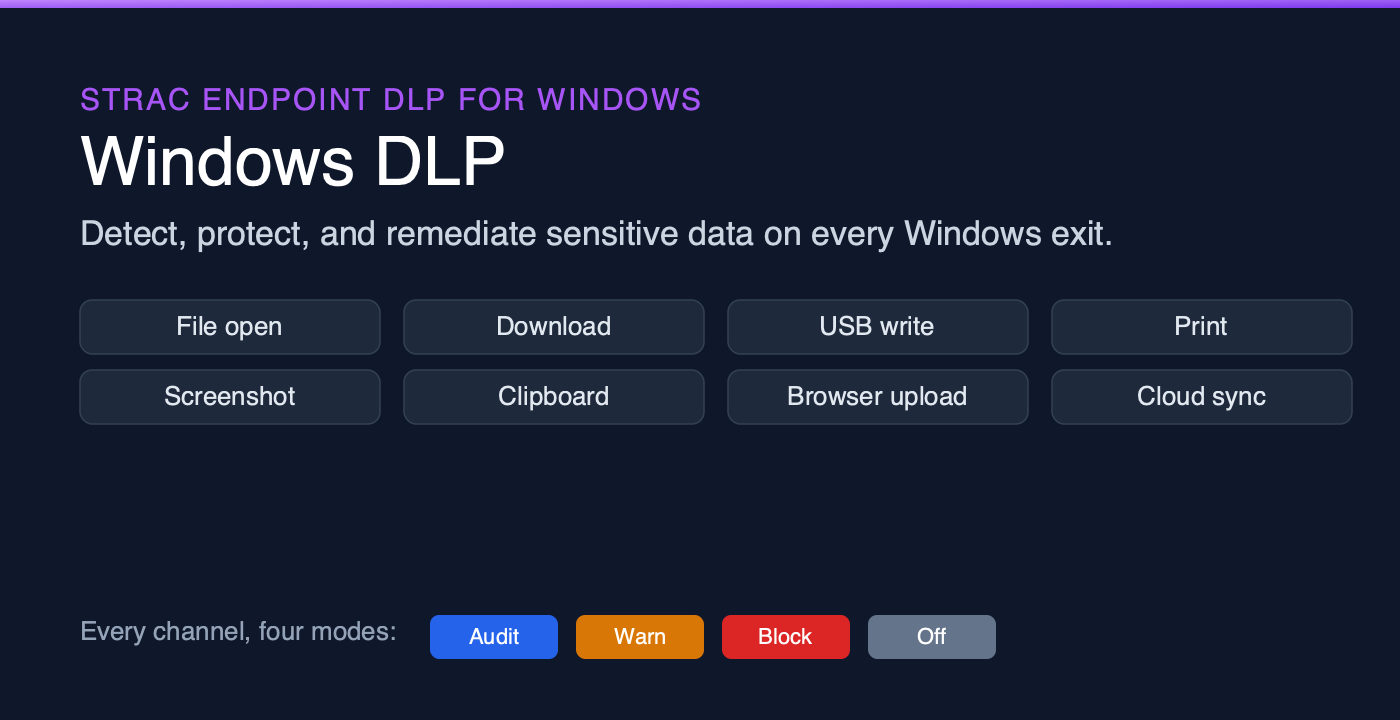
Windows DLP is not one control. It is coverage of every path data takes off the machine. A modern Windows agent watches the file channels (open, download, USB, print, screenshot), the egress channels (clipboard, browser upload, typed text, app access, cloud sync), and the network. Strac pairs that breadth with content awareness: it inspects the actual data, so it acts on the file with the SSN, not on every file.
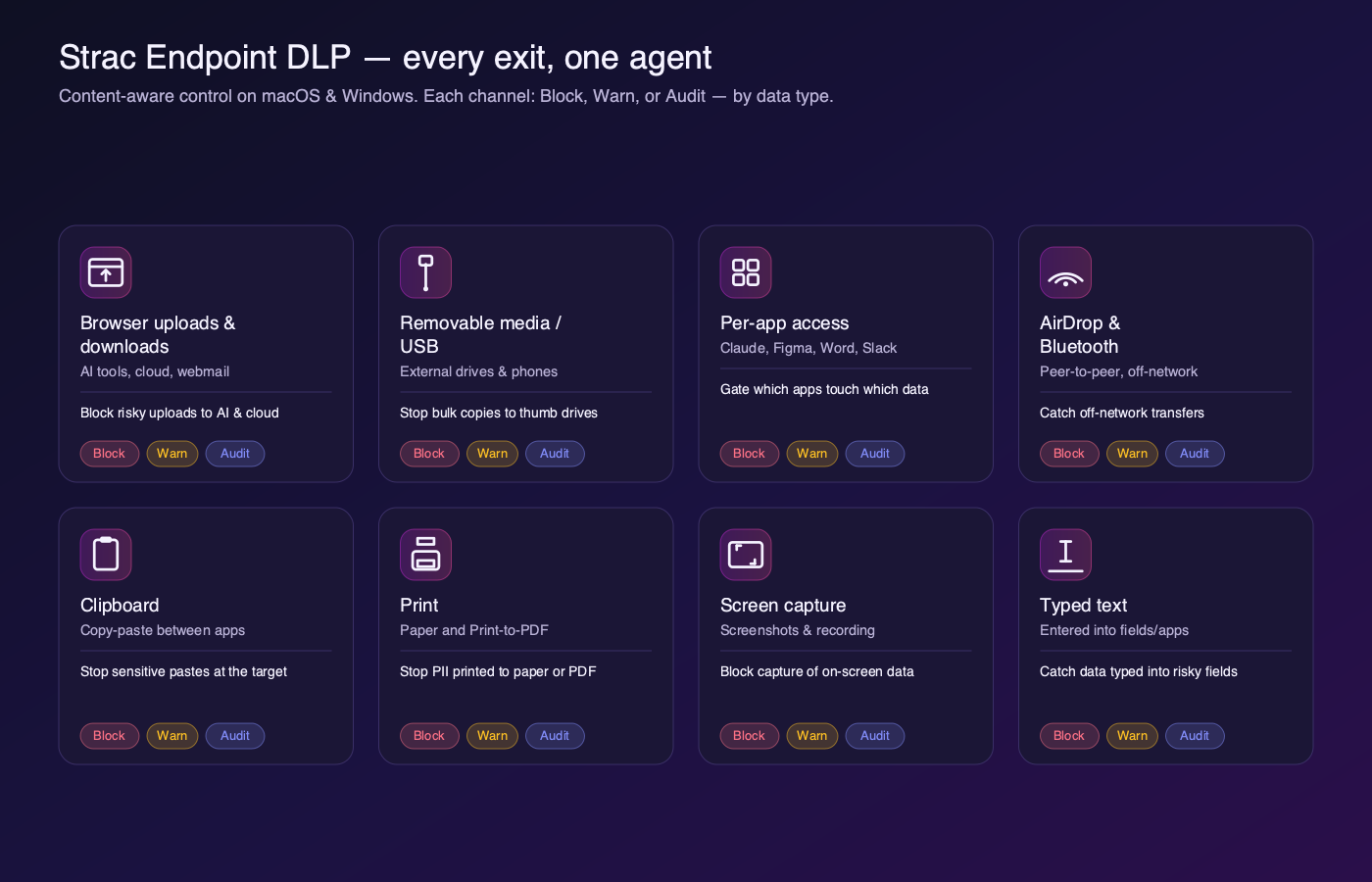
Because the same agent runs on macOS and Linux, a policy you write once applies everywhere, which is where Windows-only tools like Microsoft Purview leave a gap for mixed fleets.
Windows ships with real security primitives, but none of them is a full DLP system:
The result is that teams on Purview still lose data through screenshots, clipboard pastes into AI tools, and files syncing into personal cloud drives. For a full comparison of approaches, see our guide to the best DLP software and solutions.
Here is exactly what a Windows DLP agent should enforce, channel by channel. Each one is a specific capability, not a vague promise.
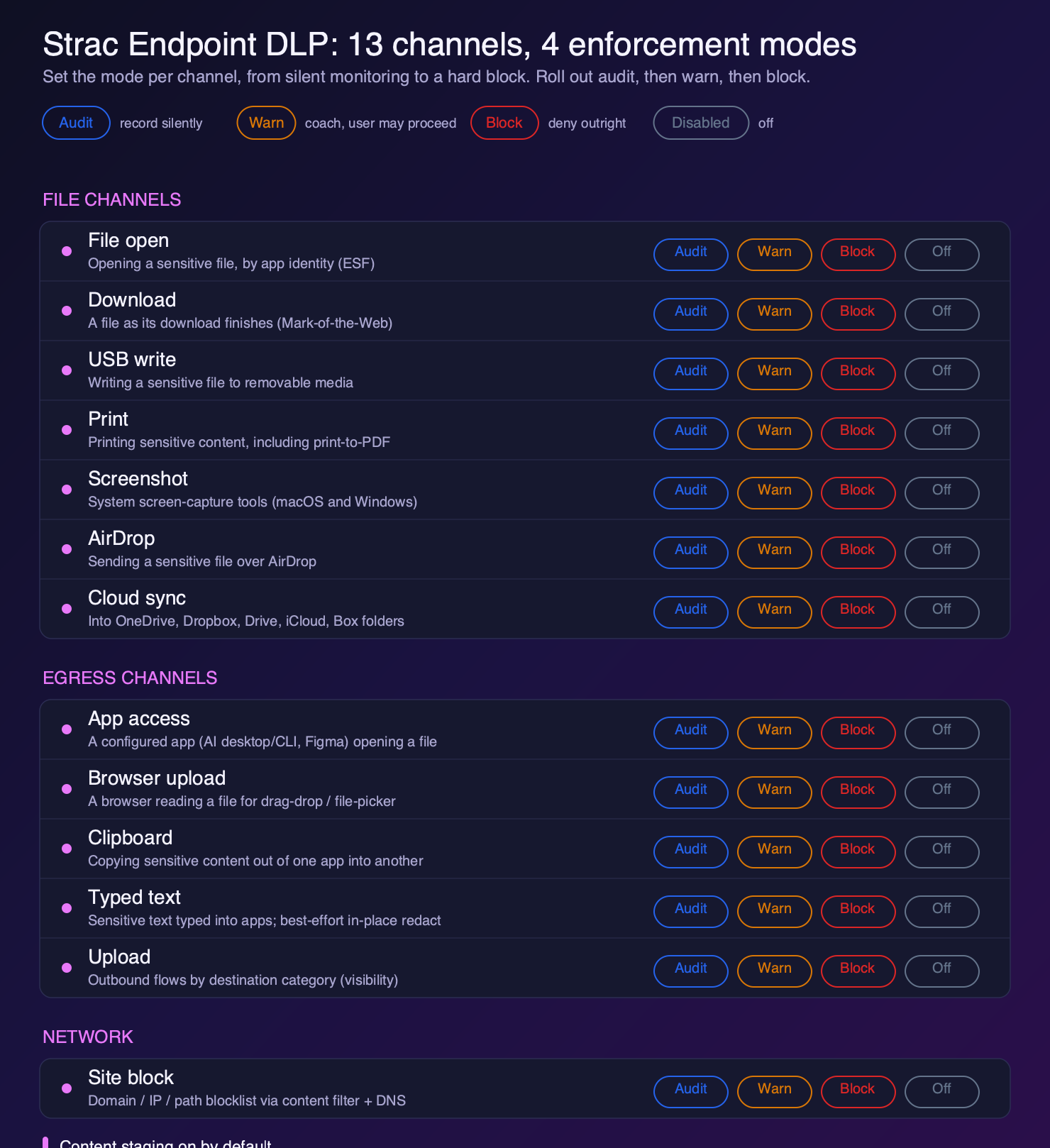
Blocking everything on day one breaks workflows and gets DLP turned off. Strac gives every Windows channel four modes so you can roll out safely:
The proven rollout is audit, then warn, then block, one channel at a time. See how to phase DLP enforcement for the full playbook.
Detection is only half the job. When Strac finds sensitive data, it remediates in place: it redacts the PII, PHI, PCI, or secrets, quarantines the file, or blocks the action, and stages the finding to a vault so an admin can review the exact file it fired on. That is the difference between knowing a leak happened and stopping it before it leaves the laptop.

The fastest-growing Windows leak path is not a USB stick. It is an employee pasting a customer record into ChatGPT, uploading a spreadsheet to an AI tool, or using a desktop AI app that reads local files. Strac covers all three on Windows: the clipboard and browser-upload channels catch the paste and the upload, and the app-access channel governs desktop AI and CLI tools. Pair that with shadow-AI discovery to see which AI tools your Windows fleet is actually using, and read how AI data leaks happen for the full picture.
Strac is an AI-native, agentless-first data security platform with a lightweight endpoint agent for Windows, macOS, and Linux. On Windows it detects PII, PHI, PCI, secrets, and source code across every exit, enforces audit, warn, or block per channel, and remediates in place with redaction and quarantine. It covers the modern GenAI path that native tools miss, and it reports every finding to a single console alongside your SaaS and cloud data. For the broader endpoint story, see what a DLP endpoint agent does and how Strac compares on endpoint coverage.
Not a complete one. Windows includes BitLocker for disk encryption and the deprecated Windows Information Protection, and Microsoft Purview Endpoint DLP is available with E5 licensing. Purview is the closest native option, but it is Windows-centric, leans block-only, and does not cover the browser-paste and GenAI path where most modern leaks happen. Most organizations add a content-aware third-party Windows DLP agent for full coverage.
Purview Endpoint DLP is Microsoft's native option, gated behind E5, strongest on Windows, and focused on block-style enforcement. A dedicated Windows DLP agent like Strac is content-aware, covers more exits (screenshot, clipboard, cloud sync, desktop AI apps), offers audit, warn, and block per channel, remediates in place with redaction, and runs the same policy on macOS and Linux.
Yes. The clipboard and browser-upload channels inspect content leaving one app for another, including browsers and desktop AI apps, and block or redact the sensitive parts in real time. The app-access channel also governs desktop AI and CLI tools that read local files.
A badly built agent can. Strac's agent is lightweight and content-aware, so it inspects the files that matter rather than scanning everything constantly. Always measure CPU, memory, and boot impact during a proof of value.
Yes, and it should. Strac runs the same endpoint agent and the same policy across Windows, macOS, and Linux, so a mixed fleet has one consistent control instead of a Windows-only tool plus gaps. See our Mac DLP guide for the macOS side.
.avif)


.gif)


.webp)