Cart(
0
)
No items found.
Product is not available in this quantity.
Your AI policy says which tools are allowed. Strac enforces it on the laptop: unapproved AI apps and command-line tools are refused when they start, their sites are blocked, and every block shows how many devices enforce it. No proxy, no CASB, and it works off the corporate network.





Shadow AI discovery, app and MCP blocking, guardrails for coding agents, and DLP for prompts and files. One agent on Mac and Windows.
People adopt new AI tools weekly. Network controls miss desktop apps and CLIs, and they stop working the moment a laptop leaves the office.
Some AI tools store data in jurisdictions with compelled state access, or train on everything you give them.
Native apps and command-line AI tools never touch a browser extension or a web proxy.
Remote employees on home Wi-Fi bypass every control that lives in the office network.
A tool you approved, signed in with a personal plan, runs under consumer terms.
New AI sites launch daily. A static blocklist is out of date by Friday.
Auditors ask which devices actually enforce the policy. Most teams cannot answer.
The same Strac agent that inventories AI on every device enforces your decisions.
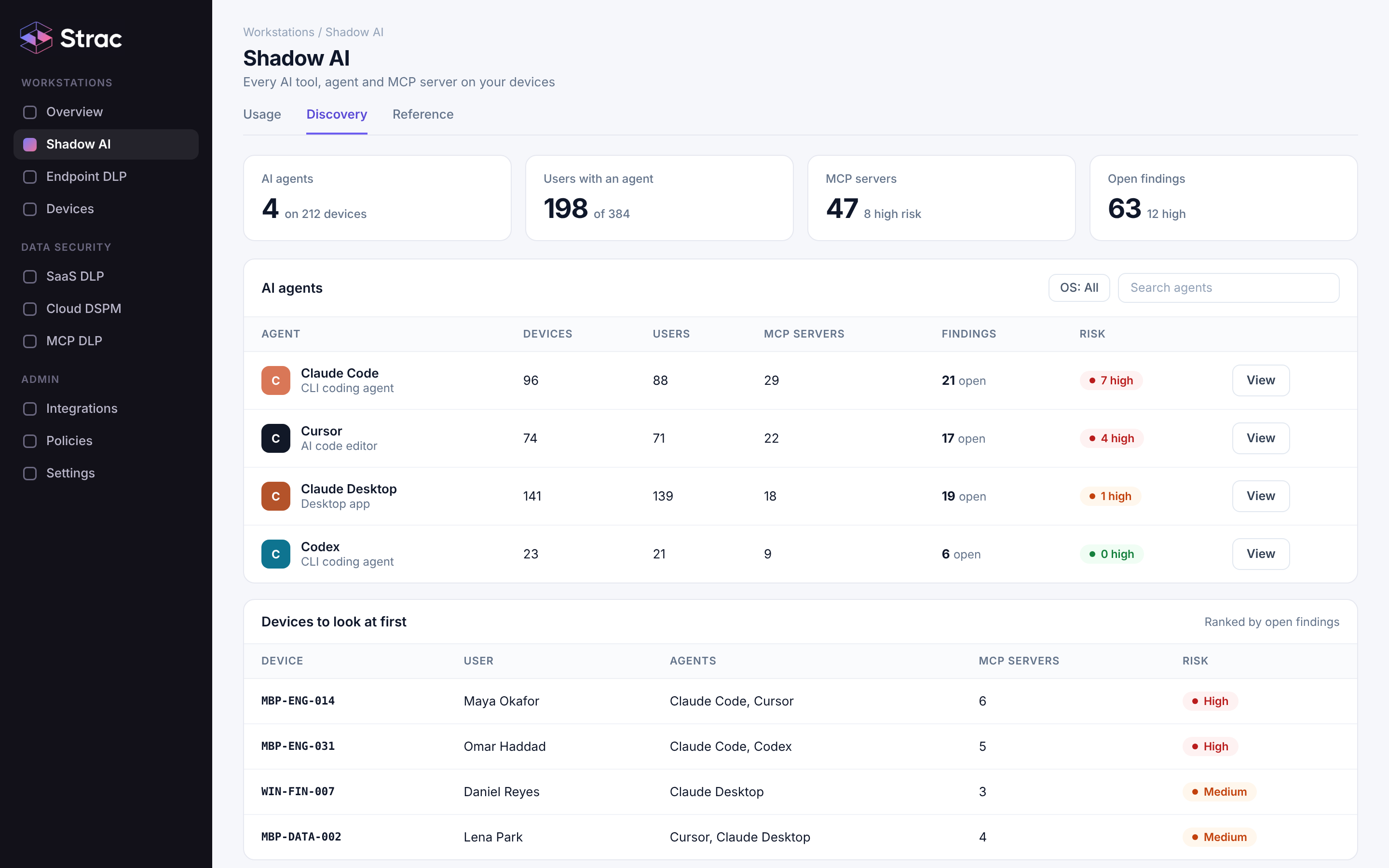
Inventory: AI apps and CLI tools installed on each device, with version and path.
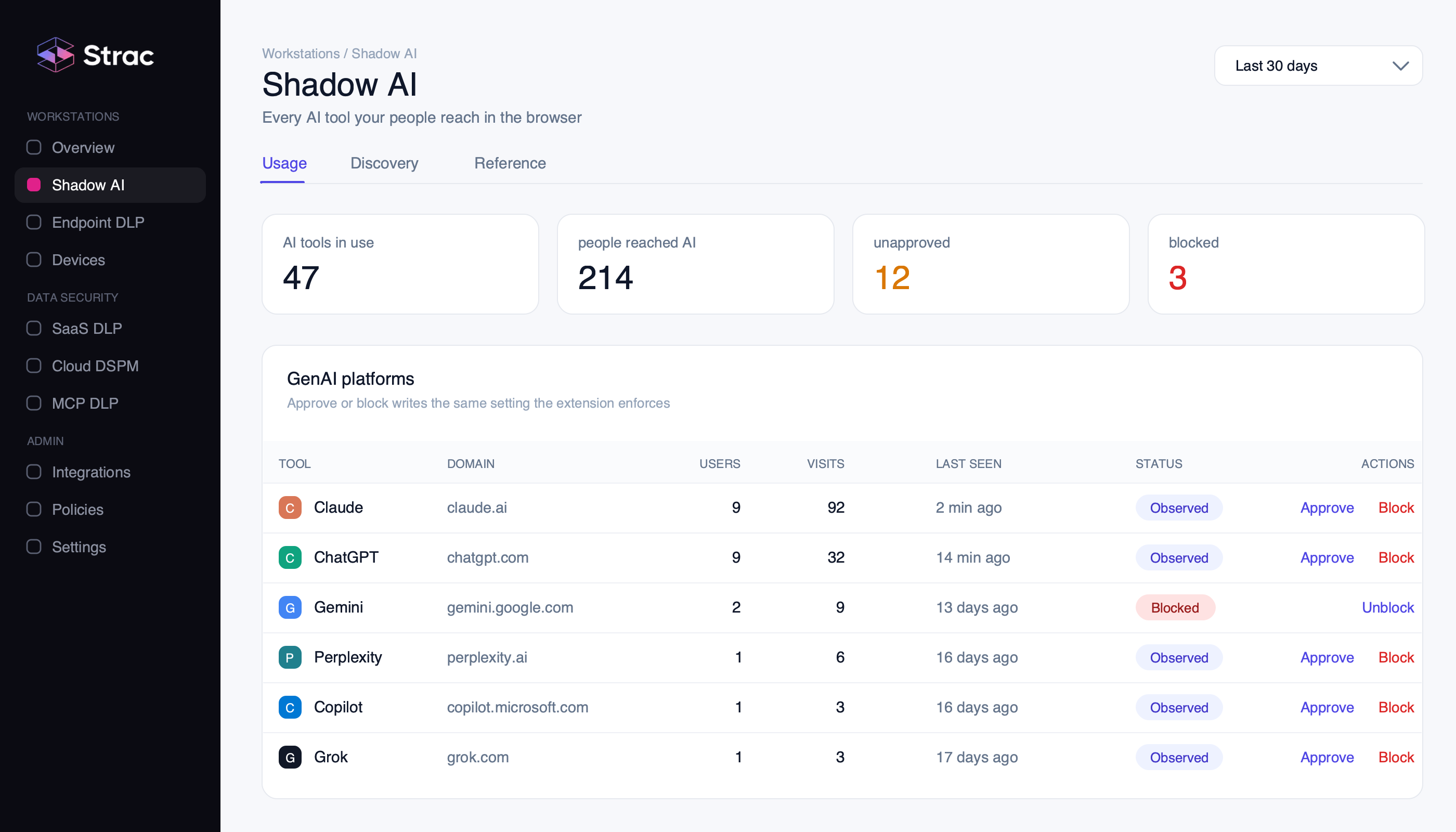
Usage: which AI services people reach, from which app, and how often.
Reviewed by Strac: someone read the vendor's own terms. Strac never guesses a level.
Your tools: add in-house assistants; add new AI-looking sites in one click.

Enforced: apps and CLIs refused when they start, their sites blocked, on macOS, Windows or both.
Proof: "Enforced on N of M devices" and every attempt counted.
DeepSeek is rated High in Strac's catalog. Security blocks it for macOS and Windows from the inventory row.
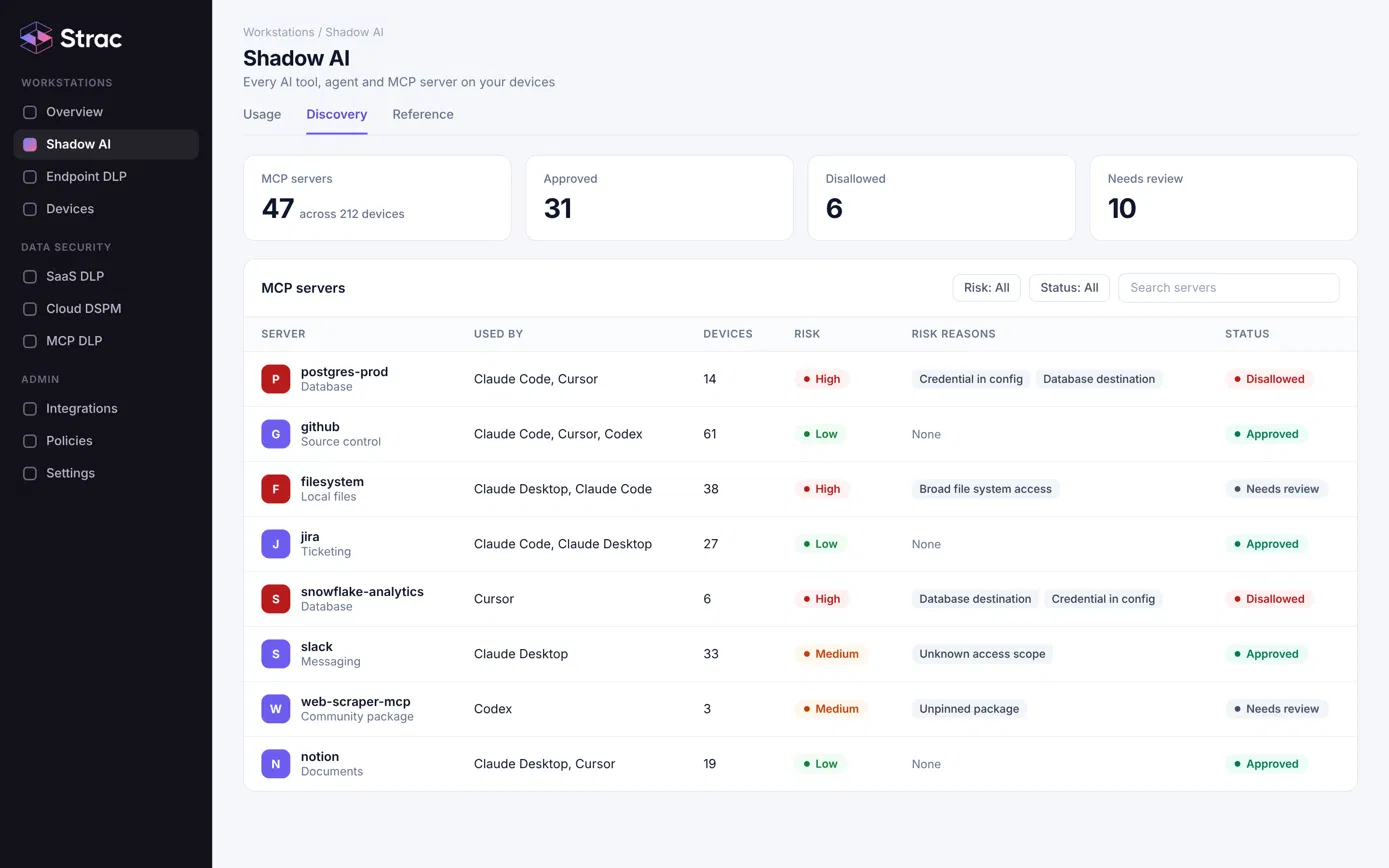
Your organization blocks AI tools and MCP servers it hasn't approved. Ask your admin to approve it.
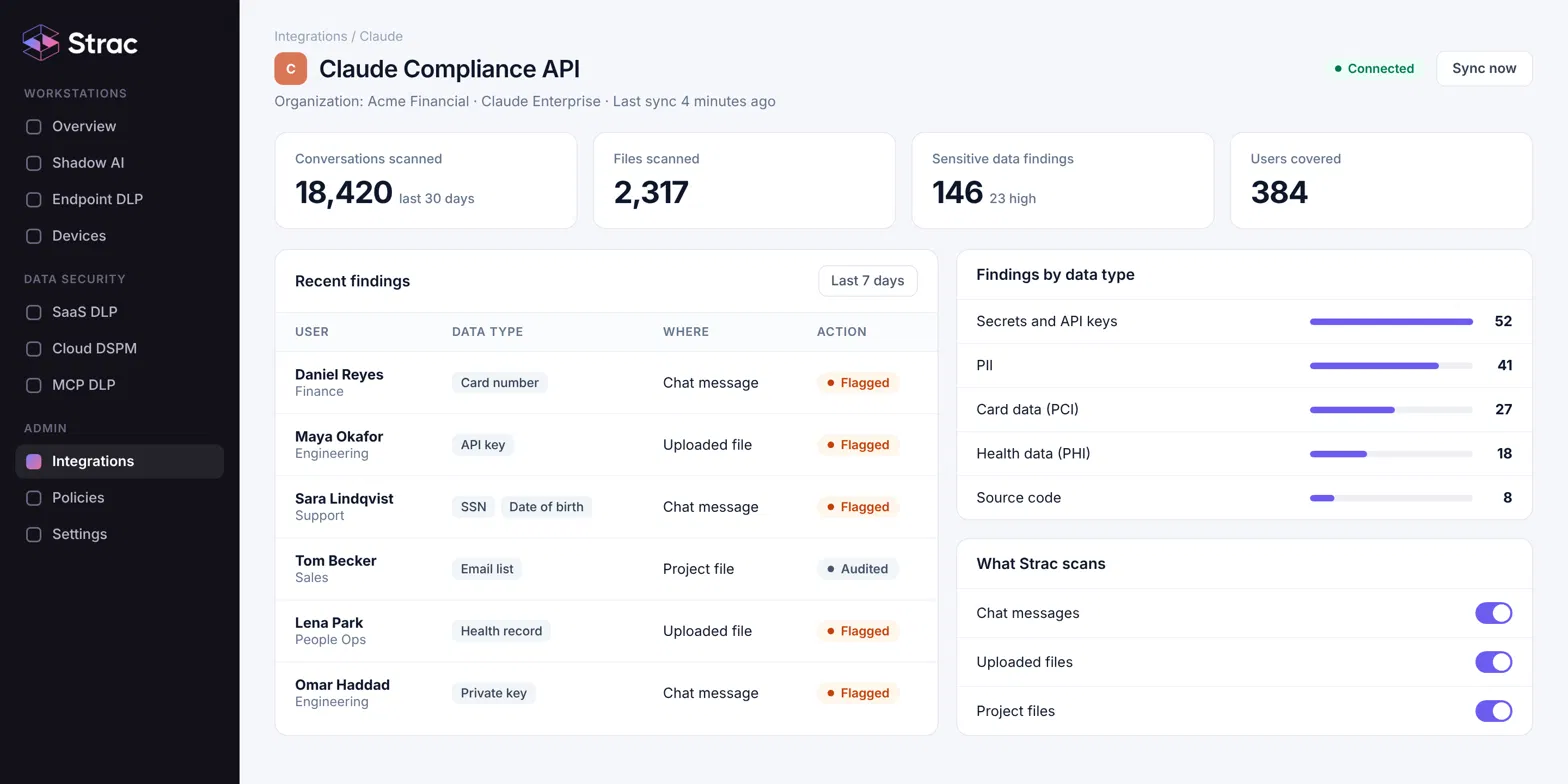
Strac reads the sign-in on the device for Claude Code, Codex, Claude desktop, GitHub Copilot and Office, and classes each account.
Blocking is the blunt option. For tools you want people to use, Strac DLP on the same agent checks prompts, pastes and uploads.
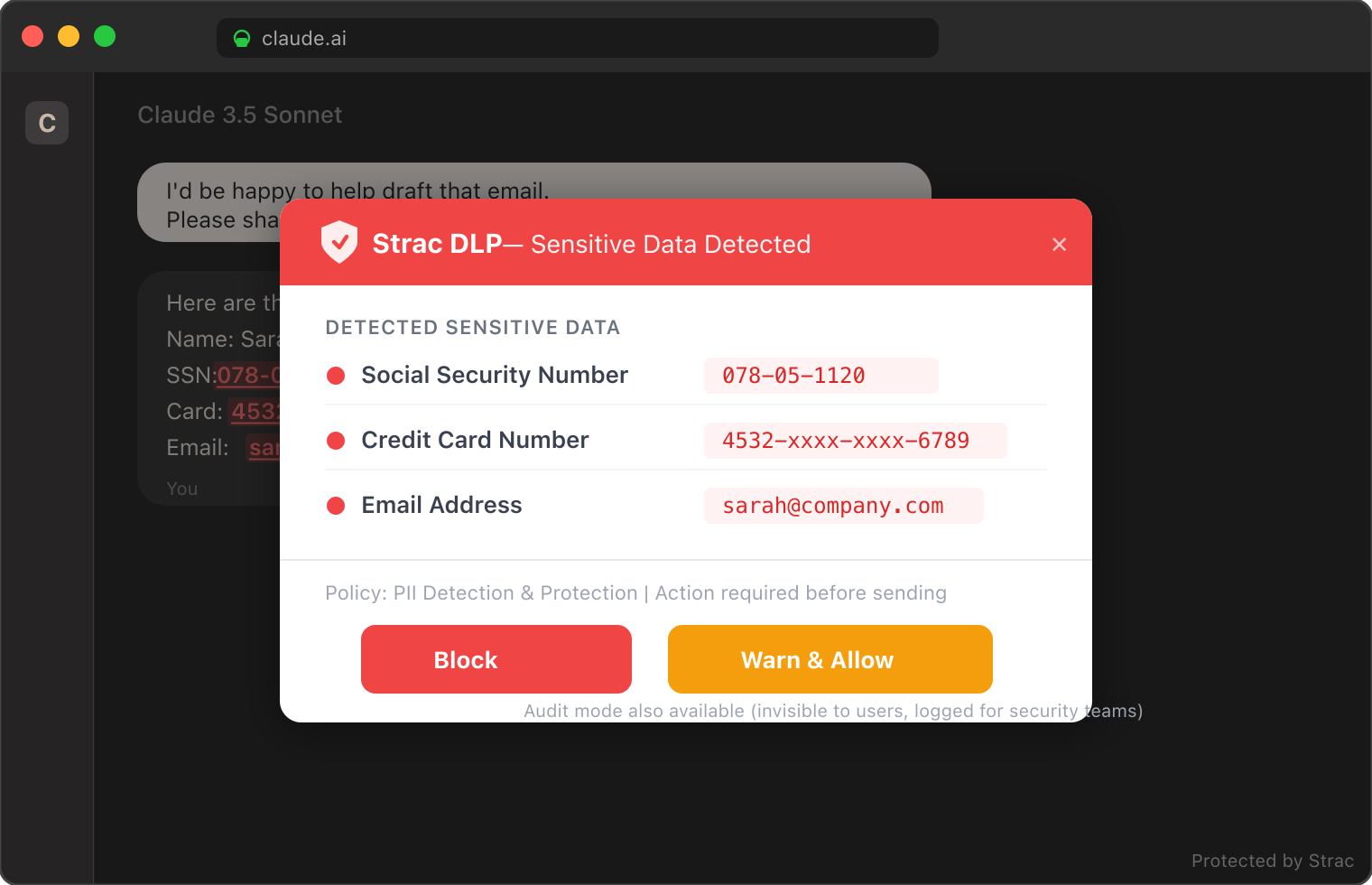
Strac DLP in ChatGPT, Claude, Gemini and Copilot: block, warn or audit sensitive data in the browser.
| Strac endpoint agent | Proxy / CASB | Browser extension only | |
|---|---|---|---|
| Desktop AI apps | Yes | No | No |
| Command-line AI tools | Yes | No | No |
| AI websites | Yes | Yes | Yes |
| Off the corporate network | Yes | Partial | Yes |
| MCP servers | Yes | No | No |
| Proof per device | Yes | No | No |
Find it in Strac's AI inventory or catalog and choose Block, for macOS, Windows or both. Its desktop app and command-line tool are refused when they start, and its sites are blocked.
No. Strac enforces on the device with its endpoint agent, so it covers desktop apps and CLI tools a proxy never sees, and laptops off the corporate network.
Yes. They see a window saying the tool is blocked by your organization and to ask their admin, with your own contact line if you add one.
Someone at Strac reads the vendor's own terms and rates the tool High, Medium or Low based on jurisdiction, training on inputs, enterprise controls and what the tool can do. Unreviewed tools show Not reviewed; Strac never guesses.
Strac never blocks itself, the operating system, a browser, a terminal, or an interpreter such as node or python on its own.
Deploy Strac to a pilot group in Monitor mode and get every AI app, its rating, who uses it, and which ones you would block.