October 1, 2026

6
min read
How to Prevent Shadow AI (Without Banning AI) (2026)
You can’t prevent shadow AI by blocking AI — people will route around it. You prevent the risk by controlling the data.
You can’t prevent people from wanting AI — and you shouldn’t try. What you can prevent is the data leak: regulated information flowing into AI tools that were never sanctioned. The shift is from blocking tools to guarding data, and it is the only approach that survives contact with a motivated workforce.
Block ChatGPT at the firewall and employees switch to a browser you don’t watch, a phone on cellular, or one of a thousand niche tools. Worse, a ban pushes AI use underground, so you lose the visibility you need to manage risk at all. The leak doesn’t stop; it just moves somewhere you can’t see it. Prevention has to be content-aware, not tool-blind.
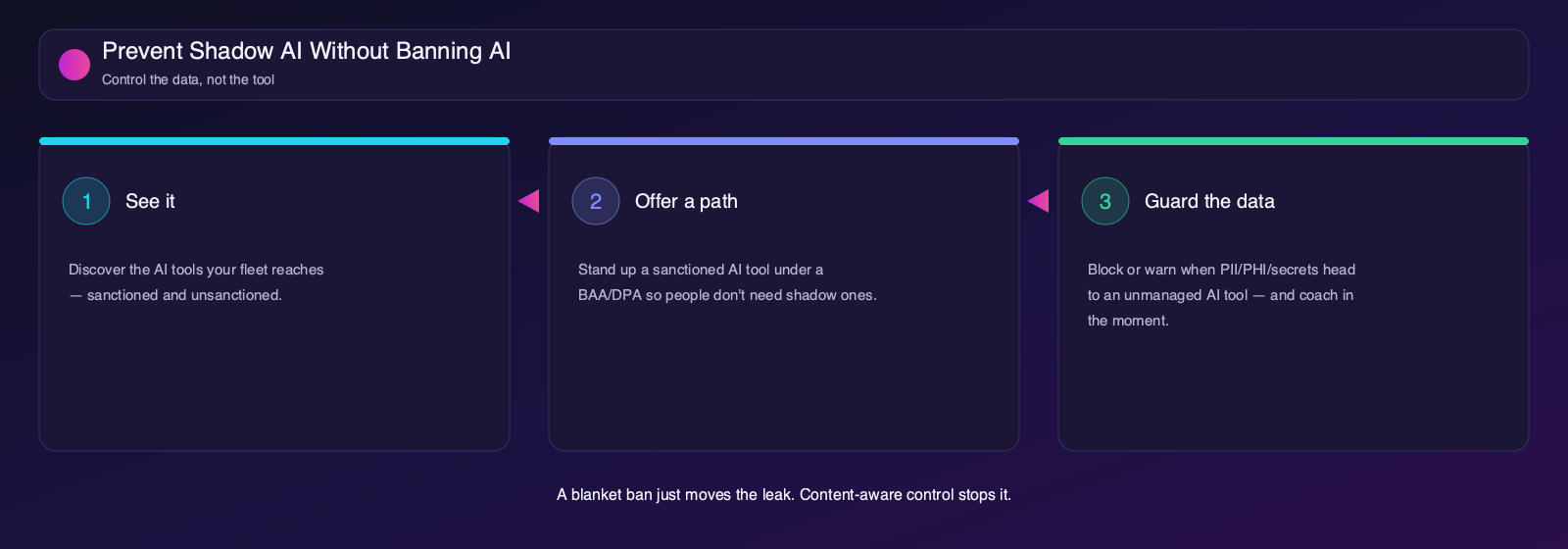
The durable approach guards the data at the point it would leave, on the endpoint, regardless of which tool the person chose. Three moves make it work.
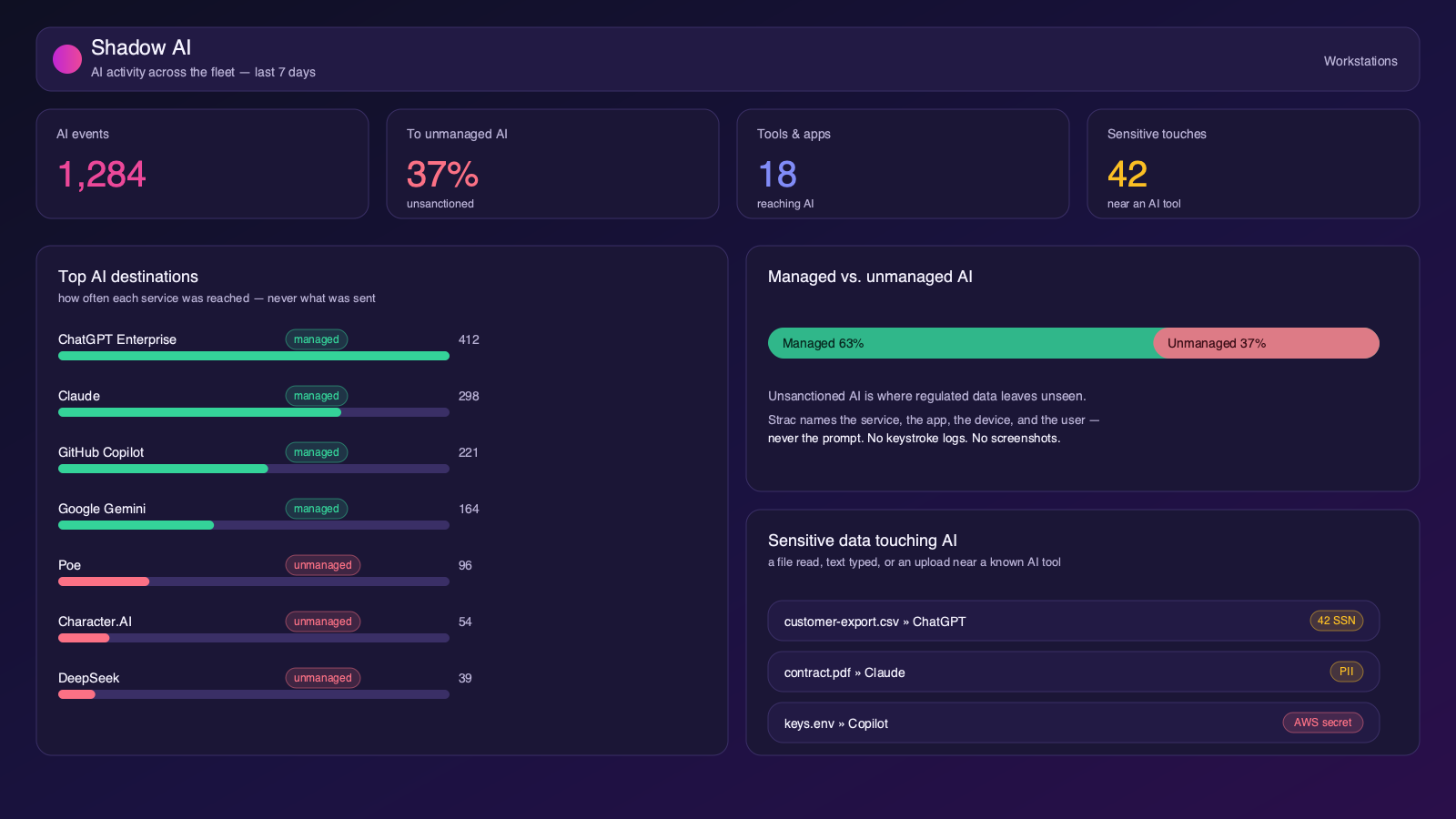
Prevention starts with visibility. Discover the AI services your fleet reaches — browser, desktop, and CLI — and split managed from unmanaged. You can’t prevent a leak into a tool you don’t know exists, and you can’t offer a sanctioned alternative until you know what people are reaching for.
People use shadow AI because it helps them. Take away the reason by standing up a sanctioned tool under a DPA/BAA — an enterprise ChatGPT or Claude — that does the job safely. Enablement is half of prevention: if the approved path is good, most shadow use evaporates on its own.
For everything else, guard the data itself. When a file with PII, PHI, cardholder data, secrets, or source code heads to an unmanaged AI tool — a browser upload, a desktop AI app opening it, sensitive text typed into a listed app — block or warn, and coach the user toward the sanctioned tool. The AI stays usable; the regulated data doesn’t leave.
Flip everything to Block on day one and you’ll break work and lose trust. Start in Audit to learn reality, move noisy channels to Warn to coach users, and reserve Block for the data classes you can’t afford to lose. The same staged model that works for endpoint DLP works for shadow AI.
Most casual shadow AI is a browser tab. Content-aware browser controls stop a sensitive file from being dragged or picked into an upload to an unmanaged AI site, and warn when someone pastes regulated text into a prompt — without blocking the browser or the site wholesale.
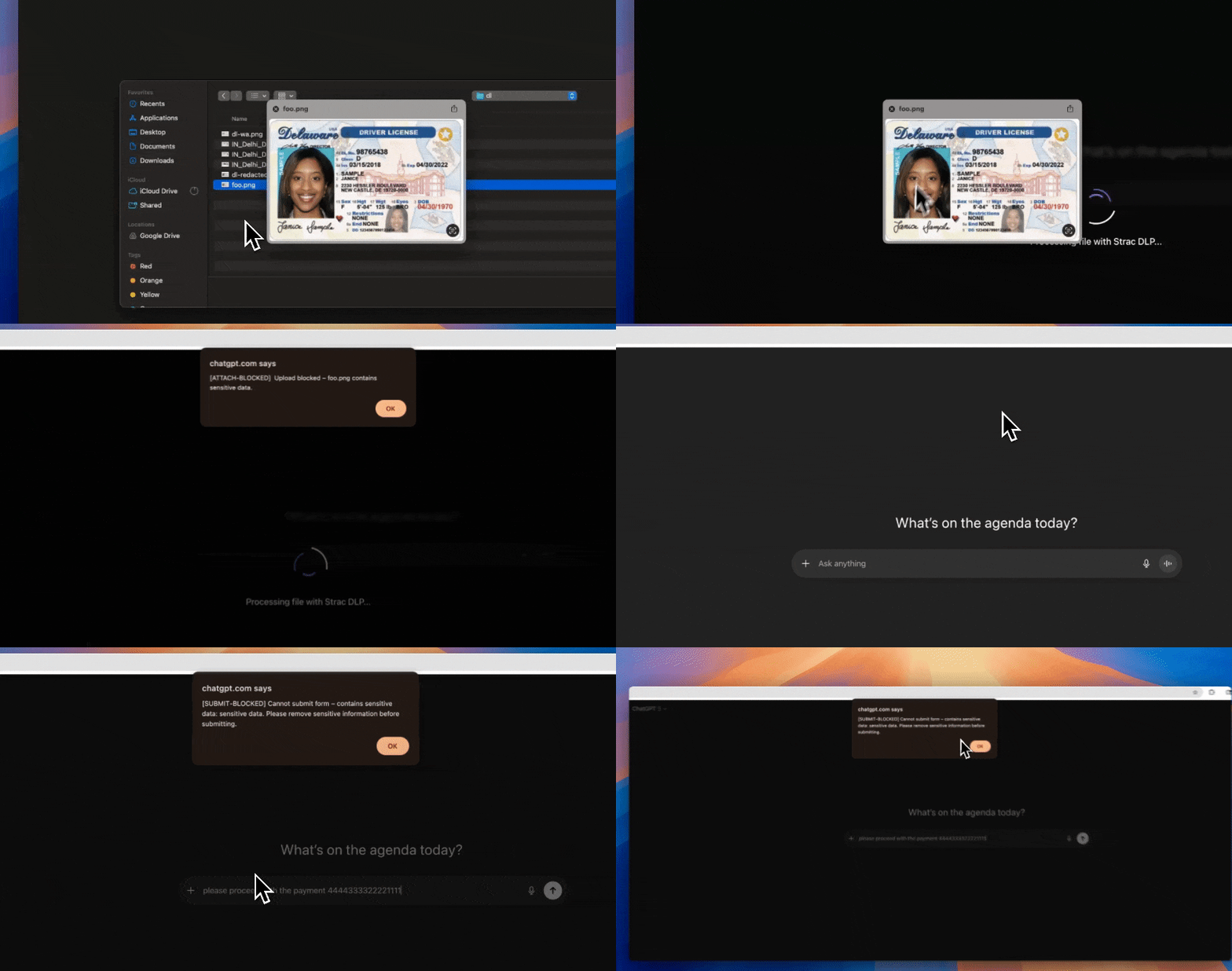
The riskier, quieter shadow AI lives outside the browser: desktop assistants, IDE plugins, and scripts. Endpoint enforcement gates which apps can open sensitive files by app identity, so an unmanaged AI desktop client can’t ingest a file full of secrets even though it never touched the browser.
See Strac stop sensitive data from reaching an unsanctioned AI tool while leaving people free to use AI:
Detection tells you shadow AI is happening. DLP is what stops the leak. The moment sensitive data heads to an AI tool — pasted into a browser prompt, dragged into an upload, opened by a desktop AI app, or overshared in a file an agent can reach — Strac’s content-aware DLP remediates it in real time. This is why so many teams run Strac for web GenAI DLP: it is the remediation layer that turns “we found shadow AI” into “the data never left.”
Strac gives you the right response for each surface, set per data type:

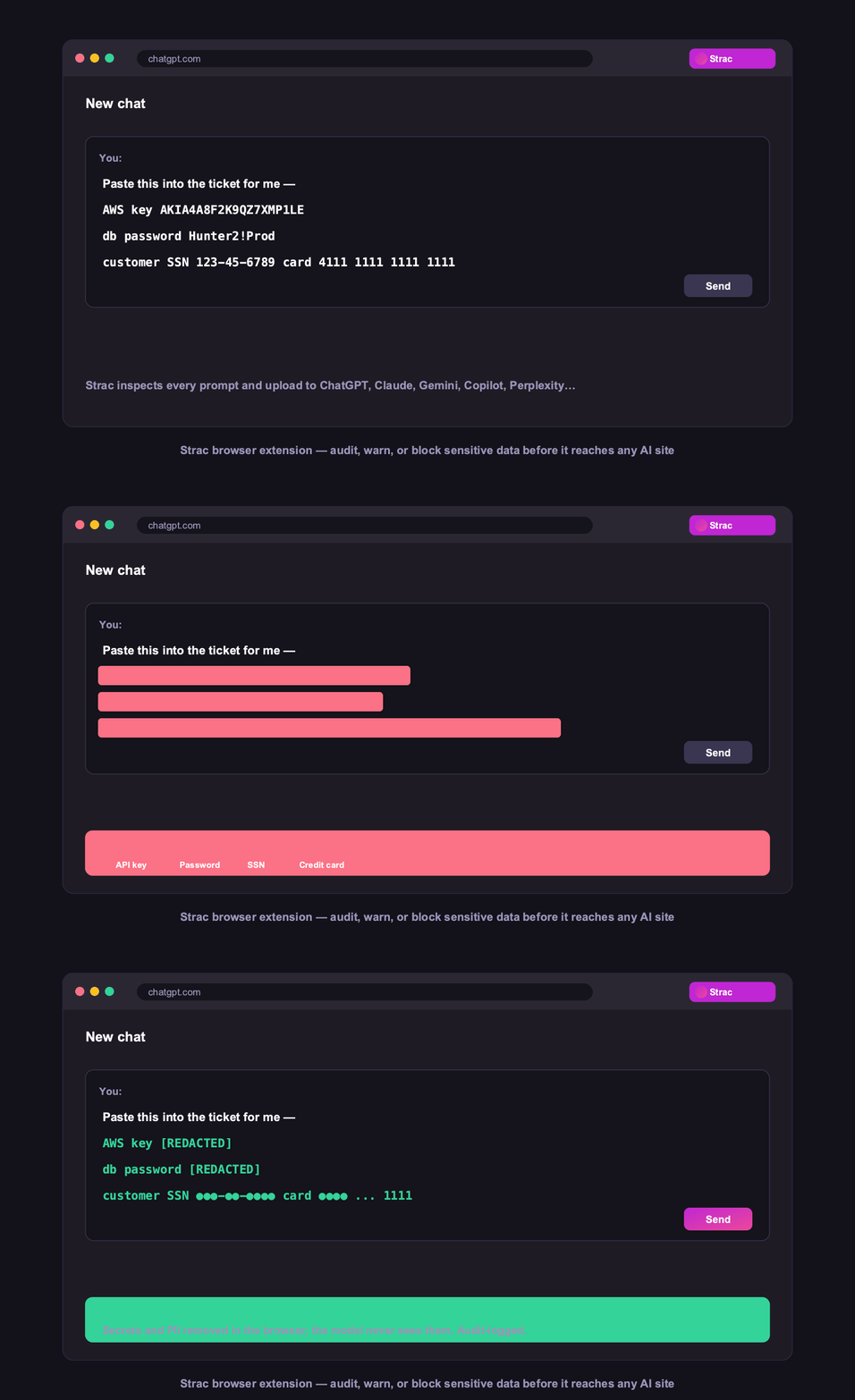

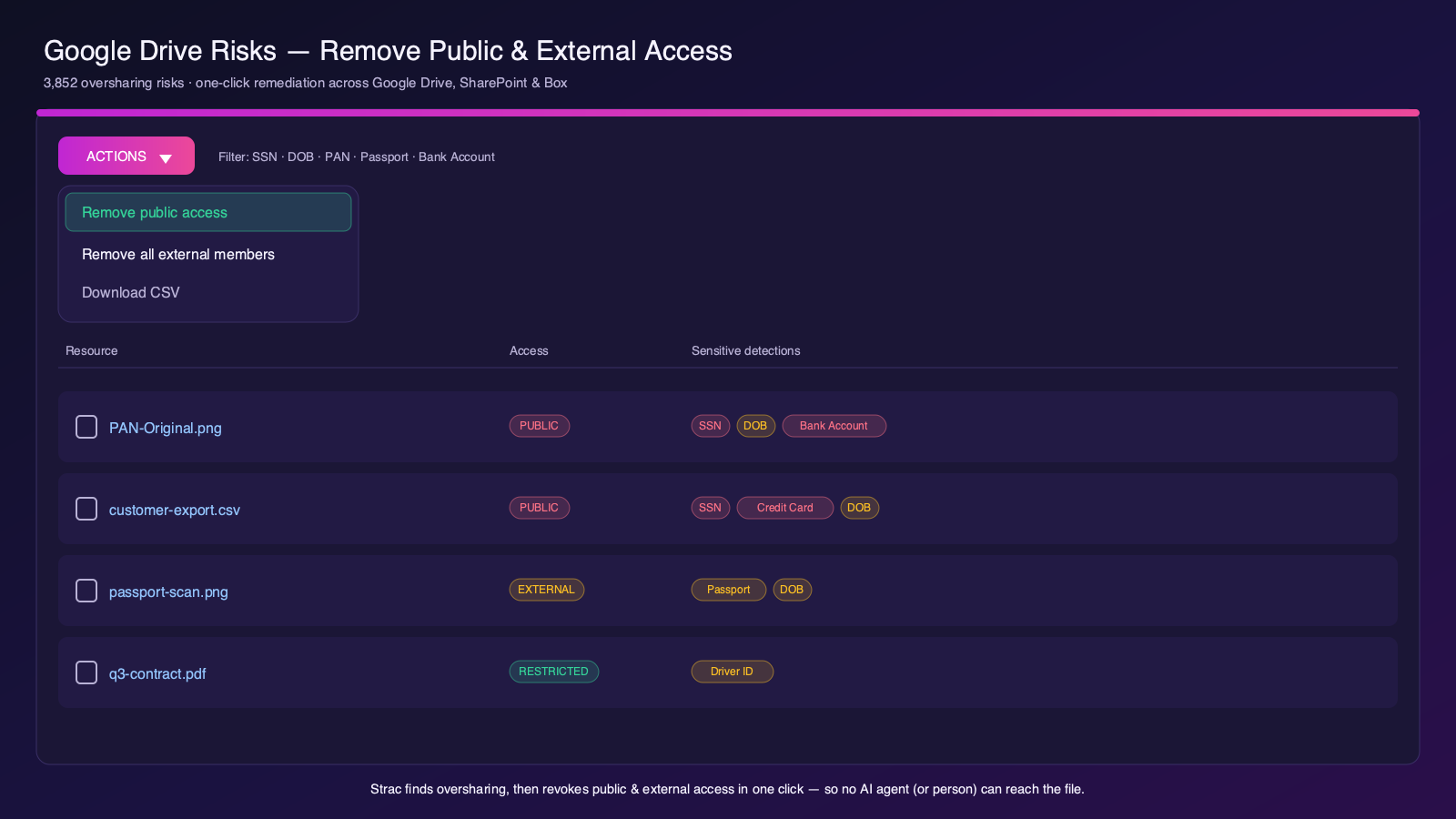
Because detection and DLP live in the same platform, you see the shadow AI and remediate the data with one policy and one audit trail — across SaaS, browser, endpoint, GenAI, and MCP.
Strac prevents the shadow-AI data leak while letting people keep using AI safely. Start at the Shadow AI hub, or read how to detect shadow AI and shadow AI governance.
Prevention starts on the device: Strac’s endpoint DLP agent detects Shadow AI and governs the data flowing into it, right at the endpoint.
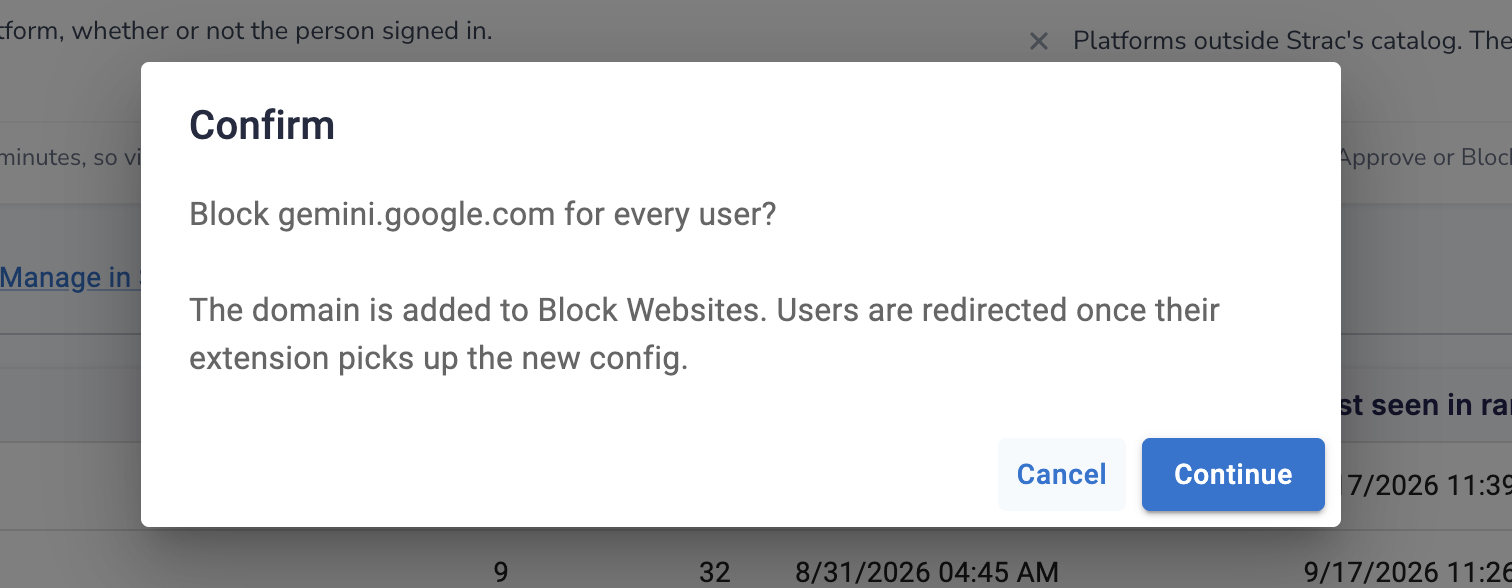
Want to block or govern a tool? See how to block ChatGPT at work and AI usage monitoring.
How do you prevent shadow AI? Not by banning AI. Discover what’s in use, provide a sanctioned tool, and block or warn only when sensitive data heads to an unmanaged one. Strac enforces this on the endpoint.
Can you stop employees using unapproved AI? You can stop the risky part — sensitive data reaching it — without a blanket ban. Content-aware endpoint controls block the data, not the productivity.
Does preventing shadow AI require monitoring employees? No. Strac acts on data movement and AI destinations, not on the content people type — no keystroke logs or screenshots.
Why do AI bans fail? Because people route around them — to a personal device, a different browser, or a niche tool you’ve never heard of. The leak moves; it doesn’t stop. Prevention has to be content-aware.
What’s the fastest way to reduce shadow AI risk? Start in Audit to see reality, provide one sanctioned AI tool, then Block the highest-risk data classes going to unmanaged tools. Risk drops immediately without a productivity fight.
.avif)


.gif)


.webp)