Search “Google Workspace SOC 2 compliance” and you hit an immediate confusion: Google Workspace already has its own SOC 2 report. So are you done? No — and this is the single most expensive misunderstanding in a SOC 2 audit. Google Workspace’s SOC 2 covers Google’s own infrastructure and service operations. It says nothing about how your organization has configured Google Workspace. Under the shared responsibility model, how your admins configure 2-Step Verification, admin roles, OAuth app access, and Drive sharing is entirely on you, and that is exactly what your auditor samples.
So “Google Workspace SOC 2 compliance” really means two things: (1) configuring Google Workspace so its security controls satisfy the relevant Trust Services Criteria, and (2) continuously proving they stayed configured across your audit window. This guide covers both — the exact settings, and how to generate the evidence automatically instead of screenshotting it the week before fieldwork. For the platform landscape, see our SOC 2 compliance software guide; for the control list, the SOC 2 controls breakdown.
What Google Workspace Owns vs What You Own
Google publishes its own SOC 2 and SOC 3 reports for Workspace, covering the service’s infrastructure and operations. Your auditor doesn’t re-test that — they test your Admin console configuration: is MFA enforced, are super-admins minimized, are risky OAuth apps blocked, and is sensitive data in Drive controlled? Workspace is where most companies’ identity and unstructured data live, so it carries disproportionate access (CC6.x) and data-protection (CC6.7) weight.
✨ Which SOC 2 Controls Your Workspace Config Touches
Workspace area
What to configure
SOC 2 criterion
2-Step Verification
Enforce MFA for all users (not just available)
CC6.1
Super-admins
Minimize count; review against access matrix
CC6.3
OAuth apps
Govern third-party app access; restrict risky scopes
CC6.1, CC6.7
Drive sharing
Restrict external sharing of sensitive content
CC6.7
Offboarding
Suspend/transfer accounts within SLA
CC6.2
Audit logs
Retain admin + login audit logs
CC7.2
✨ The Google Workspace SOC 2 Configuration Checklist
1. Enforce identity (CC6.1)
- Turn on 2-Step Verification enforcement for every organizational unit — not just “allow.”
- Require security keys or app-based MFA for admins.
- Set a password strength + length policy.
2. Minimize privilege (CC6.2, CC6.3)
- Reduce the number of super-admins to the minimum; use delegated admin roles instead.
- Review admin roles against your access matrix each period.
- Suspend and transfer accounts on offboarding within your SLA.
3. Govern apps and sharing (CC6.7)
- Inventory third-party OAuth apps; block or restrict apps with broad Gmail/Drive scopes.
- Restrict external Drive sharing for sensitive content; disable “anyone with the link” where required.
- Configure DLP rules for Drive and Gmail (and verify they actually fire — see below).
✨ How Strac Comply Automates Google Workspace SOC 2 Evidence
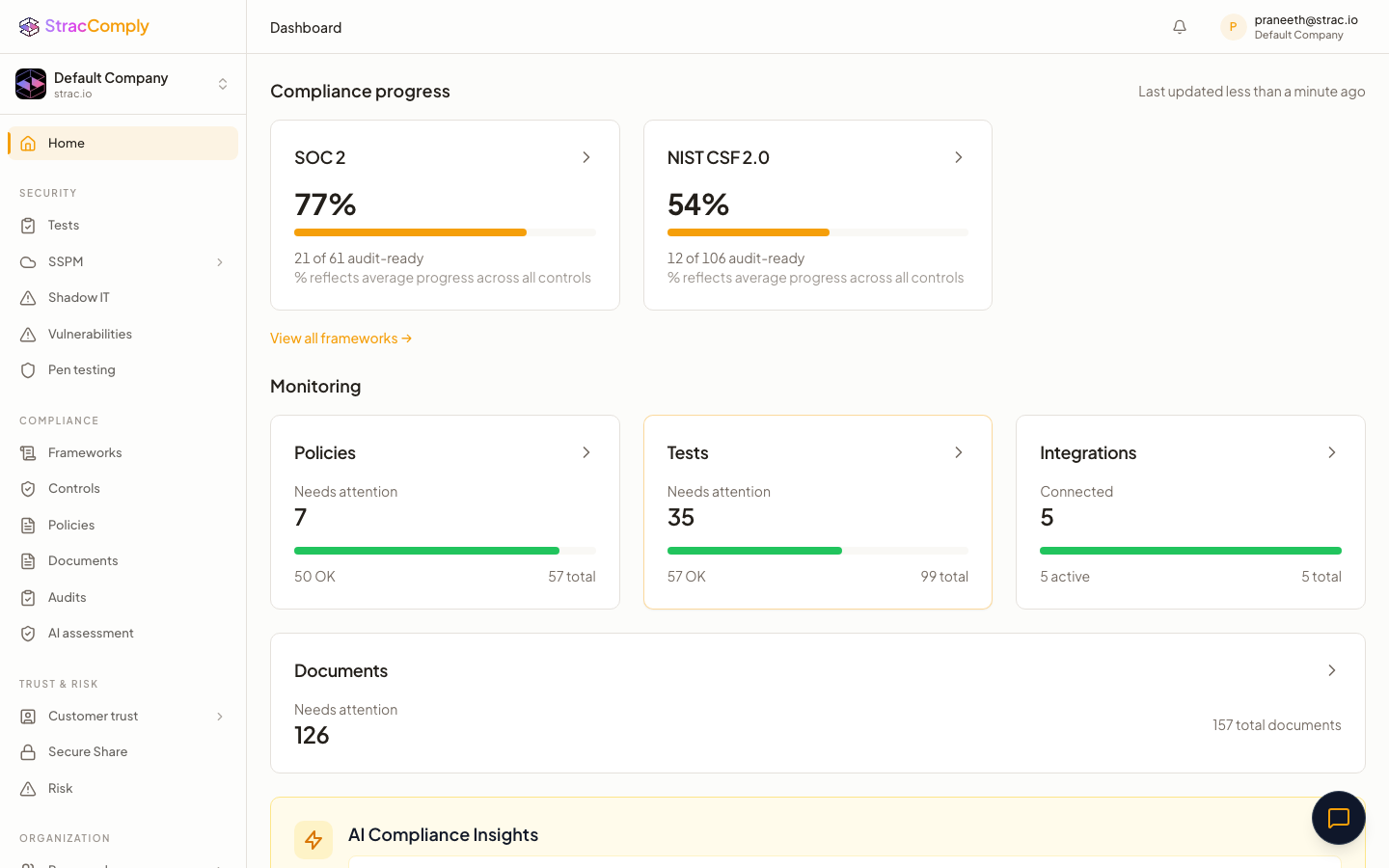
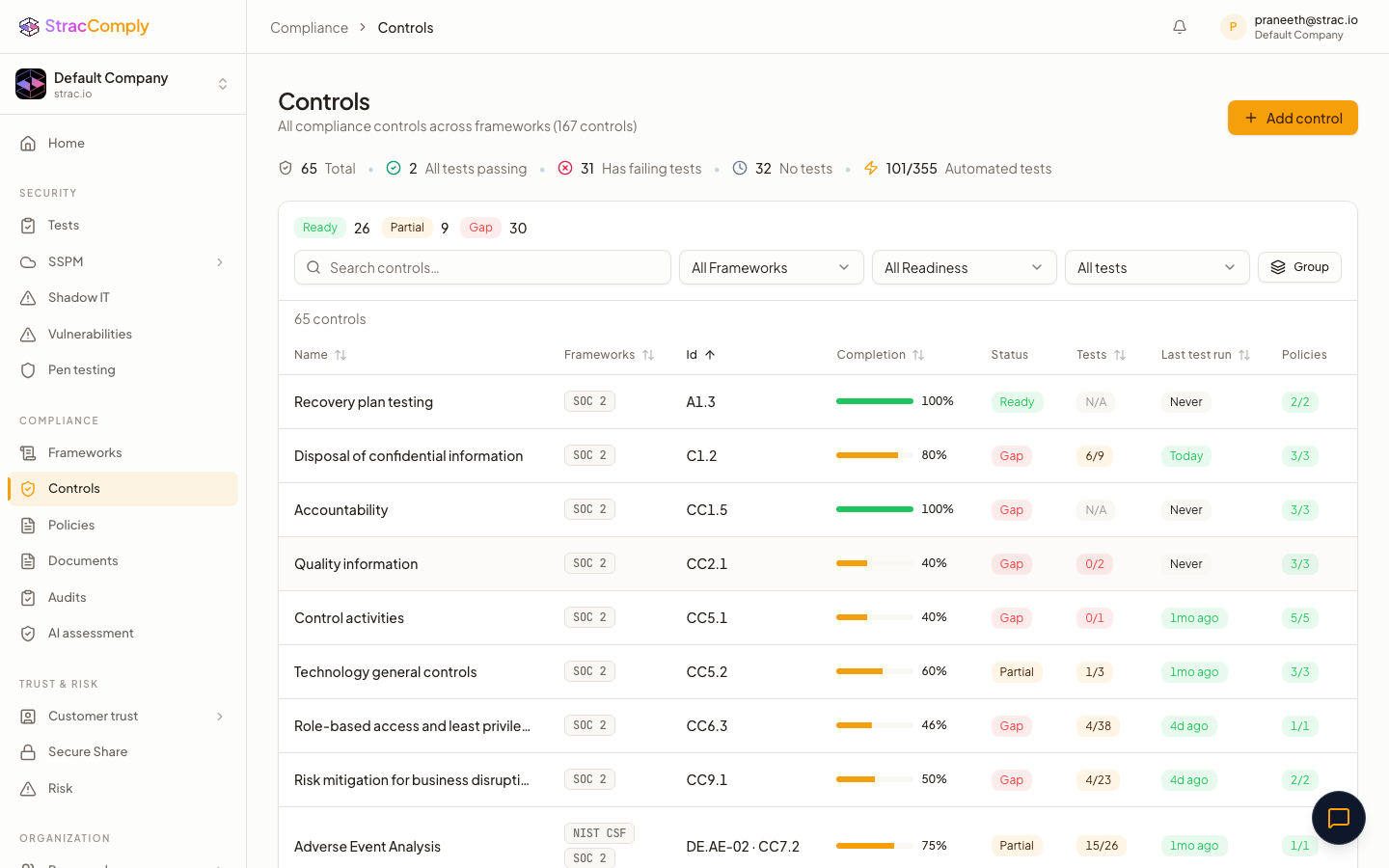
Below is what Strac Comply continuously checks across your Workspace tenant. The difference from a checklist tool: Strac Comply doesn’t ask you to attest that a control exists — it runs the test against your live Google Workspace environment every day, and the pass/fail result is the audit evidence. The connection that proves the control is the connection that catches it drifting.

And because Strac Comply runs on Strac’s SaaS DLP platform, the data-protection control (CC6.7) isn’t just attested — sensitive data in Google Workspace is discovered, classified, and protected, and that enforcement is the evidence. The same edge makes Generative AI DLP and MCP security evidence continuous. See the full platform in the SOC 2 compliance software guide.
Common Google Workspace SOC 2 Mistakes
- 2SV “allowed” not “enforced.” Letting users opt in fails CC6.1 — it must be enforced.
- Too many super-admins. Every extra super-admin is an audit question and a breach blast-radius.
- Unreviewed OAuth grants. A marketing tool with full Drive scope is an invisible data-exfiltration path.
- Trusting the DLP policy without verifying it. CC6.7 wants proof a real PII share was caught — not just that a rule exists.
Prove your Google Workspace SOC 2 controls automatically
Strac Comply verifies 2SV enforcement, admin minimization, OAuth governance, and Drive sharing continuously — and its DLP redacts PII in Drive and Gmail so CC6.7 is enforced, not attested.
Start at comply.strac.io →
Related integration SOC 2 guides: AWS SOC 2, GitHub SOC 2, Microsoft 365 SOC 2.
🌶️ Spicy FAQs for Google Workspace SOC 2 compliance
Is Google Workspace SOC 2 compliant?
Yes — Google publishes its own SOC 2 and SOC 3 reports for Workspace. But that covers Google’s side. Your audit tests your Admin console configuration: MFA enforcement, admin roles, OAuth governance, and Drive sharing.
Which SOC 2 controls does Google Workspace cover?
Mainly access controls (CC6.1–CC6.3) through MFA and admin-role management, and data protection (CC6.7) through OAuth governance, Drive sharing controls, and DLP.
Does Google Workspace MFA satisfy SOC 2?
Only if it’s enforced for all users, not merely available. CC6.1 expects mandatory MFA; an auditor checks the enforcement setting and samples user state.
What about third-party OAuth apps?
They’re the most overlooked Workspace risk. An app with broad Drive/Gmail scopes can exfiltrate data silently. Inventory and restrict them — it’s a CC6.1/CC6.7 control auditors increasingly ask about.
How do I prove Drive data is protected?
Configuring a DLP rule isn’t proof it works. Strac Comply with Google Workspace DLP shows the actual redaction events as CC6.7 evidence.


.webp)






.avif)



.gif)
