Cursor Data Privacy: Is Your Code Trained On? (2026 Guide)
Cursor data privacy and security risks explained — how Privacy Mode and zero data retention work, what happens on non-Business plans, and how to keep secrets and source code out of AI coding prompts.
Cursor's privacy posture is genuinely strong on paper. With Privacy Mode enabled, Cursor operates a zero data retention (ZDR) policy — your code isn't stored by Cursor, and it isn't used for training by Cursor or its model providers. On Business/Enterprise plans, Privacy Mode is on by default and enforced.
The gap is on individual plans: even with Privacy Mode on, upstream model providers (OpenAI, Anthropic) may retain prompts for a short window (around 30 days) for trust-and-safety monitoring before deletion.
The bigger Cursor security risk isn't the policy — it's what the AI reads. An AI coding agent operating in your repo can pull in .env files, credentials, API keys, and customer data from fixtures, then include them in a prompt to a model.
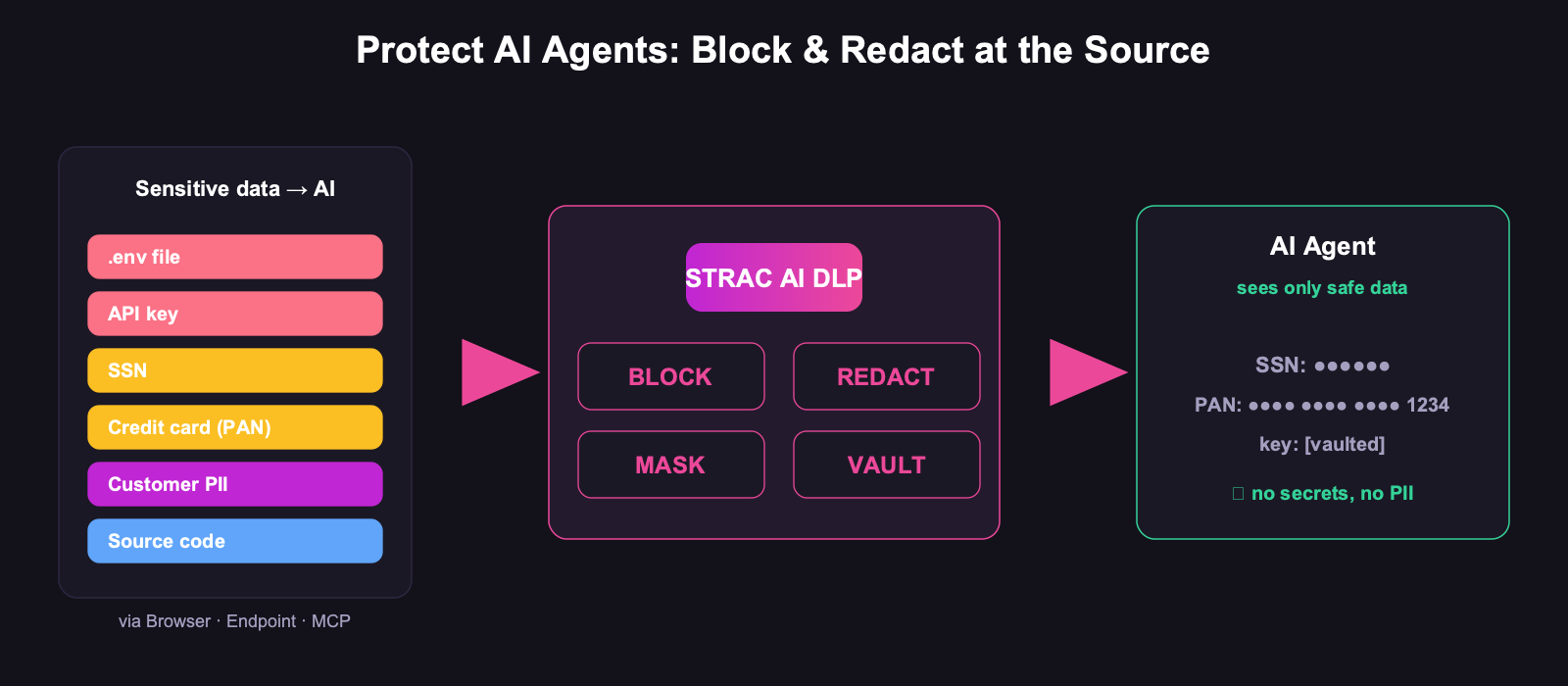
The control that matters: detect and redact secrets and sensitive data before they're sent — and govern what the agent can reach.
What Cursor Sends to the Model
Cursor is an AI-native IDE, so the AI sees far more than a chatbot does. Depending on how you use it, the context sent upstream can include:
The code you're editing and files you explicitly reference
Codebase context the agent retrieves to answer a question (which can pull in files you didn't consciously select)
Terminal output and errors you ask it to fix — often the exact place secrets appear
Anything in the repo it decides is relevant — including .env files, config, and test fixtures with real customer data
That last point is the crux of Cursor's security risks: the agent's reach is the attack surface. A developer asks "why is this failing?" and the agent helpfully includes the config file that holds the production key.
Does Cursor Train on Your Code?
With Privacy Mode enabled: no. Cursor states a zero-data-retention position — code isn't stored by Cursor and isn't used for training by Cursor or the model providers it routes to. Cursor maintains ZDR agreements with its providers, and enterprise controls can require approval before models with retention exceptions are used.
Plan
Privacy Mode
Training on your code
Provider retention
Business / Enterprise
On by default (enforced)
No
ZDR agreements
Individual (Pro/Free)
Optional — must enable
No, with Privacy Mode on
Providers may retain ~30 days for trust & safety
The practical takeaway: if you're a company shipping code, get on a Business plan — Privacy Mode is then forced on for everyone, which removes the "did the developer remember to turn it on?" question entirely. On individual plans, the setting is a checkbox someone has to find.
✨ The Cursor Security Risks That Privacy Mode Doesn't Solve
Zero data retention is about what happens after the data arrives. It does nothing about what gets sent in the first place:
Secrets in prompts. API keys, tokens, database URLs, and .env contents pulled into context or pasted with an error message. ZDR means the provider deletes it — but it was still transmitted, and a leaked key is leaked whether or not it's retained.
Customer data in fixtures. Test files and seed data frequently contain real PII. The agent reads them like any other file.
Proprietary source code leaving the boundary — acceptable to many teams, unacceptable to some, and a question your security review will ask.
Agent reach via connectors. As coding agents connect to Slack, Jira, and databases through MCP, the data they can pull in expands well beyond the repo.
The control Privacy Mode can't provide: secrets and PII removed from the context before the model ever sees them.
How to Use Cursor Safely with Sensitive Code
Force Privacy Mode fleet-wide — a Business plan makes it non-optional. Do this first; it's free risk reduction.
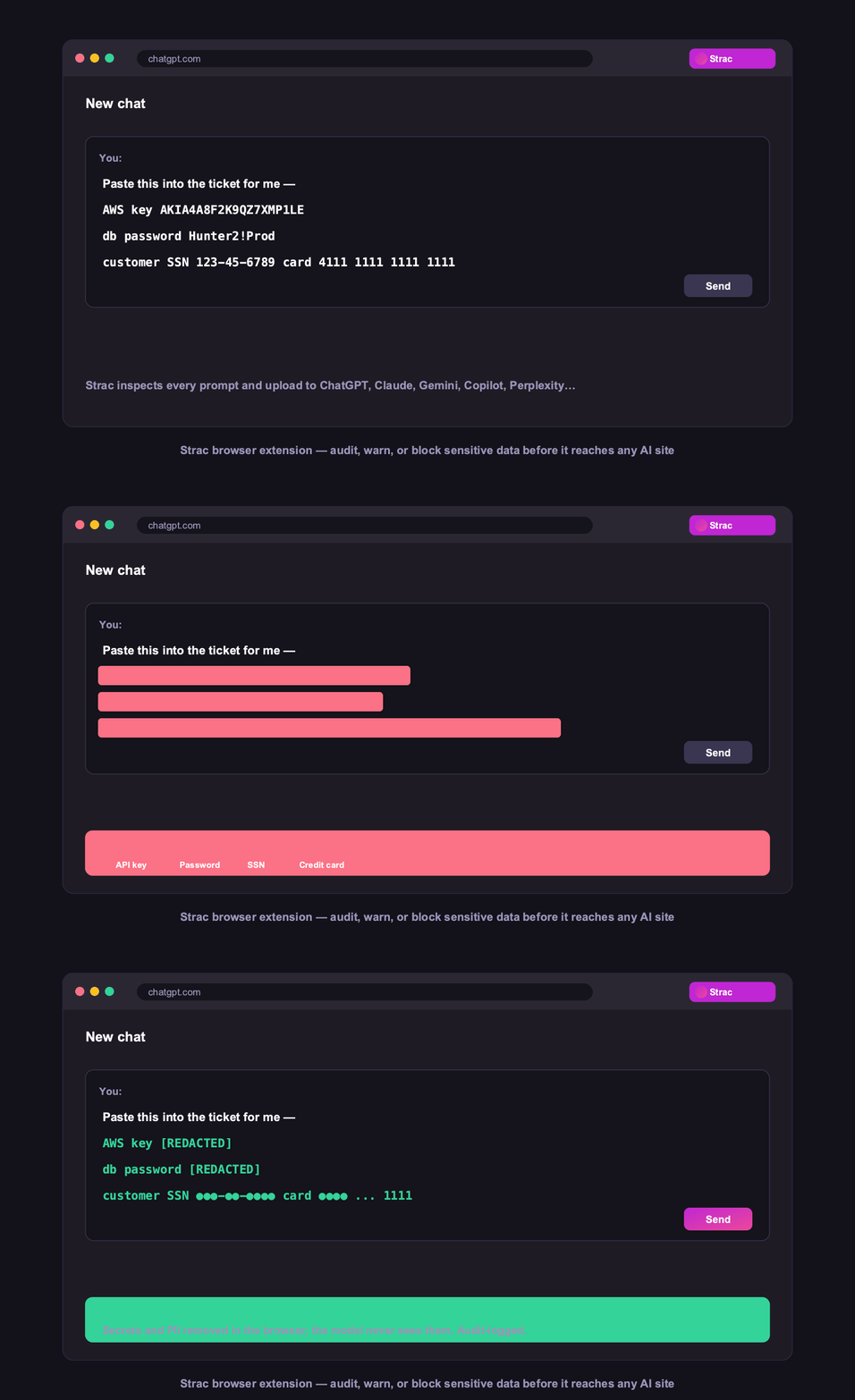
Keep secrets out of the context — detect and redact API keys, tokens, .env values, and credentials before they're sent, rather than trusting that ZDR makes a leaked key acceptable.
Protect the data the agent reaches — governing what an agent can pull from your SaaS and databases through connectors is where MCP DLP matters for coding agents.
Prove it — log every detection and redaction as evidence for SOC 2 and your customers' security reviews.
Strac detects 48+ secret patterns, source code, PII, PHI, and PCI, and can redact, mask, warn, or block before data reaches Cursor or any AI coding assistant — with the same engine covering ChatGPT, Claude, and MCP connectors. See AI DLP.
The wider set of risks in any LLM deployment is covered in LLM security.
✨ How Strac Covers Every AI Surface
Privacy Mode governs retention. These four govern what gets sent in the first place:
Browser DLP — for the AI chat tabs developers use alongside the IDE.
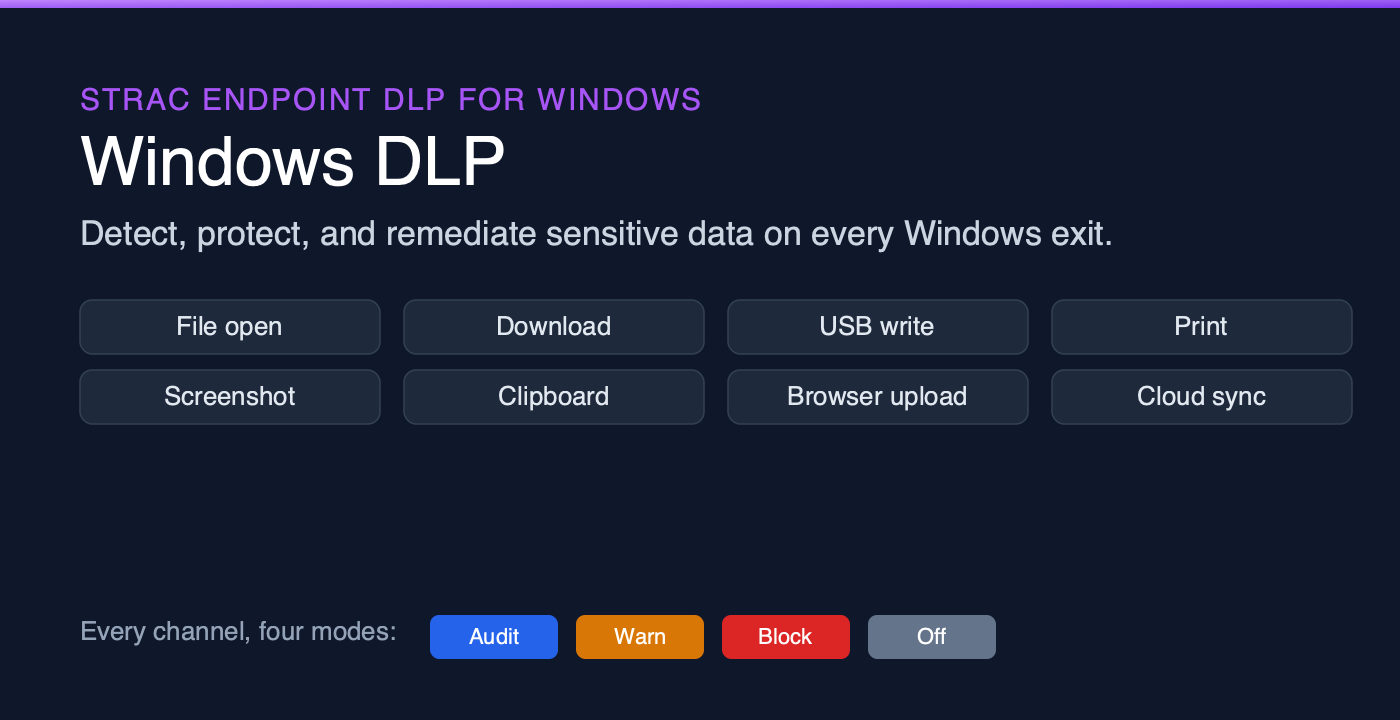
Endpoint DLP — the layer that matters most here, covering the developer machine and local files.
MCP DLP — coding agents increasingly reach Slack, Jira and databases through connectors.
Shadow AI — engineering adopts AI tools faster than any other function.
Warn, or block outright, for the data classes you never allow to leave.
🌶️ Spicy FAQs for Cursor Data Privacy
Does Cursor train on my code?
With Privacy Mode enabled, no — Cursor operates a zero-data-retention policy, and neither Cursor nor its model providers use your code for training. On Business and Enterprise plans, Privacy Mode is on by default and enforced. On individual plans it's a setting the developer must enable, which is the practical gap.
Is Cursor safe for proprietary or sensitive code?
Architecturally, yes with Privacy Mode and a Business plan — that's a strong posture. The residual risks are what gets sent: secrets pulled into context, customer PII in test fixtures, and the reach of agents connected to your SaaS. Those need a detection-and-redaction layer, not a retention policy.
What are the main Cursor security risks?
Three recur: (1) secrets and credentials swept into prompts from .env files, config, or terminal output; (2) real customer data sitting in test fixtures the agent reads; and (3) expanding agent reach through connectors into Slack, Jira, and databases. Zero data retention addresses storage — none of these.
Does Cursor's Privacy Mode really mean zero data retention?
Cursor states ZDR with Privacy Mode on, backed by agreements with its model providers. The nuance for non-Business plans: providers may still retain prompts briefly (around 30 days) for trust-and-safety monitoring before deletion. Business plans with enforced Privacy Mode and configured providers give the tightest posture.
How do I stop secrets from being sent to Cursor?
Detect them at the point of submission and redact or block. A pattern-and-ML engine can catch API keys, tokens, database URLs, and .env values in the prompt or context and strip them before they leave the machine — so a leaked key never becomes an incident, regardless of retention policy.
The Bottom Line
Cursor has done more than most AI coding tools on privacy — Privacy Mode with zero data retention, enforced by default on Business plans, is a real answer. But retention policy governs what happens to data after it arrives. The Cursor security risks that actually bite are the secrets and customer data your agent sweeps into the prompt. Put Privacy Mode on fleet-wide, then put a redaction layer in front of it.
Book a demo to see secrets and PII stripped from AI coding prompts before they leave the developer's machine.
With Privacy Mode enabled, no — Cursor operates a zero-data-retention policy, and neither Cursor nor its model providers use your code for training. On Business and Enterprise plans, Privacy Mode is on by default and enforced. On individual plans it's a setting the developer must enable, which is the practical gap.
Is Cursor safe for proprietary or sensitive code?
Architecturally, yes with Privacy Mode and a Business plan — that's a strong posture. The residual risks are what gets sent: secrets pulled into context, customer PII in test fixtures, and the reach of agents connected to your SaaS. Those need a detection-and-redaction layer, not a retention policy.
What are the main Cursor security risks?
Three recur: (1) secrets and credentials swept into prompts from .env files, config, or terminal output; (2) real customer data sitting in test fixtures the agent reads; and (3) expanding agent reach through connectors into Slack, Jira, and databases. Zero data retention addresses storage — none of these.
Does Cursor's Privacy Mode really mean zero data retention?
Cursor states ZDR with Privacy Mode on, backed by agreements with its model providers. The nuance for non-Business plans: providers may still retain prompts briefly (around 30 days) for trust-and-safety monitoring before deletion. Business plans with enforced Privacy Mode and configured providers give the tightest posture.
How do I stop secrets from being sent to Cursor?
Detect them at the point of submission and redact or block. A pattern-and-ML engine can catch API keys, tokens, database URLs, and .env values in the prompt or context and strip them before they leave the machine — so a leaked key never becomes an incident, regardless of retention policy.
Discover & Protect Data on SaaS, AI, MCP, Endpoints & Cloud
Strac provides end-to-end data loss prevention for all SaaS and Cloud apps. Integrate in under 10 minutes and experience the benefits of live DLP scanning, live redaction, and a fortified SaaS environment.


.webp)






.avif)




.gif)
