AI Guardrails: Types, Data Guardrails, and How to Implement Them (2026)
AI guardrails keep AI safe, compliant, and within policy. The types explained, and how Strac enforces the data guardrail that stops sensitive data leaking into or out of any AI tool.
Short answer: AI guardrails are the controls that keep AI systems safe, compliant, and within policy. They come in several types, content and safety, accuracy, access, and data guardrails. The one that stops sensitive data from leaking into or out of AI is the data guardrail, and that is what Strac enforces across every AI tool.
Data guardrails stop sensitive data before it reaches any AI model.
✨ What are AI guardrails?
AI guardrails are the policy and technical controls that sit around an AI system so it behaves safely and stays compliant. Think of them as the rules that decide what the AI is allowed to receive, do, and return. The term AI guardrails and the narrower LLM guardrails are used interchangeably; LLM guardrails just scope the idea to large language models, while AI guardrails also covers agents and embedded AI features.
The four types of AI guardrails; Strac is the data guardrail.
✨ The types of AI guardrails
Most teams need more than one. They fall into these categories:
The data guardrail: sensitive data is caught before it reaches the model.
✨ Data guardrails: where Strac fits
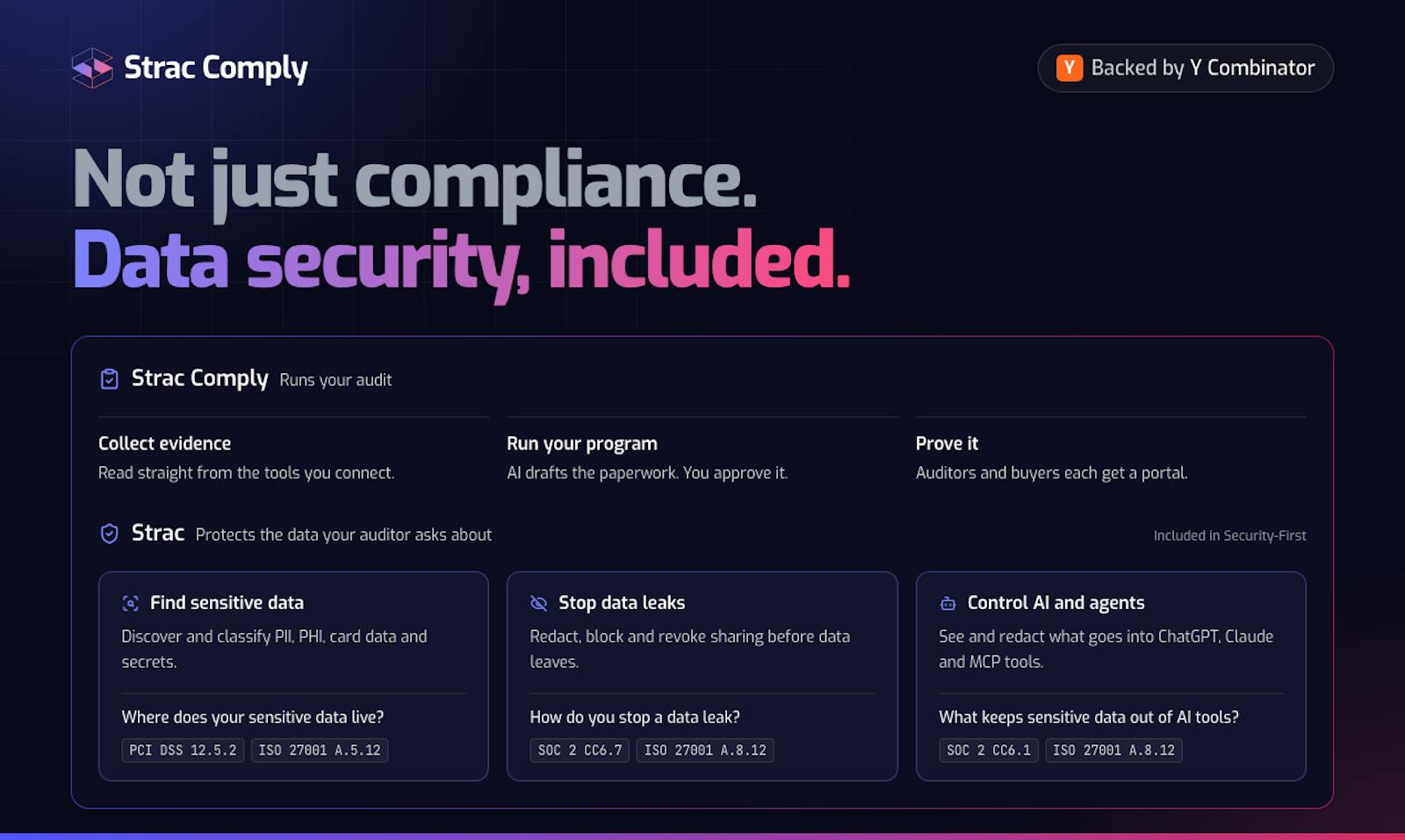
Strac is the data guardrail. It inspects everything employees and AI agents send to and receive from an AI tool and redacts, blocks, warns, or audits sensitive data like PII, PHI, secrets, and source code before it ever leaves your environment. Because Strac governs the data layer, not a single vendor API, the same guardrail covers every AI tool: Claude, ChatGPT, Microsoft Copilot, Google Gemini, Perplexity, and any new one, in the browser, on the endpoint, and across MCP DLP.
Strac enforces the data guardrail across browser, endpoint, and MCP.
✨ LLM guardrails and shadow AI
A guardrail only works on AI you know about, so shadow AI discovery comes first.
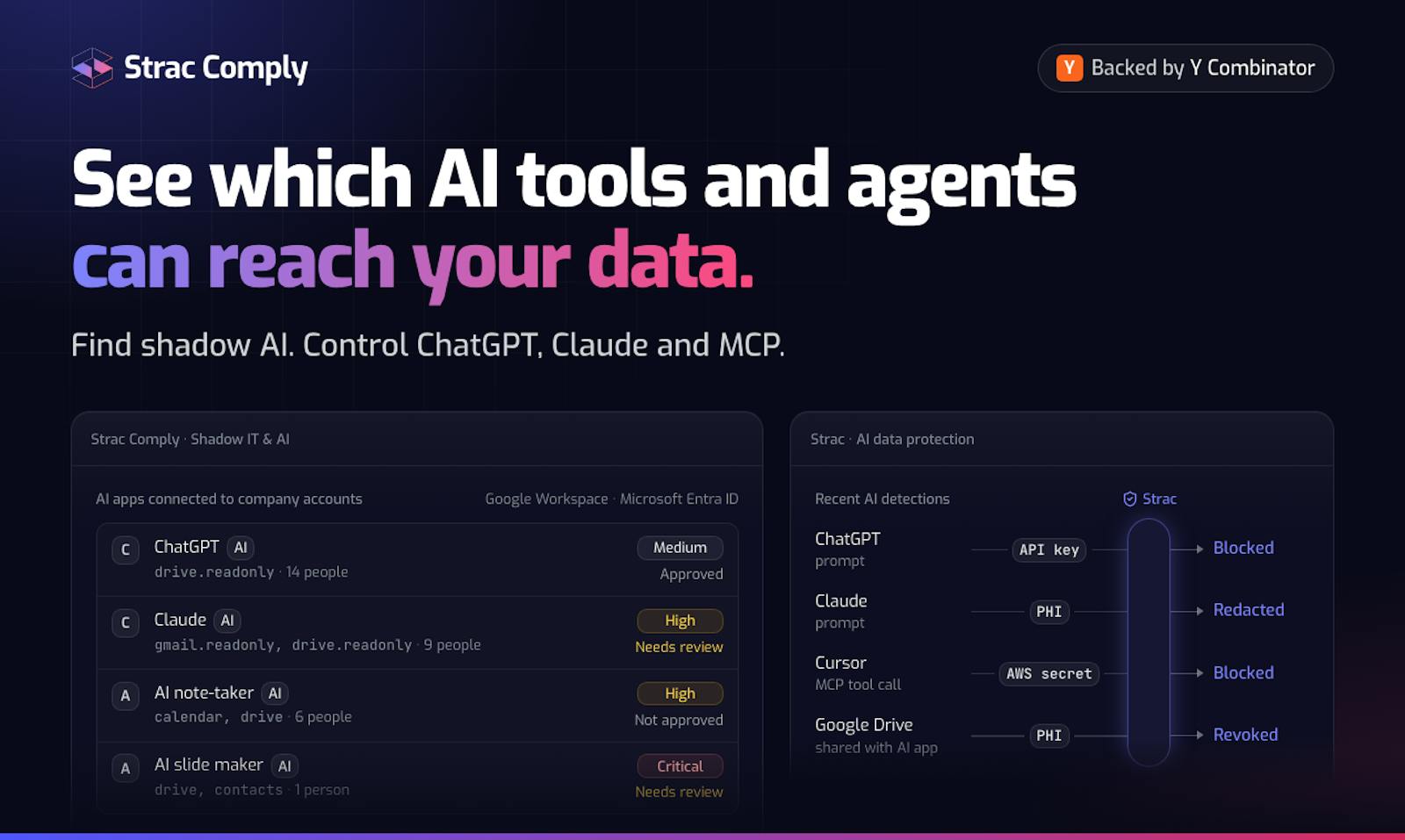
LLM guardrails configured inside one approved model do nothing for the AI tools your team adopts without telling anyone. That is why a data guardrail has to start with shadow AI discovery, surfacing the unmanaged AI and SaaS tools in use, then apply the same redaction and blocking everywhere. See how to detect shadow AI.
✨ Examples of AI guardrails in action
A data guardrail is easiest to understand through what it actually does. Here is the data guardrail at work across the AI tools employees and agents use every day, with the same detect, then redact, block, warn, or audit decision each time.
One data guardrail, every AI tool: detect, then redact, block, warn, or audit.
A support rep pastes a customer record into ChatGPT. The browser guardrail detects the names, emails, and card numbers and redacts them before the prompt is submitted, so the model never receives raw customer data.
A developer drops source code with API keys into Claude Code. The endpoint guardrail blocks the secrets inline and warns the developer, keeping credentials out of both the model and your logs.
An AI agent pulls a database record over MCP. The agent guardrail redacts the protected health information in the tool response before it reaches the model, so the agent only sees what it is allowed to.
An employee uploads a spreadsheet to an unapproved AI tool.shadow AI discovery surfaces the tool, and the same data guardrail applies there as on your sanctioned apps, so an ungoverned app does not become a leak.
A marketer screenshots a dashboard into Google Gemini. The guardrail runs OCR on the image, detects the sensitive figures, and blocks or redacts them before the upload completes.
Every one of these decisions is logged, so you keep a full audit trail of what was allowed, redacted, blocked, or warned, across every AI tool, not just one approved model.
How to implement AI data guardrails
Discover every AI tool in use, including shadow AI.
Apply a data guardrail at the browser and endpoint so any AI tool is covered, not just one approved model.
Govern AI agents with MCP DLP so they only pull data they are allowed to.
Audit every allow, block, warn, and redact decision for compliance.
Ready to add a data guardrail to every AI tool your team uses? Book a Strac demo.
🌶️ Spicy FAQs: AI guardrails
What are AI guardrails?
AI guardrails are the controls that keep an AI system safe, compliant, and within policy. They fall into a few types: content and safety guardrails (block toxic or off-topic output), accuracy guardrails (reduce hallucination), access guardrails (control who and what can use the model), and data guardrails (stop sensitive data from flowing into or out of the model). Strac provides the data guardrail.
What is the difference between AI guardrails and LLM guardrails?
They describe the same idea at different scopes. LLM guardrails are the controls around a large language model specifically, while AI guardrails is the broader term covering any AI system, including LLMs, agents, and AI features inside other apps. A data guardrail like Strac applies to both.
What are data guardrails for AI?
Data guardrails inspect the data moving to and from an AI tool and redact, block, warn, or allow it based on policy. Strac enforces data guardrails at the browser, the endpoint, and across MCP, so sensitive data like PII, PHI, and secrets never reaches a model, on any AI tool.
Do AI guardrails stop data leaks?
Content and safety guardrails do not; they filter model output for tone and policy. Stopping data leaks requires a data guardrail that inspects what is being sent to the model. That is what AI DLP does, redacting or blocking sensitive data before it leaves your environment.
How do I implement AI guardrails for data?
Discover which AI tools your team uses (including shadow AI), apply a data guardrail at the browser and endpoint so any AI tool is covered, govern AI agents over MCP, and audit every allow or block decision. Strac does all four without a per-vendor rollout.
Discover & Protect Data on SaaS, AI, MCP, Endpoints & Cloud
Strac provides end-to-end data loss prevention for all SaaS and Cloud apps. Integrate in under 10 minutes and experience the benefits of live DLP scanning, live redaction, and a fortified SaaS environment.


.webp)








.avif)



.gif)
