Figma MCP Server: Secure Setup for AI Agents (2026)
The Figma MCP server (Dev Mode) lets AI agents read your design files, specs, and assets to generate code. Here's the setup, the real IP and embedded-data risks, and how Strac governs every tool call with audit and remediation.
The Figma MCP server (Dev Mode MCP) lets AI agents read your design files, components, Dev Mode specs, and assets so a coding agent can turn designs into code.
The risk here isn't PII — it's intellectual property: unreleased product designs, brand assets, internal flows, and occasionally credentials or customer data embedded in mockups and comments.
Strac Figma MCP DLP governs every tool call: see what each agent reads, control and block access to sensitive files, remediate secrets or data embedded in designs, and prove it with a full audit log.
Agentless, deploys in under 10 minutes.
What Is the Figma MCP Server?
Figma's Dev Mode MCP server exposes design context to AI agents over the Model Context Protocol. An agent like Cursor or Claude Code can read a selected frame's layout, styles, variables, and Dev Mode annotations, then generate front-end code that matches the design.
It's a genuine productivity unlock for design-to-code. It also gives an external agent read access to some of your most sensitive pre-launch IP.
What AI Agents Can Do With Figma MCP
Read design files and frames — full layout, components, and styles.
Pull Dev Mode specs — measurements, tokens, and code hints.
Read comments and annotations — which can contain internal context, links, and credentials.
Access assets and prototypes — images and flows, including unreleased features.
The same access that powers design-to-code also exposes designs you haven't shipped.
The Real Security Risks — IP, Not PII
1. Unreleased product IP. Figma holds your roadmap made visible — features, flows, and brand work that competitors and leaks should never reach. An agent can pull all of it.
2. Embedded credentials and data. Mockups and comments frequently contain real API keys, test logins, internal URLs, and screenshots with customer data pasted in for context.
3. Brand and design assets. Logos, unreleased campaigns, and proprietary visual systems leave your control once an agent reads them.
4. Cross-file reach. A single grant can expose far more than the file the developer intended.
Traditional DLP doesn't sit in the MCP path — the design data goes straight into the model's context. See the ingress shift.
✨ Strac Figma MCP DLP — Governance for Design IP
Strac is the governance gateway between AI agents and the Figma MCP server. You see every file and frame each agent reads. You control which files an agent can reach and block sensitive ones. You protect embedded secrets and data, remediating them inline. And you prove it with a full audit log of who read which design.
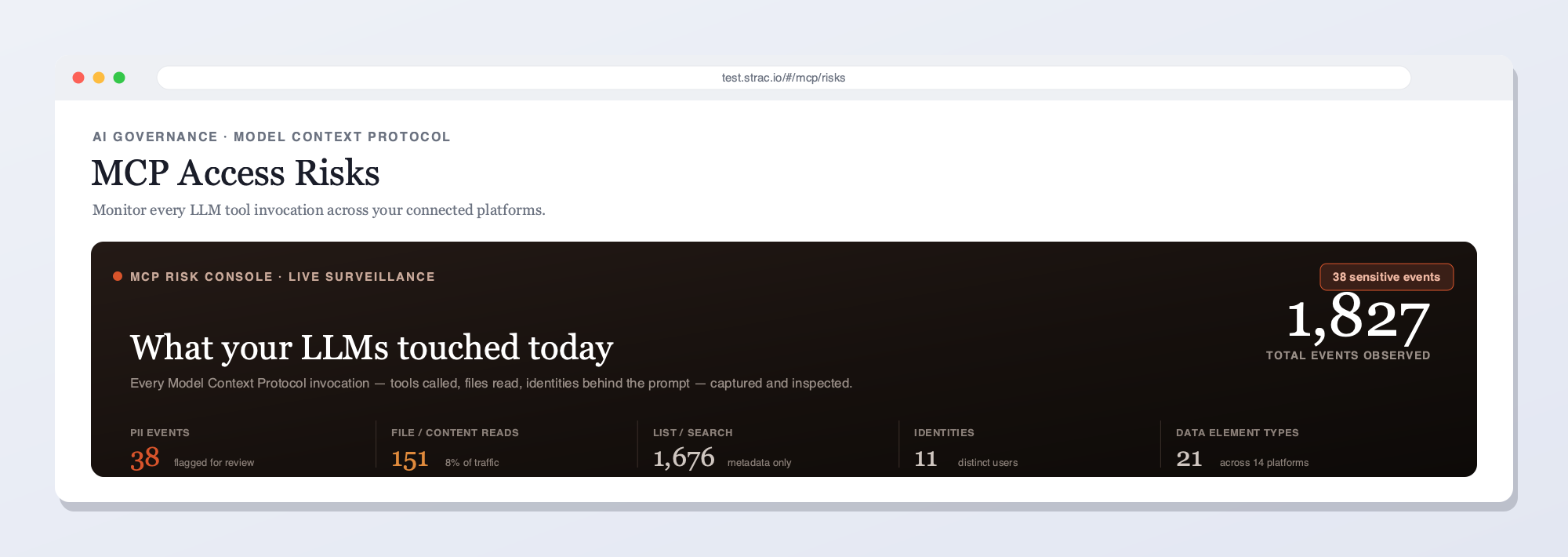
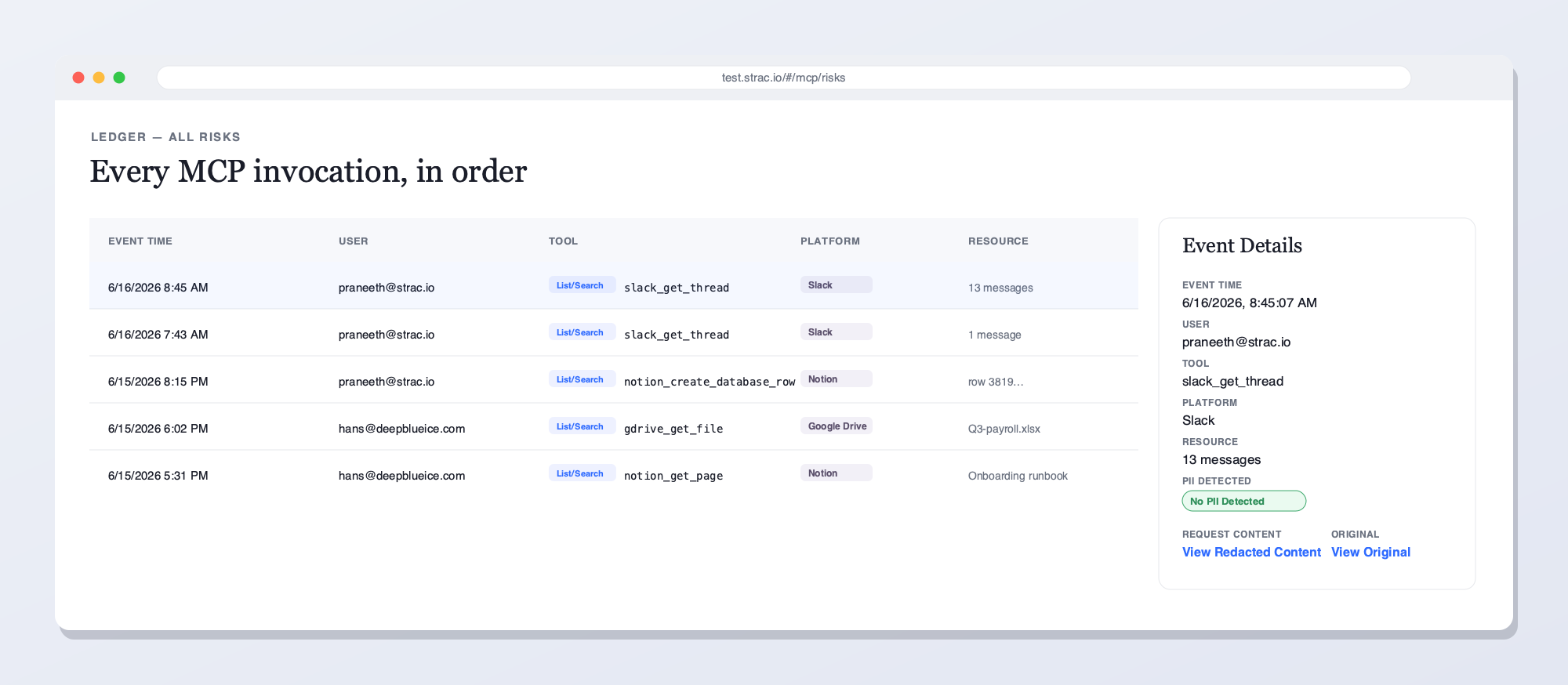
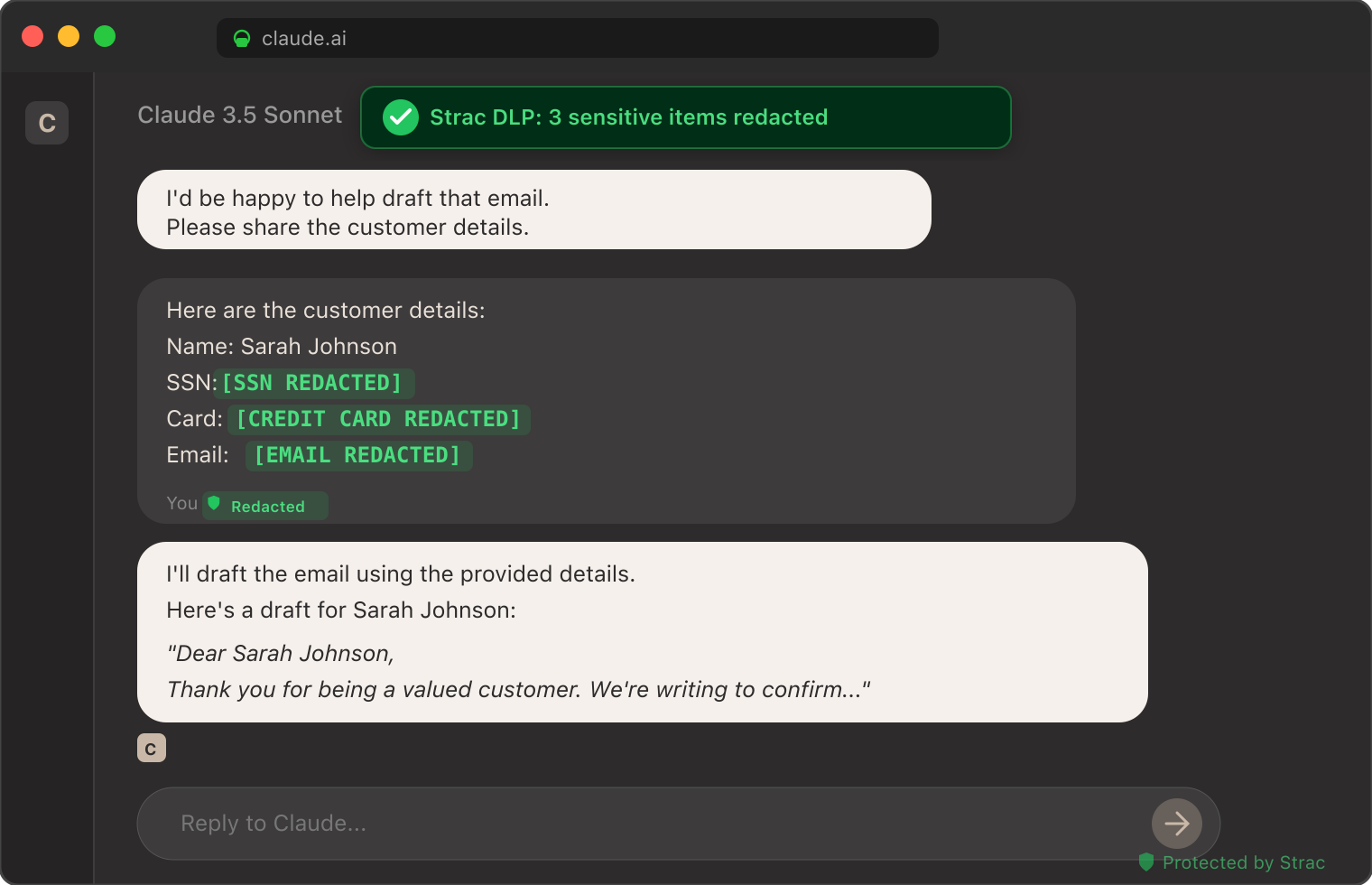
Strac intercepts every Figma tool call — scoping which designs an agent can read and remediating any embedded credentials or data before the agent sees them.Strac's live MCP Access console — every AI agent tool call touching Figma and your other platforms, captured and inspected for secrets and sensitive data in real time.Every Figma MCP invocation in order — user, tool, and the secrets or data found — with remediated vs. original content and a full audit trail. The data in each call, not just the call.
Beyond redacting or blocking, Strac can also pseudonymize or de-identify the data on a Figma MCP tool call — swapping PII, PHI, and PCI for realistic, format-preserving fakes — so a team can keep using the data in an AI model, analytics, or a test environment while the real records never leave your control. See Data Pseudonymization.
Embedded secrets, credentials, and PII in mockups and comments — remediated inline, including text inside images via OCR.
Access control isn't enough on its own
Knowing an agent opened a Figma file doesn't stop an unreleased design — or a credential pasted into a comment — from reaching the model. Strac governs the access and the data: it scopes which files an agent can read, remediates sensitive content (redact, mask, block, or revoke), and proves it with a per-call audit log that access-only gateways can't produce.
What Strac does on every Figma tool call
One inline pass over each response — five actions, your policy:
Detect — finds embedded credentials, internal URLs, and any PII in frames, comments, and assets, including text inside images via OCR.
Redact or mask — replaces sensitive elements inline so the agent still generates code, without the raw secrets.
Block or require approval — stops access to a flagged or pre-launch file, or routes it for sign-off.
Alert — notifies your team and streams the event to your SIEM (Splunk, Sentinel, Datadog).
Audit — logs who, which agent, which file, and the action taken — evidence for SOC 2, GDPR, and your IP-protection program.
Authorize Strac and point your AI client's MCP config at the Strac gateway endpoint.
Pick a policy for IP, secrets, and PII.
Done — every Figma tool call flows through Strac, audit-logged from the first call.
Because Strac passes the user's identity through to Figma, a request only returns what that user is allowed to see under file and project permissions — and the endpoint agent flags shadow or typosquatted Figma servers before they earn trust. The same endpoint agent that guards the browser also reads MCP client configs, so identity, prompt-injection defense, and shadow-MCP discovery all hold whether the traffic passes a gateway or not.
🌶️ Spicy FAQs for Figma MCP Server
What is the Figma MCP server?
Figma's Dev Mode MCP server lets AI agents read design files, specs, and assets over the Model Context Protocol so coding agents can generate code from designs.
Is the Figma MCP server safe to use?
For non-sensitive files, it's a strong design-to-code tool. For unreleased IP, it needs governance — an agent can read pre-launch designs and any credentials embedded in comments. Strac scopes access and remediates embedded data.
What's the biggest Figma MCP risk?
IP exposure — agents reading unreleased product designs and brand assets — plus credentials and customer data pasted into mockups and comments. Discovery and access control matter more than redaction here.
Does Strac Figma MCP DLP work with Cursor, Claude Code, and ChatGPT?
Yes — Strac exposes a standard MCP gateway endpoint, so any MCP-aware client routes Figma tool calls through it with one config change.
Can I see which designs an AI agent read?
Yes — Strac produces a per-call audit log: agent, file, frame, data classes detected, and the action taken, exportable to your SIEM.
Figma's Dev Mode MCP server lets AI agents read design files, specs, and assets over the Model Context Protocol so coding agents can generate code from designs.
Is the Figma MCP server safe to use?
For non-sensitive files, it's a strong design-to-code tool. For unreleased IP, it needs governance — an agent can read pre-launch designs and any credentials embedded in comments. Strac scopes access and remediates embedded data.
What's the biggest Figma MCP risk?
IP exposure — agents reading unreleased product designs and brand assets — plus credentials and customer data pasted into mockups and comments. Discovery and access control matter more than redaction here.
Does Strac Figma MCP DLP work with Cursor, Claude Code, and ChatGPT?
Yes — Strac exposes a standard MCP gateway endpoint, so any MCP-aware client routes Figma tool calls through it with one config change.
Can I see which designs an AI agent read?
Yes — Strac produces a per-call audit log: agent, file, frame, data classes detected, and the action taken, exportable to your SIEM.
Discover & Protect Data on SaaS, AI, MCP, Endpoints & Cloud
Strac provides end-to-end data loss prevention for all SaaS and Cloud apps. Integrate in under 10 minutes and experience the benefits of live DLP scanning, live redaction, and a fortified SaaS environment.


.webp)








.avif)




.gif)
