Slack

Is Slack secure? Best practices + how Strac DLP redacts secrets & sensitive data

Is Slack secure?

Short answer: Yes, Slack is secure as a platform when it is configured correctly. Slack encrypts data in transit (TLS) and at rest (AES-256), is certified against standards like SOC 2 and ISO 27001, and offers enterprise controls such as SSO, SCIM, and audit logging. The real risk is not the platform itself but what your people put into it: PII, PHI, and cardholder data pasted into messages, API keys and passwords shared in DMs, confidential files uploaded to public channels, and data flowing out through Slack Connect or third-party apps. Slack secures the transport and storage of that content, but it does not natively scan or redact the sensitive content inside your messages and files. Those gaps are yours to close with the right admin configuration and data controls.

Access and workspace controls

Enforce SSO, SCIM provisioning, and mandatory 2FA

Identity is the foundation of Slack security. On Business+ and Enterprise Grid, bind Slack to your IdP (Okta, Entra ID, Google) through SAML-based SSO so authentication and password policy live in one place.

  • Enable SCIM provisioning so accounts are created, updated, and deactivated automatically when someone joins or leaves, eliminating orphaned accounts that outlive employment.
  • Require two-factor authentication workspace-wide for any account not covered by SSO, and prefer authenticator apps or hardware keys over SMS.
  • Restrict sign-ups to approved email domains so nobody can self-provision an account outside your directory.

Set session, device, and mobile policies

Credential theft and lost devices are common breach paths, so shorten the window an attacker has and control where Slack can run.

  • Configure session duration limits to force periodic re-authentication, and reduce idle timeouts on mobile.
  • Use session management to force sign-out of all devices after a compromise or offboarding.
  • Apply mobile security policies: block Slack on jailbroken or rooted devices, require an app passcode or biometric lock, and disable message copy or link previews where your risk profile demands it. Pair this with EMM or MDM enrollment on managed devices.

Lock down Slack Connect and external shared channels

Slack Connect is one of the biggest and most overlooked exfiltration surfaces because it opens channels and DMs directly to outside organizations.

  • Require admin approval for all Slack Connect invitations rather than letting members connect freely.
  • Maintain an allowlist of approved partner organizations and review shared channels regularly for ones that are stale or no longer needed.
  • Disable external DMs unless there is a clear business case, since one-to-one external conversations are harder to monitor than channels.
  • Educate members that anything posted in a shared channel is visible to the external party, including files.

Approve and review every app, bot, and OAuth scope

Third-party apps and bots request OAuth scopes that can read messages, files, and user data, and a single over-permissioned integration can quietly siphon content out of the workspace.

  • Turn on app approval so admins must vet any app before it is installed, and build an allowlist of sanctioned integrations.
  • Review the scopes each app requests and reject anything asking for broad read access it does not need.
  • Audit installed apps on a schedule, remove unused ones, and rotate or revoke tokens for apps that are deprecated or no longer owned by an active team.

Data protection in messages and files

Govern public versus private channels

Public channels are visible to everyone in the workspace, so defaulting sensitive discussions to public is a frequent cause of accidental exposure.

  • Establish naming and usage conventions that make the sensitivity of a channel obvious, and use private channels for anything involving regulated or confidential data.
  • Limit who can create public channels and who can archive or delete them.
  • Periodically review membership of private channels to confirm only current, authorized members remain.

Detect secrets, credentials, and regulated data in content

The highest-severity Slack risk is the data sitting inside messages and files: API keys, passwords, access tokens, customer PII, PHI, and PCI cardholder data. Slack stores and transmits this securely but does not inspect or classify the content itself, so an exposed secret or a spreadsheet of SSNs can live in a channel indefinitely without anyone knowing.

  • Deploy content inspection that scans messages and file uploads for secrets and sensitive data patterns in real time, because manual review does not scale to a busy workspace.
  • Apply redaction or masking and automated removal so a leaked credential or PII record can be remediated the moment it is detected, not days later.
  • Rotate any secret that has appeared in Slack, since even deleted messages may persist in exports and backups.

Control downloads, exports, and data retention

Data leaves Slack through file downloads and workspace exports as readily as it enters, and indefinite retention expands the blast radius of any future incident.

  • Set message and file retention policies that match your legal and regulatory obligations instead of keeping everything forever.
  • Restrict who can run workspace exports, and treat export files as highly sensitive since they contain full message and file history.
  • Use download restrictions and IP allowlisting on Enterprise Grid to limit where corporate data can be pulled down.

Monitoring and compliance

Use audit logs, alerts, and eDiscovery

You cannot respond to what you cannot see, so continuous visibility into workspace activity is essential for both security and compliance.

  • Stream the Audit Logs API into your SIEM to capture sign-ins, app installs, channel creation, permission changes, and admin actions.
  • Build alerts for high-risk events such as new Slack Connect links, failed logins, bulk file downloads, and newly installed apps.
  • Integrate a compliant eDiscovery and legal hold solution so regulated industries can meet retention and discovery requirements across messages and files.

Map controls to HIPAA, PCI, GDPR, and encryption key requirements

Slack can support regulated workloads, but compliance depends on your configuration and plan, not on the platform alone.

  • For HIPAA, confirm a signed BAA is in place and restrict PHI to approved private channels with retention and access controls.
  • For PCI, keep cardholder data out of Slack entirely where possible and scan to catch any that slips in.
  • For GDPR, honor data residency, minimization, and deletion rights through retention policies and export controls.
  • On Enterprise Grid, consider Enterprise Key Management (EKM) so you hold and revoke the encryption keys for your messages and files, giving you the ability to cut access at a channel or workspace level.

Slack security checklist

  • Enforce SSO, SCIM provisioning, and mandatory 2FA across the workspace.
  • Set session timeouts and mobile or device policies, including EMM enrollment.
  • Require admin approval for Slack Connect and keep external DMs off by default.
  • Approve every app and bot, review OAuth scopes, and audit integrations regularly.
  • Default sensitive discussions to private channels and limit public channel creation.
  • Scan messages and files for secrets, PII, PHI, and PCI, then redact or remove on detection.
  • Apply retention policies and restrict exports, downloads, and IP ranges.
  • Stream the Audit Logs API to your SIEM, alert on high-risk events, and align controls to HIPAA, PCI, GDPR, and EKM.

✨ How Strac secures Slack across every surface

Slack security best practices close the configuration gaps. Strac closes the data gap: it discovers the sensitive data inside Slack, remediates exposure automatically, and extends the same protection to every other place that data flows, AI agents, browsers, and endpoints. One agentless platform across SaaS, cloud, GenAI, MCP, browser, and endpoint.
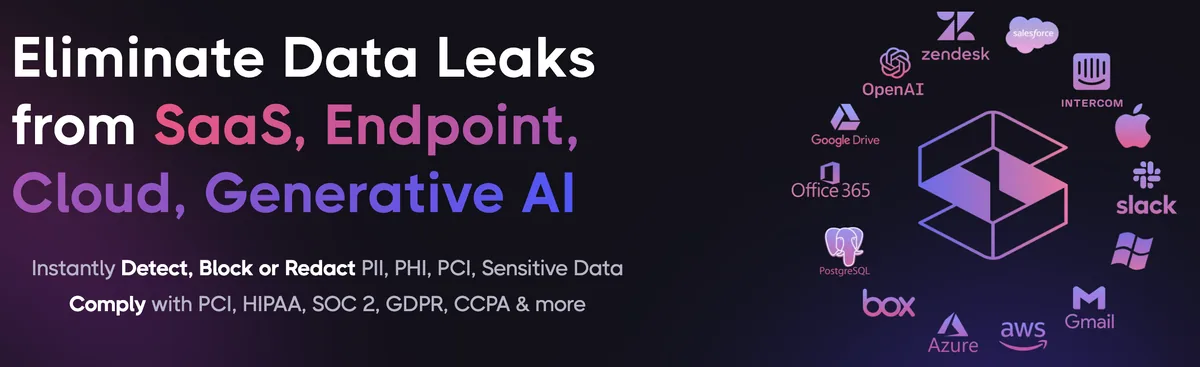
Strac unified data security platform protecting Slack across SaaS, cloud, browser, endpoint, GenAI, and MCP
One platform protecting Slack data everywhere it lives and moves.

1. Discover and classify sensitive data in Slack (DSPM)

Strac's DSPM continuously scans Slack for PII, PHI, PCI, and secrets using ML and OCR across 100+ data types, so you know exactly where your regulated data lives and which items are overshared, public, or out of policy. This is the layer native Slack controls skip: they can enforce a setting, but they cannot tell you where all your sensitive data actually sits.

Strac DSPM discovering and classifying sensitive data (PII, PHI, PCI) inside Slack
Strac discovers and classifies every sensitive file in Slack, automatically.

2. Redact and remediate exposure automatically (SaaS DLP)

Finding exposed data is table stakes. Strac's Slack DLP acts on it, under your policy: redact or mask secrets, credentials, and sensitive data in messages and files, delete or quarantine files and messages that should not exist, remove external Slack Connect access, and label and classify, with a full audit trail mapped to HIPAA, PCI DSS, SOC 2, ISO 27001, and GDPR. Most alternatives stop at an alert; Strac fixes the exposure.
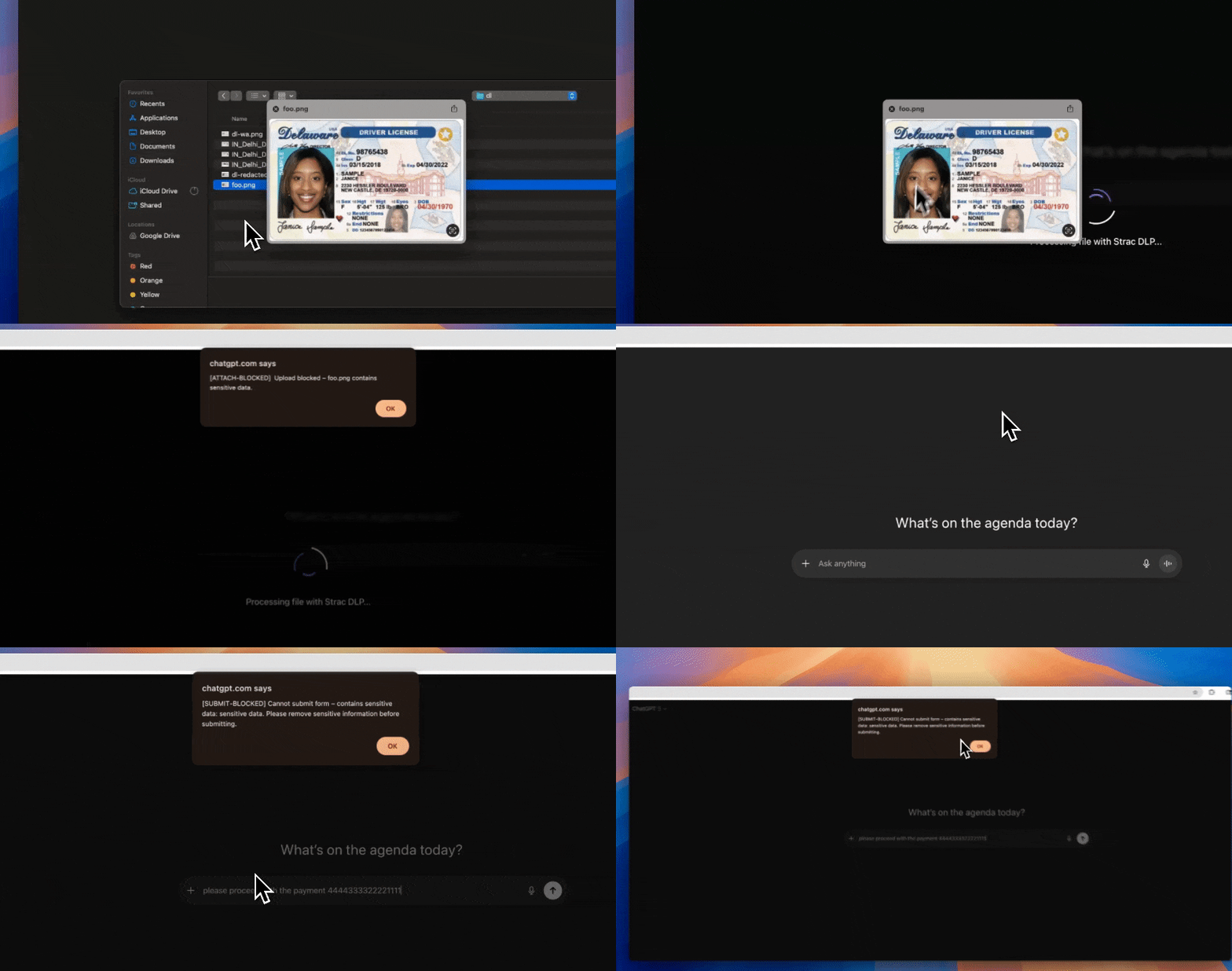
Strac automatically remediating sensitive data exposure in Slack: redact, revoke public links, remove external members
Strac remediates Slack exposure in place, revoke public links, remove external members, redact, quarantine.

3. Govern what AI agents pull from Slack (MCP DLP)

AI agents now read directly from Slack over the Model Context Protocol. Strac's MCP DLP sits in that path as a reverse proxy and redacts sensitive values in tool responses before the model ever sees them, and governs exactly which agents can reach which Slack data. Connect the Slack MCP connector once and every agent tool call is inspected.
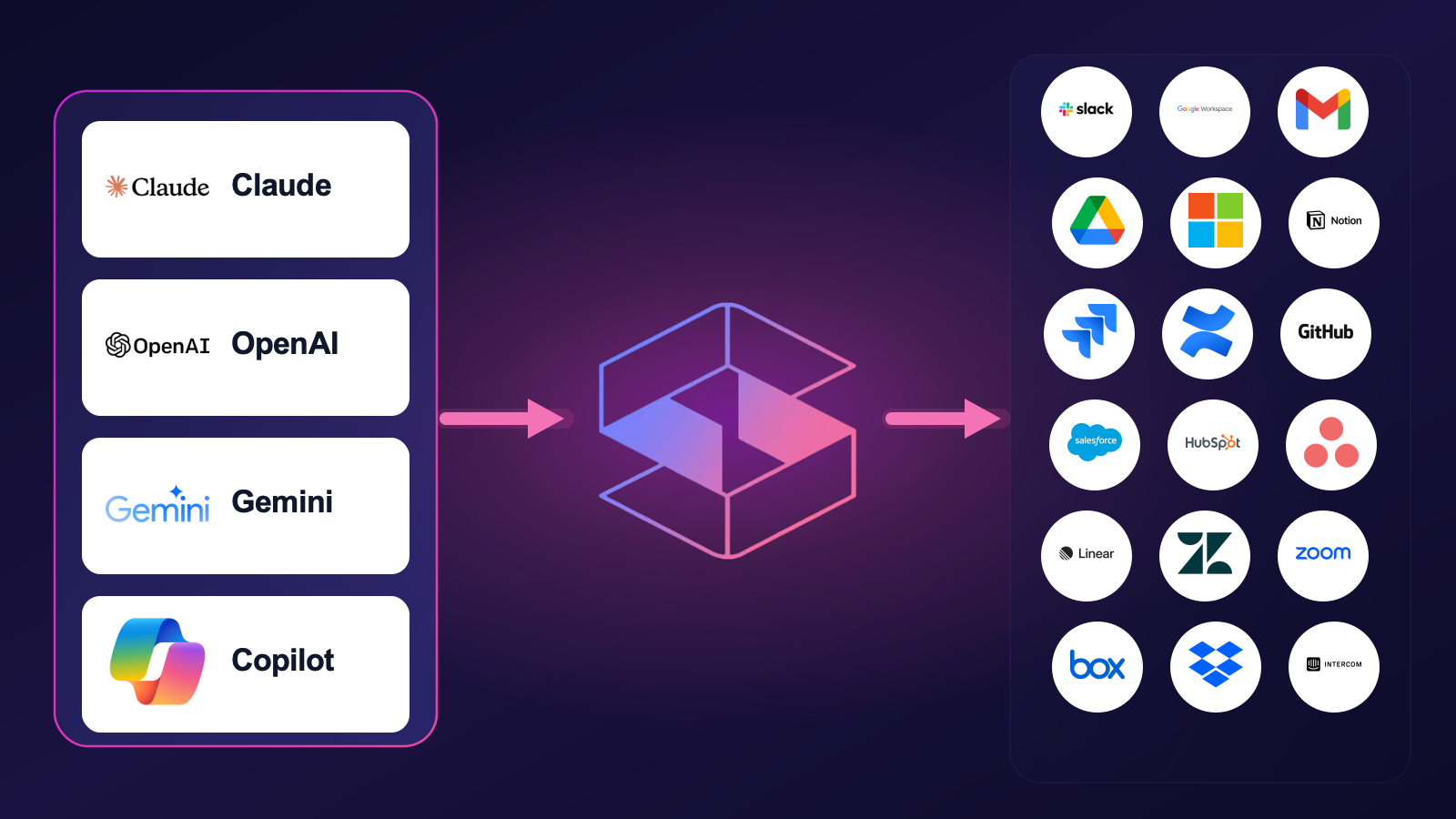
Strac MCP DLP governing AI agent access to Slack data, redacting sensitive values at the boundary
Strac governs the MCP boundary so AI agents can use Slack without exfiltrating sensitive data.

4. Stop Slack data leaks in the browser

Strac's browser DLP extension for Chrome, Edge, Firefox, and Safari blocks or redacts sensitive uploads, downloads, and pastes to and from Slack in real time, including data a user tries to move from Slack into an AI tool in another tab.
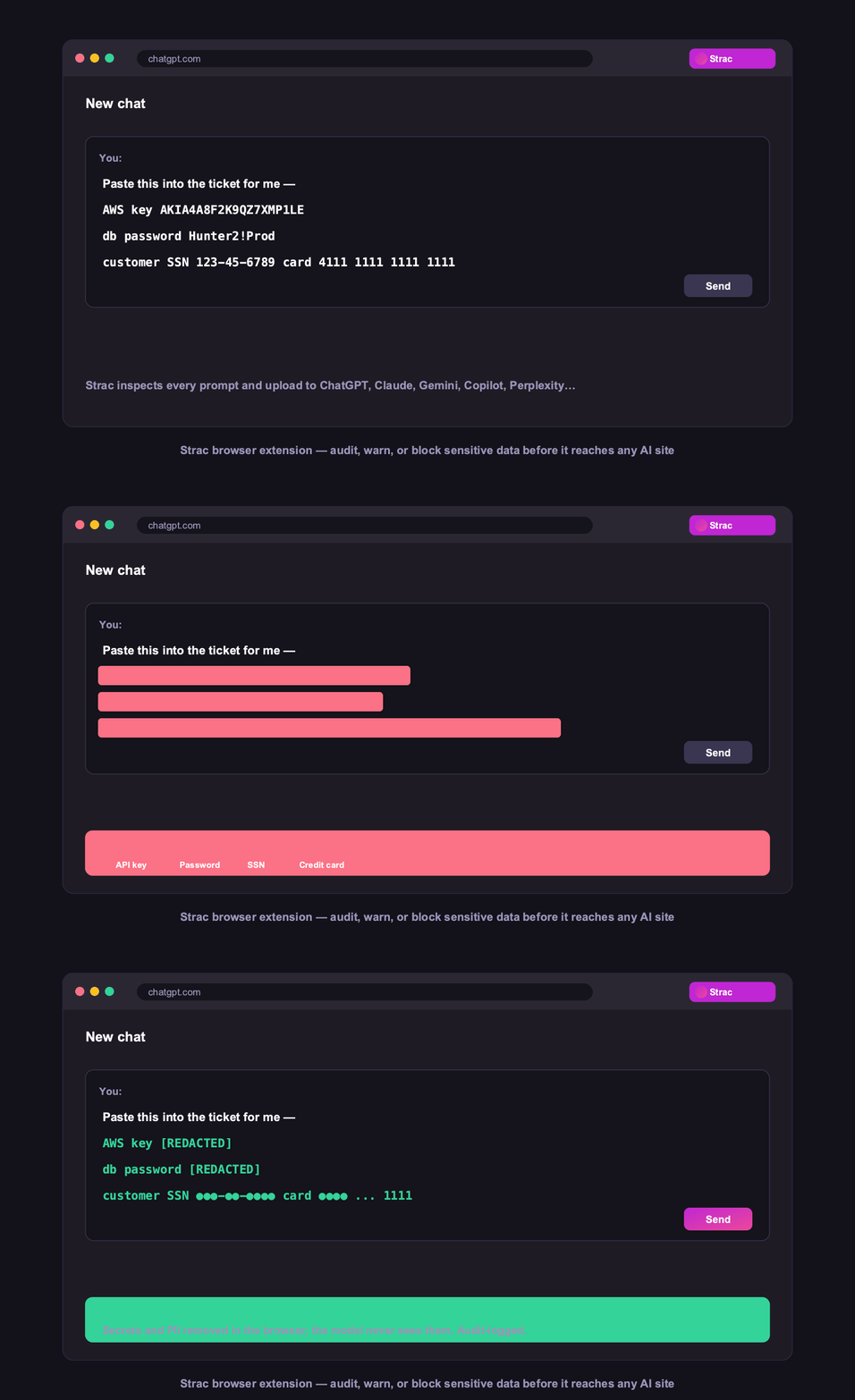
Strac browser DLP blocking a sensitive Slack upload in real time
Browser DLP blocks or redacts sensitive Slack data in the browser, live.

5. Control Slack data on endpoints (Mac and Windows)

Strac's endpoint DLP agent controls Slack data as it lands on laptops, with four modes: block, warn, allow, and audit across file downloads, copies, and screenshots on both Mac and Windows.
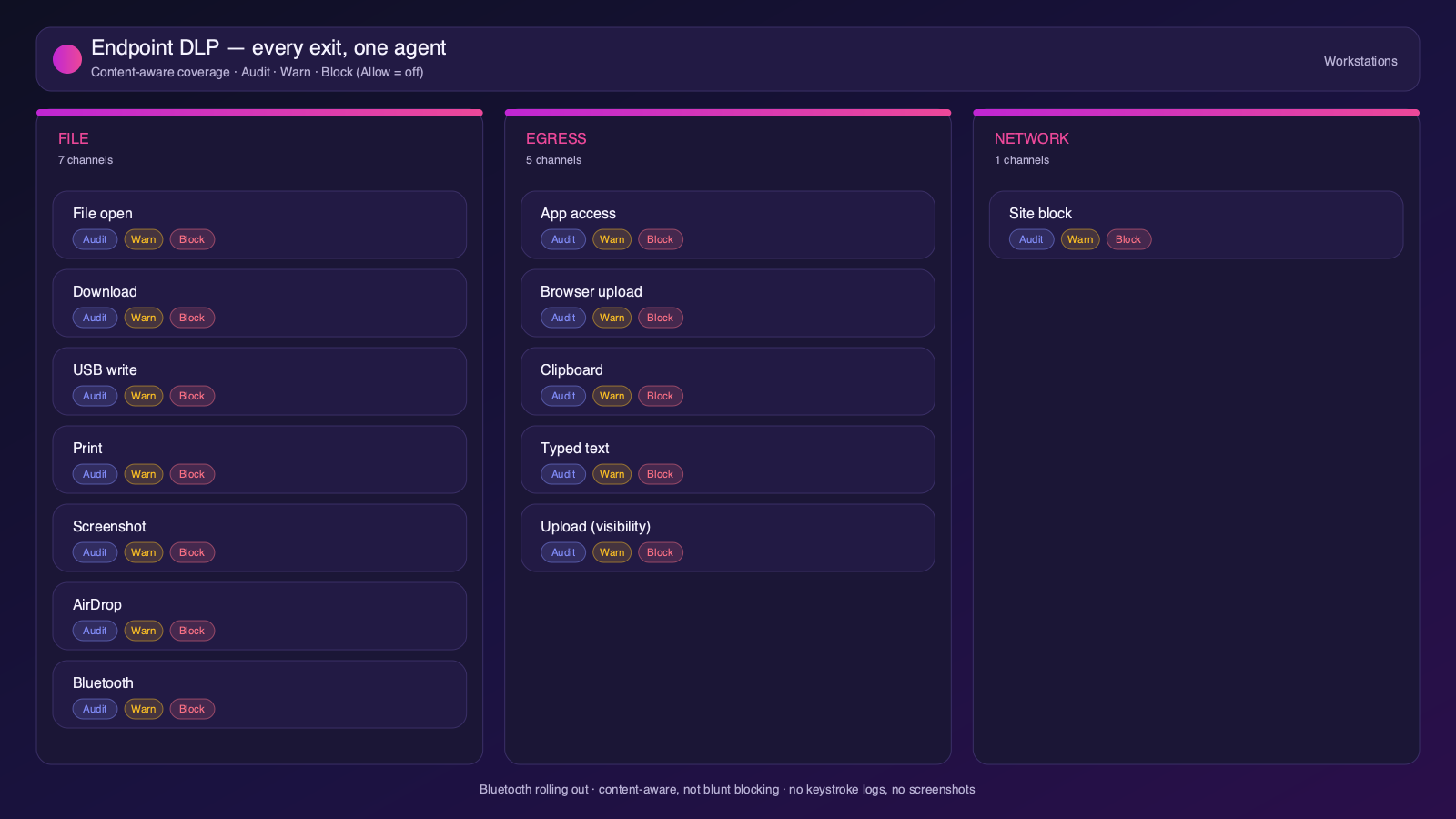
Strac endpoint DLP controlling Slack data on Mac and Windows with block, warn, allow, and audit modes
Content-aware endpoint DLP: block, warn, allow, or audit on Mac and Windows.

6. One platform, every surface

Slack is one of 50+ places Strac protects. The same engine covers SaaS, cloud, GenAI, MCP, browser, and endpoint, so your Slack data stays protected everywhere it flows, not just at rest. That breadth, plus remediation that actually fixes exposure, is why teams consolidate on Strac instead of stacking point tools.

Strac integrations across 50+ SaaS, cloud, endpoint, browser, and AI connectors
50+ integrations across SaaS, cloud, databases, endpoints, browsers, and AI.

🌶️ Frequently asked: Slack security

Is Slack secure?

Slack is secure when configured correctly, but its defaults around sharing and access make oversharing and misconfiguration a leading cause of Slack data exposure, and it does not scan the sensitive data inside your content. Hardening the configuration plus adding DSPM and DLP (like Strac) to discover and remediate sensitive data closes the gap.

Is Slack secure for sensitive data?

It can be, with SSO, 2FA, Slack Connect controls, retention, and content scanning. The risk is secrets, API keys, PII, PHI, or card data pasted into messages and files, which Slack stores securely but does not scan or redact. Strac scans Slack messages and files in real time and redacts or removes secrets and sensitive data on detection.

Does Slack have DLP?

Slack offers DLP on Enterprise Grid and via partners, but native controls do not scan or redact the content inside messages and files. Strac adds agentless discovery, in-place redaction and masking, automatic remediation of exposed data, and the same protection beyond Slack, across browsers, endpoints, and AI agents.

What are the most important Slack security best practices?

Enforce least-privilege access and MFA, restrict external and public sharing, review third-party app access, continuously discover and classify sensitive data, monitor activity for risky behavior, and remediate exposure automatically. The sections above cover each in detail.

How does Strac secure Slack?

Strac connects to Slack agentlessly, runs DSPM discovery across your Slack data, and remediates exposure (redact, mask, revoke access, quarantine, label). It extends the same protection to AI agents via MCP DLP, the browser, and Mac and Windows endpoints.