RoPA Template: Free GDPR Article 30 Record of Processing Activities
A free, copy-ready RoPA template with every GDPR Article 30 field and an example row. How to fill it in - and how Strac auto-populates the hard columns (what data, where) from real scans so it stays accurate.
Three tabs: how-to-use, a Controller RoPA (Article 30(1)) and a Processor RoPA (Article 30(2)), each with an example row. Free to use and share.
Article 30 of the GDPR requires most organizations to maintain a Record of Processing Activities. Download the ready-to-use spreadsheet above, or use the on-page table below as your starting structure — it includes every field a controller RoPA needs. Copy it into a spreadsheet and complete one row per processing activity.
RoPA field
What to record
Example
Processing activity
The business process
Customer billing
Controller / contact
Who’s responsible + DPO contact
Acme Ltd — dpo@acme.com
Purpose of processing
Why you process the data
Invoicing and payment
Categories of data subjects
Whose data
Customers
Categories of personal data
What data
Name, email, billing address, card token
Recipients
Who receives it
Payment processor, accounting SaaS
Third-country transfers
Any transfers + safeguard
US — Standard Contractual Clauses
Retention period
How long kept
7 years (tax law)
Security measures
Technical/org safeguards
Encryption, access control, DLP
For processor activities (data you handle on behalf of others), GDPR requires a slightly different set of fields — keep a separate processor RoPA. See our full data inventory and RoPA guide for the controller-vs-processor distinction.
How to Fill In the RoPA Template
List every processing activity. One row per purpose — billing, support, marketing, HR, analytics.
Identify the personal data in each. This is the hard part — you have to know what data each system holds.
Record recipients and transfers. Internal teams, vendors, sub-processors, and any cross-border flows.
Set retention and legal basis. How long, and under which Article 6 basis.
Document security measures. Encryption, access control, and DLP applied to the data.
Keep it current. Review whenever a new system, vendor, or data type is added — not once a year.
✨ The Hard Part: Keeping Your RoPA Accurate
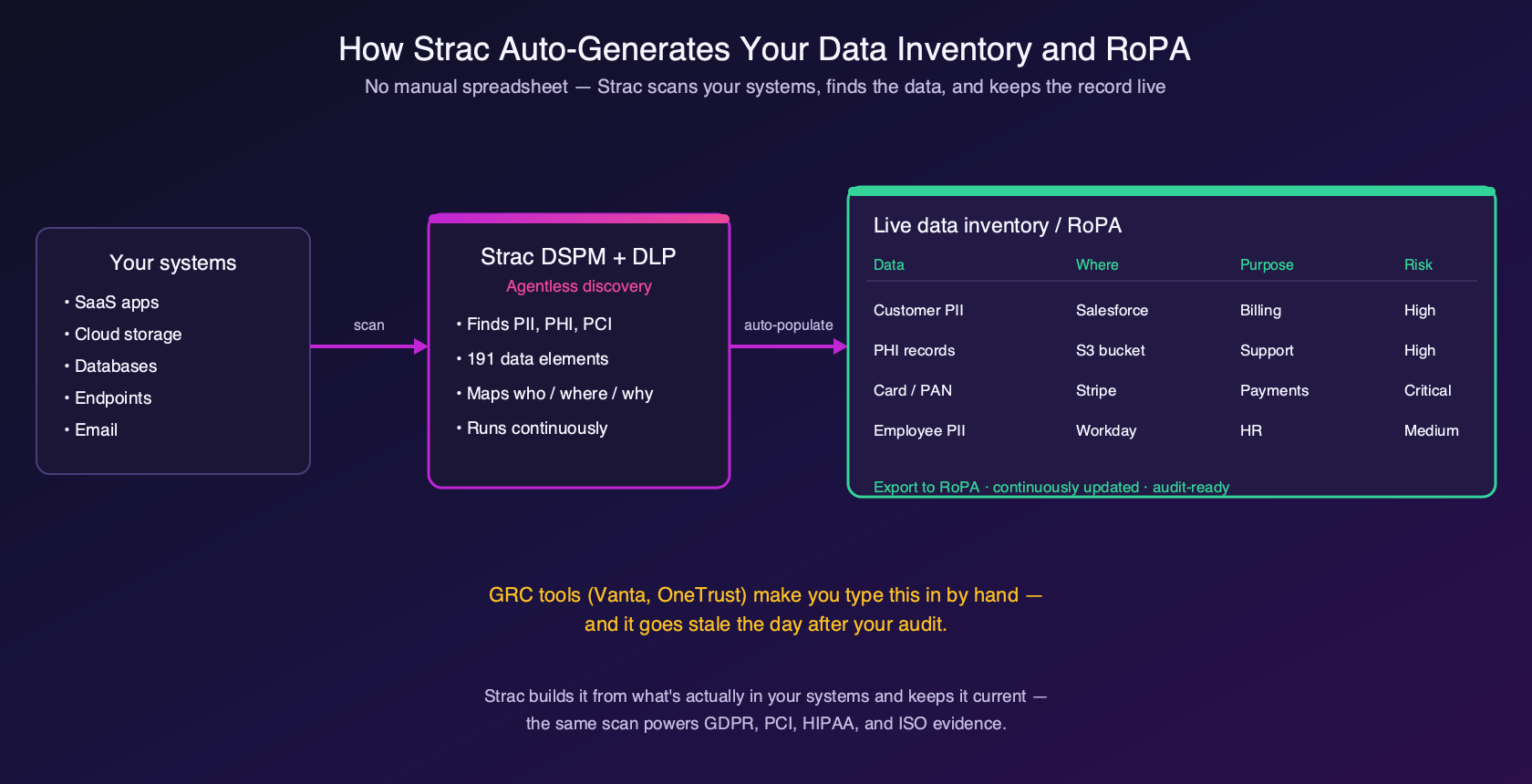
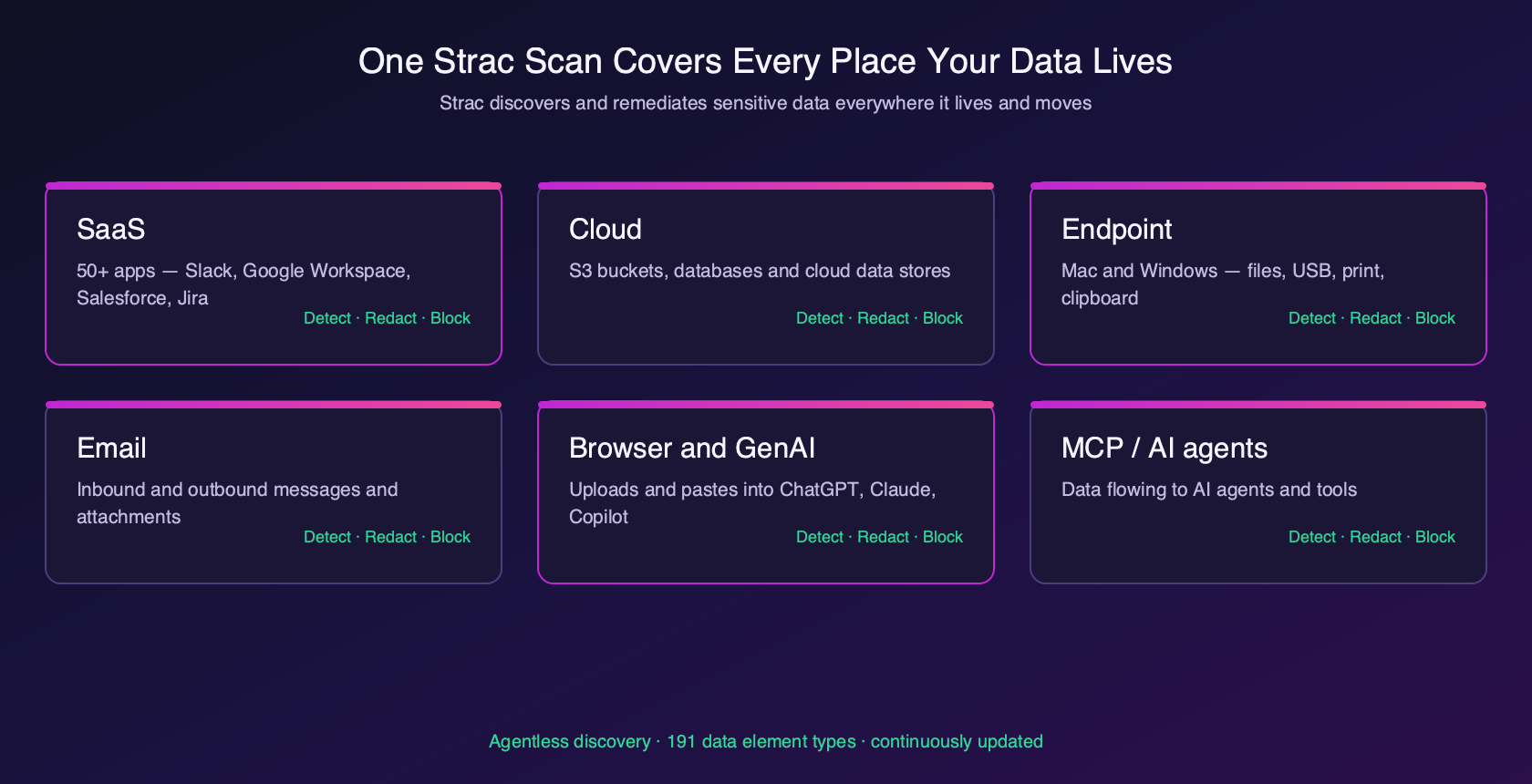
Filling in the template once is easy. The reason RoPAs fail audits is step 2 — knowing what personal data each system actually holds — and step 6 — keeping it current. Both are impossible to do reliably by hand. This is where Strac changes the game: it discovers and classifies the personal data across your SaaS, cloud, databases, and endpoints, so the “categories of personal data” and “location” columns fill themselves — and stay current as data moves.
Strac populates the hard columns of your RoPA — what data, where — from real scans, and keeps them current.
You get the structure from the template above; you get the accurate content from Strac. See how the underlying data inventory works, or how it maps to GDPR data mapping.
The same Strac scan that fills your RoPA also covers PCI scope, HIPAA ePHI inventory, and ISO asset lists.
🌶️ Spicy FAQs on RoPA Templates
What is a RoPA template?
A RoPA template is a ready-made structure for the Record of Processing Activities that GDPR Article 30 requires. It lays out every field - purpose, data categories, recipients, transfers, retention, and security measures - so you can fill in one row per processing activity.
Is a RoPA mandatory under GDPR?
For most organizations, yes. GDPR Article 30 requires controllers and processors to maintain a Record of Processing Activities. The main exemption is for organizations under 250 employees that process data only occasionally and not sensitive data - a narrow carve-out.
What’s the difference between a controller and processor RoPA?
A controller RoPA documents processing you decide the purposes of; a processor RoPA documents data you handle on behalf of clients. GDPR requires slightly different fields for each, so keep them separate.
Why do RoPAs fail audits?
Not because of the template - because the content is wrong. Teams can’t reliably list what personal data each system holds by hand, and the RoPA goes stale as data changes. Automated discovery keeps the ‘what data / where’ columns accurate.
Can I automate my RoPA?
The structure is a template, but the content - what personal data you hold and where - can be discovered automatically. Strac scans your systems, classifies the data, and populates and updates the underlying inventory, so your RoPA stays accurate.
A RoPA template gives you the structure in five minutes. The real work — and the reason RoPAs fail — is filling in what data you hold and keeping it current. Strac does that part automatically. Copy the template above to start, then book a demo to auto-populate and maintain it.
What is a RoPA template?
A RoPA template is a ready-made structure for the Record of Processing Activities that GDPR Article 30 requires. It lays out every field - purpose, data categories, recipients, transfers, retention, and security measures - so you can fill in one row per processing activity.
Is a RoPA mandatory under GDPR?
For most organizations, yes. GDPR Article 30 requires controllers and processors to maintain a Record of Processing Activities. The main exemption is for organizations under 250 employees that process data only occasionally and not sensitive data - a narrow carve-out.
What’s the difference between a controller and processor RoPA?
A controller RoPA documents processing you decide the purposes of; a processor RoPA documents data you handle on behalf of clients. GDPR requires slightly different fields for each, so keep them separate.
Why do RoPAs fail audits?
Not because of the template - because the content is wrong. Teams can’t reliably list what personal data each system holds by hand, and the RoPA goes stale as data changes. Automated discovery keeps the ‘what data / where’ columns accurate.
Can I automate my RoPA?
The structure is a template, but the content - what personal data you hold and where - can be discovered automatically. Strac scans your systems, classifies the data, and populates and updates the underlying inventory, so your RoPA stays accurate.
Discover & Protect Data on SaaS, AI, MCP, Endpoints & Cloud
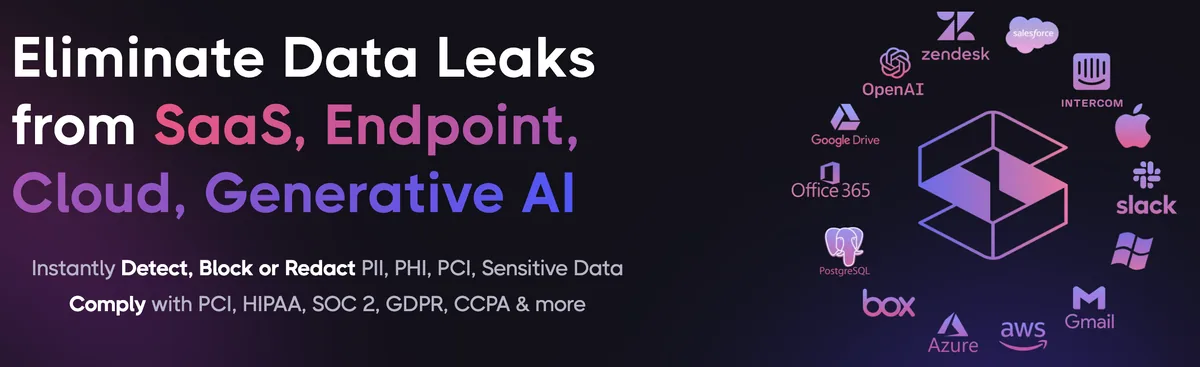
Strac provides end-to-end data loss prevention for all SaaS and Cloud apps. Integrate in under 10 minutes and experience the benefits of live DLP scanning, live redaction, and a fortified SaaS environment.


.webp)






.avif)




.gif)
