August 10, 2026

7
min read
Is ChatGPT Safe?
Is ChatGPT safe? Learn the biggest ChatGPT security risks in 2026, including AI data leaks, MCP security, prompt injection, compliance, and how AI DLP protects sensitive business data.
· ChatGPTis safe for many everyday tasks, but using it with sensitive business datawithout proper safeguards can create serious security and compliance risks.
· Today's AI risks extend far beyond prompts andinclude file uploads, AI agents, MCP servers, browser sessions, and connectedSaaS applications.
· Even ChatGPT Enterprise cannot prevent employeesfrom accidentally sharing confidential information or connecting AI tosensitive business systems.
· Organizations should combine AI governance withBrowser DLP, Endpoint DLP, SaaS DLP, and AI DLP to protect sensitiveinformation wherever AI is used.
· Strachelps organizations discover, classify, monitor, redact, block, and remediatesensitive data across ChatGPT, Claude, Microsoft Copilot, Gemini, SaaSapplications, endpoints, and AI-powered workflows using content-aware ML andOCR instead of legacy regex
ChatGPT has transformed how people work. Employees use it to write emails, summarize meetings, generate code, analyze spreadsheets, review contracts, and answer customer questions in seconds.
But as AI becomes embedded into everyday workflows, one question continues to surface:
The short answer is yes—but only when used responsibly and with appropriate security controls.
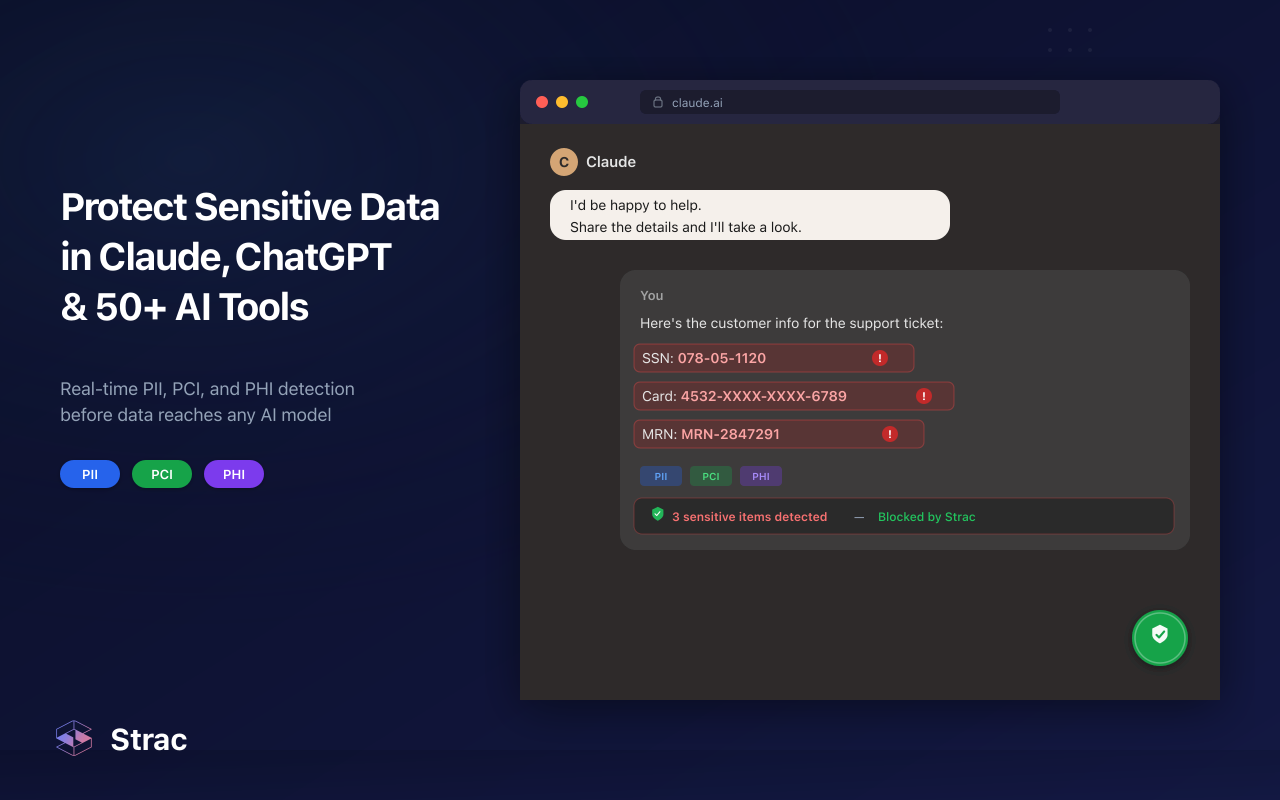
The greatest risk isn't that ChatGPT suddenly "leaks" your information. Instead, organizations face risks when employees unknowingly paste confidential information into AI, upload sensitive documents, connect AI to internal systems, or give autonomous AI agents broad access to company data.
As businesses increasingly adopt AI, protecting sensitive information requires more than user awareness. It requires visibility, governance, and real-time protection across every AI interaction.
When ChatGPT first launched, most people used it like a search engine.
Today's AI platforms are dramatically more powerful.
Modern AI can:
Instead of answering isolated questions, AI now operates across entire business workflows.
That means the attack surface has expanded significantly. Every prompt, uploaded document, connected application, and AI agent creates another opportunity for sensitive information to leave your organization if proper controls aren't in place.
%20(1).jpg)
The most common security issue isn't hackers—it's employees.
Consider a few everyday scenarios:
These actions are usually well-intentioned but can expose confidential information outside approved security boundaries.
Organizations should assume that anything entered into public AI tools deserves the same scrutiny as information shared with any third party.
AI is no longer limited to text prompts.
Employees now routinely upload:
Many of these files contain significantly more sensitive information than a simple prompt.
Modern AI security therefore needs to inspect both text and uploaded files before they're shared with AI systems.
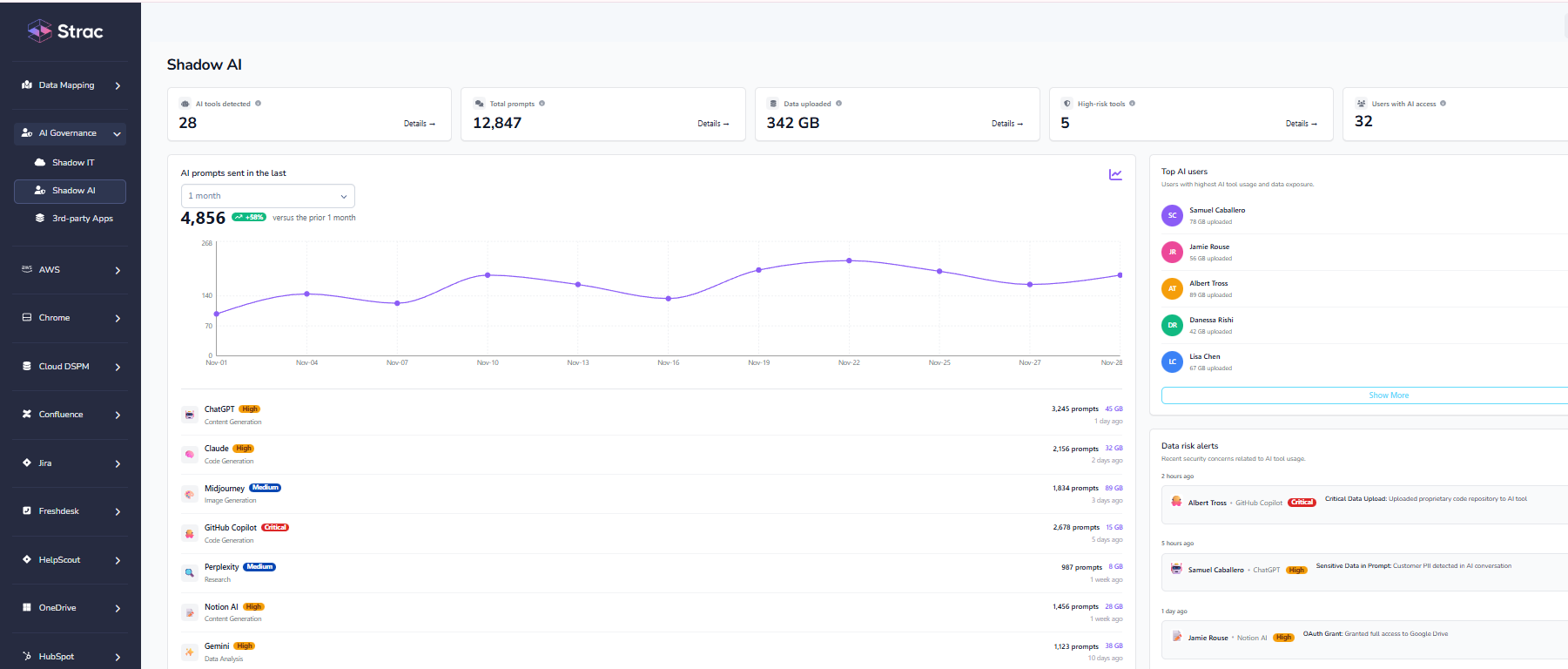
One of the fastest-growing risks is Shadow AI.
Employees frequently use personal AI accounts or unapproved AI tools because they're convenient and immediately accessible.
IT teams often have little visibility into:
Without visibility, organizations cannot enforce security policies or compliance requirements.
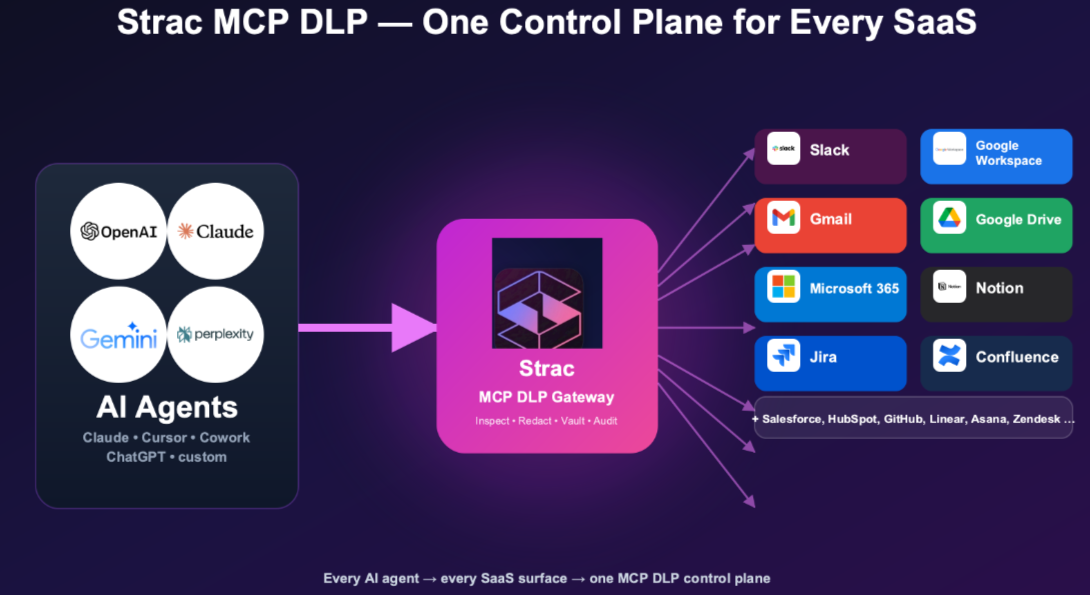
The rise of Model Context Protocol (MCP) has fundamentally changed AI security.
Instead of answering isolated questions, AI assistants can now connect directly to business systems like:
This allows AI agents to retrieve documents, analyze customer records, create tickets, update CRMs, and automate complex workflows.
While incredibly powerful, these integrations also create new opportunities for data exposure if permissions are overly broad or sensitive information isn't properly protected.
Organizations adopting AI agents should treat them like privileged users and enforce least-privilege access wherever possible.
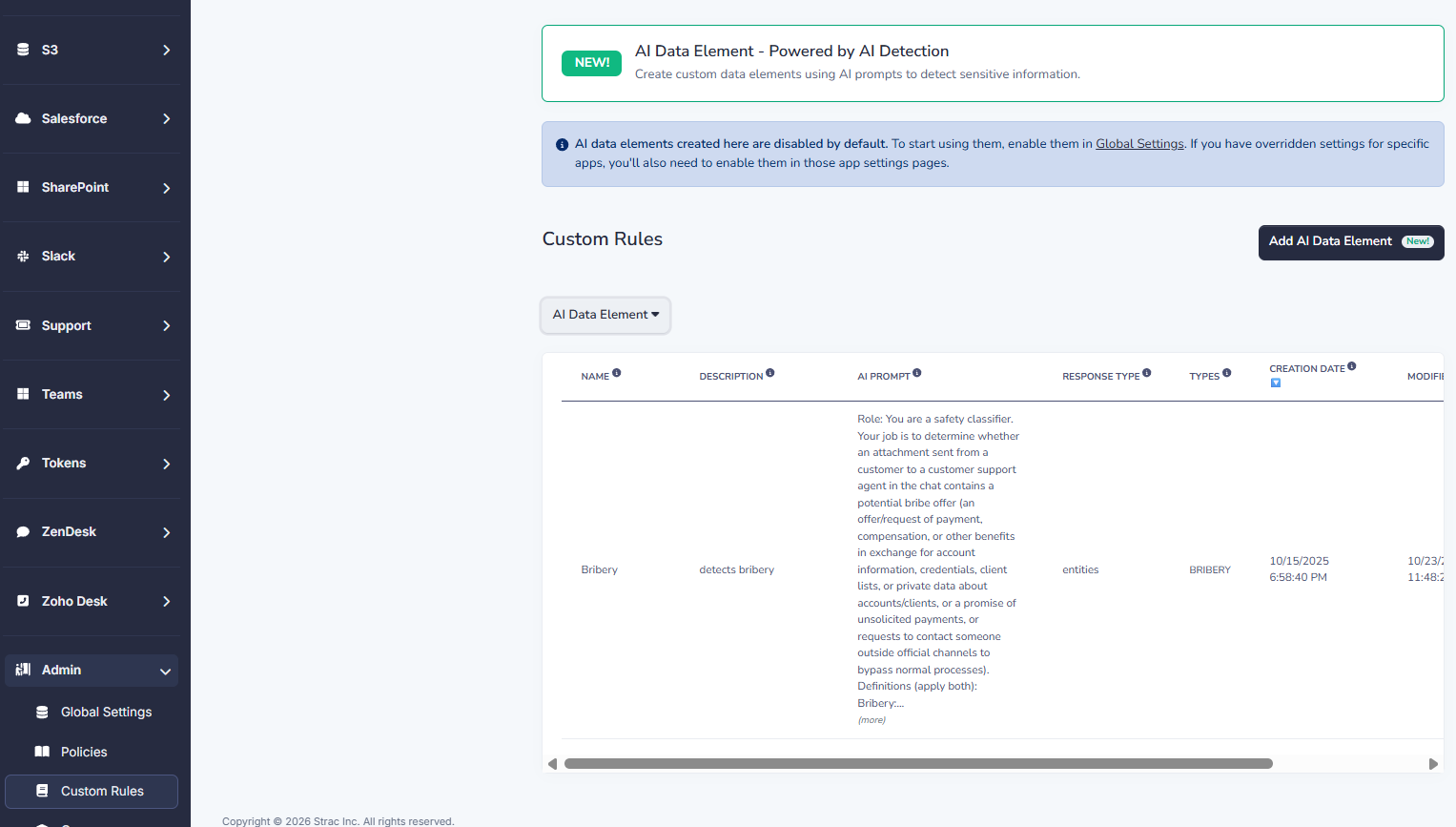
Prompt injection attacks attempt to manipulate an AI model into ignoring its intended instructions.
For example, a malicious document could instruct an AI assistant to reveal sensitive information, retrieve confidential files, or perform unintended actions after being uploaded.
As AI becomes connected to more enterprise systems, protecting against these attacks becomes increasingly important.
Many organizations operate under strict regulatory requirements including:
Uploading regulated information into AI without appropriate safeguards may create compliance challenges, particularly when dealing with healthcare records, payment information, customer identities, or financial data.
AI adoption should always align with existing governance and compliance programs rather than bypassing them.
ChatGPT Enterprise significantly improves security compared to consumer versions.
Enterprise customers benefit from features such as:
However, Enterprise editions do not eliminate every security risk.
Employees can still:
Enterprise AI reduces platform-level risk, but organizations still need controls that inspect and protect the data employees share with AI.
ChatGPT doesn't intentionally expose confidential information.
The greater concern is how people use it.
For example:
A software engineer uploads proprietary source code for debugging.
A recruiter asks ChatGPT to improve interview notes containing candidate information.
A finance analyst uploads quarterly revenue forecasts.
A sales representative summarizes confidential customer contracts.
Each example involves employees trying to work more efficiently—but without realizing they're exposing sensitive business information.
Good AI security focuses on preventing these mistakes before they happen.
Organizations don't need to ban AI.
Instead, they should establish clear governance and security controls.
Some best practices include:
Together, these practices allow organizations to embrace AI while minimizing unnecessary risk.
As AI adoption accelerates, organizations need more than simple monitoring—they need protection that operates wherever employees interact with AI.
Strac provides a unified platform that helps organizations discover, classify, and protect sensitive information across modern AI workflows.
Rather than relying solely on regex patterns, Strac uses content-aware machine learning and OCR to identify sensitive information inside structured and unstructured content, including Office documents, PDFs, images, screenshots, ZIP archives, source code, spreadsheets, customer conversations, and file uploads.
Organizations can automatically:
Because Strac combines Data Security Posture Management (DSPM) with Data Loss Prevention (DLP), security teams gain visibility into where sensitive data exists and the ability to protect it before it reaches AI systems. The platform's agentless architecture enables rapid deployment across SaaS applications, cloud environments, AI workflows, and endpoints without the operational overhead associated with traditional DLP solutions.
ChatGPT is one of the most valuable productivity tools available today, but its rapid adoption has fundamentally changed how organizations must think about data security.
The challenge isn't whether AI itself is safe. The challenge is ensuring employees, AI agents, connected applications, and MCP integrations don't unintentionally expose sensitive information.
Organizations that combine AI governance with modern AI DLP, Browser DLP, Endpoint DLP, SaaS DLP, and DSPM can confidently embrace AI innovation while maintaining security, privacy, and regulatory compliance.
As AI continues to evolve, protecting sensitive data wherever AI works will become just as important as protecting email, cloud storage, and endpoints.

Public AI tools should never be treated as a secure location for confidential business information unless appropriate security controls are in place. Organizations should implement AI governance and DLP to prevent accidental data exposure.
ChatGPT Enterprise includes stronger privacy and administrative controls, but it cannot prevent users from accidentally uploading confidential information or granting AI excessive access to business systems.
The most effective approach combines AI usage policies, employee training, least-privilege access, and AI DLP solutions that inspect prompts, uploads, browser activity, endpoints, and connected SaaS applications before sensitive information leaves the organization.
AI Data Loss Prevention (AI DLP) protects sensitive information during interactions with AI tools by discovering, monitoring, classifying, and automatically blocking, redacting, masking, or remediating sensitive data before it reaches AI platforms.
Model Context Protocol (MCP) allows AI assistants to connect directly to enterprise applications and data sources. While this enables powerful automation, it also expands the attack surface, making visibility, access control, and real-time data protection essential.
.avif)


.gif)


.webp)