Notion

Is Notion secure? Best practices + how Strac DSPM/DLP finds & remediates data

Access and workspace controls

Short answer: Yes, Notion is reasonably secure as a platform. It encrypts data in transit (TLS) and at rest, maintains SOC 2 compliance, and offers strong admin controls on its Business and Enterprise plans. The real risk is almost never Notion's infrastructure. It comes from how a workspace is configured and used: pages accidentally exposed through "Share to web" and public links, guest and external sharing that outlives its purpose, overly broad workspace and teamspace permissions, third-party integrations and API tokens with standing access, and the fact that Notion does not natively scan or classify the sensitive data (PII, PHI, PCI, secrets) living inside pages and file attachments. Notion secures the container; it does not know what is inside it. That gap is where most Notion data exposure happens.

Enforce SAML SSO and automate provisioning with SCIM

On Notion Enterprise, SAML SSO lets you centralize authentication through your identity provider (Okta, Entra ID, Google) so Notion access follows the same policies as the rest of your stack. Pairing SSO with SCIM is what closes the biggest lifecycle gap: without it, a departed employee can retain Notion access long after their IdP account is disabled.

  • Enable SAML SSO and turn on "Enforce SSO" so members cannot fall back to email or Google login.
  • Configure SCIM provisioning to auto-create accounts on hire and, critically, auto-deprovision on termination.
  • Map IdP groups to Notion so teamspace and group membership stays in sync with HR and directory changes.
  • Verify your email domain and claim managed accounts so personal Notion accounts cannot use your corporate domain.

Require two-factor authentication

Where SSO is not enforced for every member, 2FA is the minimum bar against credential stuffing and phishing. Notion supports authenticator-app and SMS second factors.

  • Require 2FA at the workspace level rather than leaving it to individual members.
  • Prefer authenticator apps over SMS where your policy allows it.
  • Treat guests and contractors who authenticate with email as higher risk and review them regularly.

Apply least privilege across the workspace and teamspace model

Notion's permission model has several layers: workspace roles (Owner, Member, Guest), teamspaces (Open, Closed, Private), and per-page permissions (Full access, Can edit, Can comment, Can view). Misconfiguration usually means too many Owners and too many Open teamspaces holding sensitive material.

  • Keep the number of workspace Owners small; Owners can change security settings and billing.
  • Use Closed or Private teamspaces for HR, finance, legal, and security content instead of Open teamspaces visible to the whole workspace.
  • Grant page access through groups, not one-off invites, so access is auditable and removable in one place.
  • Periodically review default teamspaces that every new member joins automatically, and remove sensitive pages from them.

Data protection and sharing

Control "Share to web" and public pages

"Share to web" turns a Notion page and its child pages into a publicly accessible URL that is indexable by search engines. This is the single most common source of accidental Notion data leaks, because a link meant for one person can be crawled, archived, and found by anyone.

  • In workspace settings, restrict or disable the ability for members to publish pages to the web where it is not a business need.
  • If public publishing is required, limit it to a controlled set of members or a dedicated teamspace.
  • Disable search-engine indexing and duplication on any page that must be public.
  • Remember that public access cascades to subpages, so publishing a parent can silently expose everything nested beneath it.

Limit guest and external sharing

Guests are external users invited to specific pages. They are convenient for collaborating with vendors and clients, but guest access tends to accumulate and rarely gets revoked once a project ends.

  • Restrict who can invite guests, and consider disabling guest invites for members entirely on sensitive workspaces.
  • Review the guest list in settings on a schedule and remove anyone no longer actively collaborating.
  • Prefer time-boxed access and project-specific teamspaces over open-ended guest invitations.
  • Audit which pages each guest can actually reach, since a single shared parent may expose more than intended.

Govern integrations and API tokens

Notion integrations and API tokens act on behalf of the workspace and can read or write large amounts of content programmatically. Both internal integrations and public (third-party) integrations represent standing access that persists until someone revokes it.

  • Require admin approval for new integrations so members cannot connect arbitrary third-party apps.
  • Inventory existing integrations, note what each one can read or edit, and remove unused or unknown ones.
  • Scope internal integration tokens to the minimum capabilities needed and store them in a secrets manager, never in a Notion page.
  • Rotate API tokens periodically and immediately when an owning employee leaves or a token may be exposed.

Discover and classify sensitive data inside pages and attachments

This is the control Notion itself does not provide. Native settings govern who can reach a page, but they do nothing to tell you which pages and uploaded files actually contain regulated data. Over time, workspaces accumulate customer PII, employee PHI, payment-card numbers (PCI), API keys, and other secrets pasted into notes, databases, and file attachments where no one is tracking them.

  • Maintain an inventory of where sensitive data types (PII, PHI, PCI, credentials) tend to live, such as onboarding docs, incident write-ups, and customer databases.
  • Scan page content and attachments for regulated data rather than assuming permissions alone are sufficient protection.
  • Pay particular attention to any sensitive data sitting on pages that are also shared to the web or with guests, since that combination is the true exposure.
  • Establish a handling rule that secrets and payment data do not belong in Notion at all, and enforce it through review.

Monitoring and compliance

Use the admin content search and audit log

On Enterprise, admins get the audit log and workspace-wide visibility that make incidents investigable. Without monitoring, an overshared page or a rogue integration can go unnoticed for months.

  • Enable and regularly review the audit log for sharing changes, permission escalations, login anomalies, and integration events.
  • Export audit logs to your SIEM where supported so Notion activity is correlated with the rest of your environment.
  • Use admin content search to locate pages by keyword when investigating a suspected exposure.
  • Set a recurring cadence to hunt for pages set to "Share to web" and for guests with broad access.

Set data retention and export controls

Stale content is risk that compounds. Pages that should have been deleted keep sensitive data alive, and uncontrolled exports move that data outside your governed boundary.

  • Define retention expectations for sensitive teamspaces and delete or archive content that no longer needs to exist.
  • Understand who can export workspace content and in what formats, and restrict bulk export where appropriate.
  • Control page duplication and the ability to move content between workspaces.

Map Notion to your compliance obligations

Notion maintains SOC 2 compliance and supports common regulatory needs, but configuration determines whether your usage is actually compliant.

  • For HIPAA, a Business Associate Agreement (BAA) is available on Enterprise; do not store PHI in Notion until the BAA is executed and controls are in place.
  • For GDPR, document what personal data lives in Notion, support data-subject access and deletion requests, and limit cross-border exposure through public and guest sharing.
  • Review Notion's SOC 2 report as part of your vendor assessment and align your own access and monitoring controls to it.

Notion security checklist

  • Enforce SAML SSO and automate deprovisioning with SCIM on Enterprise.
  • Require 2FA for any member not covered by enforced SSO.
  • Minimize Owners and keep sensitive content in Closed or Private teamspaces.
  • Restrict or disable "Share to web" and audit existing public pages.
  • Limit guest invites and review the guest list on a schedule.
  • Require admin approval for integrations and rotate API tokens regularly.
  • Continuously discover and classify PII, PHI, PCI, and secrets inside pages and attachments.
  • Enable the audit log, set retention and export controls, and execute a BAA before storing PHI.

✨ How Strac secures Notion across every surface

Notion security best practices close the configuration gaps. Strac closes the data gap: it discovers the sensitive data inside Notion, remediates exposure automatically, and extends the same protection to every other place that data flows, AI agents, browsers, and endpoints. One agentless platform across SaaS, cloud, GenAI, MCP, browser, and endpoint.
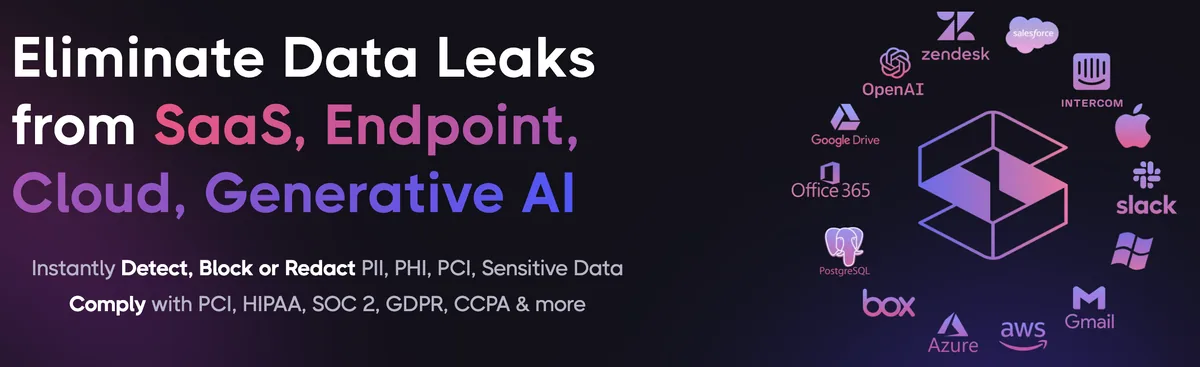
Strac unified data security platform protecting Notion across SaaS, cloud, browser, endpoint, GenAI, and MCP
One platform protecting Notion data everywhere it lives and moves.

1. Discover and classify sensitive data in Notion (DSPM)

Strac's DSPM continuously scans Notion for PII, PHI, PCI, and secrets using ML and OCR across 100+ data types, so you know exactly where your regulated data lives and which items are overshared, public, or out of policy. This is the layer native Notion controls skip: they can enforce a setting, but they cannot tell you where all your sensitive data actually sits.

Strac DSPM discovering and classifying sensitive data (PII, PHI, PCI) inside Notion
Strac discovers and classifies every sensitive file in Notion, automatically.

2. Redact and remediate exposure automatically (SaaS DLP)

Finding exposed data is table stakes. Strac's Notion DLP acts on it, under your policy: redact or mask sensitive values in place, revoke public "anyone with the link" sharing, remove external members from files and folders, quarantine or delete items that should not exist, and label and classify, with a full audit trail mapped to HIPAA, PCI DSS, SOC 2, ISO 27001, and GDPR. Most alternatives stop at an alert; Strac fixes the exposure.
Strac automatically remediating sensitive data exposure in Notion: redact, revoke public links, remove external members
Strac remediates Notion exposure in place, revoke public links, remove external members, redact, quarantine.

3. Govern what AI agents pull from Notion (MCP DLP)

AI agents now read directly from Notion over the Model Context Protocol. Strac's MCP DLP sits in that path as a reverse proxy and redacts sensitive values in tool responses before the model ever sees them, and governs exactly which agents can reach which Notion data. Connect the Notion MCP connector once and every agent tool call is inspected.
Strac MCP DLP governing AI agent access to Notion data, redacting sensitive values at the boundary
Strac governs the MCP boundary so AI agents can use Notion without exfiltrating sensitive data.

4. Stop Notion data leaks in the browser

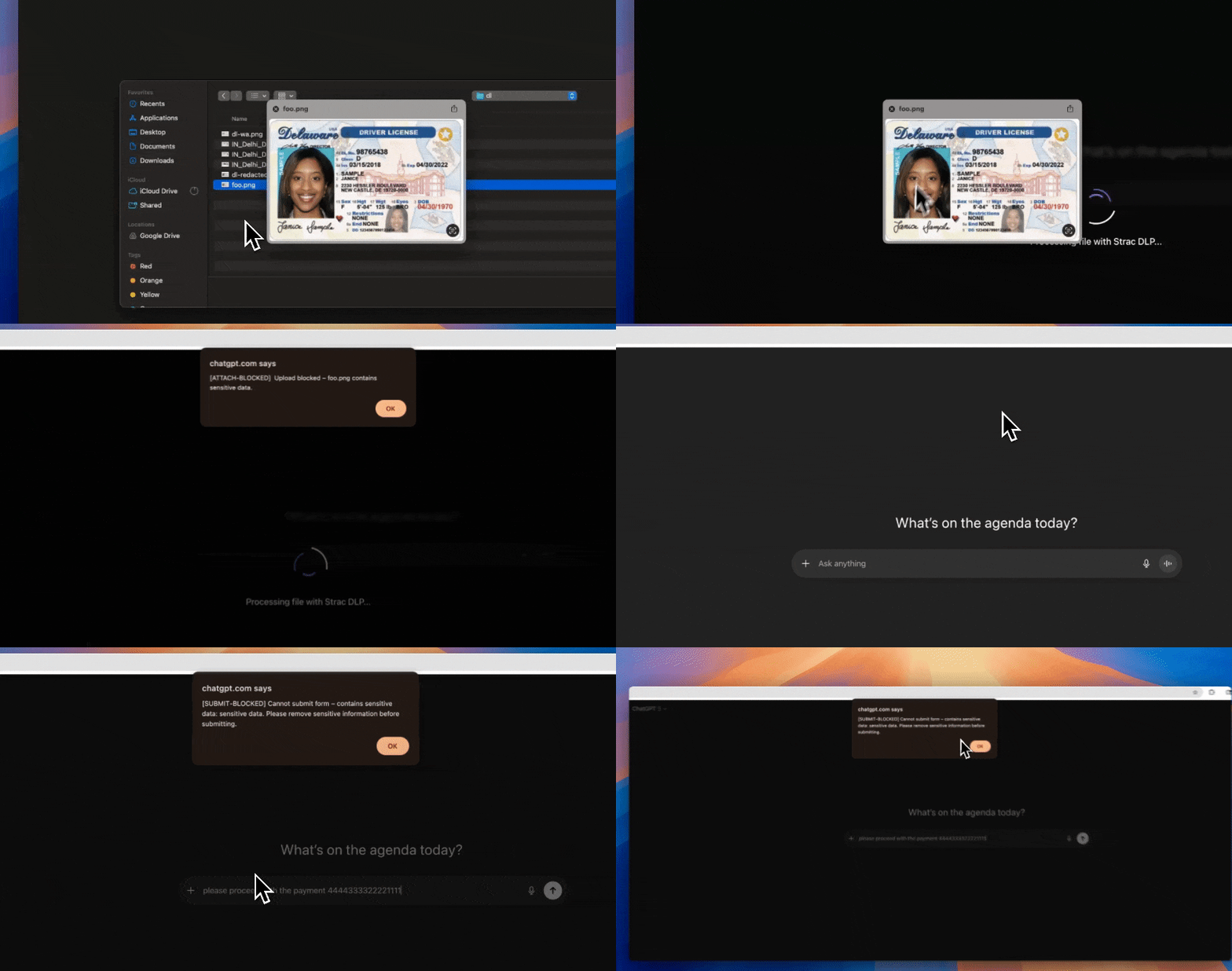
Strac's browser DLP extension for Chrome, Edge, Firefox, and Safari blocks or redacts sensitive uploads, downloads, and pastes to and from Notion in real time, including data a user tries to move from Notion into an AI tool in another tab.
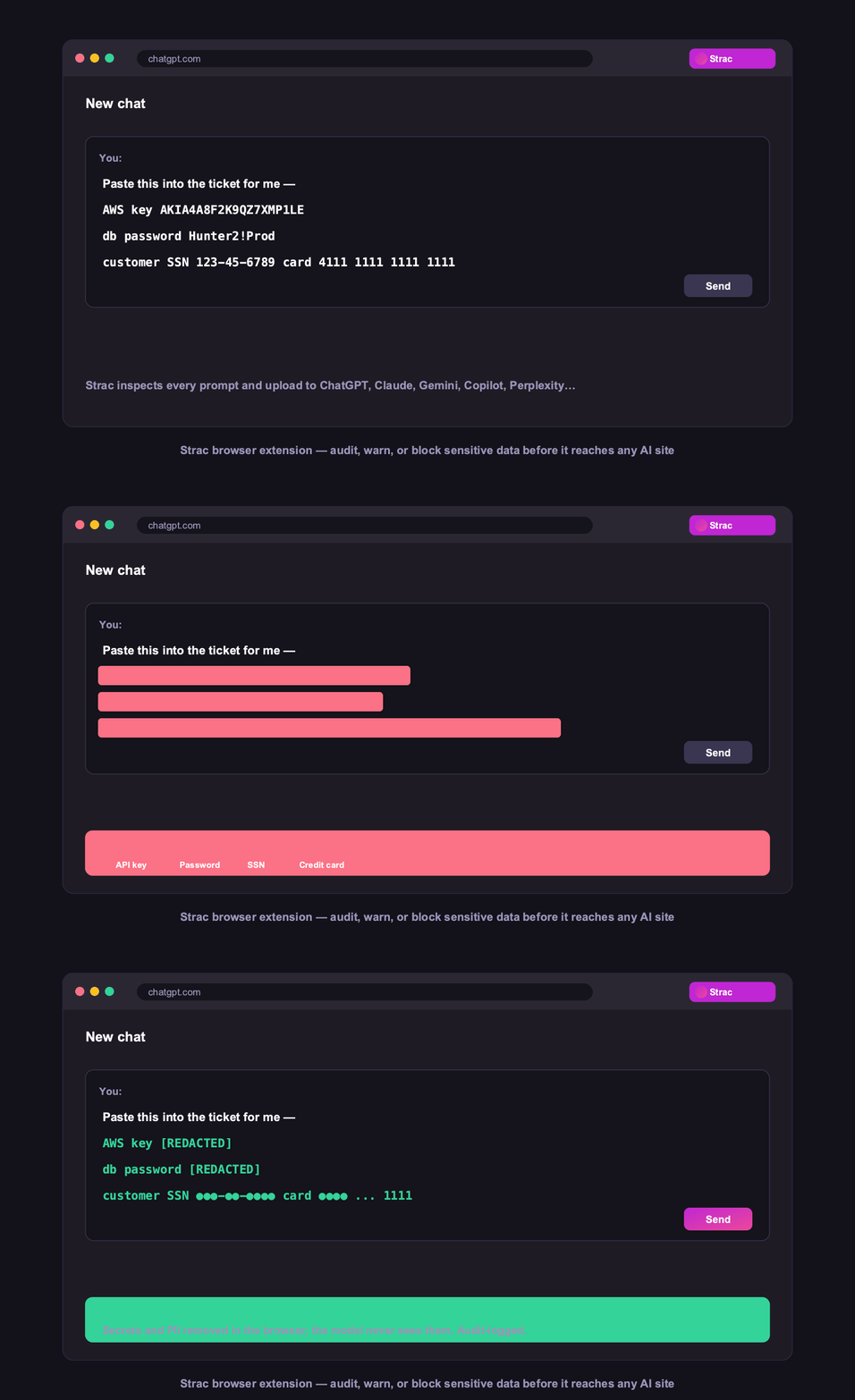
Strac browser DLP blocking a sensitive Notion upload in real time
Browser DLP blocks or redacts sensitive Notion data in the browser, live.

5. Control Notion data on endpoints (Mac and Windows)

Strac's endpoint DLP agent controls Notion data as it lands on laptops, with four modes: block, warn, allow, and audit across file downloads, copies, and screenshots on both Mac and Windows.
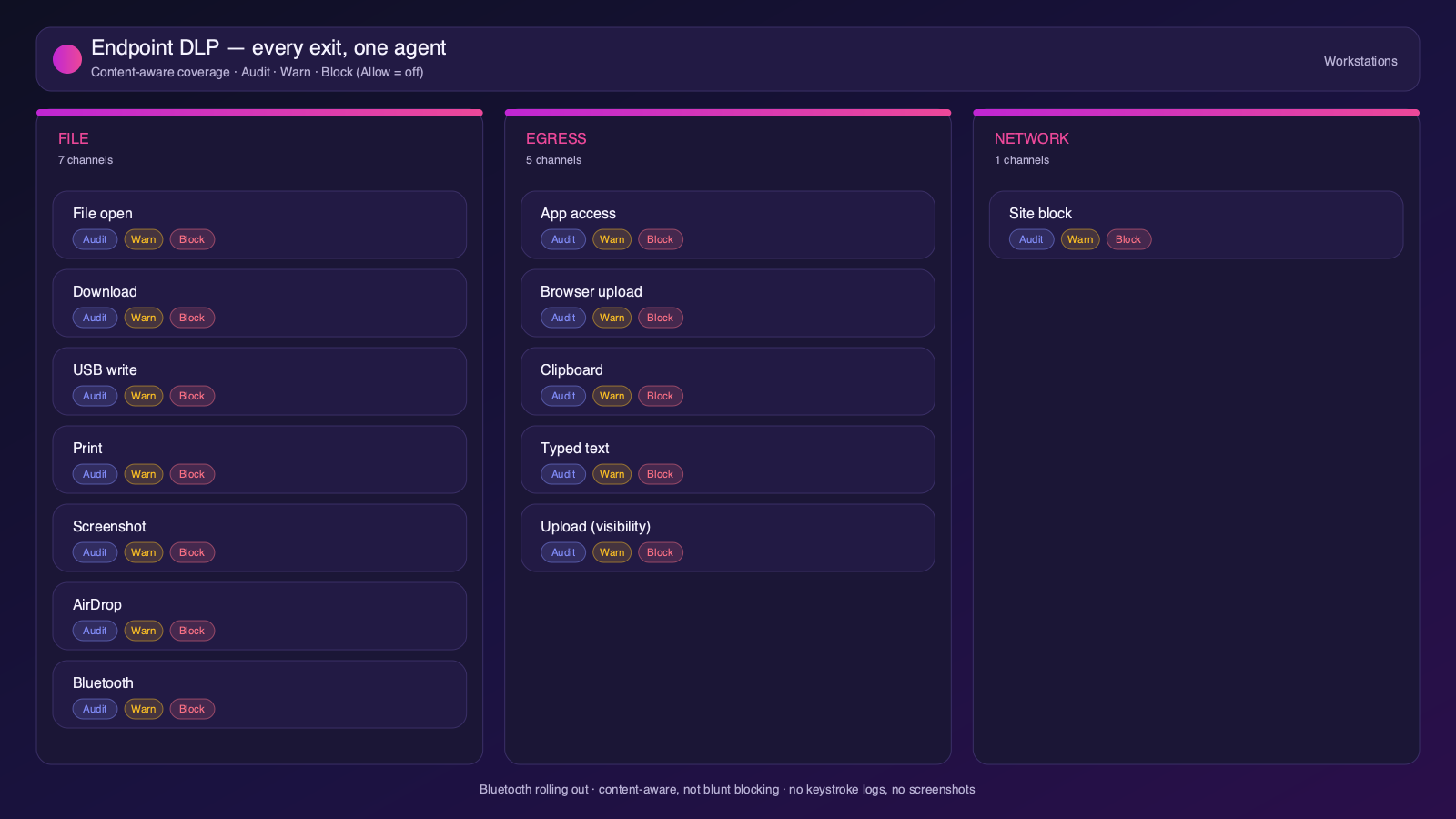
Strac endpoint DLP controlling Notion data on Mac and Windows with block, warn, allow, and audit modes
Content-aware endpoint DLP: block, warn, allow, or audit on Mac and Windows.

6. One platform, every surface

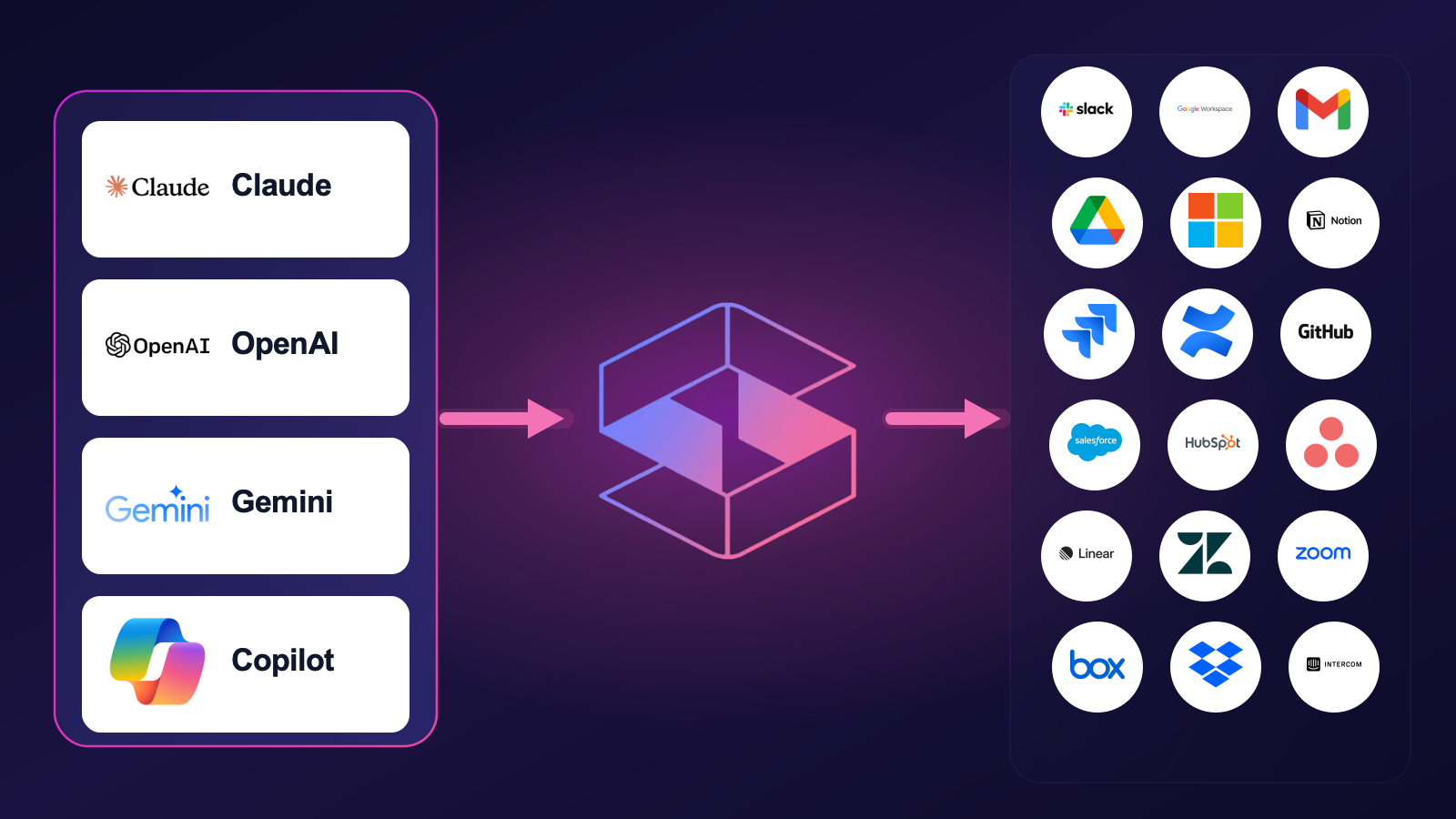
Notion is one of 50+ places Strac protects. The same engine covers SaaS, cloud, GenAI, MCP, browser, and endpoint, so your Notion data stays protected everywhere it flows, not just at rest. That breadth, plus remediation that actually fixes exposure, is why teams consolidate on Strac instead of stacking point tools.

Strac integrations across 50+ SaaS, cloud, endpoint, browser, and AI connectors
50+ integrations across SaaS, cloud, databases, endpoints, browsers, and AI.

🌶️ Frequently asked: Notion security

Is Notion secure?

Notion is secure when configured correctly, but its defaults around sharing and access make oversharing and misconfiguration a leading cause of Notion data exposure, and it does not scan the sensitive data inside your content. Hardening the configuration plus adding DSPM and DLP (like Strac) to discover and remediate sensitive data closes the gap.

Is Notion secure for sensitive data?

It can be, with SSO/SCIM, restricted Share-to-web, guest controls, and continuous data discovery. The risk is PII, PHI, PCI, or secrets inside pages and attachments that are published to the web or shared with guests. Strac scans Notion for sensitive data, flags public or overshared pages, and redacts or removes the exposure.

Does Notion have DLP?

Notion provides workspace and admin controls, but it does not scan or redact the sensitive data inside pages and attachments. Strac adds agentless discovery, in-place redaction and masking, automatic remediation of exposed data, and the same protection beyond Notion, across browsers, endpoints, and AI agents.

What are the most important Notion security best practices?

Enforce least-privilege access and MFA, restrict external and public sharing, review third-party app access, continuously discover and classify sensitive data, monitor activity for risky behavior, and remediate exposure automatically. The sections above cover each in detail.

How does Strac secure Notion?

Strac connects to Notion agentlessly, runs DSPM discovery across your Notion data, and remediates exposure (redact, mask, revoke access, quarantine, label). It extends the same protection to AI agents via MCP DLP, the browser, and Mac and Windows endpoints.