Short answer: Jira on Atlassian Cloud is secure when it is configured correctly. Atlassian hosts it with strong platform-level controls, encryption in transit and at rest, and compliance certifications, but the real risk in most organizations is configuration and content: projects or individual issues left open to public or anonymous access, overly broad permission schemes that grant everyone access to everything, external and guest users who linger too long, Marketplace apps and API tokens with sweeping scopes, and sensitive data such as PII, secrets, credentials, and customer records that users paste into tickets, comments, and attachments. Jira does not natively scan or redact that content, so most breaches here come from how Jira is used, not from the platform itself.
Enforce SSO and two-step verification through Atlassian Guard
Identity is the first control plane. Centralize authentication so that every Jira login is governed by your identity provider instead of standalone Atlassian passwords.
Verify your domains and claim your managed accounts in admin.atlassian.com, then configure SAML single sign-on (SSO) through Atlassian Guard so users authenticate via Okta, Entra ID, Google, or your IdP of choice.
Create an authentication policy that enforces two-step verification (2FA) and, ideally, requires SSO for all members, with a separate stricter policy for admins.
Set session duration (idle session timeout) in the authentication policy so unattended sessions expire, and block access from untrusted contexts where supported.
Keep a small number of break-glass admin accounts excluded from SSO, protected by hardware-backed 2FA, and monitored closely.
Automate provisioning and apply least privilege
Stale accounts and over-broad roles are the most common audit findings. Lifecycle automation and tight permission schemes fix both.
Enable SCIM user provisioning and deprovisioning from your IdP so that departures remove Jira access immediately and group membership stays in sync.
Build Jira permission schemes around groups and project roles rather than individual users, and assign only the specific permissions (Browse Projects, Create Issues, Administer Projects) each role needs.
Audit the "Anyone on the web" and application-access defaults, and limit who can create projects, manage schemes, and install apps to a dedicated admin group.
Review Jira administrators, Site Admins, and Organization Admins quarterly and remove anyone who no longer needs elevated access.
Lock down public, anonymous, and external access
Open projects and customer portals are the fastest path to accidental exposure. Treat public access as an explicit exception, never a default.
Disable anonymous and public access to projects in Project settings, and confirm no permission scheme grants "Public" or "Anyone" the Browse Projects permission.
For Jira Service Management, control who can raise requests: restrict portals to licensed or approved customer accounts, turn off open sign-up where it is not required, and avoid letting any email domain self-register.
Govern external and guest collaborators through an external user policy in Atlassian Guard so their access is time-bound, reviewed, and limited to specific projects.
Audit publicly shared filters, dashboards, and boards, which can expose issue data beyond the intended audience.
Data protection in issues and attachments
Govern Marketplace apps and API tokens
Every connected app and token is a potential data exfiltration path, because many request broad read access to issues and attachments.
Restrict app installation to admins, review the OAuth scopes each Marketplace app requests, and remove apps that are unused or request more access than they need.
Prefer apps that participate in Atlassian's Cloud Fortified or Marketplace security programs, and track where each app stores data.
Inventory personal API tokens and revoke stale ones; where available, enforce API token policies and expiry through Atlassian Guard so long-lived tokens do not accumulate.
Use scoped, rotated credentials for integrations and automation rather than tokens tied to a privileged individual admin.
Find and remove sensitive data in issues, comments, and attachments
This is where Jira's native controls stop. Jira stores whatever users type and upload, and it does not inspect or classify that content, so PII, PHI, PCI card data, secrets, and API keys regularly end up in plain text inside tickets.
Set a clear policy that production credentials, access tokens, full card numbers, Social Security numbers, and health records must never be pasted into issues, comments, or attachments.
Run periodic searches across issues for high-risk patterns such as "password", "API key", "secret", and common credential formats, and sanitize what you find.
Remember that attachments (logs, screenshots, exports, spreadsheets) are the most overlooked exposure, because they are rarely reviewed after upload.
Because Jira does not natively scan or redact this content, layer a data loss prevention (DLP) and redaction capability that can detect sensitive data in tickets and attachments and mask or remove it automatically before it spreads to connected tools.
Monitoring and compliance
Turn on audit logging and alerting
You cannot respond to what you cannot see. Centralized logs and alerts turn configuration drift and risky access into something you can catch early.
Use the organization audit log and Atlassian Guard activity logs to track admin changes, permission updates, SSO events, and API token activity.
Where Atlassian Guard Premium is available, enable automatic detection and alerting for risky activity such as mass data exports, external sharing, and suspicious logins.
Stream audit events to your SIEM so Jira activity is correlated with the rest of your environment and retained beyond Jira's native window.
Define an alert path and owner so security events generate a real response rather than sitting unread in a log.
Manage data residency, retention, and compliance obligations
Regulated data in Jira carries the same obligations as anywhere else, and admins are responsible for proving controls are in place.
Configure data residency in admin settings to pin Jira data to an approved region where your plan supports it.
Set retention and cleanup practices for closed projects, old attachments, and exports so sensitive data is not kept indefinitely.
Map Jira usage to the frameworks you answer to: HIPAA for health data (confirm a BAA and appropriate safeguards before storing PHI), PCI DSS for cardholder data, GDPR for personal data and data-subject requests, and SOC 2 for your overall control story.
Document who can access what, how sensitive data is detected and removed, and how access is reviewed, so you can evidence these controls during an audit.
Jira security checklist
Enforce SAML SSO and mandatory 2FA through an Atlassian Guard authentication policy, with hardened admin accounts.
Provision and deprovision users automatically with SCIM from your IdP.
Disable public and anonymous access to all projects and confirm no scheme grants "Anyone" Browse permission.
Build permission schemes on groups and project roles with least privilege, and review admins quarterly.
Control JSM portal sign-up and govern external or guest users with a time-bound external access policy.
Restrict app installs, review OAuth scopes, and enforce API token expiry and rotation.
Scan issues, comments, and attachments for PII, secrets, and credentials, and apply DLP and redaction since Jira does not do this natively.
Enable audit logging, stream it to your SIEM, and set data residency, retention, and compliance mapping for HIPAA, PCI, GDPR, and SOC 2.
✨ How Strac secures Jira across every surface
Jira security best practices close the configuration gaps. Strac closes the data gap: it discovers the sensitive data inside Jira, remediates exposure automatically, and extends the same protection to every other place that data flows, AI agents, browsers, and endpoints. One agentless platform across SaaS, cloud, GenAI, MCP, browser, and endpoint.
One platform protecting Jira data everywhere it lives and moves.
1. Discover and classify sensitive data in Jira (DSPM)
Strac's DSPM continuously scans Jira for PII, PHI, PCI, and secrets using ML and OCR across 100+ data types, so you know exactly where your regulated data lives and which items are overshared, public, or out of policy. This is the layer native Jira controls skip: they can enforce a setting, but they cannot tell you where all your sensitive data actually sits.
Strac discovers and classifies every sensitive file in Jira, automatically.
2. Redact and remediate exposure automatically (SaaS DLP)
Finding exposed data is table stakes. Strac's Jira DLP acts on it, under your policy: redact or mask secrets, credentials, and PII in issues, comments, and attachments, remove public or anonymous access, quarantine or delete attachments that should not exist, and label and classify, with a full audit trail mapped to HIPAA, PCI DSS, SOC 2, ISO 27001, and GDPR. Most alternatives stop at an alert; Strac fixes the exposure.
Strac remediates Jira exposure in place, revoke public links, remove external members, redact, quarantine.
3. Govern what AI agents pull from Jira (MCP DLP)
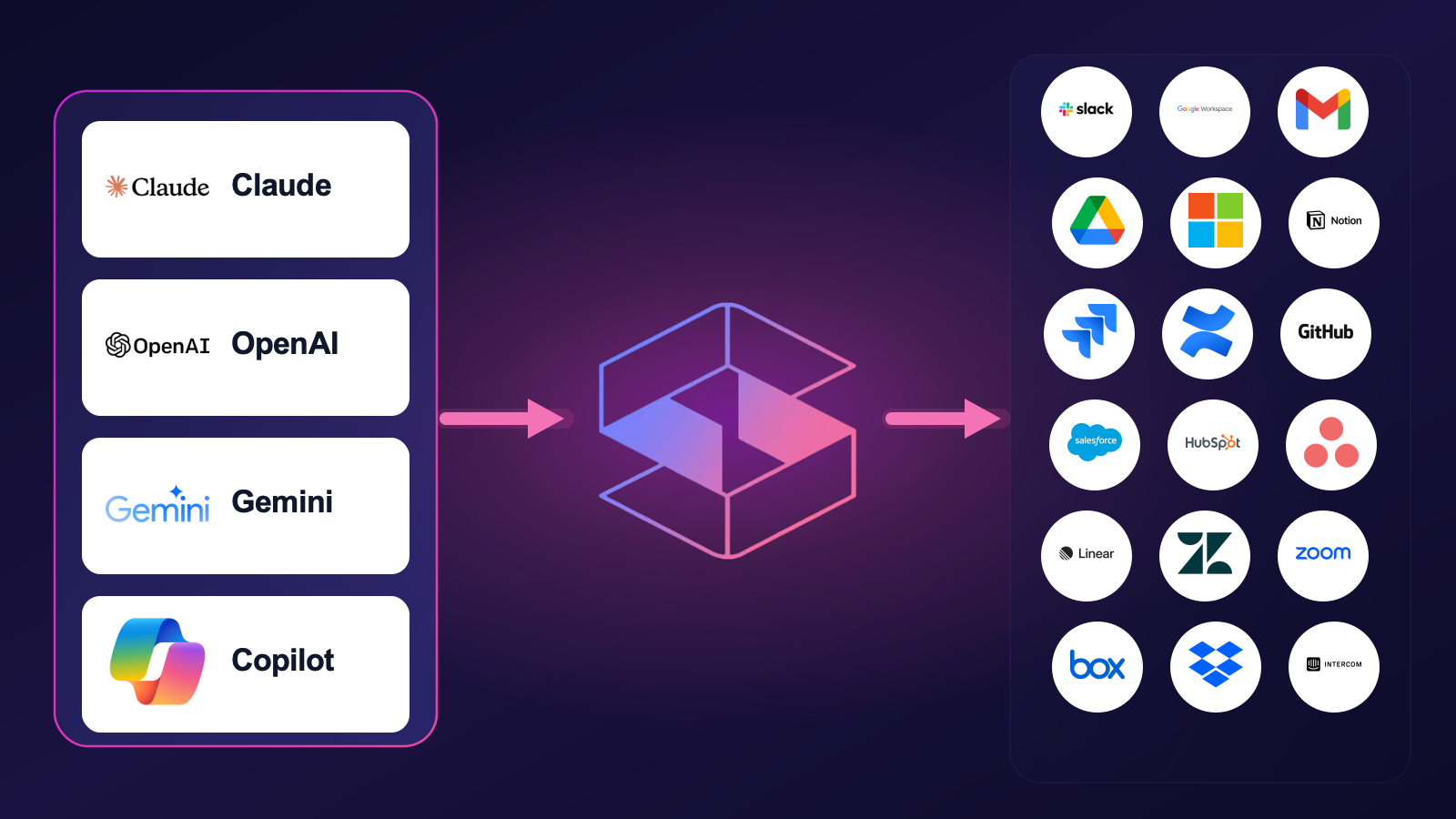
AI agents now read directly from Jira over the Model Context Protocol. Strac's MCP DLP sits in that path as a reverse proxy and redacts sensitive values in tool responses before the model ever sees them, and governs exactly which agents can reach which Jira data. Connect the Jira MCP connector once and every agent tool call is inspected.
Strac governs the MCP boundary so AI agents can use Jira without exfiltrating sensitive data.
4. Stop Jira data leaks in the browser
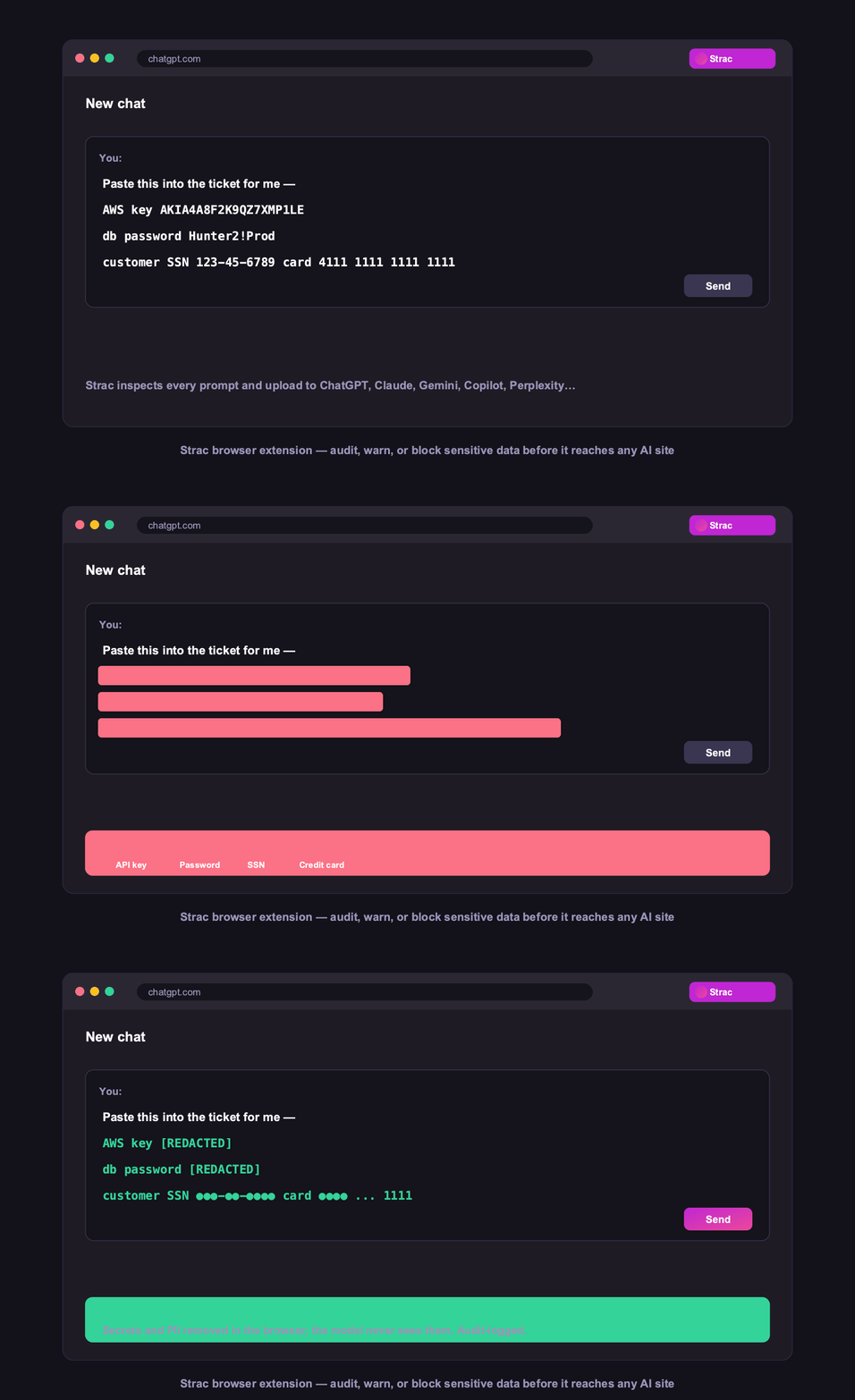
Strac's browser DLP extension for Chrome, Edge, Firefox, and Safari blocks or redacts sensitive uploads, downloads, and pastes to and from Jira in real time, including data a user tries to move from Jira into an AI tool in another tab.
Browser DLP blocks or redacts sensitive Jira data in the browser, live.
5. Control Jira data on endpoints (Mac and Windows)
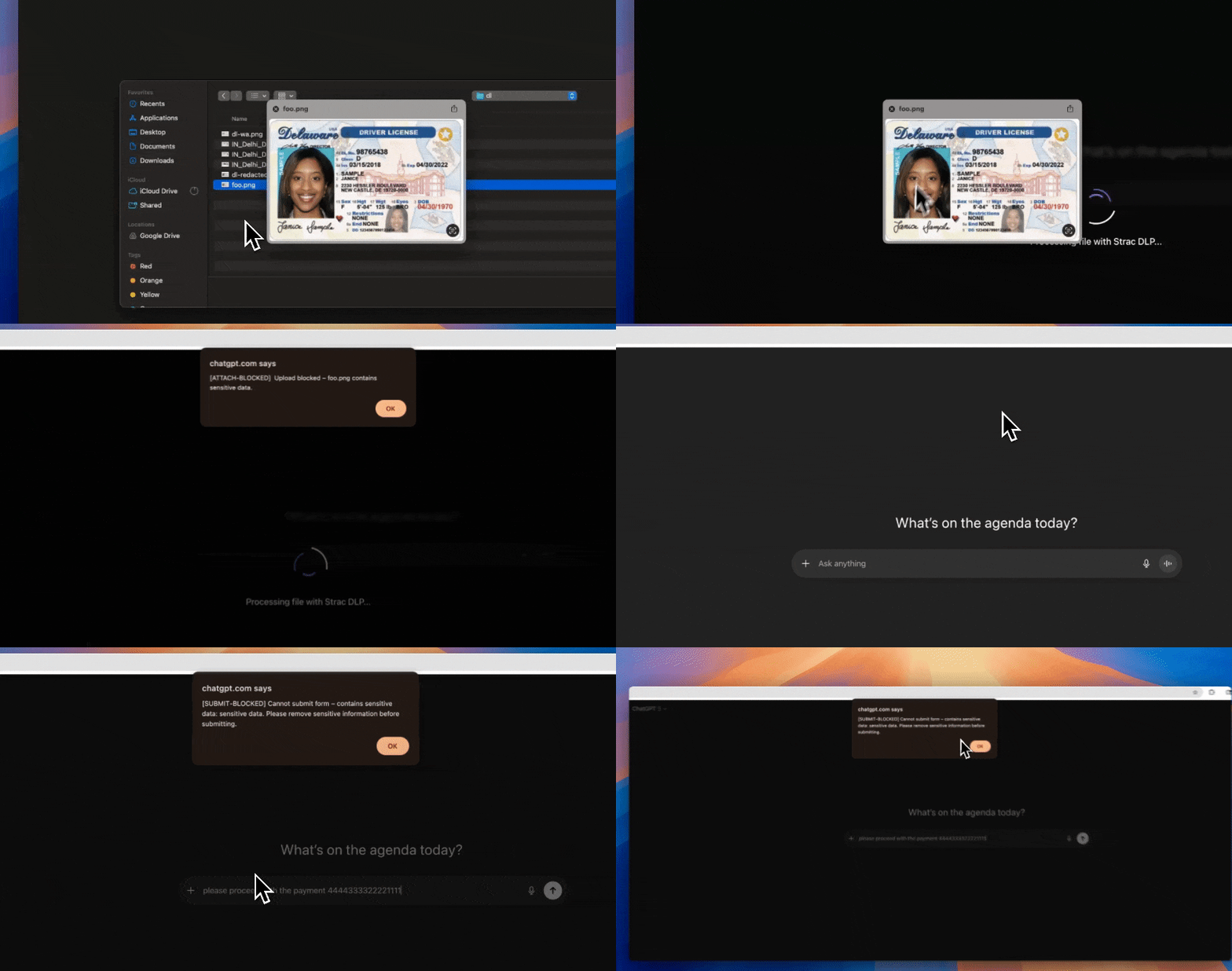
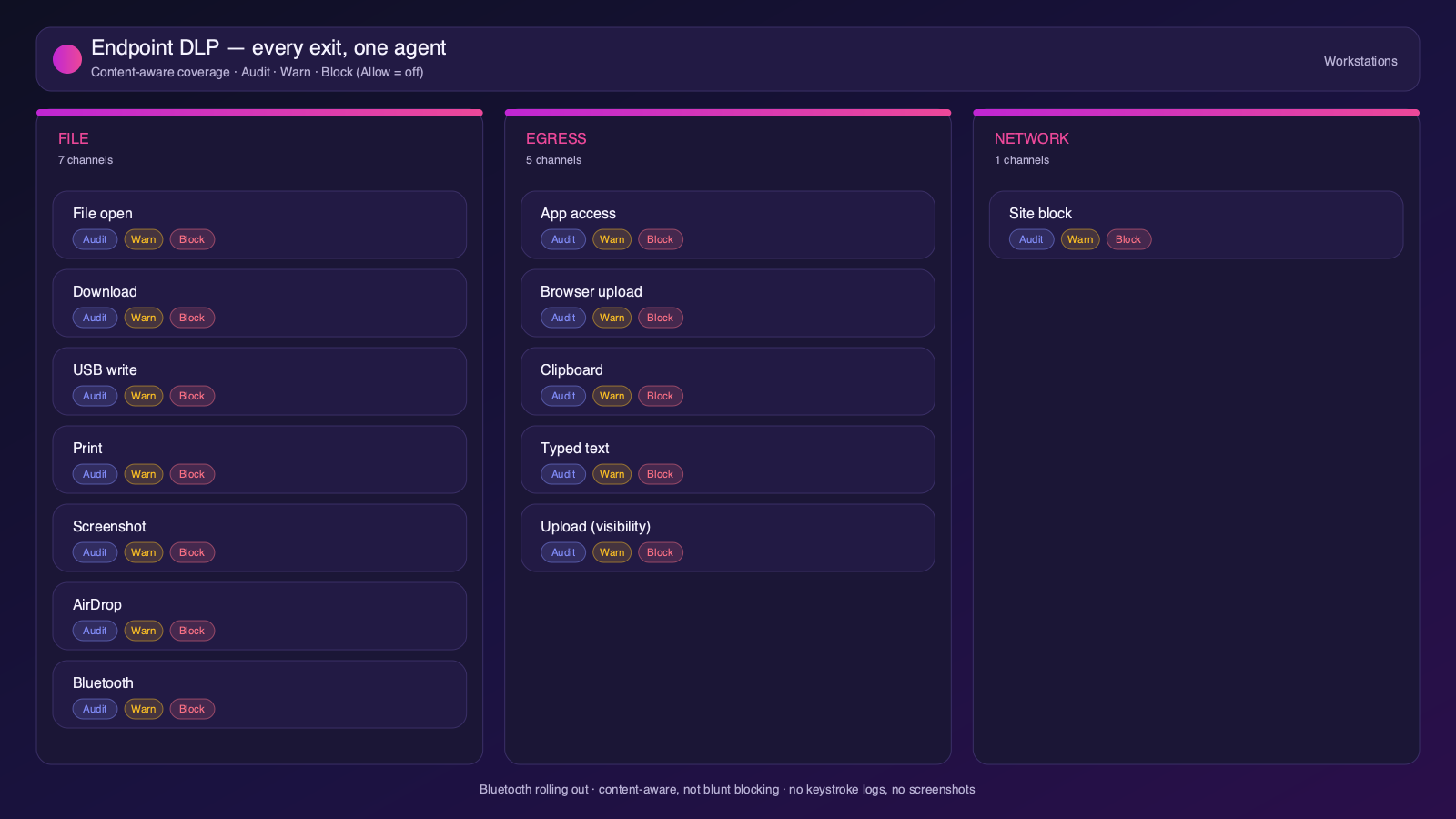
Strac's endpoint DLP agent controls Jira data as it lands on laptops, with four modes: block, warn, allow, and audit across file downloads, copies, and screenshots on both Mac and Windows.
Content-aware endpoint DLP: block, warn, allow, or audit on Mac and Windows.
6. One platform, every surface
Jira is one of 50+ places Strac protects. The same engine covers SaaS, cloud, GenAI, MCP, browser, and endpoint, so your Jira data stays protected everywhere it flows, not just at rest. That breadth, plus remediation that actually fixes exposure, is why teams consolidate on Strac instead of stacking point tools.
50+ integrations across SaaS, cloud, databases, endpoints, browsers, and AI.
🌶️ Frequently asked: Jira security
Is Jira secure?
Jira is secure when configured correctly, but its defaults around sharing and access make oversharing and misconfiguration a leading cause of Jira data exposure, and it does not scan the sensitive data inside your content. Hardening the configuration plus adding DSPM and DLP (like Strac) to discover and remediate sensitive data closes the gap.
Is Jira secure for sensitive data?
It can be, with SSO/SCIM via Atlassian Guard, tight permission schemes, no public access, and content scanning. The risk is secrets, credentials, and PII pasted into issues, comments, and attachments, which Jira does not scan or redact. Strac scans Jira issues and attachments and redacts or removes sensitive data on detection.
Does Jira have DLP?
Atlassian Guard adds security controls, but Jira does not natively scan or redact the sensitive content inside issues and attachments. Strac adds agentless discovery, in-place redaction and masking, automatic remediation of exposed data, and the same protection beyond Jira, across browsers, endpoints, and AI agents.
What are the most important Jira security best practices?
Enforce least-privilege access and MFA, restrict external and public sharing, review third-party app access, continuously discover and classify sensitive data, monitor activity for risky behavior, and remediate exposure automatically. The sections above cover each in detail.
How does Strac secure Jira?
Strac connects to Jira agentlessly, runs DSPM discovery across your Jira data, and remediates exposure (redact, mask, revoke access, quarantine, label). It extends the same protection to AI agents via MCP DLP, the browser, and Mac and Windows endpoints.