Short answer: Yes, Gmail is secure in the technical sense. Google encrypts messages in transit with TLS and encrypts data at rest, runs machine-learning spam and phishing filters that block the large majority of malicious mail, and offers strong account-protection controls in Google Workspace. The real business risk is not Google's infrastructure. It is phishing and account takeover, data walking out through email (intentional or accidental), misconfigured forwarding and routing rules that silently copy mail elsewhere, and sensitive data such as PII, PHI, and payment card numbers being emailed to the wrong people. Gmail does not inspect or redact the sensitive content inside message bodies and attachments by default, so securing Gmail for a business is largely a configuration and monitoring exercise in the Google Admin console.
Account and access security
Enforce 2-Step Verification and move toward passkeys
Stolen or reused passwords are the most common entry point for account takeover. Make a second factor mandatory for every user, not optional.
In the Admin console go to Security > Authentication > 2-Step Verification and set enforcement on for all organizational units.
Disallow weak methods where possible. Prefer security keys or passkeys over SMS codes, which are vulnerable to SIM-swap and phishing.
Enroll high-risk users (executives, finance, admins, IT) in the Advanced Protection Program, which requires hardware security keys or passkeys and blocks most third-party app access.
Set a short enrollment grace period for new accounts so users cannot operate indefinitely without a second factor.
Turn on advanced phishing and malware protection
Google Workspace ships with extra Gmail safety settings that are not all enabled by default.
Under Apps > Google Workspace > Gmail > Safety, enable protections against encrypted attachments from untrusted senders, attachments with scripts, and anomalous attachment types.
Enable protection against inbound spoofing of your domain and your employee names, and against unauthenticated senders.
Turn on link and external image scanning so Gmail can detect malicious URLs and shortened links at delivery time.
Choose to move suspicious messages to spam or quarantine rather than keeping them in the inbox.
Prevent domain spoofing with SPF, DKIM, and DMARC
Email authentication stops attackers from sending mail that appears to come from your domain, which protects both your users and your external recipients.
Publish an SPF record listing every service authorized to send on your behalf, ending in -all once you are confident the list is complete.
Enable DKIM signing in the Admin console and publish the generated public key in DNS so receivers can verify messages were not altered.
Publish a DMARC policy. Start at p=none to collect reports, then move to quarantine and ultimately reject once legitimate senders are aligned.
Review DMARC aggregate reports regularly to catch unauthorized senders and misconfigured third-party tools.
Email data protection
Restrict external forwarding and audit routing rules
Automatic forwarding and routing are a quiet but serious exfiltration path. An attacker who compromises an account, or a departing employee, can silently copy every message to an outside address.
In Gmail settings > End User Access, disable automatic forwarding to external domains, or allow it only to approved domains.
Review all routing, compliance, and content compliance rules for unexpected recipients or blind-copy destinations.
Audit individual user filters that forward or delete mail, since these are a common sign of a compromised account.
Control delegation and limit who can grant others access to their mailbox.
Use confidential mode and S/MIME for sensitive messages
For mail that carries sensitive information, add protection beyond standard TLS.
Confidential mode lets senders set expiration dates, require an SMS passcode, and disable forwarding, copying, printing, and downloading. Note that it does not encrypt message content end to end and should not be treated as a compliance control on its own.
Enable hosted S/MIME in Workspace to sign and encrypt messages between organizations that also support it, giving message-level encryption and sender verification.
Decide and document which channels are acceptable for regulated data, since not every recipient supports these controls.
Apply data loss prevention to outbound email
This is the gap most teams miss. Gmail encrypts and filters mail, but it does not read the actual content for regulated data and it will not stop or redact a message that contains a customer's Social Security number, a full credit card number, or a patient record. That inspection has to be added deliberately.
Configure Gmail content compliance and DLP rules to detect predefined detectors such as credit card numbers, SSNs, and other PII, PHI, and PCI patterns in message bodies and attachments.
Choose an action per rule: block the send, quarantine for admin review, require encryption, or modify the message.
Extend scanning to attachments, since sensitive data often hides in spreadsheets, PDFs, and images rather than the email body. Native filters do not inspect or redact the content inside those files.
Tune detectors and confidence thresholds to balance false positives against missed data, and log every match for review.
Monitoring and compliance
Review OAuth app and third-party access
Connected apps can read and send mail with granted scopes, which makes a risky app as dangerous as a stolen password.
Under Security > API Controls > App Access Control, review every third-party app with Gmail scopes and restrict or block anything unverified or unnecessary.
Set unconfigured and newly requested apps to blocked by default, so users cannot grant broad access without review.
Remove dormant apps and tokens on a recurring schedule, and limit which users can install Marketplace apps.
Configure admin alerts and monitor logs
Detection matters as much as prevention. Make sure suspicious activity reaches someone quickly.
Turn on the relevant rules in the Alert Center, including suspicious login, leaked password, and government-backed attack warnings.
Use login and email log search in the Admin console or the security investigation tool to trace account access, forwarding changes, and message flow.
Export audit logs to a SIEM or BigQuery for long-term retention and correlation with other signals.
Define an incident runbook so an alert on a compromised mailbox triggers immediate session revocation and password reset.
Map controls to compliance requirements
If you handle regulated data, your Gmail configuration is part of your compliance posture.
For HIPAA, sign Google's Business Associate Agreement, restrict Gmail to covered users, and enforce encryption and DLP on PHI.
For PCI DSS, avoid sending full cardholder data by email and use DLP to block it outright.
For GDPR and similar privacy laws, apply retention policies, honor data subject access and deletion, and control cross-border transfer of personal data.
Keep records of your settings, DLP rule matches, and access reviews so you can demonstrate the controls are operating.
Gmail security checklist
Enforce 2-Step Verification for all users and enroll high-risk accounts in Advanced Protection.
Enable Gmail advanced phishing, malware, and attachment safety settings.
Publish and enforce SPF, DKIM, and a DMARC reject policy.
Disable or restrict external automatic forwarding and audit all routing rules.
Use confidential mode and S/MIME for sensitive messages.
Deploy DLP rules to detect and block PII, PHI, and payment data in bodies and attachments.
Review OAuth app access and block unverified apps with Gmail scopes.
Turn on Alert Center rules, monitor login and email logs, and map every control to HIPAA, PCI, and GDPR.
✨ How Strac secures Gmail across every surface
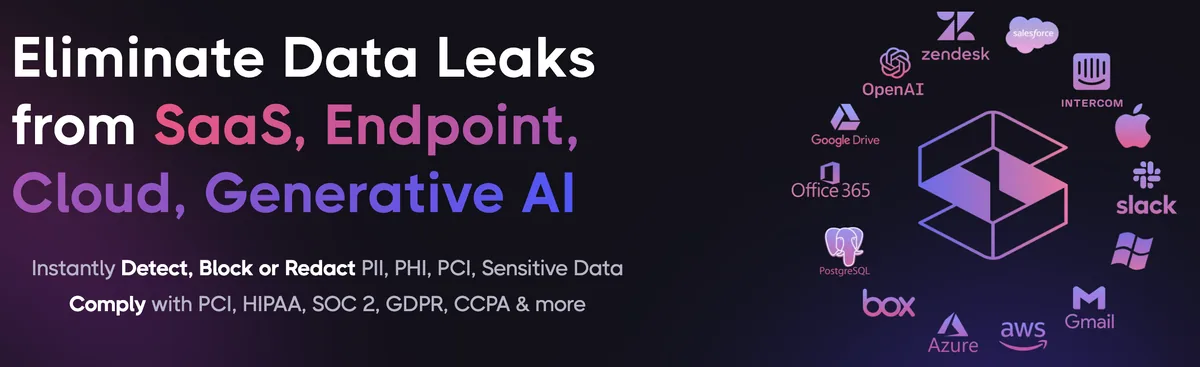
Gmail security best practices close the configuration gaps. Strac closes the data gap: it discovers the sensitive data inside Gmail, remediates exposure automatically, and extends the same protection to every other place that data flows, AI agents, browsers, and endpoints. One agentless platform across SaaS, cloud, GenAI, MCP, browser, and endpoint.
One platform protecting Gmail data everywhere it lives and moves.
1. Discover and classify sensitive data in Gmail (DSPM)
Strac's DSPM continuously scans Gmail for PII, PHI, PCI, and secrets using ML and OCR across 100+ data types, so you know exactly where your regulated data lives and which items are overshared, public, or out of policy. This is the layer native Gmail controls skip: they can enforce a setting, but they cannot tell you where all your sensitive data actually sits.
Strac discovers and classifies every sensitive file in Gmail, automatically.
2. Redact and remediate exposure automatically (SaaS DLP)
Finding exposed data is table stakes. Strac's Gmail DLP acts on it, under your policy: redact or mask sensitive values (SSNs, card numbers, PII, PHI) in outbound email bodies and attachments, block or quarantine messages that carry regulated data, and label and classify, with a full audit trail mapped to HIPAA, PCI DSS, SOC 2, ISO 27001, and GDPR. Most alternatives stop at an alert; Strac fixes the exposure.
Strac remediates Gmail exposure in place, revoke public links, remove external members, redact, quarantine.
3. Govern what AI agents pull from Gmail (MCP DLP)
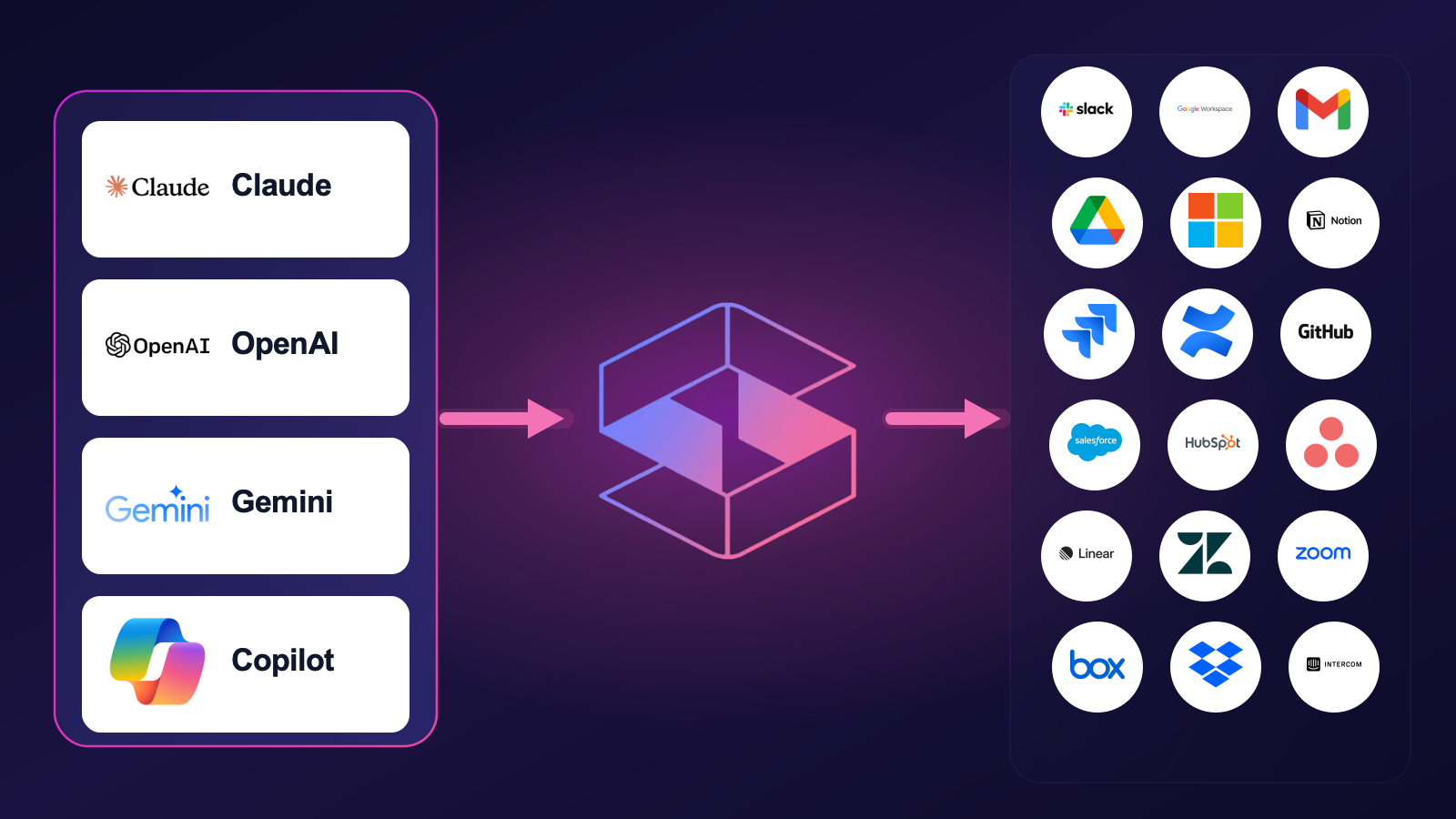
AI agents now read directly from Gmail over the Model Context Protocol. Strac's MCP DLP sits in that path as a reverse proxy and redacts sensitive values in tool responses before the model ever sees them, and governs exactly which agents can reach which Gmail data. Connect the Gmail MCP connector once and every agent tool call is inspected.
Strac governs the MCP boundary so AI agents can use Gmail without exfiltrating sensitive data.
4. Stop Gmail data leaks in the browser
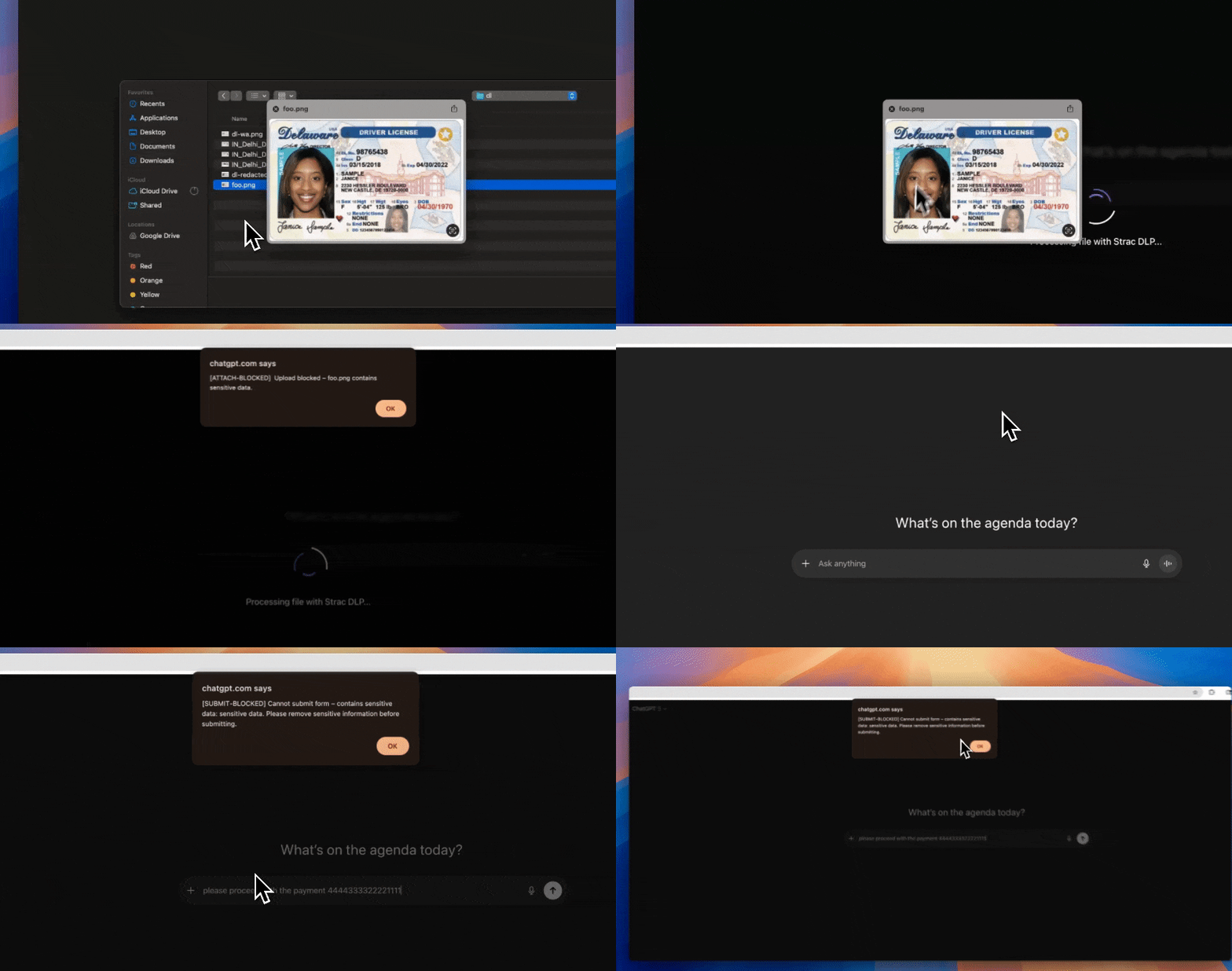
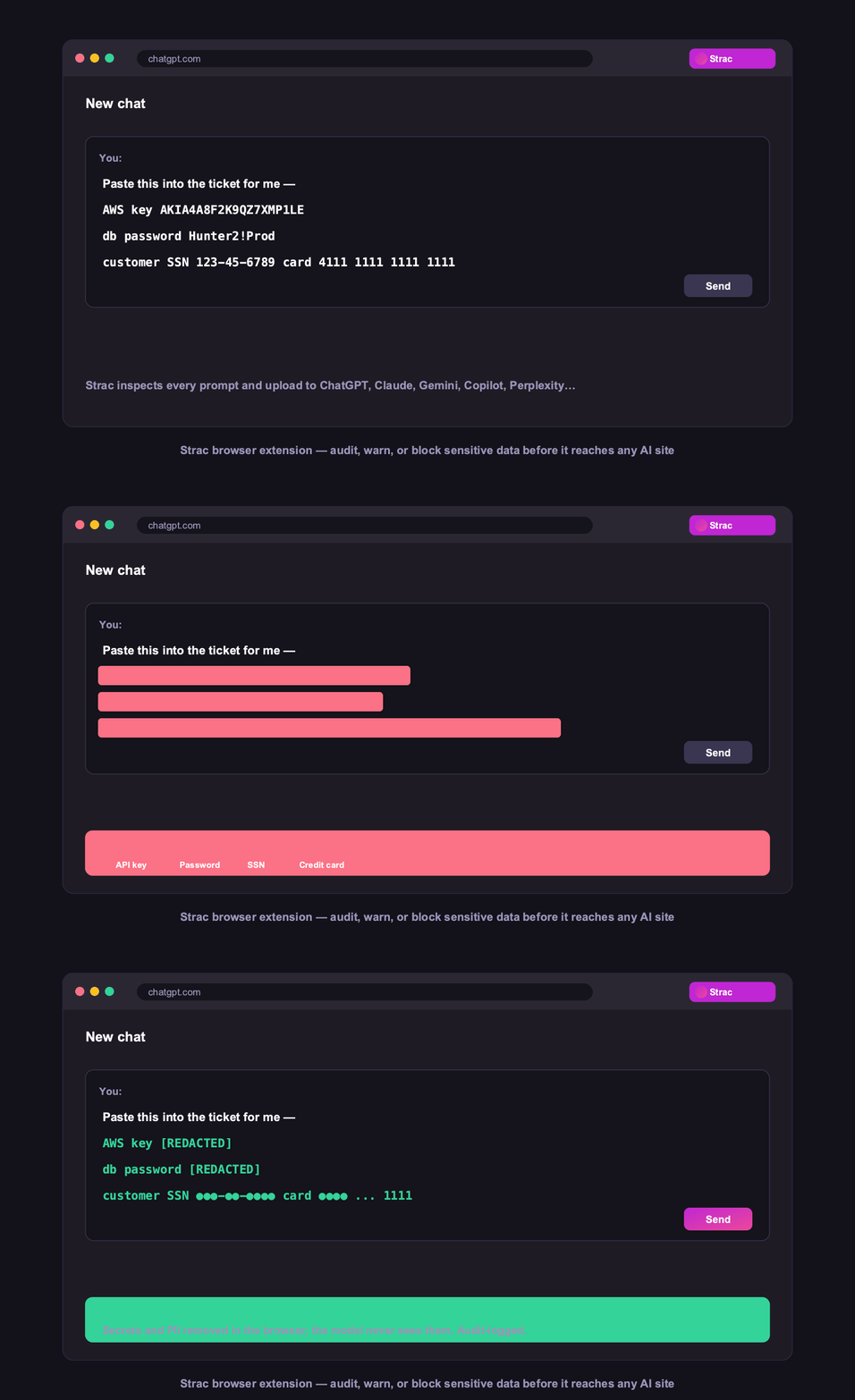
Strac's browser DLP extension for Chrome, Edge, Firefox, and Safari blocks or redacts sensitive uploads, downloads, and pastes to and from Gmail in real time, including data a user tries to move from Gmail into an AI tool in another tab.
Browser DLP blocks or redacts sensitive Gmail data in the browser, live.
5. Control Gmail data on endpoints (Mac and Windows)
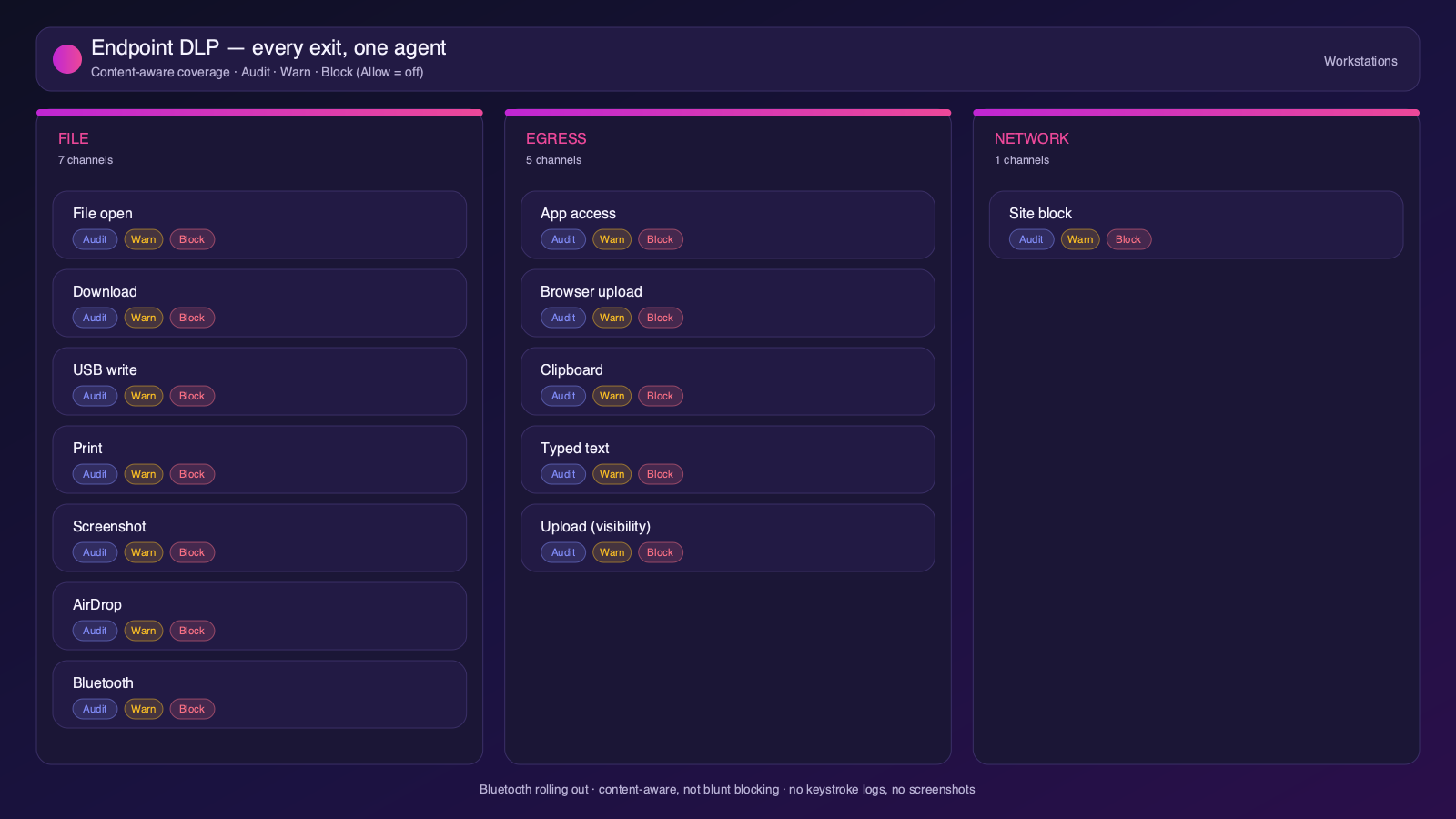
Strac's endpoint DLP agent controls Gmail data as it lands on laptops, with four modes: block, warn, allow, and audit across file downloads, copies, and screenshots on both Mac and Windows.
Content-aware endpoint DLP: block, warn, allow, or audit on Mac and Windows.
6. One platform, every surface
Gmail is one of 50+ places Strac protects. The same engine covers SaaS, cloud, GenAI, MCP, browser, and endpoint, so your Gmail data stays protected everywhere it flows, not just at rest. That breadth, plus remediation that actually fixes exposure, is why teams consolidate on Strac instead of stacking point tools.
50+ integrations across SaaS, cloud, databases, endpoints, browsers, and AI.
🌶️ Frequently asked: Gmail security
Is Gmail secure?
Gmail is secure when configured correctly, but its defaults around sharing and access make oversharing and misconfiguration a leading cause of Gmail data exposure, and it does not scan the sensitive data inside your content. Hardening the configuration plus adding DSPM and DLP (like Strac) to discover and remediate sensitive data closes the gap.
Is Gmail secure for sensitive data?
It can be, with 2-step verification, anti-phishing controls, SPF/DKIM/DMARC, and DLP on outbound mail. The risk is PII, PHI, or card data emailed to the wrong people in bodies or attachments, which Gmail does not scan or redact by default. Strac inspects outbound email and attachments and blocks or redacts sensitive data before it leaves.
Does Gmail have DLP?
Google Workspace content compliance and DLP rules exist on certain editions, but they do not inspect or redact the sensitive content inside attachments. Strac adds agentless discovery, in-place redaction and masking, automatic remediation of exposed data, and the same protection beyond Gmail, across browsers, endpoints, and AI agents.
What are the most important Gmail security best practices?
Enforce least-privilege access and MFA, restrict external and public sharing, review third-party app access, continuously discover and classify sensitive data, monitor activity for risky behavior, and remediate exposure automatically. The sections above cover each in detail.
How does Strac secure Gmail?
Strac connects to Gmail agentlessly, runs DSPM discovery across your Gmail data, and remediates exposure (redact, mask, revoke access, quarantine, label). It extends the same protection to AI agents via MCP DLP, the browser, and Mac and Windows endpoints.