Short answer: Box is an enterprise-grade content platform that is secure when configured correctly, with strong encryption, granular admin controls, and compliance certifications, but most real-world exposure does not come from Box being breached. It comes from how your organization uses it: shared links set to "people with the link," unmanaged external collaboration, overly broad folder permissions inherited by subfolders, unvetted third-party apps connected through the Box API, and the fact that Box's native controls classify and govern files without deeply scanning or redacting the sensitive data sitting inside the documents, spreadsheets, and images themselves. Secure the configuration and the human workflows, and Box holds up well.
Lock down shared-link default access, expiration, and passwords
Shared links are the single most common source of accidental exposure in Box. A link set to "People with the link" is effectively public to anyone who obtains the URL.
In the Box Admin Console under Enterprise Settings > Content & Sharing, set the default shared-link access to "People in your company" or "Invited people only" rather than "People with the link."
Disable the ability for users to create open/public links to sensitive folders, or restrict public link creation to specific groups.
Require link expiration dates and passwords on shared links, and restrict download on links where only viewing is needed.
Periodically review and reset existing links, because changing the default does not retroactively fix links already created.
Govern external collaboration with allowlists and domain restrictions
External collaborators are necessary for most businesses, but ungoverned invitations let data flow to personal or competitor domains.
Use collaboration allowlists (domain allowlisting) in Enterprise Settings so users can only invite collaborators from approved external domains.
Restrict who can invite external collaborators, and set default collaborator roles to the lowest level appropriate (for example Viewer rather than Editor).
Enable alerts or restrictions on collaboration into folders marked with higher classifications.
Enforce SSO and two-factor authentication
Credential compromise is a top attack path, so authentication should never rely on Box passwords alone.
Configure SSO (SAML) against your identity provider so Box access is governed by central policy, conditional access, and deprovisioning.
Require two-factor authentication for all users, and specifically enforce 2FA for external collaborators where supported.
Use the identity provider to disable Box login for offboarded users immediately rather than relying on manual Box removal.
Apply least-privilege folder roles and collaboration settings
Box permissions are inherited down the folder tree, so a single over-permissioned top-level folder can expose everything beneath it.
Grant the lowest sufficient collaboration role (Viewer, Previewer, or Viewer Uploader) instead of defaulting to Editor or Co-owner.
Avoid adding broad groups like "All Company" to folders containing regulated or confidential data.
Use folder-level restrictions such as "Owner and Co-owners only" for invitations on sensitive folders, and review inherited access regularly.
Data protection and compliance
Control device trust and Box Drive/sync access
Data synced to an unmanaged laptop is outside Box's controls the moment it leaves the platform.
Use Device Trust (available with Box Shield) to require managed, compliant devices before allowing login, download, or sync.
Restrict or disable Box Drive and Box Sync for high-risk groups, and limit downloads from sensitive folders.
Enforce mobile security settings such as requiring a passcode and remote wipe for the Box mobile app.
Approve and monitor third-party applications
Any OAuth app a user connects can read content through the Box API, which bypasses many UI-level controls.
Set the application access policy in the Admin Console to deny all apps by default, then allowlist only reviewed integrations by their client ID.
Periodically audit connected apps and revoke anything unused, overscoped, or unrecognized.
Scrutinize scopes that request read access to all enterprise content rather than a single user's.
Use classification, watermarking, and find overshared content
Box can label and govern files, but you have to drive classification and then find what is already exposed.
Define a classification scheme (for example Public, Internal, Confidential, Restricted) and tie Shield policies to each label.
Enable watermarking on confidential files to deter screen capture and leaks.
Use admin reporting and Shield to locate public links, externally shared folders, and overshared content, then remediate the riskiest first.
Remember that classification labels describe a file; they do not inspect the sensitive values inside it, so labeling alone will not catch a spreadsheet of account numbers mislabeled as Internal.
Discover PII, PHI, and PCI data and close the DLP gap
Knowing which files exist is not the same as knowing which files contain regulated data.
Box Shield provides malware detection, anomaly alerts, and some content classification, and it is the native DLP tier worth enabling.
Understand the gap: native controls govern access and apply labels, but they do not deeply scan the content of every file to find and redact or remediate specific PII, PHI (health records), or PCI (cardholder) data inside documents, images, and attachments.
Run a data discovery process across Box to inventory where regulated data actually lives, because you cannot protect what you have not located.
Pair native classification with deeper content inspection so that sensitive data is identified and protected at the data level, not just the folder level.
Monitoring and threat detection
Turn on activity logs, anomaly alerts, and retention
Visibility is what turns a quiet misconfiguration into an actionable alert.
Enable and export admin activity logs and reports (logins, downloads, shares, collaborations) and feed them into your SIEM for correlation.
Use Box Shield anomaly detection to flag suspicious downloads, impossible-travel logins, and mass-access events.
Configure retention policies and legal holds under Governance so data is kept or disposed of according to policy rather than left indefinitely.
Map your configuration to the obligations you carry, whether HIPAA (sign a BAA with Box and restrict PHI folders), PCI DSS (limit and monitor cardholder data), or GDPR (support data subject requests and lawful cross-border handling).
Box security checklist
Set default shared-link access to company-only and require expiration dates and passwords.
Enforce external collaboration allowlists and lowest-privilege collaborator roles.
Require SSO and two-factor authentication for all users, including external collaborators.
Apply least-privilege folder roles and review inherited permissions on sensitive folders.
Enable Device Trust and restrict Box Drive, sync, and downloads for high-risk groups.
Deny third-party apps by default and allowlist only reviewed, scoped integrations.
Turn on classification, watermarking, and Box Shield anomaly alerts, and export logs to your SIEM.
Discover where PII, PHI, and PCI data lives inside files and remediate it beyond native labeling.
✨ How Strac secures Box across every surface
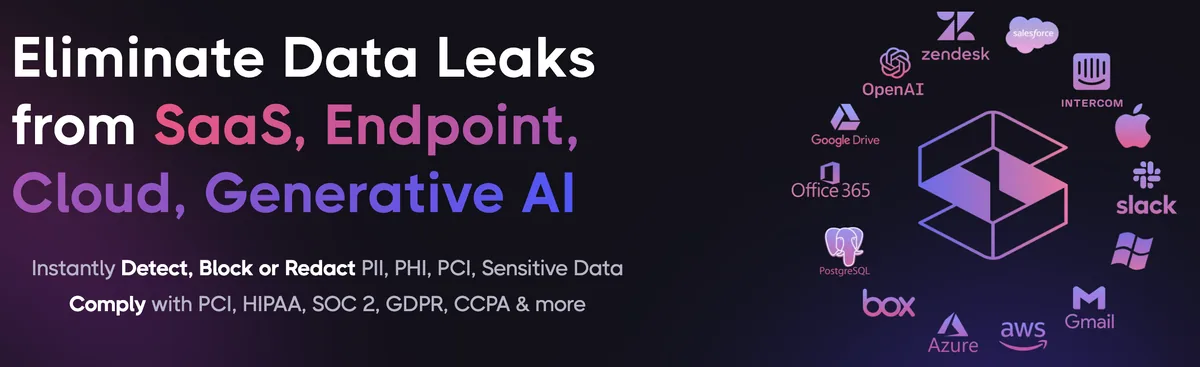
Box security best practices close the configuration gaps. Strac closes the data gap: it discovers the sensitive data inside Box, remediates exposure automatically, and extends the same protection to every other place that data flows, AI agents, browsers, and endpoints. One agentless platform across SaaS, cloud, GenAI, MCP, browser, and endpoint.
One platform protecting Box data everywhere it lives and moves.
1. Discover and classify sensitive data in Box (DSPM)
Strac's DSPM continuously scans Box for PII, PHI, PCI, and secrets using ML and OCR across 100+ data types, so you know exactly where your regulated data lives and which items are overshared, public, or out of policy. This is the layer native Box controls skip: they can enforce a setting, but they cannot tell you where all your sensitive data actually sits.
Strac discovers and classifies every sensitive file in Box, automatically.
2. Redact and remediate exposure automatically (SaaS DLP)
Finding exposed data is table stakes. Strac's Box DLP acts on it, under your policy: redact or mask sensitive values in place, revoke public "anyone with the link" sharing, remove external members from files and folders, quarantine or delete items that should not exist, and label and classify, with a full audit trail mapped to HIPAA, PCI DSS, SOC 2, ISO 27001, and GDPR. Most alternatives stop at an alert; Strac fixes the exposure.
Strac remediates Box exposure in place, revoke public links, remove external members, redact, quarantine.
3. Govern what AI agents pull from Box (MCP DLP)
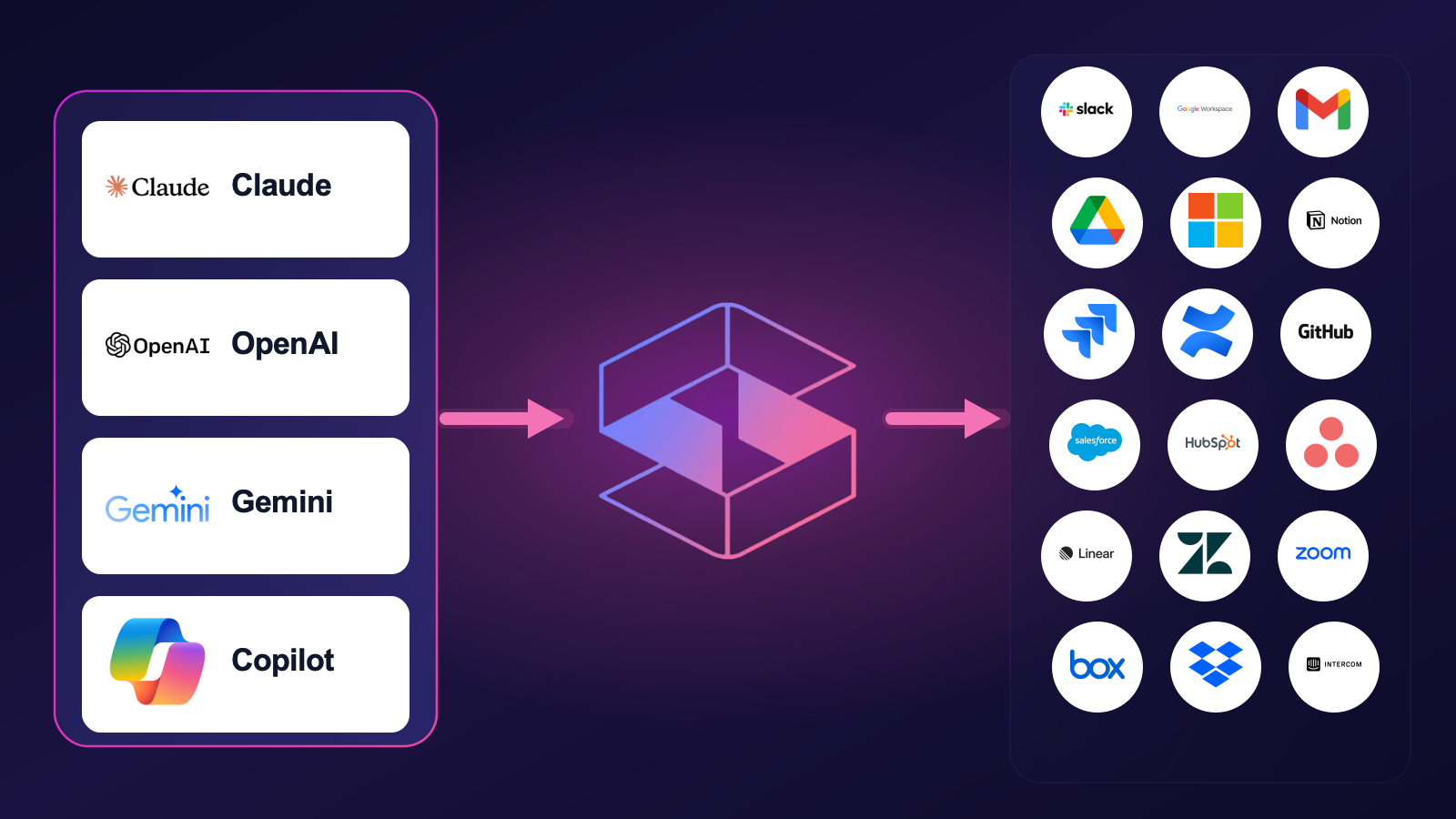
AI agents now read directly from Box over the Model Context Protocol. Strac's MCP DLP sits in that path as a reverse proxy and redacts sensitive values in tool responses before the model ever sees them, and governs exactly which agents can reach which Box data. Connect the Box MCP connector once and every agent tool call is inspected.
Strac governs the MCP boundary so AI agents can use Box without exfiltrating sensitive data.
4. Stop Box data leaks in the browser
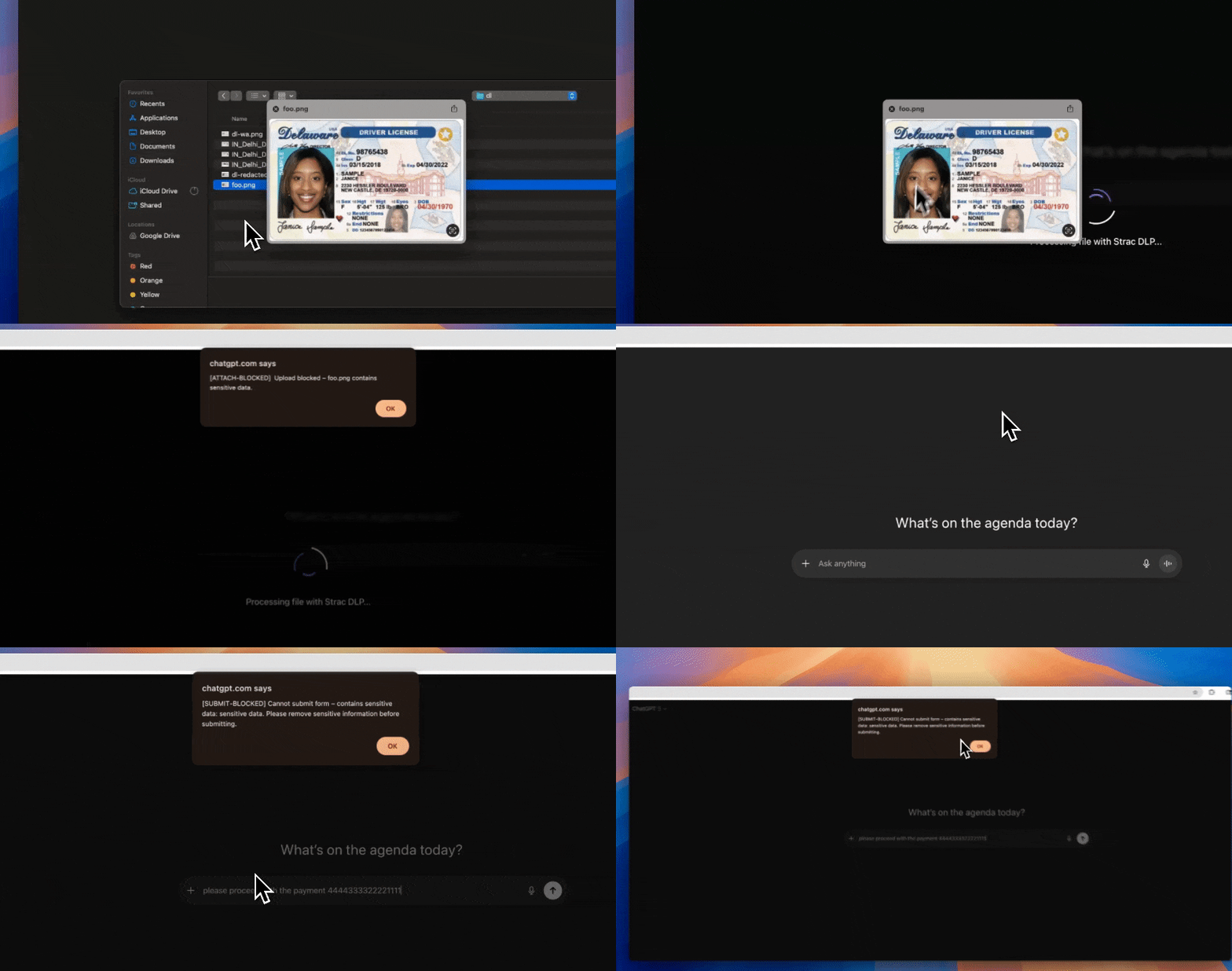
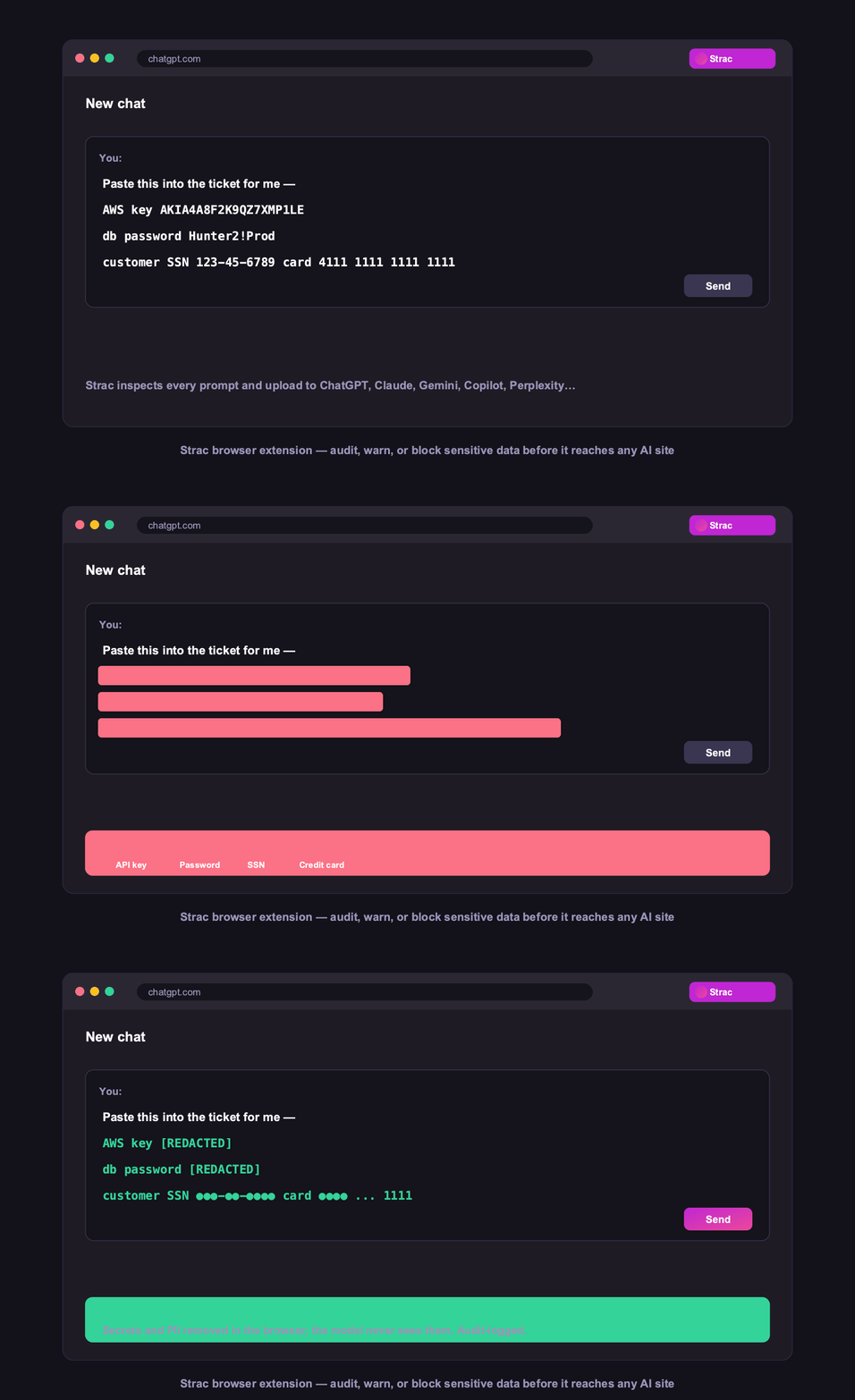
Strac's browser DLP extension for Chrome, Edge, Firefox, and Safari blocks or redacts sensitive uploads, downloads, and pastes to and from Box in real time, including data a user tries to move from Box into an AI tool in another tab.
Browser DLP blocks or redacts sensitive Box data in the browser, live.
5. Control Box data on endpoints (Mac and Windows)
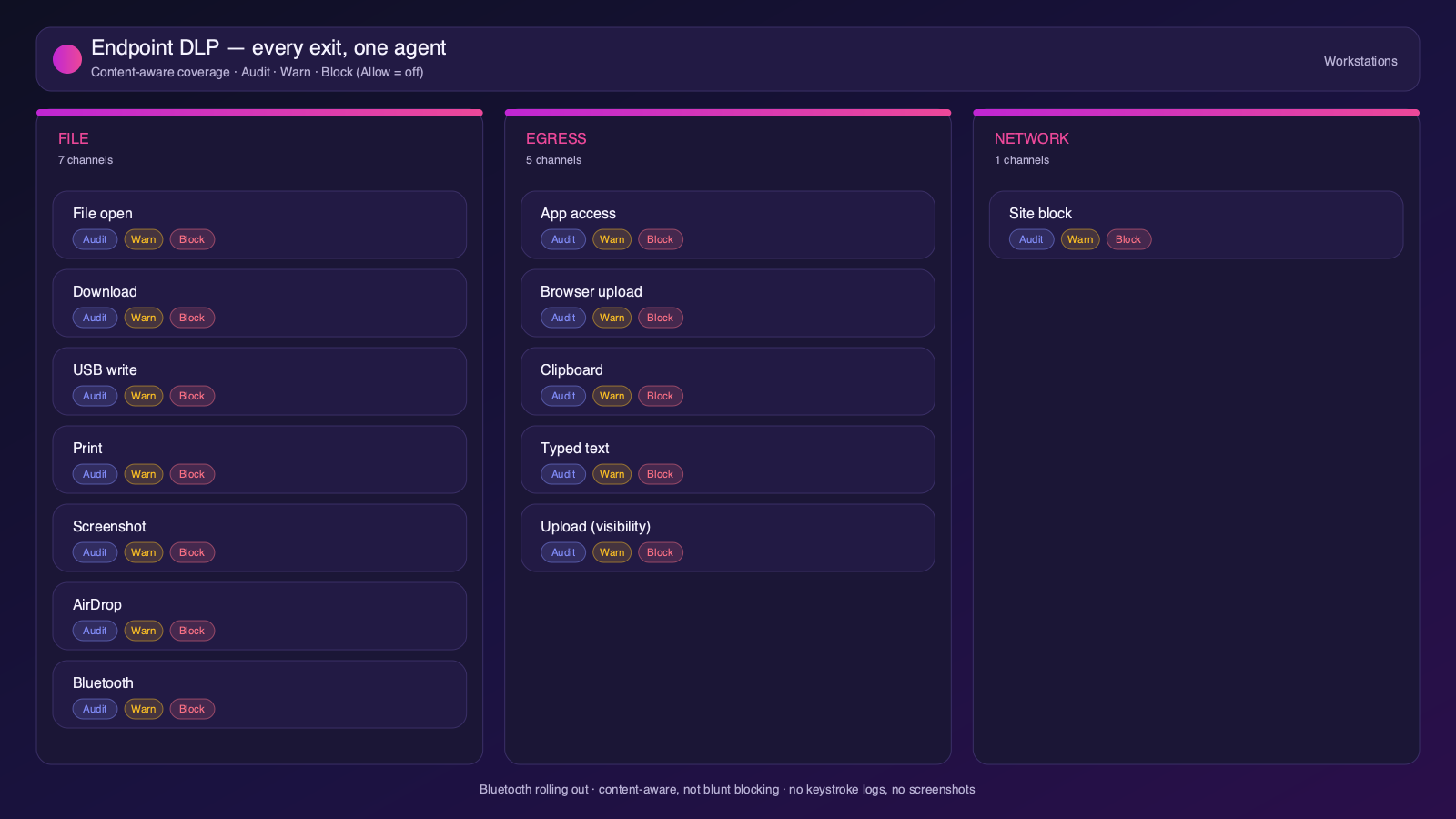
Strac's endpoint DLP agent controls Box data as it lands on laptops, with four modes: block, warn, allow, and audit across file downloads, copies, and screenshots on both Mac and Windows.
Content-aware endpoint DLP: block, warn, allow, or audit on Mac and Windows.
6. One platform, every surface
Box is one of 50+ places Strac protects. The same engine covers SaaS, cloud, GenAI, MCP, browser, and endpoint, so your Box data stays protected everywhere it flows, not just at rest. That breadth, plus remediation that actually fixes exposure, is why teams consolidate on Strac instead of stacking point tools.
50+ integrations across SaaS, cloud, databases, endpoints, browsers, and AI.
🌶️ Frequently asked: Box security
Is Box secure?
Box is secure when configured correctly, but its defaults around sharing and access make oversharing and misconfiguration a leading cause of Box data exposure, and it does not scan the sensitive data inside your content. Hardening the configuration plus adding DSPM and DLP (like Strac) to discover and remediate sensitive data closes the gap.
Is Box secure for sensitive data?
It can be, with restricted shared links, external-collaboration allowlists, device trust, and continuous data discovery. The risk is PII, PHI, or PCI in files shared via public links or broad folder permissions. Strac scans Box for sensitive data, flags overshared files, and automatically revokes links, removes external access, or redacts the data.
Does Box have DLP?
Box Shield adds classification and anomaly detection, but it does not deeply scan or redact the sensitive values inside files. Strac adds agentless discovery, in-place redaction and masking, automatic remediation of exposed data, and the same protection beyond Box, across browsers, endpoints, and AI agents.
What are the most important Box security best practices?
Enforce least-privilege access and MFA, restrict external and public sharing, review third-party app access, continuously discover and classify sensitive data, monitor activity for risky behavior, and remediate exposure automatically. The sections above cover each in detail.
How does Strac secure Box?
Strac connects to Box agentlessly, runs DSPM discovery across your Box data, and remediates exposure (redact, mask, revoke access, quarantine, label). It extends the same protection to AI agents via MCP DLP, the browser, and Mac and Windows endpoints.