How to Share Files Securely in Salesforce with End-to-End Encryption (2026)
Salesforce native file attachments aren't end-to-end encrypted. Here's how to ship E2E secure file sharing inside Salesforce with a Lightning Web Component — the architecture, the setup, and the compliance evidence.
Salesforce's native file attachments are not end-to-end encrypted. Files are encrypted at rest and in transit, but Salesforce admins, integrated apps, and anyone with a public file link can see plaintext.
End-to-end (E2E) means the vendor literally cannot see the file. The file is encrypted in the sender's browser before upload and decrypted only in the recipient's browser. The key never reaches the server.
Strac Secure Share is a Salesforce Lightning Web Component that adds E2E encryption (AES-256-GCM via Web Crypto API) directly inside Cases, Opportunities, Accounts, and any custom object — installed via one SFDX deploy.
Compliance evidence auto-generates for SOC 2 CC6.7 / CC6.1 / CC6.3 and HIPAA §164.312(e)(1) on every share.
How to Share Files Securely in Salesforce with End-to-End Encryption (2026)
A Salesforce-native Lightning component that handles E2E encryption inside the agent's browser, before any file leaves Salesforce
✨ The Problem: Salesforce Native File Sharing Isn't Encrypted (End-to-End)
When a support agent attaches a customer's W-2, a credit card screenshot, a signed BAA, or a copy of a passport to a Salesforce Case, the file is encrypted at rest and in transit — but plaintext is visible to any Salesforce admin, to integrated apps with file access, and to anyone who receives a "Generate Public Link."
That gap has three concrete failure modes:
Insider exposure. Any user with a system administrator profile can view, download, or export attached files. Standard role hierarchy doesn't limit access to file contents.
Public link sprawl. "Sharing Settings → Generate Public Link" creates an unauthenticated, unexpiring URL anyone can forward. There is no passcode, no view limit, no audit of recipient access.
No revocation, no audit. Once a customer downloads a file, there's no record of who downloaded it from where. If the link is forwarded to an unintended party, you find out at the next breach.
For data classes that touch a regulator (PHI under HIPAA, cardholder data under PCI DSS, source code under NDA, anything covered by an enterprise customer's master agreement), Salesforce's native model is below the bar.
✨ What "End-to-End Encrypted" Actually Means
The same architectural principle applied across Salesforce, Slack, Gmail, and 50+ SaaS tools: the vendor never sees plaintext
Most products that market themselves as "secure file sharing" are not actually end-to-end encrypted. Three encryption postures look superficially similar but are very different:
Server-side encryption (Box, Dropbox, Google Drive): the vendor holds the encryption key. The vendor can decrypt your files. Insider threats and subpoenas reach the plaintext.
TLS in transit + at-rest encryption (Salesforce native): the vendor sees plaintext while processing the file. Encryption only protects against external network attackers and disk theft.
End-to-end encryption (Strac, SendSafely, Tresorit Send): encryption happens in the sender's browser, decryption happens in the recipient's browser. The vendor never holds a key that decrypts the data. Compromise of the vendor's infrastructure exposes only ciphertext.
Three properties define E2E:
Encryption in the sender's browser, before any byte leaves the device.
Decryption in the recipient's browser, locally.
The key never reaches the vendor's servers.
Strac Secure Share uses AES-256-GCM via the browser's Web Crypto API for encryption. The 256-bit symmetric key is embedded in the URL fragment (https://link.strac.io/abc123#key=...). Per RFC 3986 §3.5, URL fragments are processed client-side only and are never sent in HTTP requests by browsers. Even if Strac's entire infrastructure were compromised, attackers would have only ciphertext — the key lives exclusively in the link the sender shares with the recipient.
This is the same architectural model SendSafely uses. The difference is that Strac is a complete data security platform that includes E2E secure share and DLP, compliance automation, and continuous evidence generation in a single product.
✨ How Strac Secure Share Works Inside Salesforce
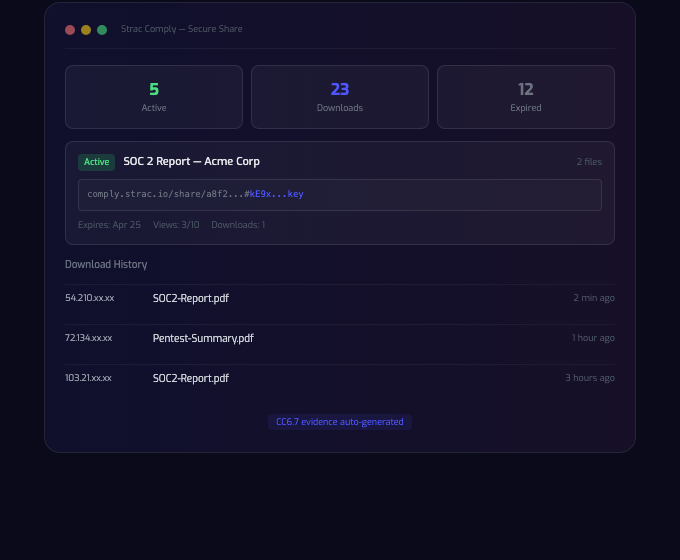
Every share generates an audit trail and compliance evidence — visible to Salesforce admins, mirrored to your GRC
Strac Secure Share is a Salesforce Lightning Web Component (LWC) that sits in the sidebar of any record page. The component works on Cases, Opportunities, Accounts, Contacts, and custom objects without modification.
The agent flow
Agent opens a record — for example, a Case titled "John Doe — wage dispute, requires W-2"
Strac sidebar appears with a file picker, expiration selector (1 hour / 1 day / 7 days / 30 days / 90 days), an optional passcode toggle, and max-views / max-downloads inputs
Agent selects files. The LWC uses the Web Crypto API to AES-256-GCM encrypt the bytes in the browser
Ciphertext uploads directly to S3 via a presigned URL — Salesforce never sees plaintext, and Strac's servers never see plaintext
A Chatter message auto-posts to the record with the secure link (encryption key embedded in the URL fragment) and an "Encrypted by Strac" notice
The customer clicks the link. Their browser parses the fragment, downloads the ciphertext, decrypts in-browser, and presents the file. Every access is logged — timestamp, IP, user-agent — and visible in the Strac admin dashboard plus on the original Salesforce record
If the customer forwards the link, the recipient still needs the passcode (if set), is bound by the expiration window, and counts against the view/download limit. The agent or admin can revoke the link instantly.
Architecture in one diagram
The full feature set is exposed inside the Salesforce sidebar — no second tool, no context switch
[Salesforce LWC]                           [Strac]
  │                                          │
  │ ── Web Crypto API: AES-256-GCM encrypt ──┤
  │                                          │
  │ ── Apex controller (Strac API proxy) ────► metadata
  │                                          │  (control plane,
  │ ── presigned S3 PUT (ciphertext only) ───►   no plaintext)
  │                                          │
  │ ── Chatter post (link with #key=...) ────│
  │                                          │
  └── Customer browser ◄────────────────────► S3 GET (ciphertext)
       │                                          │
       └── Web Crypto API: AES-256-GCM decrypt ───┘
StracAPI.remoteSite-meta.xml — Salesforce Remote Site whitelisting Strac's API endpoint
StracS3.cspTrustedSite-meta.xml — CSP Trusted Site whitelisting direct browser → S3 uploads
No Apex crypto code. All encryption happens in LWC JavaScript via Web Crypto API. The Apex layer never handles keys or plaintext.
One-Time Setup (SFDX Deploy)
For Salesforce admins:
git clone https://github.com/strac-io/strac-secure-share-salesforce
cd strac-secure-share-salesforce
sf project deploy start --target-org your-production-org
Then in Setup → Lightning App Builder, add the stracSecureShare component to the page layout for each object you want to enable (Case, Opportunity, Account, custom). Authenticate the Strac org once from the component config panel and you're live.
End-to-end deploy time is under 10 minutes. No proxy, no managed package overhead, no field-level rework.
✨ Strac Secure Share vs. SendSafely vs. Native Salesforce vs. Box
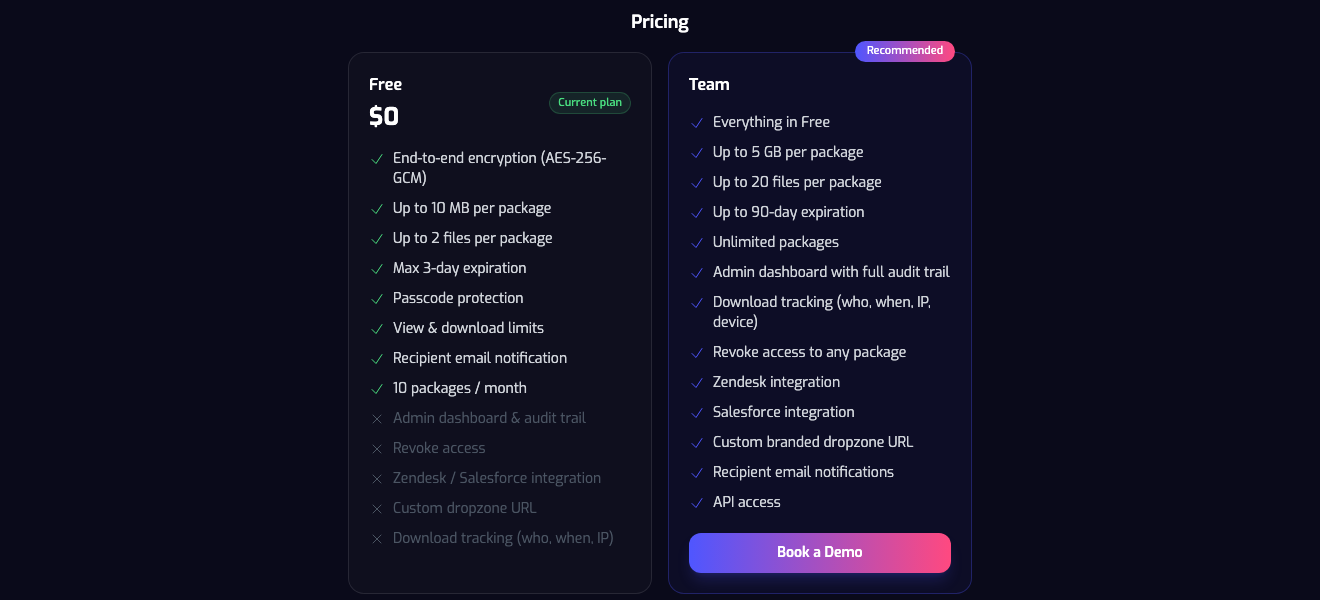
A free tier exists for evaluation — same E2E architecture, with limits on size, retention, and admin features
Tool
E2E encryption
Salesforce-native
Expiration · passcode · revoke · audit
Compliance evidence
Strac Secure Share
AES-256-GCM in browser (Web Crypto API)
Lightning Web Component + Chatter
Yes — full audit trail (who / when / IP / user-agent)
No expiration, no view limits, no per-recipient revoke
TLS only
Box / Dropbox links
No (server-side encryption)
Add-on
Partial
SOC 2 (server-side scope)
Virtru
E2E for email
Email-focused, not LWC
Limited inside Salesforce
HIPAA (email)
The closest comparable is SendSafely. The architectural model is the same — both use AES-256-GCM client-side encryption with a key held in the URL fragment. Strac's differentiator is that the same security platform also handles DLP across Salesforce records (so PII and PHI in messages are redacted, not just files), continuous compliance evidence, and 50+ other SaaS integrations.
Compliance — Evidence That Generates Itself
Every secure share generates audit-grade evidence pre-mapped to:
HIPAA §164.312(e)(1) — transmission security (encryption of ePHI in motion)
Auditors typically ask for two artifacts: configuration evidence (the encryption posture is enforced for every share) and operational evidence (a sample of audit logs showing the controls fired). Strac generates both automatically. If you're using Strac Comply, the evidence flows into your control posture without manual collection.
✨ Why Strac, vs. Building This Yourself
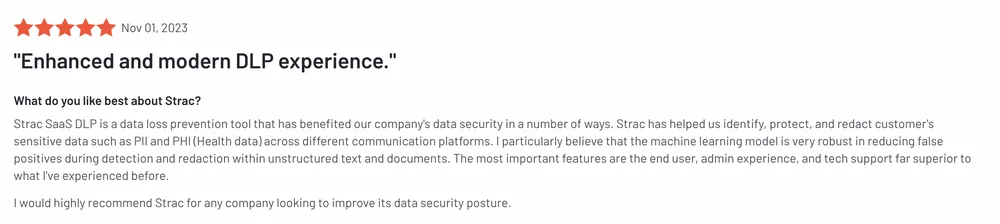
Rated 5/5 on [G2](https://www.g2.com/products/strac/reviews) — deployed at UiPath, Crypto.com, Underdog Fantasy, and 50+ other enterprises
Salesforce admins often ask whether E2E secure file sharing can be built in-house. Technically, yes — the Web Crypto API is browser-standard and an LWC + Apex proxy is a few hundred lines of code. The hard parts are everywhere except the encryption:
Key management edge cases — link fragments stripped by overzealous email scanners, fragment loss across redirects, Slack/Salesforce link unfurlers leaking metadata
Recipient experience — branded download page, browser support matrix, decryption error states, mobile browser quirks
Audit completeness — who downloaded, from where, with which user-agent, into which device profile; and the SOC 2 evidence schema underneath
Revocation guarantees — instant kill from the admin dashboard, including for already-distributed links
Cross-channel coverage — the same engine running in Slack, Gmail, Zendesk, the web upload portal, and the secure dropzone
Strac Secure Share is the maintained version of this with a SOC 2 Type II + HIPAA BAA posture and a free tier for evaluation.
Bottom Line
Salesforce native file attachments are not end-to-end encrypted. They're TLS-protected and at-rest-encrypted, but Salesforce admins, integrated apps, and anyone with a public link can see plaintext. For PHI, PCI, source code, or any data subject to a confidentiality contract, that's below the bar.
A Lightning Web Component that handles AES-256-GCM encryption in the agent's browser closes the gap without changing the agent's workflow. The encrypted file passes through Salesforce, but Salesforce never sees plaintext — and neither does Strac. Customers get a passcode-protected, expiring, audit-logged link. Auditors get evidence that generates itself.
Attachments are where the highest-risk PII hides — see Salesforce data classification for scanning and true redaction of Case files.
🌶️ Spicy FAQs for Salesforce Secure File Sharing
Are Salesforce file attachments end-to-end encrypted by default?
No. Salesforce encrypts file attachments at rest (Salesforce Shield is required for stronger at-rest controls) and protects all traffic with TLS, but the Salesforce platform itself processes plaintext. System administrators, integrated apps with file scope, and anyone with a "Generate Public Link" URL can access the file's plaintext. End-to-end encryption requires the file to be encrypted in the sender's browser before upload — which is what the Strac Secure Share Lightning Web Component adds.
What's the difference between Salesforce Shield and end-to-end encryption?
Salesforce Shield Platform Encryption protects data at rest using customer-managed keys held inside Salesforce's key infrastructure. It hardens against database compromise and limits some admin-level access. It does not prevent Salesforce or its sub-processors from accessing decrypted file contents during normal processing, and it does not protect files shared via public links. End-to-end encryption (E2E) is a different model: the vendor cannot decrypt the file under any circumstances. Both have a place; they aren't substitutes.
How is Strac Secure Share different from SendSafely?
Architecturally, very similar — both use AES-256-GCM in the browser via Web Crypto and embed the key in the URL fragment so it never reaches the server. The difference is scope: Strac is a complete data security platform that includes the E2E secure share component plus SaaS DLP across Salesforce records, browser/AI DLP, endpoint DLP, and continuous compliance evidence. SendSafely is a focused secure file transfer product. If you want one vendor for E2E sharing and the rest of your data security stack, Strac. If you only need secure file transfer and want a focused tool, SendSafely is a credible choice.
How do I deploy Strac Secure Share to Salesforce?
One SFDX deploy command: sf project deploy start --target-org your-production-org against the published Strac package, then add the stracSecureShare Lightning Web Component to the page layout for each object you want to enable (Case, Opportunity, Account, custom). Authenticate the Strac org once and you're live. Total time is under 10 minutes. No managed package, no proxy, no Apex crypto code.
What compliance frameworks does Strac Secure Share generate evidence for?
Every share generates audit-grade evidence for SOC 2 CC6.7 (transmission protection), CC6.1 (logical access — passcode and view limits), CC6.3 (access removal — expiration and revoke), and HIPAA §164.312(e)(1) (transmission security for ePHI). Evidence flows continuously into the Strac Comply trust center or into your existing GRC platform via SIEM-native log export.
Can the recipient open the file without a Salesforce login?
Yes. The recipient receives a standard URL with the encryption key in the fragment (#key=...). Their browser fetches the encrypted bytes from S3, decrypts in the browser, and presents the file. No Salesforce login, no Strac account required. If the agent set a passcode, the recipient also enters that. Every access is audited.
What happens if the recipient forwards the secure link?
The forwarded link is bound by the same controls: passcode (if set), expiration window, max views, max downloads. Every access is logged with timestamp, IP, and user-agent. The agent or a Salesforce admin can revoke the link instantly from the Strac dashboard, which invalidates further access for everyone — even the original recipient.
Is the Salesforce Lightning component free?
The Strac Secure Share component on Salesforce is part of Strac's Team plan. The web-based version at comply.strac.io/send is free for evaluation with caps on file size, retention, and admin features — same E2E architecture. For pricing on the Salesforce LWC and Team-tier features (custom branding, longer retention, unlimited packages, admin dashboard, SIEM integration, Zendesk + Salesforce + custom dropzone URLs), contact us via the demo link above.
Discover & Protect Data on SaaS, AI, MCP, Endpoints & Cloud
Strac provides end-to-end data loss prevention for all SaaS and Cloud apps. Integrate in under 10 minutes and experience the benefits of live DLP scanning, live redaction, and a fortified SaaS environment.


.webp)








.avif)



.gif)
