Uncover the risks of using Slack for your business. Find out how sensitive information, such as passwords and credit card details, can be unintentionally shared or compromised by hackers.
Slack is secure with strong encryption and certifications, but security also depends on user behavior and management.
Top security risks include credential theft, insider threats, third-party apps, and external collaboration risks.
Best practices for securing Slack include access control, data encryption, app management, monitoring, and incident response.
Strac enhances Slack security with DLP features like real-time scanning, blocking files, and compliance reporting.
By following best practices and using Strac, organizations can ensure Slack remains a safe and compliant communication platform.
Slack has become a backbone of workplace communication for organizations worldwide, which makes its security an essential priority. With sensitive conversations, files, and data flowing through Slack channels daily, keeping Slack safe and secure is a top concern for IT security teams, compliance officers, and Slack administrators alike. In this article, we’ll cover the best practices for securing Slack – from access control and data encryption to third-party app management, monitoring, and incident response. We’ll also tackle the question “Is Slack safe and secure?” by reviewing Slack’s built-in security features and potential vulnerabilities. Finally, we’ll explore how Straccan further enhance Slack security, with robust data loss prevention (DLP) capabilities that prevent data leaks, secure sensitive information, and support compliance needs.
✨Is Slack Safe and Secure for your Business?
Slack’s built-in security is strong and aligned with enterprise standards. Slack encrypts user data in transit and at rest using industry-standard protocols (TLS 1.2 for data in transit and AES-256 for data at rest). A dedicated security team at Slack continuously monitors the platform and audits for vulnerabilities. Slack also maintains robust backup and disaster recovery procedures to prevent data loss. In terms of compliance, Slack holds multiple security certifications, including SOC 2 Type II and ISO 27001, and can be configured to meet regulations like HIPAA, FINRA, FedRAMP, GDPR, and more.
However, no system is 100% immune to threats or misconfiguration. Slack’s overall security also depends on how it’s used and managed within each organization. The platform follows a shared responsibility model: Slack delivers a secure service by design, but workspace administrators must implement proper controls and users must practice good security behavior.
What Sensitive Data Appears in Slack?
From a security perspective, Slack conversations frequently contain data that organizations never intended to store inside chat systems. Teams often paste information quickly to solve problems, help customers, or unblock development workflows. Over time, these small moments create a large surface area of sensitive data.
Common examples include:
API keys and access tokens
Database credentials
Cloud infrastructure secrets
Customer PII (names, emails, phone numbers)
Credit card or payment details
Internal documents and screenshots
Support ticket exports or logs
Source code snippets
Internal URLs and system credentials
Most of the time this data is shared with good intentions; someone trying to debug an issue or help a teammate. But once sensitive data appears in Slack, it can spread quickly across channels, threads, and integrations, making it extremely difficult to track or control.
Top Security Risks with Slack
Credential Theft & Social Engineering: Attackers may target Slack accounts through phishing or stolen tokens. In the 2017 Uber breach, attackers obtained an engineer’s Slack credentials and leveraged them to access Uber’s source code repository, exposing data of 57 million users
External Collaboration Risks: Slack Connect allows communication with external organizations, increasing the risk of data leaks. Without the right safeguards, sharing channels with third parties increases the risk that confidential data leaks outside your company
Overall, Slack is as secure as the effort you put into securing it. The good news is that by following best practices and using advanced security tools, you can greatly minimize risks and confidently answer “Yes, Slack is safe for our business.”
Best Practices for Securing Slack
To protect your workspace, implement the following best practices:
1. Strong Access Control and Identity Management
Enforce Single Sign-On (SSO) with enterprise identity providers like Okta or Azure AD.
Require Two-Factor Authentication (2FA) for all users.
Use domain claiming and email verification to prevent unauthorized sign-ups.
Set session duration limits to log out inactive users automatically.
Regularly review and deactivate inactive accounts.
Use roles and channel permissions to enforce least privilege.
2. Data Encryption and Protection
Leverage Slack’s built-in TLS and AES-256 encryption.
For highly regulated industries, use Slack Enterprise Key Management (EKM).
Implement data retention policies to auto-delete messages after a set period.
Enable legal holds for compliance and auditability.
3. Third-Party App Management and Restriction
Restrict who can install third-party apps.
Approve apps based on security review and permissions scope.
Conduct regular audits of installed apps and remove unnecessary ones.
4. Monitoring Slack Activity and Data
Enable Slack audit logs and feed them into a SIEM.
Have an incident response plan specifically for Slack-related breaches.
Set up workflows for account compromise, message removal, and data containment.
Use Slack audit logs and Discovery API to investigate security incidents.
6. Security Awareness and Training
Educate employees on Slack security best practices.
Implement acceptable use policies for Slack data handling.
🎥How Strac Enhances Slack Security and Prevents Data Leaks
While Slack provides a secure foundation, organizations often need additional layers of protection. This is where Strac comes in. Strac is a powerful Data Loss Prevention (DLP) solution that integrates seamlessly with Slack to secure your data and ensure compliance. Here is a detailed blog post detailing why one must have slack dlp.
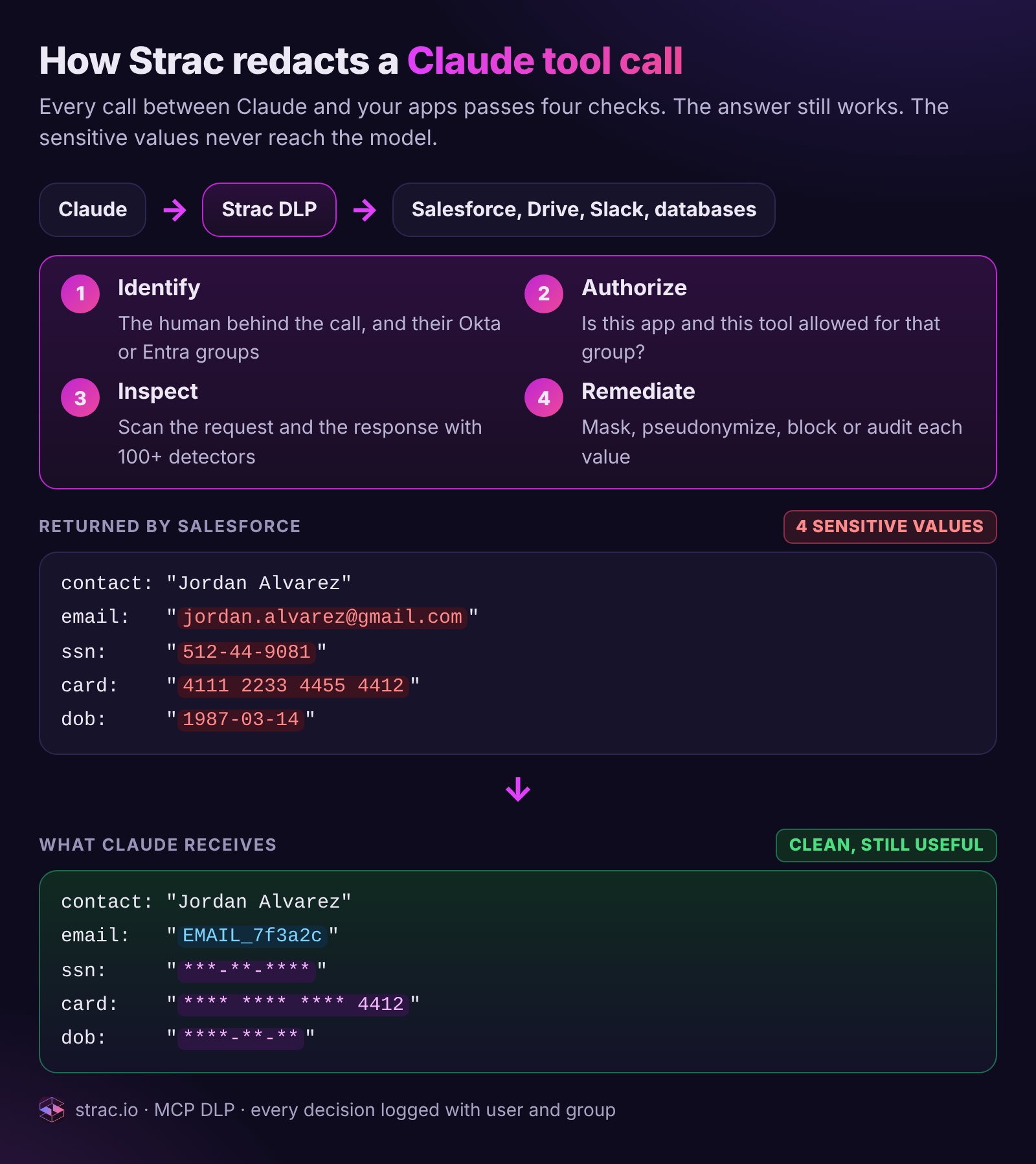
Strac Slack DLP continuously scans Slack messages and files to detect sensitive data such as PII, PHI, PCI data, secrets, and credentials. When risky information appears, Strac can automatically remediate the exposure before it spreads across channels.
Key capabilities include:
Real-time and historical scanning; Strac analyzes both new messages and existing Slack data to find sensitive information.
Automatic redaction and remediation; sensitive text can be masked, removed, or deleted from messages and attachments.
Coverage across all Slack channels; protection works in public channels, private channels, direct messages, group DMs, and Slack Connect.
Attachment protection; detects and redacts sensitive data inside files such as PDFs, screenshots, images, Word docs, and spreadsheets.
Instant alerts and incident response; security teams are notified immediately when sensitive data appears.
Strac also provides Slack DSPM (Data Security Posture Management) to help organizations understand their existing exposure. This gives security teams visibility into:
Where sensitive data already exists in Slack
Who currently has access to that data
Which messages or files create potential security risks
Finally, Strac helps organizations meet regulatory requirements by detecting and protecting sensitive data related to HIPAA, PCI DSS, GDPR, SOC 2, and ISO 27001. It also extends protection beyond Slack toSaaS apps, cloud storage,endpoints, and AI tools like ChatGPT or Gemini, giving companies a unified way to protect sensitive data across their entire environment.
Real-World Use Cases:
Healthcare (HIPAA compliance): Strac automatically redacts protected health information (PHI) shared in Slack.
Financial Services (PCI compliance): Prevents employees from sharing credit card details in messages.
Technology (Trade Secrets Protection): Blocks accidental sharing of proprietary code or API keys.
Conclusion: Secure Your Slack – and Go Further with Strac
Slack provides a solid security foundation, but it requires proper configuration and proactive monitoring to stay secure. By following best practices and leveraging Strac's DLP capabilities, organizations can ensure Slack remains a safe and compliant communication platform.
Yes. Employees often paste credentials, customer data, or internal documents into chats while solving problems. Once shared, that data can quickly spread across channels, files, and integrations.
Does Slack have built-in DLP?
Slack has basic security controls, but it does not provide full native DLP. Most companies use a dedicated Slack DLP solution to detect and control sensitive data in messages and files.
What sensitive data appears in Slack?
Common examples include:
API keys and credentials
Customer PII (names, emails, phone numbers)
Payment or financial data
Internal passwords or tokens
Support logs or screenshots with sensitive info
How does Slack DLP prevent data leaks?
Slack DLP tools scan messages and files for sensitive data and can:
Redact or mask sensitive text
Block or delete risky files
Alert security teams
Create audit logs for compliance
How does Strac protect Slack data?
Strac detects sensitive data in Slack and can automatically redact, delete, or alert teams in real time. It also provides visibility into existing sensitive data across channels, files, and DMs.
Can Slack DLP help with compliance?
Yes. Slack DLP helps protect regulated data and supports frameworks like HIPAA, PCI DSS, GDPR, SOC 2, and ISO 27001.
Discover & Protect Data on SaaS, AI, MCP, Endpoints & Cloud
Strac provides end-to-end data loss prevention for all SaaS and Cloud apps. Integrate in under 10 minutes and experience the benefits of live DLP scanning, live redaction, and a fortified SaaS environment.


.webp)









.avif)



.gif)
