August 10, 2026

5
min read
How to Set Up PCI Alerts in Google Drive Automatically
Learn how to automatically alert on credit card numbers (PCI data) stored in Google Drive using Strac’s real-time DLP detection for files, folders, and shared drives.
Google Drive is one of the most widely used storage platforms; but Drive does not have native PCI detection or alerting. Full primary account numbers (PANs) often appear inside billing documents, customer uploads, spreadsheets, and screenshots synced from email or support systems. Without alerting, organizations can unknowingly store unprotected PCI data in folders accessible to multiple teams or external collaborators.
Strac actively scans Drive surfaces and sends alerts the moment PCI data is detected, enabling security teams to act quickly and prevent compliance exposure.
Google Drive does not include a PCI-specific detection engine; cannot scan PDFs or images for credit card numbers; and cannot send alerts when sensitive data appears in files or shared folders. Since Drive integrates with email uploads, support platforms, and external partner contributions, PCI can enter your document ecosystem without visibility.
Google Drive lacks:
• PCI pattern detection;
• OCR scanning for screenshots containing card numbers;
• Real-time notifications to security teams;
• Compliance logs for PCI exposure;
• Automated remediation options;
• Monitoring of Shared Drives and public links.
Strac fills this gap with enterprise-grade PCI scanning and alerting for Drive.
PCI data appears across Drive in thousands of formats, and alerts must detect card numbers in both structured and unstructured content. Strac identifies PCI patterns across file types and alerts as soon as detection occurs.
Strac alerts when it identifies:
• PANs such as 4242 4242 4242 4242;
• Card numbers inside invoices or receipts;
• Cardholder data in PDFs;
• Screenshots containing PCI;
• CSV exports containing customer payment values;
• Combined PCI + PII elements in customer files;
• Payment logs stored inside Drive folders.
Alerts include:
• File containing PCI
• File owner
• Access permissions
• Location (Shared Drive, My Drive, Folder)
• Recommended remediation (redact, delete, block, quarantine)
This gives teams full context to decide next steps.
Strac continuously monitors Drive; scanning files, images, documents, and shared folders using AI, OCR, and contextual PCI models. When PCI is found, Strac triggers alerts immediately to Slack channels, email, SIEM, webhooks, or admin dashboards.
Alerting workflows include:
• Slack notifications to security channels;
• Email alerts to compliance leaders;
• SIEM forwarding for SOC visibility;
• Ticket creation via webhook;
• Optional automatic remediation (redact, delete, block);
• Full audit logs for PCI DSS evidence.
These alerts help teams prevent unauthorized storage of PCI data and reduce audit findings.
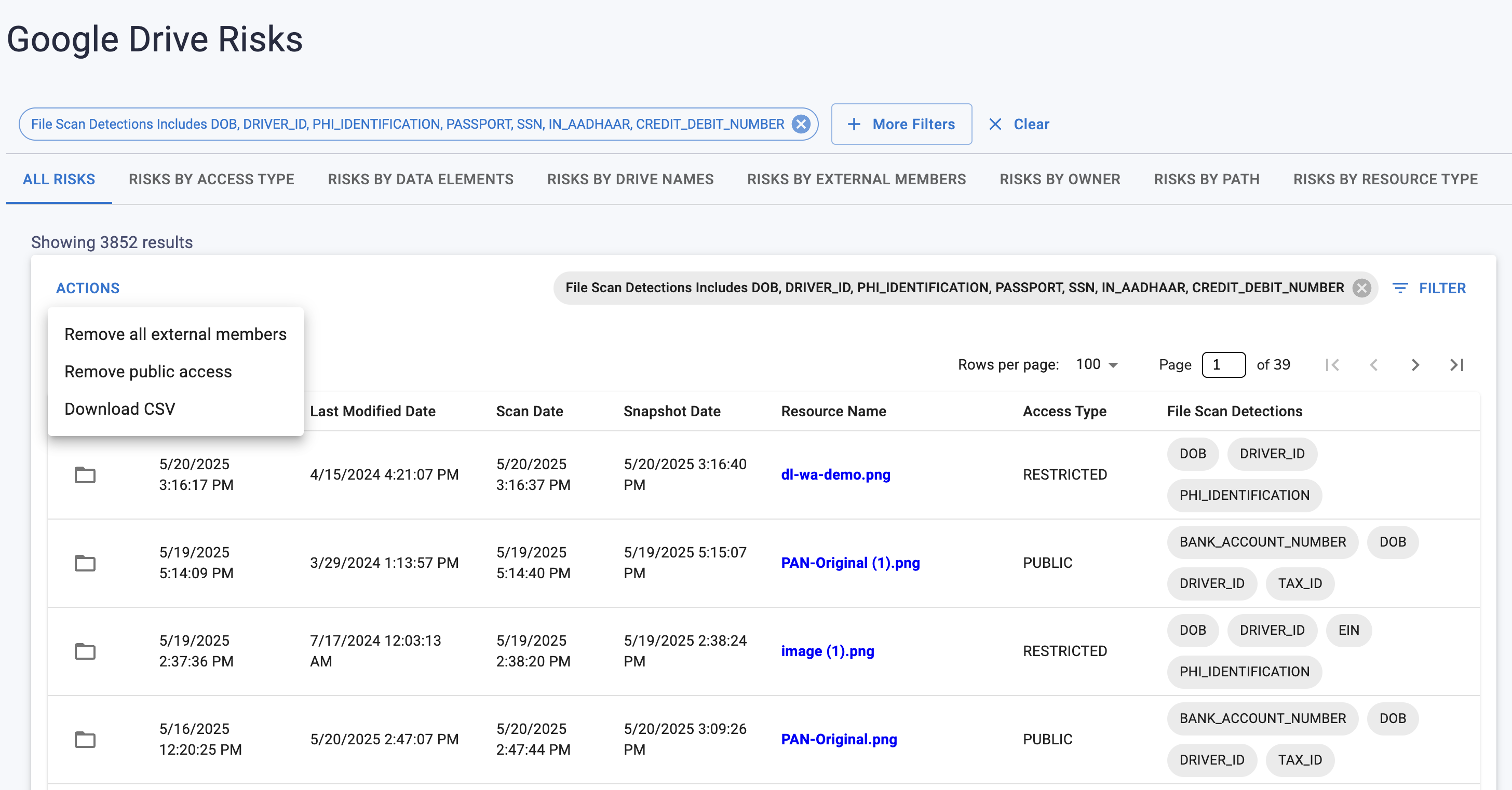
Strac provides complete PCI visibility across Drive. It scans documents, images, spreadsheets, PDFs, and shared folders in real time; identifies credit card numbers accurately; and sends alerts immediately. This ensures finance, support, and operations teams do not store unprotected payment card data.
Strac offers:
• Instant PCI alerts across all Drive surfaces;
• OCR scanning for screenshots and scans;
• Context-aware filtering to reduce noise;
• Real-time alerts via Slack, SIEM, or webhook;
• Compliance-ready PCI DSS logs;
• Bulk remediation options;
• Fast, no-code setup.
No; Drive has no PCI detection or alerting.
Yes; OCR and AI detection support all formats.
Yes; alerts work across My Drive, Shared Drives, and all folder types.
Yes; monitoring PCI exposure is required under PCI DSS.
Yes; Strac integrates with SIEM and webhook pipelines.
Strac gives visibility into PCI exposure across your Drive ecosystem; helping teams stay compliant and reduce risk.
.avif)


.gif)


.webp)