October 1, 2026

5
min read
How to Redact PII in SharePoint Automatically
Learn how to automatically redact personal data (PII) in SharePoint using real-time DLP with AI, OCR, and content-aware detection.
SharePoint offers robust document storage and access controls—but it does not provide automatic PII redaction. This creates compliance risk for every department handling personal data.
SharePoint limitations include:
Without redaction, sensitive PII can be viewed, downloaded, or shared internally or externally without restriction—violating privacy and data protection laws.
PII is everywhere inside SharePoint because users constantly upload personal information. Examples of files that contain PII:
Strac detects and redacts common PII such as:
Strac uses AI + OCR + context analysis to dramatically reduce false positives.
Redaction removes the sensitive portions of a document while preserving the rest. This keeps the file usable without exposing personal data.
Examples:
Original:
Employee Name: John Smith
Phone: (555) 111-2222
Redacted:
Employee Name: **** ******
Phone: (**) -
Why redaction matters:
Strac redacts PII in:
Every redaction is logged with full audit context.
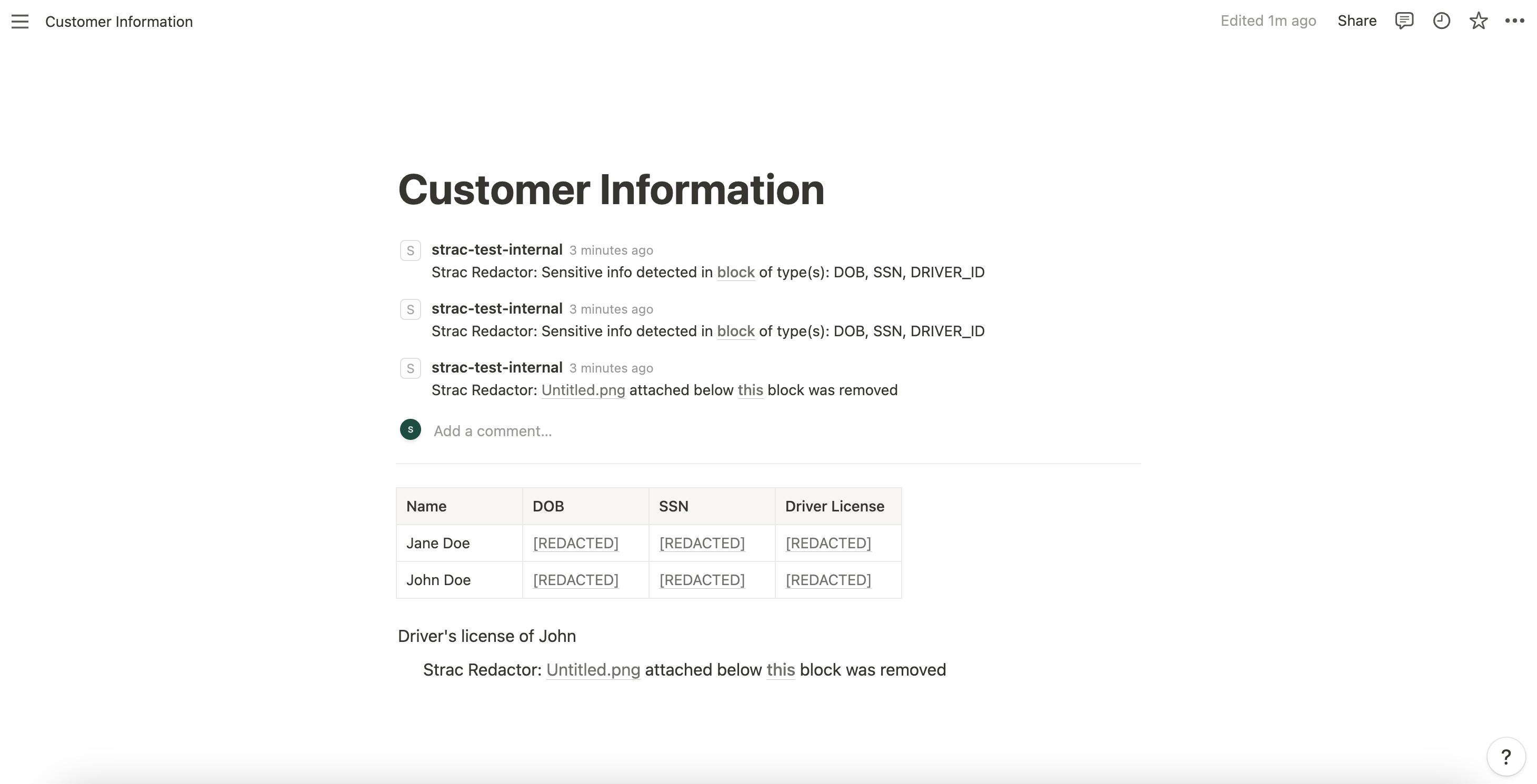
Strac continuously scans SharePoint content and applies redactions instantly when PII is detected. This ensures personal data is never exposed to unauthorized users.
How Strac redaction works:
You can also choose:
Example 1 — HR uploads employee onboarding form
Strac redacts names, SSNs, phone numbers, and addresses automatically.
Example 2 — Customer sends a scanned ID card
PII inside the image is redacted via OCR.
Example 3 — CSV list of customer contact data uploaded
Strac selectively redacts PII columns without destroying the spreadsheet structure.
Example 4 — PDF contract with personal addresses
Strac redacts PII text layers while preserving page layout.
This prevents accidental exposure and supports privacy governance.
No. SharePoint does not support automated redaction of personal data.
Yes. OCR extracts PII and redacts it automatically.
Yes. Strac supports historical scanning and redaction.
Yes. Policies can target names, emails, SSNs, addresses, or any category.
Yes. Redaction only removes PII, keeping documents readable.
Related reading:
Strac helps you automatically detect, classify, and redact personal data (PII) across SharePoint libraries, folders, and OneDrive sync locations—keeping your organization compliant and protected.
.avif)


.gif)


.webp)