1. SharePoint does not natively label credit card or bank account data; it has no PCI-specific classification capabilities.
2. PCI often enters SharePoint via invoices, bank forms, screenshots, PDFs, and OneDrive sync activity.
3. PCI DSS requires organizations to identify and classify payment card data across all storage locations.
4. Manual labeling is unreliable because PCI hides inside images, scans, PDFs, spreadsheets, and attachments.
5. Strac automatically discovers, labels, and classifies PCI in SharePoint—across files, libraries, synced OneDrive folders, and historical content.
SharePoint supports basic sensitivity labels, but it does not detect PCI on its own. Without PCI detection, labels cannot be applied correctly or consistently. Native limitations include:
No automatic identification of credit card or bank account data
No labeling for PCI DSS categories
No classification inside PDFs, images, and scans
No deep content inspection across file types
No PCI-focused metadata tagging
No historical classification
No enforcement rules based on PCI labels
Because SharePoint cannot identify PCI, sensitive data often remains mislabeled or completely unlabeled.
✨What (PCI) Credit Card Numbers Classification Looks Like Inside SharePoint
PCI data often appears in SharePoint documents where users least expect it. Examples of files that should receive PCI labels include:
Invoices containing full credit card numbers
Scanned card authorization forms
Screenshots showing customer payment cards
Bank statements and ACH forms
CSVs with account and routing numbers
PDF exports from payment systems
Images and receipts uploaded from mobile devices
Strac labels all common PCI patterns, including:
Visa, Mastercard, AMEX, Discover PAN formats
4111 1111 1111 1111
4242-4242-4242-4242
5500 0000 0000 0004
Bank account + routing combinations
IBAN / SWIFT numbers
PCI hidden inside images or layered PDFs
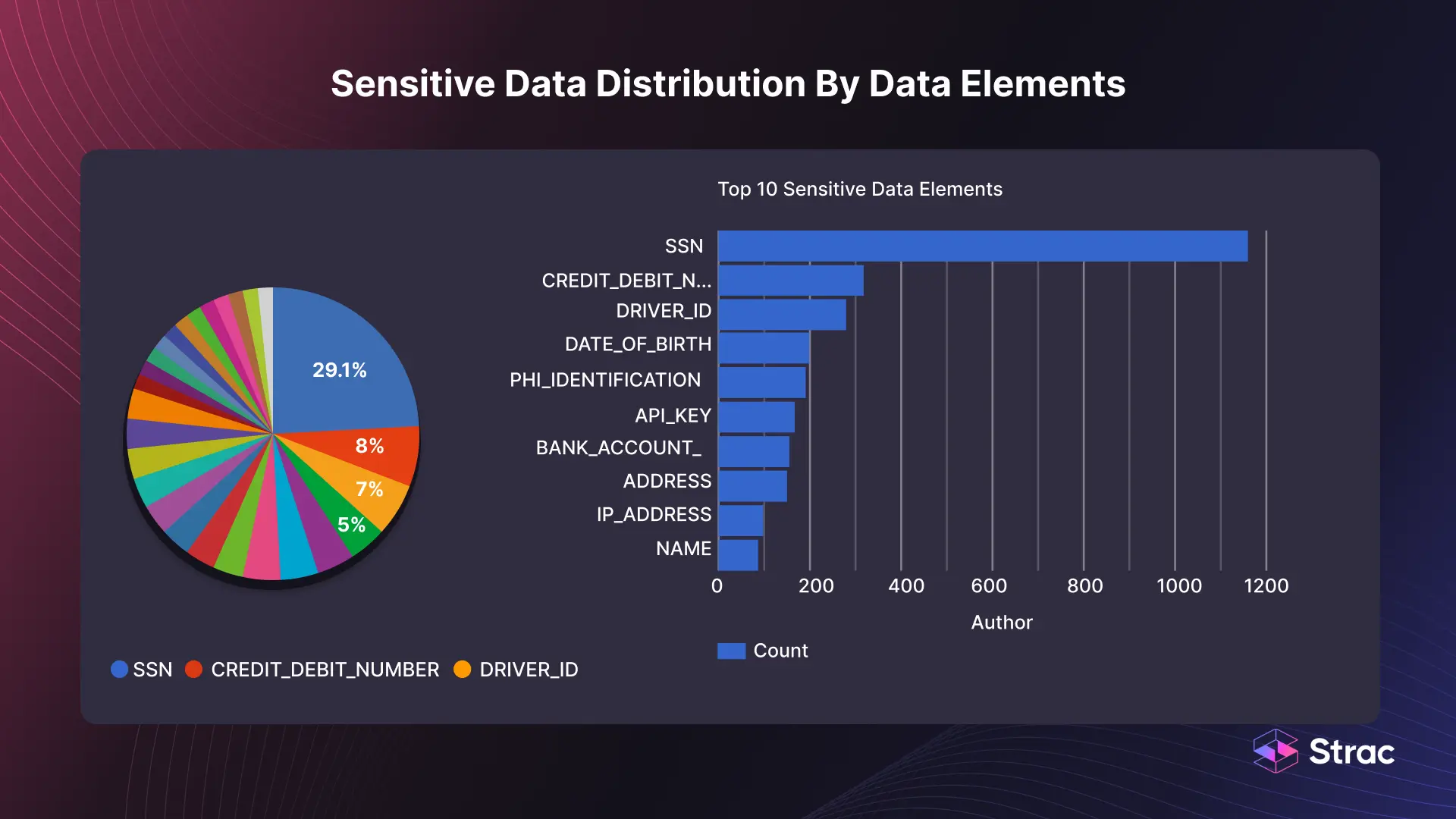
Each detected PCI element is assigned a classification tag, ensuring files are labeled and governed correctly.
Strac Data Classification
✨What It Means to Label (PCI) Credit Card Numbers in SharePoint
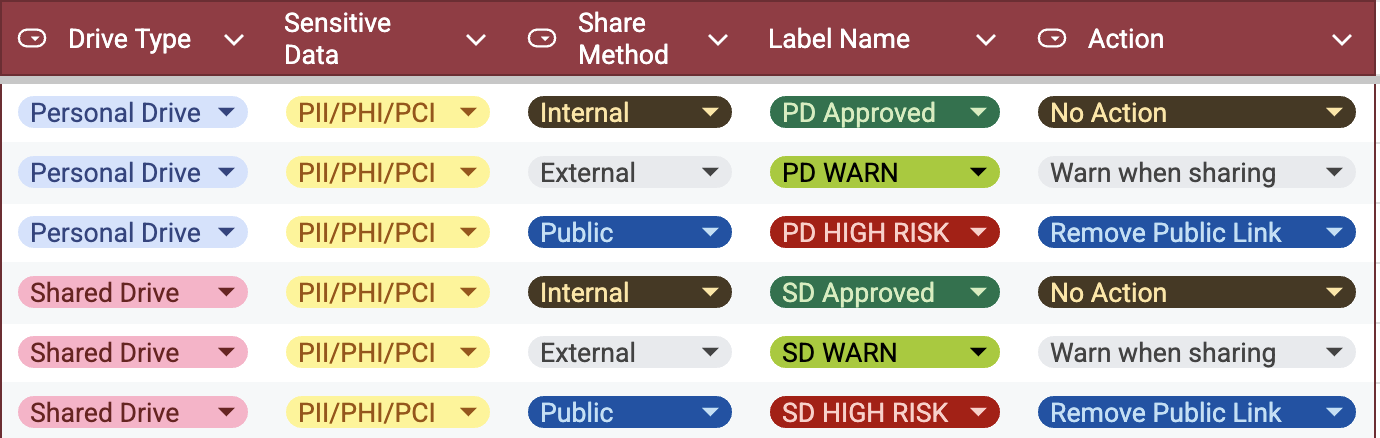
Labeling PCI is more than tagging a file—it establishes a full governance workflow. Once PCI is labeled, organizations can:
Track where PCI exists across libraries
Apply retention policies
Enforce access restrictions
Prevent external sharing
Trigger alerts or remediation
Support PCI DSS audits
Apply downstream DLP rules
SharePoint’s built-in labels cannot be applied accurately without automated detection.
Strac’s classification engine provides:
Automatic PCI labeling
Policy-driven sensitivity tagging
Metadata enrichment for audits
Continuous monitoring and relabeling
Integration with Microsoft Purview sensitivity labels
Library-level and tenant-wide visibility
Labels that trigger redaction, blocking, deletion, or alerting
Strac Labeling in SharePoint
How to Automatically Label (PCI) Credit Card Numbers in SharePoint with Strac
Strac scans SharePoint libraries and synced OneDrive folders in real time and applies PCI labels instantly. This gives organizations consistent classification across all content types without manual work.
How Strac labeling works:
Scans documents, PDFs, images, and spreadsheets
Detects PCI using AI + OCR
Applies PCI classification tags automatically
Updates metadata and audit logs
Supports custom labels for different PCI categories
Relabels files if new PCI is added
Works across all SharePoint sites, libraries, and folders
Deploys without agents or complex setup
Organizations can choose:
PCI label only
PCI + sensitivity label
PCI label + auto-remediation
PCI label + workflow automation (ex: block or alert)
Real Examples of (PCI) Credit Card Numbers Labeling in SharePoint
Example 1 — Payment PDF uploaded with card number Strac detects the PAN and applies the “PCI – High Sensitivity” label.
Example 2 — CSV export with bank data File automatically receives a PCI classification tag.
Example 3 — Scanned authorization form OCR identifies PCI and applies a secure label.
Example 4 — Mixed folder containing various documents Strac labels each file individually based on actual content.
Every classification is logged for audit readiness.
Why Strac Is the Best Way to Label (PCI) Credit Card Numbers in SharePoint
Automated PCI discovery + classification
Works across SharePoint + OneDrive seamlessly
OCR + AI for images, scans, PDFs, and spreadsheets
PCI, PII, PHI, secrets, and financial identifiers supported
Real-time + historical scanning
Compatible with Microsoft Purview sensitivity labels
Zero-agent deployment
Full audit logs for PCI DSS
🌶️Spicy FAQs on How to Label (PCI) Credit Card Numbers in SharePoint
Does SharePoint automatically label PCI data?
No. SharePoint cannot detect or classify credit card or bank account numbers.
Can Strac label PCI inside images and scanned documents?
Yes. OCR extracts PCI and applies labels automatically.
Can Strac integrate with Microsoft Purview sensitivity labels?
Yes. Strac can trigger Purview labels based on PCI detection.
Does labeling also allow automated remediation?
Yes. Labels can trigger redaction, blocking, deletion, or alerts.
Does Strac classify historical PCI in existing libraries?
Yes. Strac scans and labels historical content across all sites.
Strac helps you automatically detect, classify, and label credit card numbers and bank account information across SharePoint libraries, folders, and synced OneDrive content—ensuring PCI everywhere is identified and governed properly.
Discover & Protect Data on SaaS, AI, MCP, Endpoints & Cloud
Strac provides end-to-end data loss prevention for all SaaS and Cloud apps. Integrate in under 10 minutes and experience the benefits of live DLP scanning, live redaction, and a fortified SaaS environment.


.avif)


.gif)


.webp)








