August 21, 2026

5
min read
Is Asana HIPAA Compliant?
Is Asana HIPAA compliant? No — Asana does not sign a BAA, so it is not HIPAA compliant. Keep PHI out of it. See BAA status, where PHI ends up, the AI/MCP gap, and how Strac protects it.
Yes, conditionally. Asana signs a BAA, but only on the Enterprise+ tier and only after a super admin explicitly turns on HIPAA mode in the admin console. Even then, third-party integrations and the AI features that depend on them fall outside the BAA, and Asana must never be used as an EHR. HIPAA compliance is never automatic — it depends on a signed Business Associate Agreement with the vendor plus how you configure and use the tool. Below is exactly where Asana stands, where PHI ends up, the AI/MCP gap most teams miss, and how to close it. Verified August 2026.
Asana “supports regulated healthcare use cases for eligible Enterprise customers that execute a Business Associate Agreement.” A super admin agrees to the Business Associate Addendum in the admin console and HIPAA compliance activates across the domain in ~24 hours — it is never on by default. Legacy Enterprise customers must move to Enterprise+ to enable it.
| Product / surface | PHI status |
|---|---|
| ✅ Core work-management platform | Once HIPAA mode is activated domain-wide — tasks, projects, and workflows, backed by SOC 2 + HIPAA and ISO 27701 audits |
| ❌ Third-party integrations | Provided by external vendors and not covered by Asana’s BAA |
| ❌ AI features that rely on those integrations | Fall outside BAA coverage |
| ❌ EHR-style storage | Do not store patient charts, lab reports, medication lists, or detailed clinical notes |
Source: Asana HIPAA compliance. Vendor terms change — reconfirm your plan’s eligibility in writing before sending PHI.
Even teams that never intend to handle PHI accumulate it in Asana. The common places it lands:
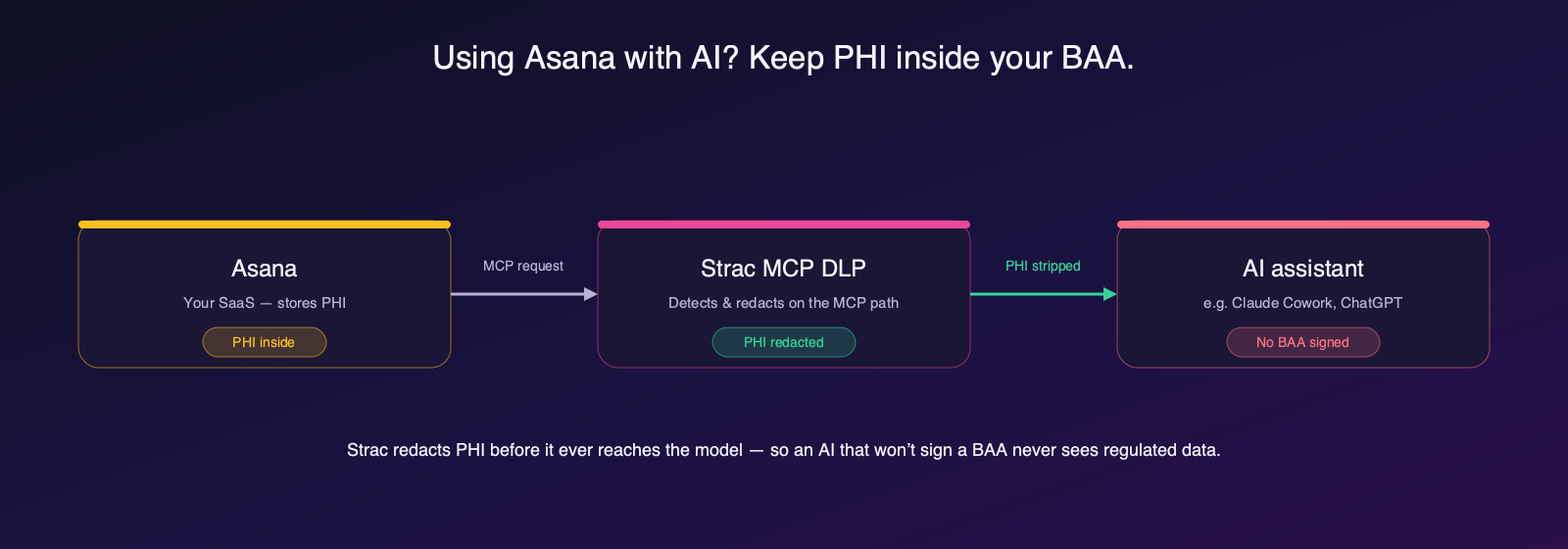
Asana’s official MCP Server v2 (launched Feb 2026 at mcp.asana.com/v2/mcp) exposes ~42 tools — create, update, search tasks and query the Work Graph in natural language — to allowlisted AI clients, and native Asana AI adds smart summaries. Both can move task content, including PHI, to an external LLM — and these are exactly the paths Asana’s BAA does not reliably cover.
A BAA exists only on Enterprise+ and only after a super admin activates HIPAA mode — and it covers the core platform, not third-party integrations or the AI/MCP features that depend on them. This is the leak path traditional HIPAA controls were never designed to see: the data does not breach outward, it is pulled inward by an AI agent on a legitimate, authenticated tool call. Read more on MCP data loss prevention and MCP DLP.
A BAA is a contract — it makes the vendor liable for the data it holds. It does not inspect your data, and it does not follow PHI into the AI features, integrations, or exports that sit outside its scope. Whether or not Asana signs one, three gaps remain: PHI a user pastes or uploads where it should not go; PHI an AI agent pulls out over MCP; and PHI already sitting in Asana that no one has found. Closing them needs data-layer DLP, not just paperwork.
Strac closes the exact gaps a Asana BAA leaves open, across every surface PHI can move:

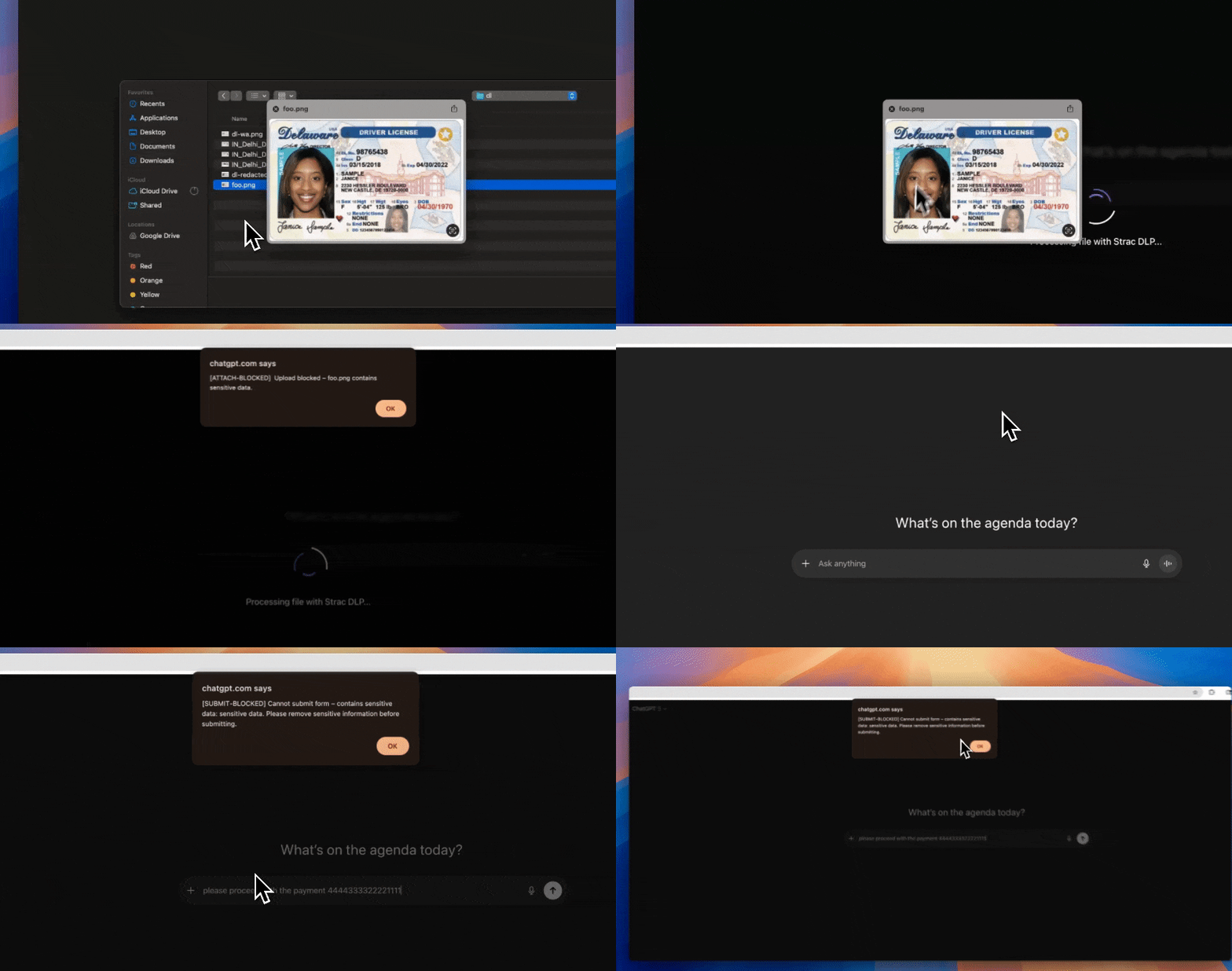
Detection alone does not stop a HIPAA violation — remediation does. Strac does not just alert; it acts the moment PHI appears:

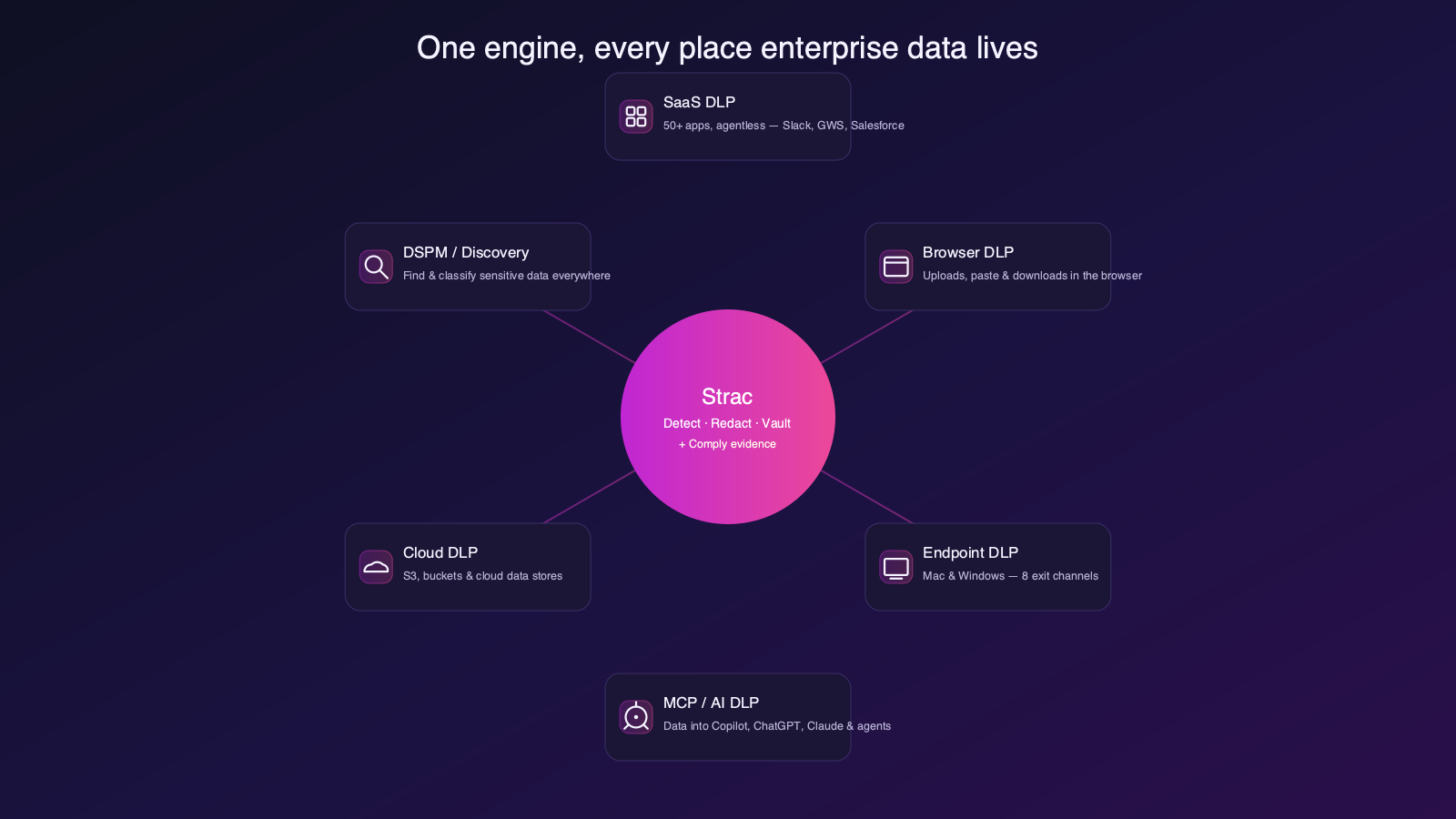
PHI does not stay inside Asana. It flows into email, chat, cloud storage, GenAI tools, and AI agents — so point fixes leave gaps. Strac is one agentless-plus-endpoint platform covering SaaS, cloud, browser, GenAI, endpoint, and MCP under a single policy and classifier, live in minutes.
| Question | Answer |
|---|---|
| Does Asana sign a BAA? | Yes — eligible plans, executed BAA required |
| Is the AI / MCP layer covered? | No — outside the BAA; the main leak path |
| Can PHI be used safely? | Yes, on an eligible plan with a BAA plus data-layer controls |
| What closes the gap? | Strac MCP + Browser + Endpoint DLP and DSPM |
No tool is. You must be on an eligible plan, execute the BAA, and configure controls before PHI.
No. That is the single most common misread — the AI/MCP layer sits outside the core BAA and is the most likely place PHI leaks to a model.
Yes. Asana’s official MCP server lets an agent read data on an authenticated tool call. Strac redacts PHI on that path before the agent sees it.
No. A BAA assigns liability; it does not inspect your data or follow PHI into AI, integrations, or exports. You still need data-layer DLP.
Strac layers on without slowing Asana down — redacting PHI at the MCP layer, blocking it in the browser and on the endpoint, and finding PHI already stored via DSPM.
Asana can be used with PHI on an eligible plan with a signed BAA — but the BAA stops at the core workflow, while the AI/MCP layer keeps moving PHI. Strac closes the gap on every surface — redacting PHI at the MCP layer, blocking it in the browser and on the endpoint, and finding what is already stored. Book a demo to see it on Asana.
.avif)


.gif)


.webp)