August 10, 2026

5
min read
How to Redact PII in Salesforce Automatically
Learn how to automatically redact personally identifiable information (PII) in Salesforce Cases, Email-to-Case, Chats, and Files using Strac’s real-time Salesforce DLP.
Salesforce is the core system for customer communication; and customers share personal data naturally when opening cases. They enter emails, phone numbers, addresses, and identification information inside messages. Salesforce cannot detect or redact this content. This creates exposure under GDPR and CPRA since personal data must be minimized and protected by design.
Strac solves this by automatically redacting PII inside Salesforce messages, comments, files, and chat transcripts.
Salesforce receives large amounts of unstructured content from customers and internal users; but the platform does not include real-time PII redaction, OCR, or automated masking. PII can sit inside Cases for months and get copied into exports, integrations, or reporting tools.
Salesforce lacks:
• Automatic PII redaction;
• OCR scanning for PII inside PDFs and screenshots;
• Context-aware classification;
• Redaction workflows for Case messages;
• Historical cleanup of personal data;
• GDPR or CPRA aligned controls.
Strac adds the missing layer of inline redaction across all customer-facing and internal Salesforce data flows.
PII appears throughout Salesforce from both customers and internal systems; therefore redaction must detect structured and unstructured personal data.
Common PII in Salesforce:
• Full names and email addresses;
• Phone numbers and contact details;
• Home or mailing addresses;
• National IDs or customer numbers;
• Birthdates or demographic data;
• Employment or onboarding data;
• Screenshots containing personal information;
• URLs or forms with embedded personal data.
Strac detects PII using:
• AI models trained on personal data patterns;
• OCR for images and PDFs;
• Contextual markers such as “address,” “email,” “phone,” “SSN,” “customer information” to reduce false positives.
Redaction masks the sensitive part of the message or file and preserves the rest; which keeps the Case workflow uninterrupted while making the record compliant.
Example:
“Customer email: sarah.wilson@example.com”
→ “Customer email: ******@example.com”
Redaction supports:
• GDPR’s principle of data minimization;
• CPRA’s protections for Sensitive Personal Information;
• Secure case management;
• Compliance-friendly audit logs.
Strac redacts PII in:
• Cases
• Case Comments
• Email-to-Case messages
• Live Chat and Messaging
• Salesforce Files (PDF, PNG, JPG, DOCX)
• API-inserted objects and attachments

Example 1 — Email-to-Case
A customer sends their phone number and address.
Strac redacts it instantly before it is stored.
Example 2 — Case Comments
Agents paste customer profiles or emails.
Strac masks them at the moment of submission.
Example 3 — Uploaded Documents
PDF forms with personal data are redacted using OCR.
Example 4 — Live Chat
Customers provide email or ID information.
Strac redacts PII before agents read the message.
Example 5 — API workflows
Third-party integrations push customer PII.
Strac redacts or deletes it automatically.
Modern Salesforce environments move sensitive customer data across cases, attachments, APIs, AI copilots, support workflows, and third-party integrations constantly. Most native Salesforce controls were not designed for continuous real-time remediation across all of these surfaces. That’s where Strac fits.
Strac delivers unified DSPM + DLP for Salesforce with real-time remediation across customer records, support tickets, attachments, email-to-case workflows, AI interactions, and connected SaaS environments. Unlike legacy DLP tools that focus heavily on alerts, Strac focuses on identifying, classifying, and automatically remediating sensitive data where it actually appears.
Strac offers:
• Real-time redaction, masking, blocking, and remediation inside Salesforce workflows;
• AI-powered ML + OCR detection for structured data, unstructured text, screenshots, PDFs, and attachments;
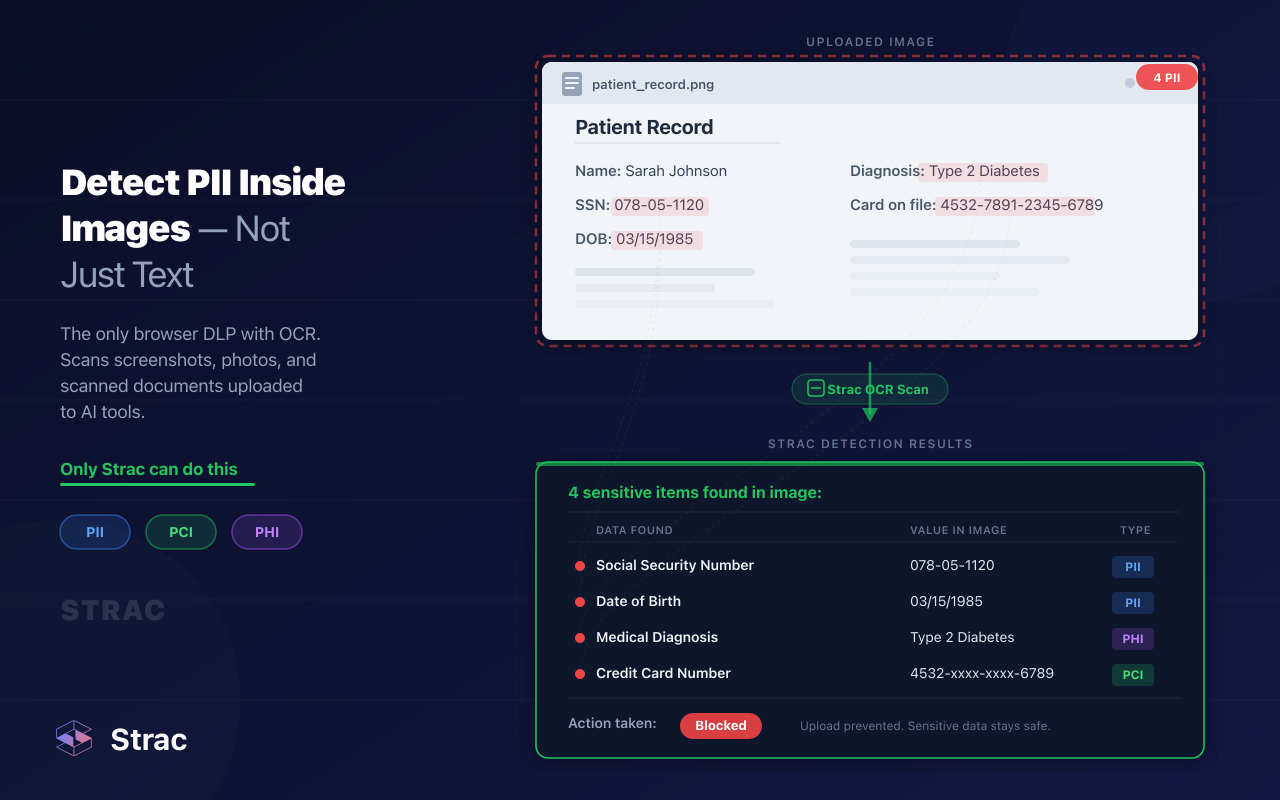
• Built-in coverage for PII, PCI, PHI, secrets, credentials, and financial data;
• Historical + real-time scanning across Salesforce records and legacy data;

• Context-aware classification with reduced false positives and less alert fatigue;
• Agentless deployment with fast onboarding and minimal operational overhead;
• Unified DSPM + DLP visibility across Salesforce, Slack, Google Workspace, Zendesk, cloud storage, endpoints, and GenAI environments;
• Support for modern AI workflows including GenAI prompt and response protection;
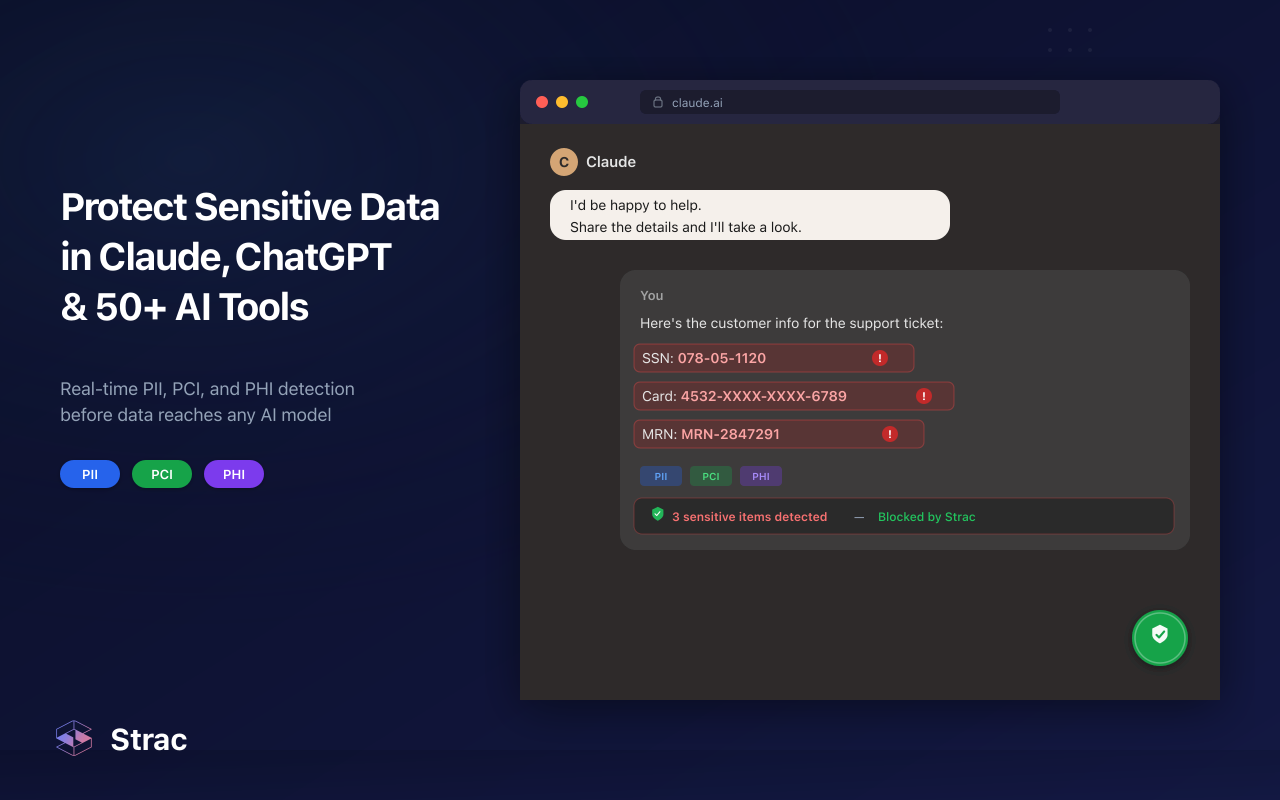
• Automated remediation actions like redaction, access revocation, quarantine, deletion, and policy enforcement.

What makes Strac especially different in Salesforce is that it does not stop at detection. It actively helps security and compliance teams reduce exposure in real time across the places sensitive customer data actually spreads in modern SaaS environments.
No; Salesforce does not offer automatic PII redaction.
Yes; OCR supports all formats including PDFs and images.
Yes; redaction reduces exposure and aligns with regulatory requirements.
Yes; redaction works across all customer messaging channels.
Yes; historical scanning is fully supported
Strac redacts personal data automatically inside Salesforce; enabling safe case handling and GDPR/CPRA compliance.
.avif)


.gif)


.webp)