Protecting Your Data: DLP Incident Response and Prevention
Learn how DLP incident response helps organizations detect and contain sensitive data exposure, and how Strac automates protection across SaaS, cloud, endpoints, and AI.
· Organizations should prioritize solutions thatdiscover sensitive data, classify it accurately, and remediate risksautomatically.
· Straccombines DSPM and DLP to discover, classify, monitor, and remediate sensitivedata across SaaS, cloud, endpoints, browsers, and AI applications from a singleplatform.
That's why DLP incident response is no longer just about investigating a breach after it happens. Modern organizations need the ability to detect, contain, remediate, and prevent incidents in real time before sensitive data spreads across their environment.
What Is DLP Incident Response?
DLP incident response is the process of identifying, investigating, containing, and resolving incidents where sensitive data has been exposed, shared, or accessed in violation of company policies.
The goal isn't simply to alert security teams that something happened. A modern incident response process should answer questions like:
What sensitive data was exposed?
Where did the incident occur?
Who accessed or shared the data?
How can the exposure be contained immediately?
What changes will prevent it from happening again?
The faster these questions are answered, the lower the business impact.
🎥 Why DLP Incident Response Matters More Than Ever
Continuously improve security policies using insights from previous incidents.
Rather than reacting after a breach has already caused damage, modern DLP platforms help security teams contain incidents while they are still unfolding.
Common Causes of DLP Incidents
Most organizations don't experience data loss because attackers bypass sophisticated security controls. Instead, incidents often stem from everyday business activities.
Some of the most common causes include:
Human Error
Employees accidentally share files publicly, email confidential information to the wrong recipient, or upload sensitive documents to unauthorized SaaS applications.
Shadow AI
Employees increasingly paste customer records, source code, financial information, or proprietary business data into AI assistants without realizing the security implications.
Misconfigured Cloud Storage
Incorrect permissions on cloud storage platforms can unintentionally expose sensitive documents to internal users or the public.
Insider Threats
Current or former employees may intentionally copy, download, or share confidential business information.
Third-Party Applications
Business-critical SaaS applications often process sensitive information but lack built-in controls to automatically detect and remediate exposed data.
As organizations adopt more SaaS applications and AI tools, these risks continue to grow, making fast and automated incident response an essential part of any modern data security strategy.
What an Effective DLP Incident Response Process Looks Like
Responding quickly is only part of the equation. The most effective organizations follow a repeatable process that identifies the scope of an incident, limits further exposure, and prevents similar incidents from happening again.
Detect the Incident
The first step is identifying that sensitive data has been exposed. Modern DLP solutions continuously monitor SaaS applications, cloud storage, endpoints, browsers, and AI tools to detect policy violations as they happen instead of relying on employees to report them.
Assess the Risk
Not every incident carries the same level of risk. Security teams should determine:
What type of sensitive data was involved?
How much data was exposed?
Who had access to it?
Does the incident trigger compliance obligations?
Prioritizing incidents based on business impact allows teams to focus on the highest-risk events first.
Contain the Exposure
Once an incident is confirmed, the priority shifts to preventing additional data loss. Depending on the situation, this may include:
Revoking file sharing permissions
Blocking unauthorized transfers
Redacting sensitive information
Quarantining files
Encrypting exposed data
Disabling compromised accounts
The faster containment happens, the lower the potential damage.
Investigate the Root Cause
Understanding how an incident occurred is just as important as resolving it. Security teams should identify whether the incident resulted from human error, misconfigured permissions, insider activity, compromised credentials, or an external attack.
These findings help strengthen future security policies.
Recover and Improve
After remediation, organizations should document the incident, update security controls, and refine DLP policies based on what was learned. Every incident is an opportunity to reduce future risk.
Common DLP Incident Response Mistakes
Even organizations with mature security programs make avoidable mistakes.
Focusing Only on Alerts
Receiving an alert isn't the same as resolving an incident. Detection should be paired with automated remediation to reduce risk immediately.
Ignoring SaaS and AI Workflows
Many organizations still focus primarily on email and endpoints while overlooking cloud collaboration tools and AI applications where sensitive data is now routinely shared.
Using Static Detection Rules
Traditional regex-based detection often generates excessive false positives while missing context. Content-aware detection powered by machine learning delivers more accurate results and reduces alert fatigue.
Waiting for Manual Investigations
Every minute counts during a data exposure event. Automated workflows dramatically reduce response times and limit the impact of incidents.
How Modern DLP Platforms Help Prevent Incidents
The best incident response is preventing incidents from happening in the first place.
Modern platforms combine Data Security Posture Management (DSPM) with Data Loss Prevention (DLP) to continuously discover, classify, monitor, and protect sensitive information across the entire data lifecycle.
Instead of simply generating alerts, they can automatically remediate policy violations through inline actions such as redacting sensitive information, masking confidential data, blocking unauthorized sharing, quarantining files, encrypting content, or deleting exposed data when appropriate.
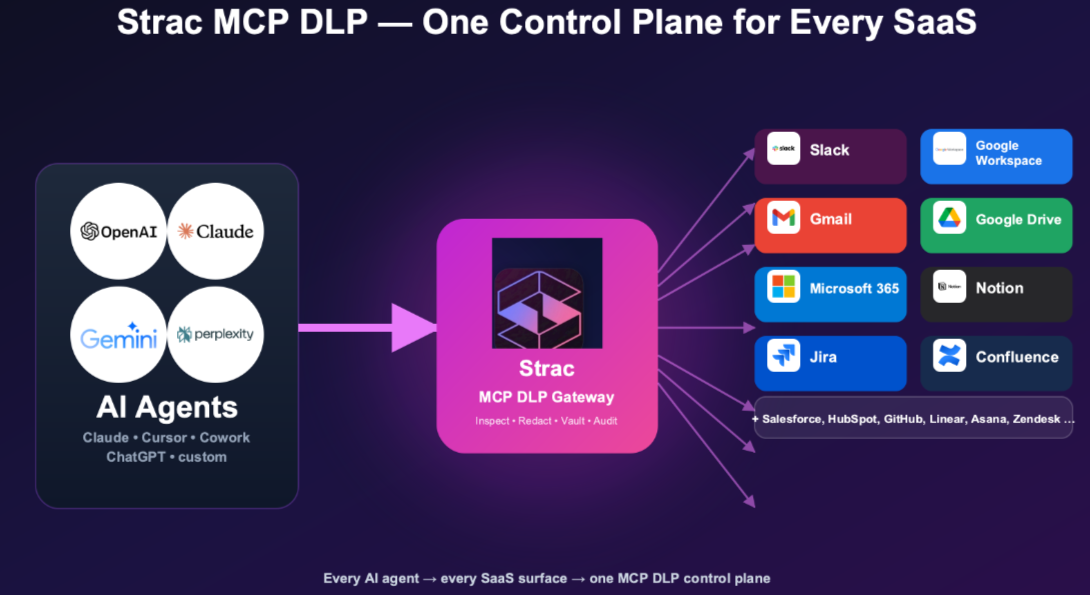
Platforms like Strac extend these protections across SaaS applications, cloud storage, endpoints, browsers, APIs, and GenAI applications from a single platform. This gives security teams complete visibility into where sensitive data lives while dramatically reducing the time required to detect and contain potential incidents.
Strac discovers and classifies sensitive data wherever it lives, including Slack, Microsoft 365, Google Workspace, Salesforce, Zendesk, Box, Snowflake, endpoints, and GenAI tools.
This gives security teams a clear view of what data they have, where it is stored, and where it may be exposed.
Detect More Than Simple Patterns
Traditional DLP often relies on regex and generates too many false alerts.
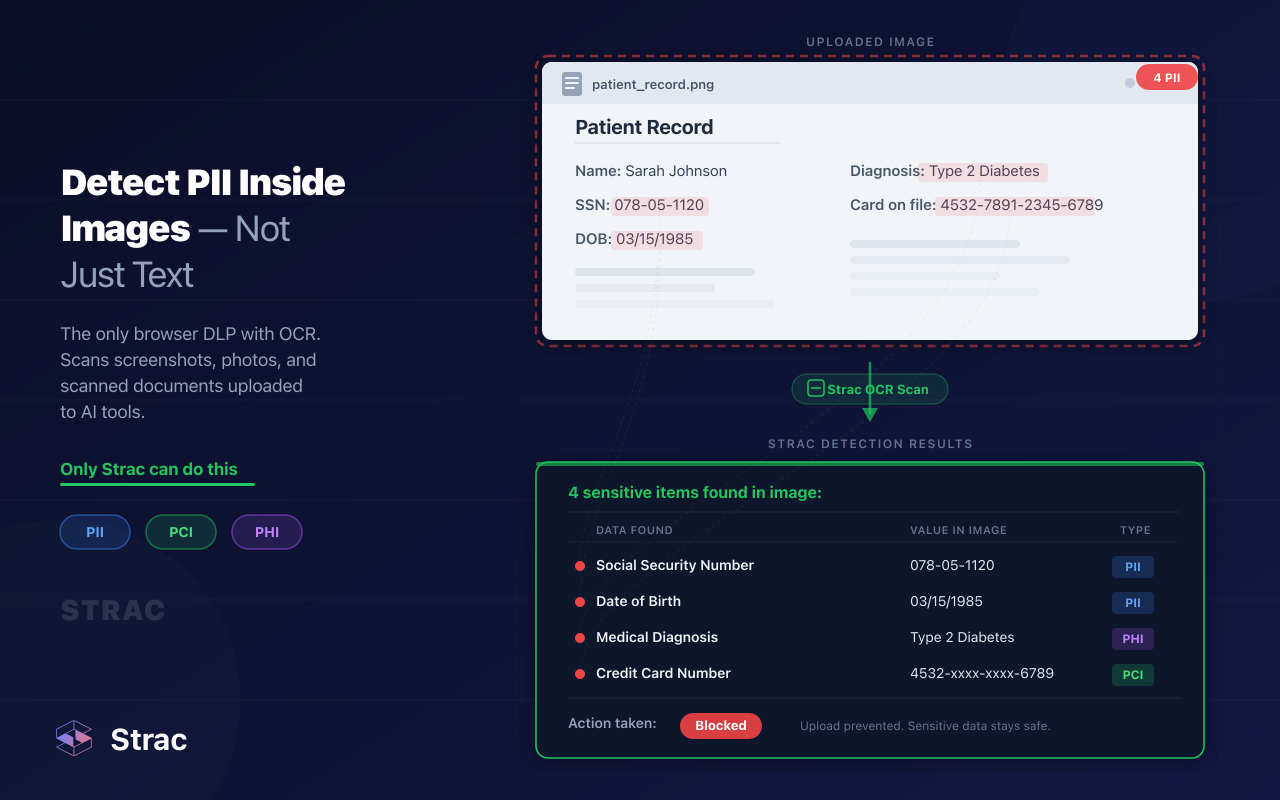
Strac uses machine learning, OCR, and content-aware detection to find PII, PHI, PCI data, credentials, secrets, source code, and other sensitive content across documents, images, attachments, and conversations.
Remediate Risk Automatically
Strac does not stop at detection. It can automatically:
Redact or mask sensitive data
Block unauthorized sharing
Quarantine risky files
Encrypt exposed content
Delete data when required
This reduces manual work and helps security teams contain incidents faster.
Protect SaaS and AI Workflows
Sensitive data now moves through far more than email.
Strac protects data across collaboration tools, cloud platforms, customer support systems, browsers, endpoints, and AI tools such as ChatGPT, Claude, Gemini, and Microsoft Copilot.
Deploy Without Heavy Setup
Strac is agentless across many SaaS and cloud environments. Teams can deploy it quickly without months of configuration or added endpoint overhead.
DLP incident response is the process of detecting, investigating, containing, and resolving sensitive data exposure.
What causes most DLP incidents?
Common causes include employee mistakes, incorrect permissions, insider threats, compromised accounts, shadow SaaS, and sensitive data shared with AI tools.
What should a modern DLP platform include?
It should offer data discovery, classification, continuous monitoring, automated remediation, reporting, and protection across SaaS, cloud, endpoints, browsers, APIs, and AI.
How does automated remediation help?
It can immediately redact, block, mask, encrypt, quarantine, or delete exposed data. This reduces response time and limits damage.
How does Strac improve incident response?
Strac combines DSPM and DLP to discover, monitor, and remediate sensitive data across modern business systems. Its content-aware detection and automated actions help teams resolve incidents faster.
Discover & Protect Data on SaaS, AI, MCP, Endpoints & Cloud
Strac provides end-to-end data loss prevention for all SaaS and Cloud apps. Integrate in under 10 minutes and experience the benefits of live DLP scanning, live redaction, and a fortified SaaS environment.


.webp)










.avif)


.gif)
