Slack Discovery API: The Complete 2026 Guide to E-Discovery, DLP, and Compliance
What the Slack Discovery API is, who can access it, what it does, and how security and compliance teams use it for real-time DLP, e-discovery, legal hold, and audit-ready evidence on Slack Enterprise Grid.
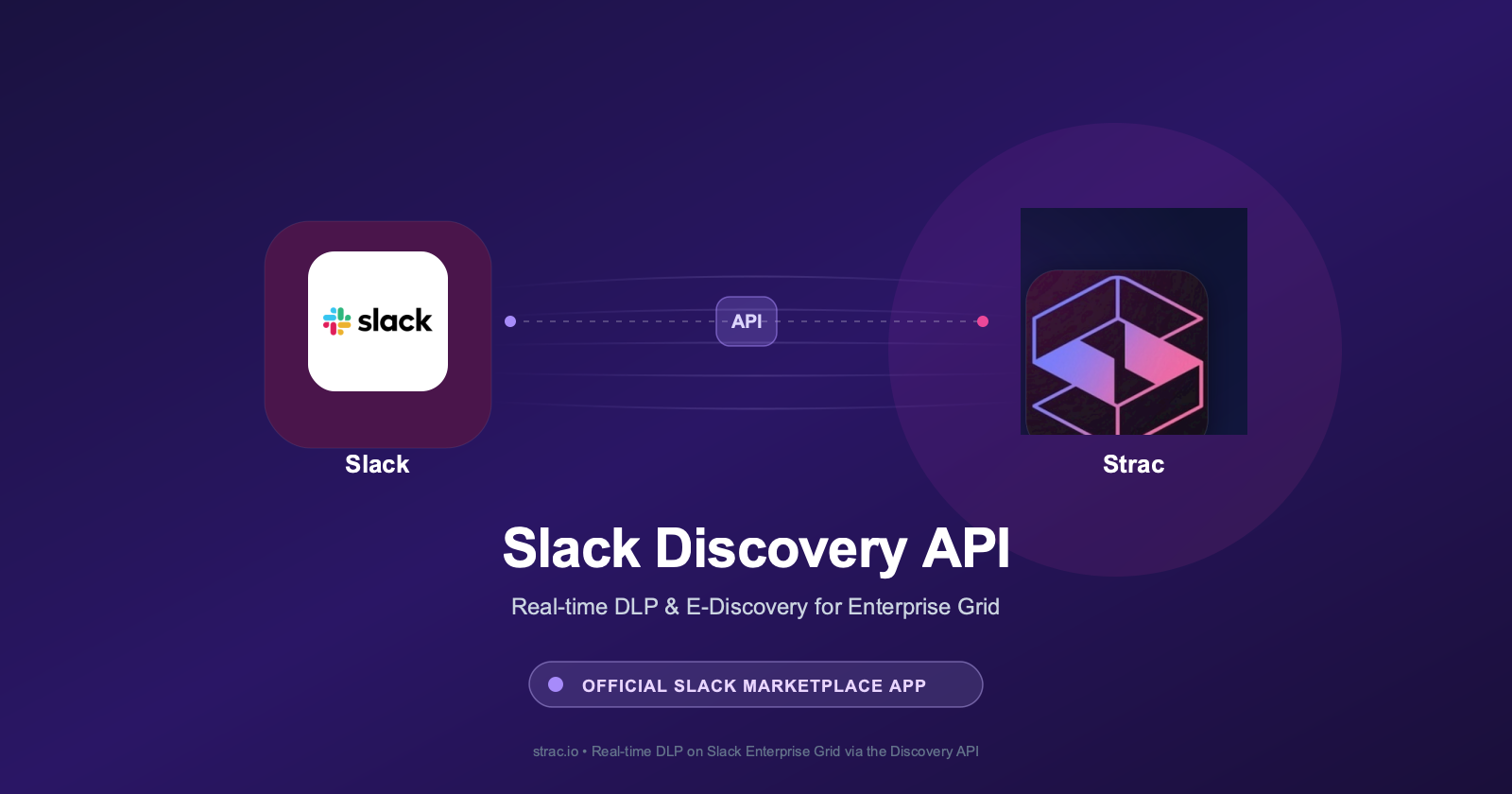
The Slack Discovery API is the gold-standard interface for DLP, security, and content governance on Slack Enterprise Grid. It streams every message, file, edit, and reaction across every workspace, channel, DM, and Slack Connect conversation — and lets approved partners take remediation actions like redaction, tombstoning, and deletion. Strac is an officially listed Slack Marketplace app that uses the Discovery API to deliver real-time data loss prevention, historical content scans, and audit-ready DLP evidence across every Slack surface.
✨ What is the Slack Discovery API?
The Slack Discovery API is a Slack-provided HTTP API for approved partners that perform e-discovery, data loss prevention, compliance archiving, and information governance for organizations on the Slack Enterprise Grid plan.
Unlike standard Slack Web API tokens — which are scoped to a single workspace and rely on user OAuth grants — the Discovery API operates at the Org level. A single Discovery integration sees every message, file, channel, DM, group DM, and Slack Connect conversation across every workspace in the Enterprise Grid, without requiring any per-workspace install.
It is built for two distinct use cases:
Information governance and e-discovery — legal teams need to search, hold, and export Slack content for litigation, regulatory inquiries, or internal investigations.
Real-time data loss prevention — security teams need to detect sensitive data (PII, PHI, PCI, credentials, source code) as it enters Slack and take action before it spreads.
Both use cases share the same plumbing — a real-time event stream, content retrieval endpoints, and a small set of mutation endpoints (tombstone, edit, delete) that let approved partners take remediation action.
Strac redacting a driver's license shared inside a Slack message in real time — image OCR, PII, PHI, PCI, and secrets all covered across every channel and DM.
Who can access the Slack Discovery API?
Access is restricted in two ways:
Restriction
Detail
Slack plan
Discovery API is available only on Slack Enterprise Grid. Free, Pro, and Business+ plans do not support it.
App approval
The Discovery scope is gated. Apps must be reviewed and approved by Slack to request it, and the app must be installed by an Org Owner / Admin with explicit grant.
In practice this means there is a short list of approved Discovery partners — primarily DLP vendors, e-discovery archives, and compliance archiving products. Strac DLP Enterprise is one of them, and is listed on the Slack Marketplace alongside other vetted partners.
This gating is intentional. The Discovery scope is one of the most powerful in Slack's permission model — an approved app sees content in private channels, DMs, and Slack Connect rooms that no individual user could ever see in a single workspace. Slack runs the apps through security review, vulnerability disclosure requirements, and a documented data-handling audit before approving the scope.
✨ What the Discovery API exposes
The Discovery API is organized around three primitives:
1. The events stream — discovery.enterprise.info and the events feed
User events — user_added_to_workspace, user_left_workspace, user_role_changed
Each event carries a tenancy stamp (which workspace, which channel) plus enough identifiers to retrieve the full content body via the content endpoints.
Lookup endpoints for the full body of a message, the binary of a file, or the metadata of a channel. Used both in real-time (when an event fires, fetch the message body to scan it) and historically (to backfill old conversations into an archive or to retroactively apply a new DLP policy).
This is what differentiates Discovery from a passive archive. Approved partners can:
Tombstone a message — replace its content in-place with a "this message has been redacted by your DLP policy" placeholder
Edit a message — selectively redact a credit card number while leaving the surrounding sentence
Delete a message — for the most sensitive policy violations
Restore a tombstoned message — if the redaction was a false positive, the original content can be restored within the retention window
This is the difference between a tool that watches and a tool that protects.
✨ Discovery API vs. standard Slack Web API
Most Slack apps you see on the Marketplace use the standard Web API (chat.postMessage, conversations.history, etc.) with user or bot OAuth scopes. Those apps work fine for productivity use cases but break down for DLP and e-discovery for three reasons:
Capability
Standard Web API
Discovery API
Scope
Single workspace; per-install OAuth
Entire Enterprise Grid org; single install
Private channels and DMs
Only if the bot or user is a member
All conversations, even those the bot isn't in
Real-time across every channel
Limited by rate limits and event subscriptions
Streaming feed designed for full-org scale
Mutation (redact, tombstone)
Limited to messages the app posted
All messages anywhere in the org
Audit posture
Per-app, no org-level guarantee
Approved, scoped, audited by Slack
If you've evaluated a Slack DLP tool that only supports Pro or Business+ plans, it is almost certainly built on the standard Web API. That approach cannot give you Enterprise Grid-wide visibility or org-wide remediation.
✨ Build vs. buy: should I write my own Discovery integration?
Some security engineering teams ask whether they should build their own DLP on top of the Discovery API rather than buy a vendor. The trade-off is steeper than it looks.
In practice, most teams that start a build pivot to buy after the second quarter, because the detection layer is the hard part — not the API plumbing.
✨ 🎥 How Strac uses the Slack Discovery API
Strac DLP Enterprise is an officially listed Slack Marketplace app that uses the Discovery API to deliver:
Real-time detection across every Slack surface
Every message and file event from Discovery is run through Strac's detection layer in milliseconds:
100+ sensitive data types — PII (SSN, passport, DL, DOB), PHI (medical records, ICD-10 codes), PCI (credit cards, bank accounts), API secrets, source code, and custom patterns
OCR on images, screenshots, PDFs, DOCX, XLSX — sensitive data in a screenshot of an order confirmation gets detected the same as data in plain text
Custom detectors — your internal employee ID format, customer numbers, contract IDs
Strac's detection layer catches sensitive content the moment it's posted — credit card numbers, SSNs, ID images via OCR, and PHI — and applies the policy-defined action (redact, tombstone, quarantine, or alert).
Automated remediation
When a violation is detected, Strac takes action:
Redact — replace just the sensitive substring (the credit card number), leave the rest of the message intact
Tombstone — full message redaction with a "redacted by Strac" placeholder
Quarantine to Vault — move sensitive files into Strac's authorized-access vault, leaving a link for approved users only
Alert — push to SIEM (Splunk, Datadog, Sumo, custom webhook) and / or notify the sender via DM
Historical scans and policy backfill
Roll out a new policy ("no PCI data in Slack") and Strac uses Discovery's content endpoints to replay the message archive and apply the new policy to historical content — without disrupting live conversations.
Legal hold and e-discovery export
When legal teams need to preserve and export content for litigation or regulatory request, Strac uses Discovery to lock the targeted content from deletion and produce defensible exports in the format the auditor or court needs.
Audit-ready DLP evidence
Strac generates its own tamper-evident DLP event log — every detection, every remediation action, every policy decision — mapped to SOC 2 (CC6.x), HIPAA (Security Rule), PCI DSS (Req 10), ISO 27001 (A.12.4), GDPR (Art. 32), and NIST AI RMF. Auditors get a timestamped record of every sensitive-data event Strac handled in Slack, without screenshots or spreadsheet exports.
Cross-surface DLP — Slack is one of many
Slack is one of 50+ data sources Strac protects. The same detection engine, vault, and evidence pack also cover Google Workspace, Microsoft 365, Salesforce, Zendesk, SharePoint, OneDrive, Notion, Jira, Intercom, GitHub, AWS S3, Azure, GCP, and every major SaaS in the enterprise stack. See the full integration catalog.
✨ Comparison: Slack native DLP vs. Discovery-based DLP vs. browser/network DLP
Capability
Slack native DLP (Enterprise Grid only)
Browser/network DLP (proxy or extension)
Discovery-based DLP (Strac)
Coverage
Enterprise Grid only; limited file types
Browser-only; misses mobile and native apps
Every Slack plan; every device
OCR on images, PDFs, DOCX
No
Limited
Yes
Inline redaction (preserve message context)
No
No
Yes
Tombstone + restore
No
No
Yes
Slack Connect coverage
Partial
No (external user's browser)
Yes
Historical policy backfill
No
No
Yes
Audit-ready DLP evidence
No
Per-vendor
Mapped to SOC 2 / HIPAA / PCI / ISO / GDPR / CCPA / NIST AI RMF
Deployment
Native
Proxy + cert deployment
OAuth in under 10 minutes
🌶️ Spicy FAQs for Slack Discovery API
Is the Slack Discovery API public?
The API documentation is public on api.slack.com, but the scope is gated. To call the Discovery endpoints in production, your app needs to be approved by Slack for the discovery:read and discovery:write scopes, and the customer's Org Owner has to install the app with explicit grant on Enterprise Grid.
Can Strac use Discovery API on my Pro or Business+ Slack plan?
The Discovery API itself is Enterprise Grid only — that's a Slack constraint, not a Strac constraint. Strac DLP also works on Free, Pro, and Business+ plans via Slack's standard Web API and event subscriptions; you get most of the detection and remediation, with some Enterprise-Grid-only features (org-wide install, all-channels coverage including DMs you're not a member of) unavailable until you upgrade.
Does Strac store my Slack messages?
Only the parts your policy requires. By default, Strac stores violation events (the message ID, the detected pattern type, the redacted version) plus what's needed for audit evidence. Original message content is not retained unless your policy explicitly opts in (for example, for legal hold). All storage is AES-256 at rest, TLS 1.2+ in transit, hosted in AWS, and isolated per tenant.
Can I use Strac for e-discovery, not just DLP?
Yes. Strac supports legal hold, defensible export, and chain-of-custody documentation for litigation and regulatory inquiries. The same Discovery API that powers Strac's real-time DLP also powers e-discovery exports.
How long does it take to install Strac?
OAuth-based install in under 10 minutes. No proxy, no TLS interception, no certificate deployment. The Strac team handles the Slack Org Owner install conversation if you need an introduction.
Is Strac an approved Slack partner?
Yes. Strac DLP Enterprise is officially listed on the Slack Marketplace, which means the app has passed Slack's security review, scope justification, and vulnerability disclosure requirements.
What does Strac cost for Slack?
Strac's pricing depends on three things: the surfaces you protect (Slack only vs. Slack + Google Workspace + others), the integrations you connect (see the full integration list), and your employee headcount band. The fastest way to get a quote is to book a 30-minute call — we send a written quote within 24 hours.
Can I see a demo before committing?
Yes. A 30-minute live demo on your own Slack workspace is the fastest way to see Strac in action. Book a demo.
The API documentation is public on api.slack.com, but the scope is gated. To call the Discovery endpoints in production, your app needs to be approved by Slack for the discovery:read and discovery:write scopes, and the customer's Org Owner has to install the app with explicit grant on Enterprise Grid.
Can Strac use Discovery API on my Pro or Business+ Slack plan?
The Discovery API itself is Enterprise Grid only — that's a Slack constraint, not a Strac constraint. Strac DLP also works on Free, Pro, and Business+ plans via Slack's standard Web API and event subscriptions; you get most of the detection and remediation, with some Enterprise-Grid-only features (org-wide install, all-channels coverage including DMs you're not a member of) unavailable until you upgrade.
Does Strac store my Slack messages?
Only the parts your policy requires. By default, Strac stores violation events (the message ID, the detected pattern type, the redacted version) plus what's needed for audit evidence. Original message content is not retained unless your policy explicitly opts in (for example, for legal hold). All storage is AES-256 at rest, TLS 1.2+ in transit, hosted in AWS, and isolated per tenant.
Can I use Strac for e-discovery, not just DLP?
Yes. Strac supports legal hold, defensible export, and chain-of-custody documentation for litigation and regulatory inquiries. The same Discovery API that powers Strac's real-time DLP also powers e-discovery exports.
How long does it take to install Strac?
OAuth-based install in under 10 minutes. No proxy, no TLS interception, no certificate deployment. The Strac team handles the Slack Org Owner install conversation if you need an introduction.
Discover & Protect Data on SaaS, AI, MCP, Endpoints & Cloud
Strac provides end-to-end data loss prevention for all SaaS and Cloud apps. Integrate in under 10 minutes and experience the benefits of live DLP scanning, live redaction, and a fortified SaaS environment.


.webp)






.avif)



.gif)
