Calendar Icon White
November 17, 2026
Clock Icon
4
 min read

Data security in Large Language Models

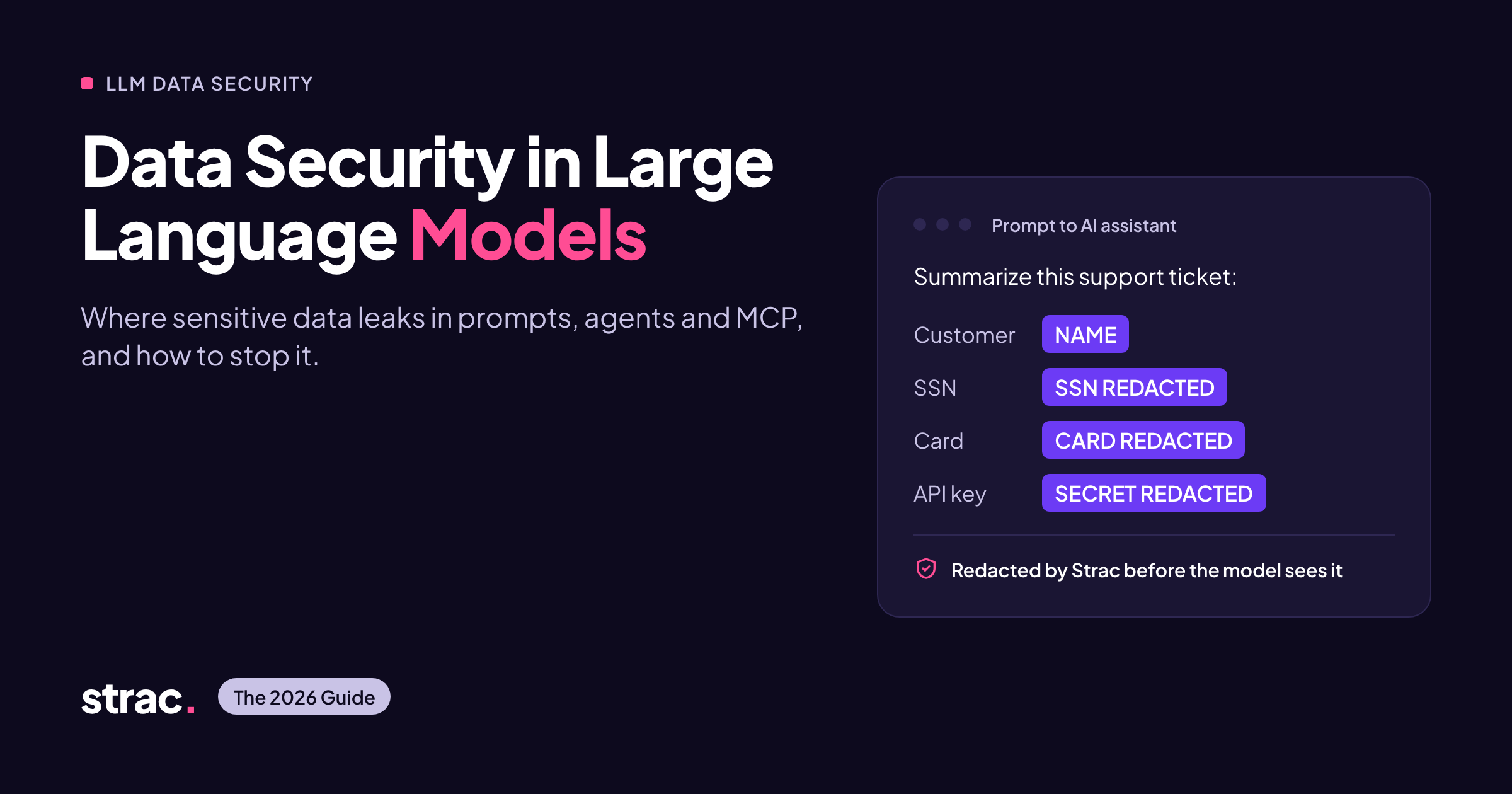
Data security in large language models for 2026: where PII leaks through prompts, AI agents and MCP, and how Strac redacts it before the model sees it.

Data security in Large Language Models
ChatGPT
Perplexity
Grok
Google AI
Claude
Summarize and analyze this article with:

TL;DR

Keeping data safe in LLMs now means checking every route data takes into and out of a model, not only one API call.

  • Models read live company data through search tools, browser assistants and AI agents connected over MCP. Each connection is a new way for PII, PHI, card data and passwords to leave the company.
  • The biggest risks are sensitive prompts and uploads, agents pulling more data than they need, hidden instructions in documents, unapproved AI tools, and agent activity nobody logs.
  • Check your plan against the OWASP Top 10 for LLM Applications (2025) and, for agents, the OWASP Top 10 for Agentic Applications.
  • What works: find where sensitive data lives, check content as it moves, redact or pseudonymize it before the model sees it, limit access per user, and keep a record of every exchange.
  • Strac covers this in one product: Generative AI DLP for the browser, MCP DLP for agents, Endpoint DLP for laptops, DSPM for SaaS and cloud, and a redaction API for developers.

Why LLM data security changed

The risk used to be what people typed into a chatbot. Today it is also everything a model can reach on its own.

Few years ago the main worry was an employee pasting customer data into ChatGPT. That still happens. But LLMs now sit inside daily work and pull data straight from company systems.

  • Chat assistants such as ChatGPT, Claude, Gemini and Copilot accept prompts, files and screenshots, often from personal accounts.
  • Search-based AI apps fetch documents and records when a user asks a question, so the model can show data that user should never see.
  • AI agents take actions without a person approving each step. They call tools, chain tasks and write back to systems.
  • Model Context Protocol (MCP), released by Anthropic in November 2024, is now the standard way agents connect to databases, SaaS apps and files. Every MCP request pulls data out of a system.

Older DLP tools watch email, file transfers and network traffic. They cannot see what an MCP server hands to an agent, or what a model receives. This guide covers that gap.
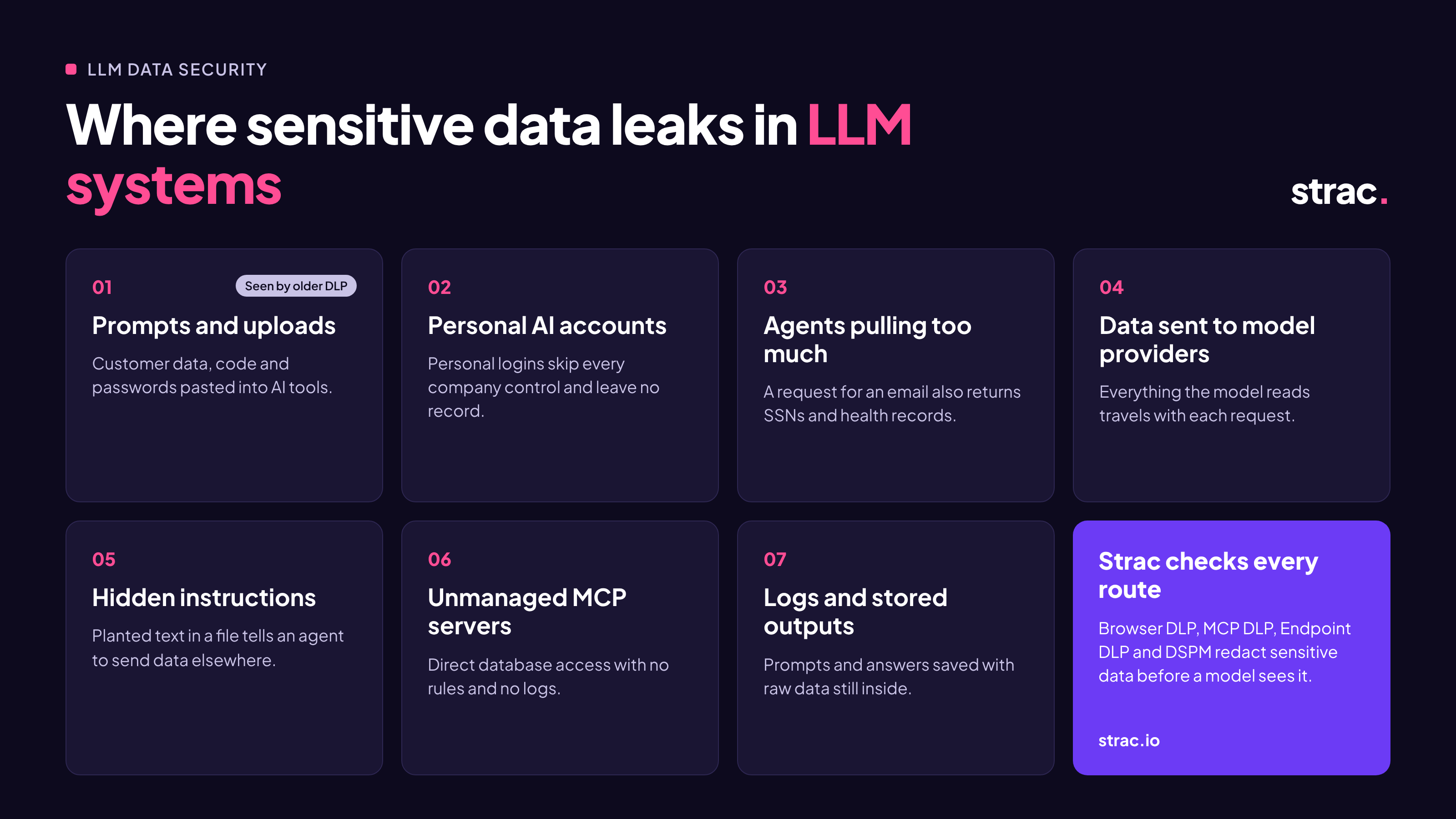
✨ Where sensitive data leaks in LLM systems

__wf_reserved_inherit

Most exposure comes through seven routes. Older DLP tools see only the first one.

1. Prompts and uploads

Employees paste customer records, code or passwords into AI tools. A support rep might paste a ticket with a card number into ChatGPT. The fix is a browser DLP check that redacts, blocks or warns before the prompt is sent.

2. Unapproved AI tools and personal accounts

Personal logins skip every company control. An engineer using a personal ChatGPT account on a work laptop leaves no record. Find which tools are in use with shadow AI discovery and require company accounts.

3. Agents pulling too much data

An agent asks for a customer's email and gets back their Social Security number and medical history too. Redact the response before the model receives it.

4. Data sent to model providers

Whatever the model receives, including data fetched by its tools, travels to the provider with each request. Send less, swap real values for realistic fakes, and check the provider's retention terms.

5. Hidden instructions in documents

Text planted in a file or web page can tell an agent to send data somewhere else. In 2025, Invariant Labs showed a poisoned MCP server pulling a full WhatsApp history this way. Scan what tools return and limit what agents can do. Read more on MCP prompt injection.

6. Unmanaged MCP servers

Developers run MCP servers with direct database access and no logs, such as a local Postgres MCP server holding production credentials. List every server and set rules for each one. See shadow MCP.

7. Logs and stored outputs

Prompts, answers and traces get saved with the raw data still in them. Redact logs and scan stored AI output.

In every case, sensitive data reached the model because nothing checked it on the way.

Frameworks to check your controls against

Use OWASP to plan the technical defenses and your existing privacy laws to prove compliance. AI-specific rules sit on top.

  • OWASP Top 10 for LLM Applications 2025 (version 2.0, published 18 November 2024). The starting point for chatbots, assistants and search-based AI apps. Prompt injection is number one. Leaking sensitive information and giving models too much freedom to act are also on the list.
  • OWASP Top 10 for Agentic Applications (released December 2025). Adds risks specific to agents, such as hijacked goals, misused tools and abused permissions. Use it alongside the LLM list for any agent that takes several steps on its own.
  • NIST AI Risk Management Framework. A voluntary US framework that gives security teams shared terms (Govern, Map, Measure, Manage) for documenting AI controls.
  • ISO/IEC 42001. A certifiable standard for managing AI systems. Its controls on data for AI help when customers ask for proof of AI governance.
  • EU AI Act. Rules for general-purpose AI models have applied since 2 August 2025. The 2026 Digital Omnibus moved rules for stand-alone high-risk systems to 2 December 2027 and for high-risk systems built into products to 2 August 2028 (details). Plan now, because 2027 is close.
  • GDPR, HIPAA, PCI DSS, CCPA, SOC 2 and ISO 27001. These already apply, whether a person or an AI agent touches the data. An agent reading patient records carries the same PHI duties as a nurse doing it.

Regulatory dates change, so confirm the EU AI Act timeline with your legal team.

Controls that work

The aim is simple: people keep using AI, and the model only ever sees the sensitive data a task really needs.

  1. Find and label sensitive data first. Map where PII, PHI, card data and passwords live across SaaS, cloud and databases with data discovery and classification. Agents and AI search tools connect to these same systems.
  2. Check content as it moves. Scan prompts, uploads, tool responses and answers in real time. Scanning must read files and images (PDF, Word, Excel, ZIP, screenshots), not just plain text.
  3. Pick the right way to hide each value.
    • Redaction removes it: SSN: [REDACTED].
    • Masking shows only part of it: XXXXXX7890.
    • Tokenization swaps it for a reference you can reverse later: tkn_S7aDg65KjS.
    • Pseudonymization replaces it with a realistic fake in the same format, so the model can still work with the record.
  4. Match the response to the risk. Choose from audit, alert, warn, block or redact. Blocking everything pushes people toward unapproved tools.
  5. Limit access per user. An agent should fetch only what the person behind it is allowed to see. Read more on the confused deputy problem.
  6. Never trust tool responses. Scan what tools return for planted instructions before an agent acts on it.
  7. Control accounts and servers. Require company accounts for AI tools and keep a list of every MCP server and agent.
  8. Keep a record. Log who sent what to which model or tool, and what was removed. This is your evidence for SOC 2, HIPAA, PCI DSS and the EU AI Act.

🎥 How Strac protects LLM data in 2026

Strac uses one detection engine and one set of rules across browsers, agents, laptops and SaaS, so data gets the same treatment wherever it goes.

Generative AI and browser DLP

Strac's browser extension for Chrome, Edge, Safari and Firefox checks prompts and file uploads to ChatGPT, Claude, Gemini, Copilot and other AI sites. You choose to audit, alert, block, redact or pseudonymize. Company email enforcement keeps staff on work accounts instead of personal ones. See Generative AI DLP.
MCP DLP for AI agents

__wf_reserved_inherit

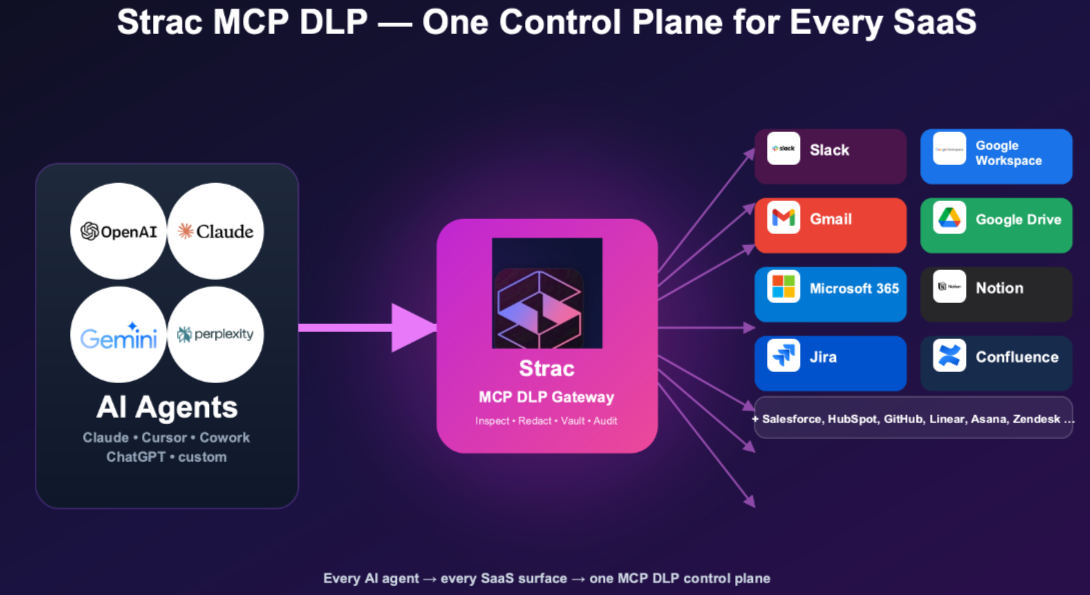
MCP DLP checks every MCP request as it happens across 40+ MCP integrations, including Slack, Google Workspace, Microsoft 365, Salesforce, Postgres, Snowflake and GitHub. It works with Claude, ChatGPT, Gemini, Copilot, Cursor and other MCP clients. It can redact, mask, block or alert, limits each agent to what its user may see, scans responses for planted instructions, and logs every request. More on MCP security.

Endpoint DLP

Endpoint DLP covers desktop AI apps and file movement on Mac, Windows and Linux, with data lineage that shows where a file came from and where it went.

DSPM and SaaS DLP

DSPM and SaaS DLP find and label sensitive data across 50+ integrations, such as Slack, Google Drive, Gmail, Office 365, Salesforce, Zendesk, Jira, Notion and AWS S3. You know what an agent could reach before it reaches it, and you can redact data where it sits.

Across all four

  • Detection. Machine-learning detectors cover 100+ data types, including PII, PHI, card data, passwords and source code. OCR finds data inside images and documents. See the full catalog of sensitive data elements and the PII scanner.
  • Visibility. See which AI tools, accounts and MCP servers people use, and what each one can reach.
  • Claude Compliance API. Strac is a listed Anthropic Claude Compliance API partner, giving a second view of data moving through Claude Enterprise.
  • Fast setup. No agents to install for SaaS. API connections take under 10 minutes.

For developers: redact before the model

If you build LLM features yourself, place redaction between your data and the model so real values never reach it.

Option 1: add Strac to your agent as an MCP server. Strac's open-source server, strac-mcp-dlp, gives your agent redact_text, detect_pii and file scanning as tools, powered by the Strac API.

pip install strac-mcp-dlp

Option 2: call the redaction API in your code. Send text or files to Strac before you build the prompt or add documents to your search index. Then pass only the cleaned content to the model.

Input:  Employee: John Smith, SSN 153-23-4323, card 4111 1111 1111 1111
Output: Employee: [NAME], SSN [SSN REDACTED], card [CREDIT CARD REDACTED]

Three rules keep this safe:

  • Redact on the way in (prompts, documents, tool responses) and on the way out (answers, logs).
  • Use pseudonymization when the model needs realistic values, and tokenization when you need the originals back later.
  • Never store raw prompts. Store the redacted version and what was found.

See the Strac API docs for endpoints, detectors and SDKs.

Editor check: confirm the current API endpoint and example response format in docs.strac.io before publishing.

👉 Related reading: MCP DLP · Agentic AI Security (2026) · AI TRiSM Explained · Shadow AI · AI agent governance

Implementation checklist

Work through these in order. The first three show you what is happening within days.

  • List the AI tools, accounts, agents and MCP servers in use, approved or not (shadow AI, shadow MCP)
  • Find and label sensitive data in the systems those tools connect to (data discovery)
  • Turn on prompt and upload monitoring in audit mode to see real behavior (Generative AI DLP)
  • Require company accounts for approved AI tools
  • Set card data, PHI and passwords to redact or block
  • Put MCP DLP in front of every agent connection, limited per user
  • Scan tool responses for planted instructions before agents act on them
  • Redact prompts, answers and traces in logs
  • Check your controls against the OWASP LLM and Agentic Top 10 lists and your compliance frameworks
  • Review rules every quarter as new models, tools and connections arrive

✨ Bottomline

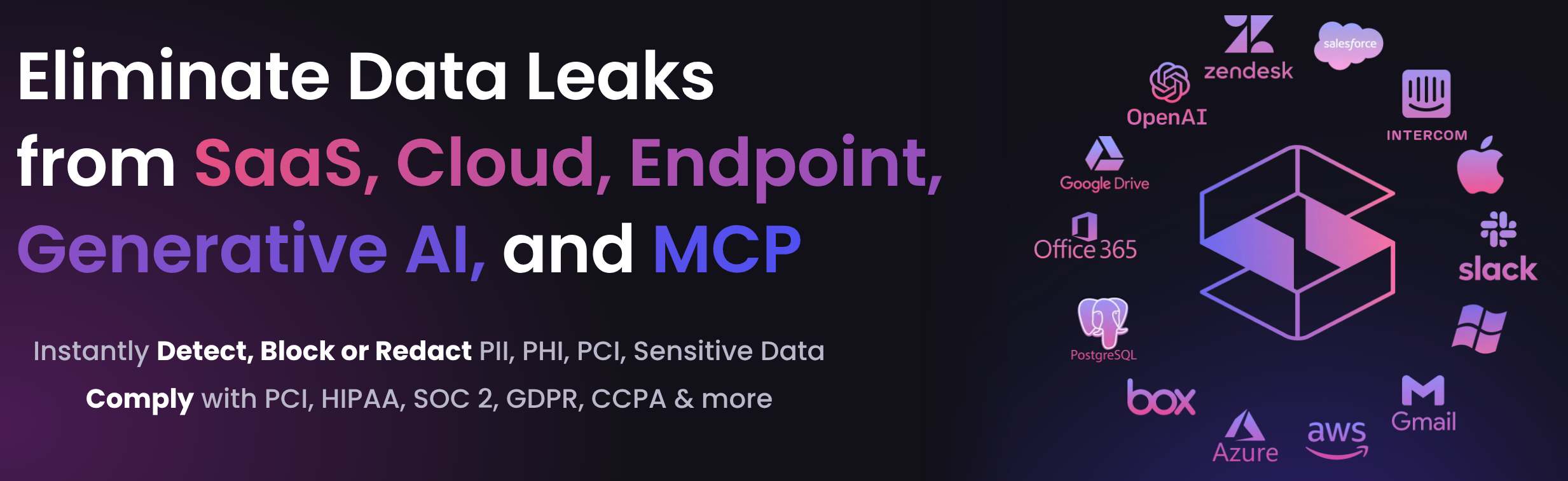
You do not have to choose between using AI and protecting customer data. Check and clean data wherever it meets a model, and your teams can use LLMs and agents with confidence.

Strac does this across browsers, agents, laptops and SaaS in one product.

‍Book a demo to see it on your own AI tools and MCP setup.
__wf_reserved_inherit

🌶️ Spicy FAQ on Data Security in LLMs

What is LLM data security?

It is the set of controls that keep sensitive data from reaching, being stored by, or leaking through large language models. It covers prompts, files, fetched documents, agent requests, answers and logs.

Is ChatGPT Enterprise or Claude Enterprise enough on its own?

Enterprise plans offer better retention and training terms. They do not stop an employee from pasting a customer's card number, and they do not cover personal accounts. You still need content checks and account rules. See ChatGPT DLP and Claude DLP.

How is MCP DLP different from older DLP?

Older DLP watches email, laptops and network traffic. MCP DLP sits between the agent and its tools and checks what each request returns before the model sees it.

Can prompt injection cause data loss?

Yes. Instructions hidden in a document or tool response can make an agent send data elsewhere using its own permissions. Scan tool responses and limit what each agent can do. Read more on MCP prompt injection.

Should I redact or pseudonymize?

‍Redact when the model does not need the value. Pseudonymize when it needs a realistic value to give a useful answer, such as drafting a reply to a customer.

Which regulations apply to AI data?

The same ones that apply elsewhere: GDPR, CCPA, HIPAA, PCI DSS and SOC 2. AI rules such as the EU AI Act add governance and logging duties on top.

Customer story

“Don’t just alert on problems, fix them.”

Scott Roberts, Chief Information Security Officer, UiPath

  • UiPath
  • Crypto.com
  • Inmar Intelligence
  • thredUP
  • Paymentology
  • Enveda
  • Genesis Molecular AI
  • MeridianLink
More customer stories →
Discover & Protect Data on SaaS, AI, MCP, Endpoints & Cloud
Strac provides end-to-end data loss prevention for all SaaS and Cloud apps. Integrate in under 10 minutes and experience the benefits of live DLP scanning, live redaction, and a fortified SaaS environment.

Customers include
  • UiPath
  • Crypto.com
  • Inmar Intelligence
  • thredUP
  • Paymentology
  • Enveda
  • Genesis Molecular AI
  • MeridianLink
Trusted by enterprises
Data Security + Compliance Automation

Latest articles

Browse all

Get Your Datasheet

Thank you! Your submission has been received!
Oops! Something went wrong while submitting the form.
Close Icon