Top Benefits of Using a Data Loss Prevention Firewall
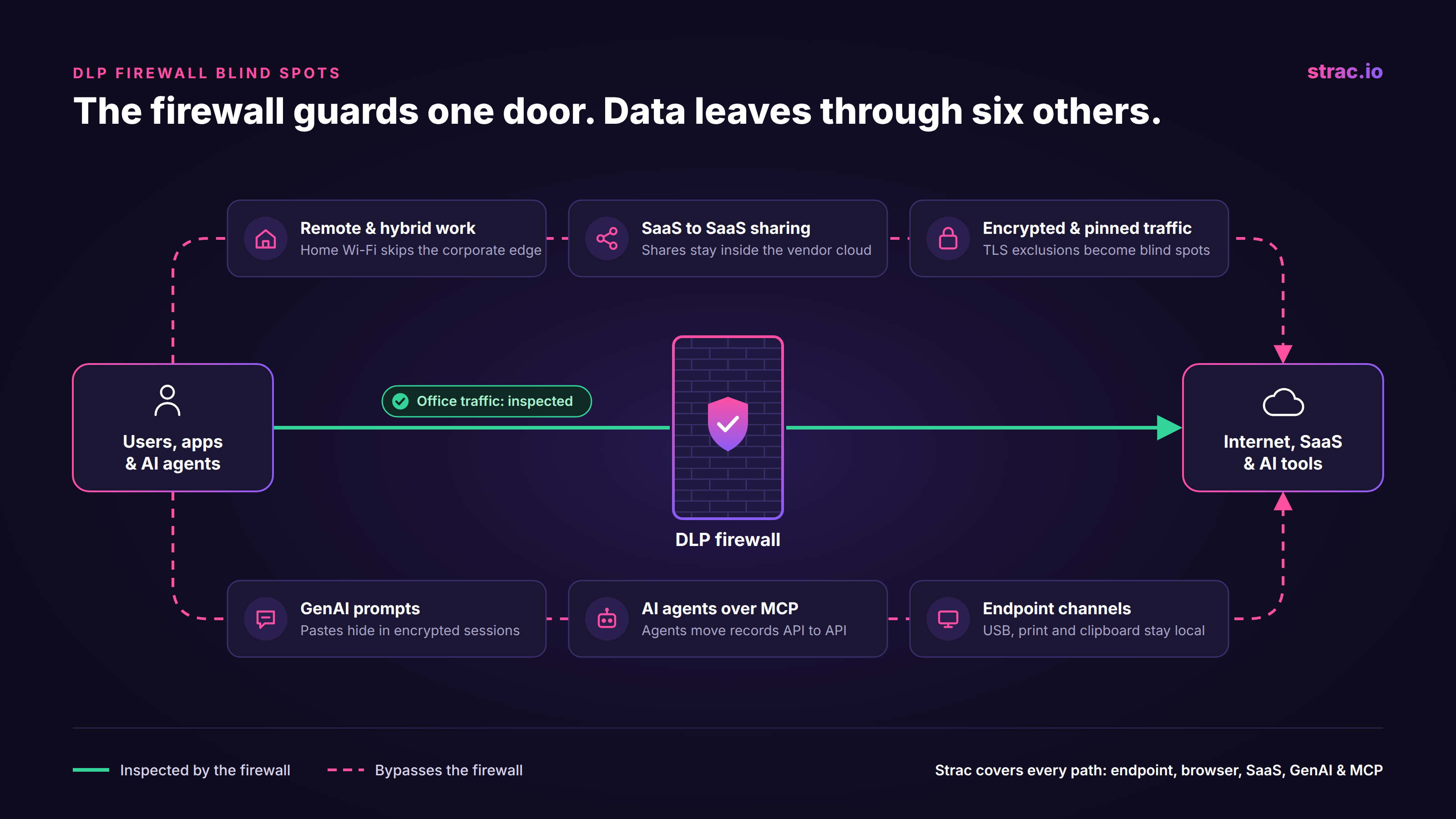
Diagram of a DLP firewall inspecting office traffic while six data paths bypass it: remote work, SaaS to SaaS sharing, encrypted traffic, GenAI prompts, MCP agents, and endpoint channels.
A data loss prevention firewall (DLP firewall) is a firewall or gateway with content inspection turned on, so it can stop sensitive data leaving the network, not just block ports and IP addresses.
The network edge is no longer where most data leaves. Remote users go straight to SaaS, AI prompts travel inside encrypted browser sessions, and AI agents move records API to API without ever crossing the firewall.
A firewall sees packets, not context. It cannot tell who shared a Google Drive file, what an agent pulled from Salesforce, or what someone pasted into ChatGPT on a home network.
Strac covers the traffic a firewall never sees, with one endpoint DLP agent, a browser extension, AI DLP for GenAI tools, MCP DLP for AI agents, and SaaS coverage where the data lives.
A DLP firewall is one layer in a wider program. Start with the guide to types of DLP.
What Is a Data Loss Prevention Firewall?
A data loss prevention firewall is a network control that reads the content of outbound traffic and applies DLP rules to it. A standard firewall asks where traffic is going. A DLP firewall also asks what the traffic carries. If an email, upload, or web form contains PII, PHI, PCI data, or credentials, the firewall can block it, log it, or alert the security team.
In practice, DLP firewalls show up in three forms: a DLP module on a next generation firewall, a DLP profile on a secure web gateway or proxy, and DLP inside a cloud security service edge. All three work the same way. They sit in the path of network traffic, decrypt it where they can, and match the content against patterns and dictionaries.
A firewall controls the road. DLP controls what travels on it.
✨ How a DLP Firewall Works
A DLP firewall follows four steps on every outbound session.
First, it intercepts the traffic. For web and email, that usually means TLS inspection: the firewall decrypts the session, reads it, and encrypts it again. Second, it extracts the content, including form fields, message bodies, and files such as PDF, DOCX, and XLSX. Third, it matches that content against detectors, such as card number patterns, national ID formats, keyword lists, or file fingerprints. Fourth, it enforces the rule: allow, log, alert, or block.
Here is a simple example. An employee in the office emails a spreadsheet with customer Social Security numbers to a personal address. The DLP firewall decrypts the SMTP session, opens the attachment, finds the SSNs, and blocks the message. That is the use case DLP firewalls were built for, and they still handle it well.
Where a DLP Firewall Stops in 2026
The problem is not that DLP firewalls stopped working. It is that most data no longer passes through them. Six gaps come up in almost every program.
Remote and hybrid work. A laptop at home or in a café goes straight to the internet. Unless every device routes through a VPN or cloud proxy, the firewall never sees the traffic.
SaaS to SaaS sharing. When someone shares a Google Drive folder with an outside email address, or posts a customer record in a shared Slack channel, the data moves inside the SaaS provider's cloud. No packet crosses your network.
Encrypted and pinned traffic. TLS inspection breaks apps that use certificate pinning, adds latency, and raises privacy concerns for personal traffic such as banking and health sites. Most teams exclude large parts of the web from decryption, and those exclusions become blind spots.
GenAI prompts. A paste into ChatGPT, Claude, Gemini, or Copilot is a small text field inside an encrypted browser session. It looks like normal web traffic, and desktop AI apps often avoid the proxy completely. This is where Shadow AI grows.
AI agents and MCP. An AI agent connected over MCP reads Salesforce, Jira, and Google Drive through APIs, often from a cloud host. A hijacked agent can move a database without touching the corporate network.
Endpoint channels. USB drives, printing to PDF, screenshots, and the clipboard never create network traffic at all.
[IMAGE 2 · dlp-firewall-blind-spots.png]Alt: Diagram showing a corporate firewall in the center and six data paths that bypass it: remote devices, SaaS to SaaS sharing, excluded encrypted traffic, GenAI prompts, MCP agents, and USB or print.The firewall guards one door. The data now leaves through six others.
This is the same reason why legacy DLP fails for AI: the control watches the channel, and the data has moved to channels it cannot see.
Network DLP vs. Data Layer DLP
Network DLP and data layer DLP are not rivals. They answer different questions.
A DLP firewall asks: is sensitive data leaving through this network, right now? Data layer DLP asks: where does sensitive data live, who can reach it, and what happens to it on every action, wherever the user or agent is?
The network approach inspects traffic in transit, so it needs the traffic to pass through it. The data layer approach inspects content where it is created, stored, and used: in the SaaS app, in the browser, on the endpoint, and inside the agent's tool calls. It works the same on the office network, on home Wi-Fi, and in a cloud container running an agent.
Keep the firewall for what it does well: blocking known bad destinations, enforcing network segmentation, and catching bulk transfers from managed networks. Then add content controls at the places the firewall cannot reach. Identity, network, and model controls each fail at some point. The data layer is what still protects you when they do.
✨ How Strac Stops a Leak the Firewall Never Sees
A support agent working from home pastes a customer ticket into a GenAI tool to draft a reply. The ticket has a card number and a date of birth. The firewall is not in the path, and even if it were, the prompt is one field inside an encrypted session.
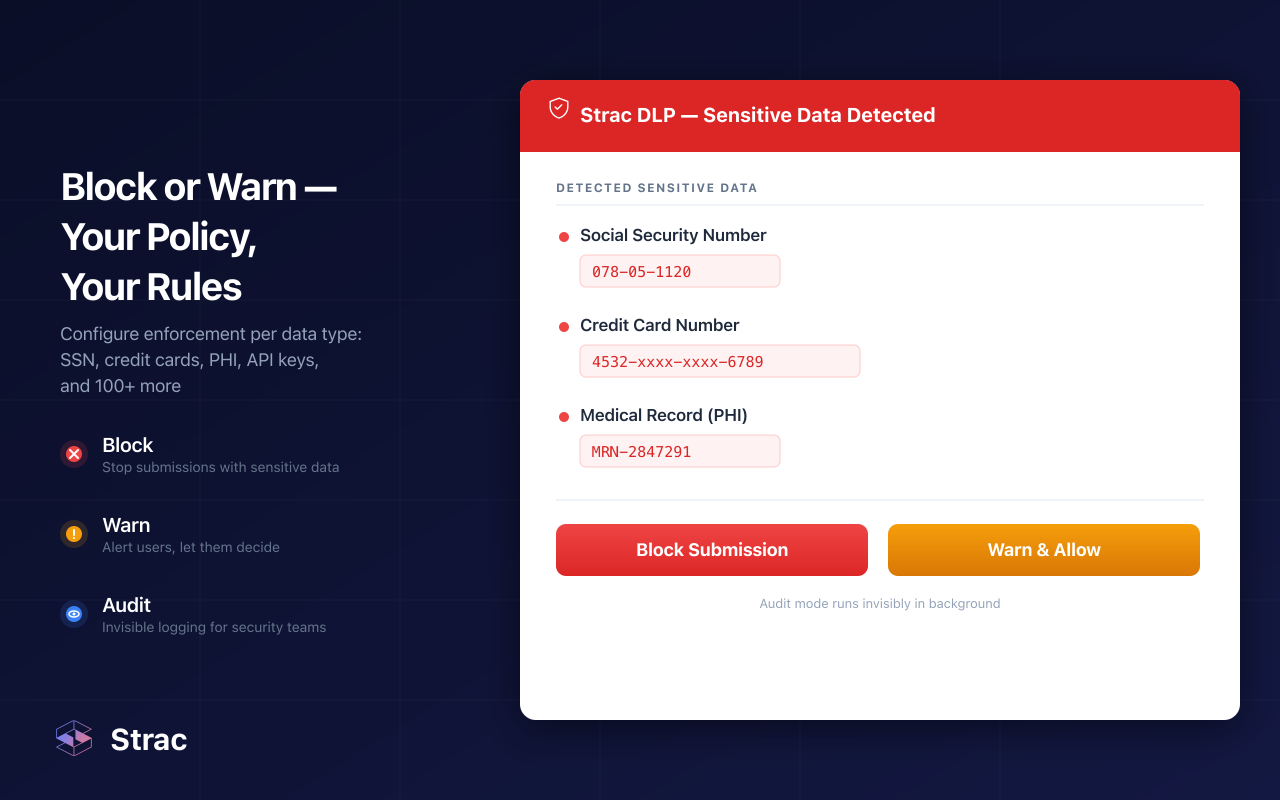
Strac's browser extension reads the prompt before it is sent, with no proxy and no TLS interception. It removes the card number and date of birth and lets the rest through. The agent gets a useful answer. The security team sees the event, the data type, and the destination. Nobody sees keystrokes or screenshots, because Strac records neither.
🎥 Strac: Content-Aware DLP Beyond the Firewall
Strac is a DLP, Data Discovery, and DSPM platform that applies one set of policies across SaaS, cloud, browser, GenAI, MCP, and endpoints. Six capabilities cover the paths a DLP firewall misses.
Endpoint DLP. One agent for Windows, macOS, and Linux controls the clipboard, uploads, screenshots, printing to PDF, USB, and app access, on any network. It is the same platform and the same console as every other Strac control. See endpoint DLP.
Browser and AI DLP. An extension for Chrome, Edge, Firefox, and Safari inspects prompts and uploads to ChatGPT, Claude, Gemini, and Copilot. AI DLP applies the same policy to desktop AI apps such as Claude desktop and Cursor, and Strac shows which GenAI tools are in use so you can detect shadow AI.
MCP DLP for AI agents.MCP DLP inspects every agent action across Slack, Google Drive, Microsoft 365, GitHub, Salesforce, and more, and redacts sensitive fields before they reach the model. A hijacked agent gets masked data, not raw records.
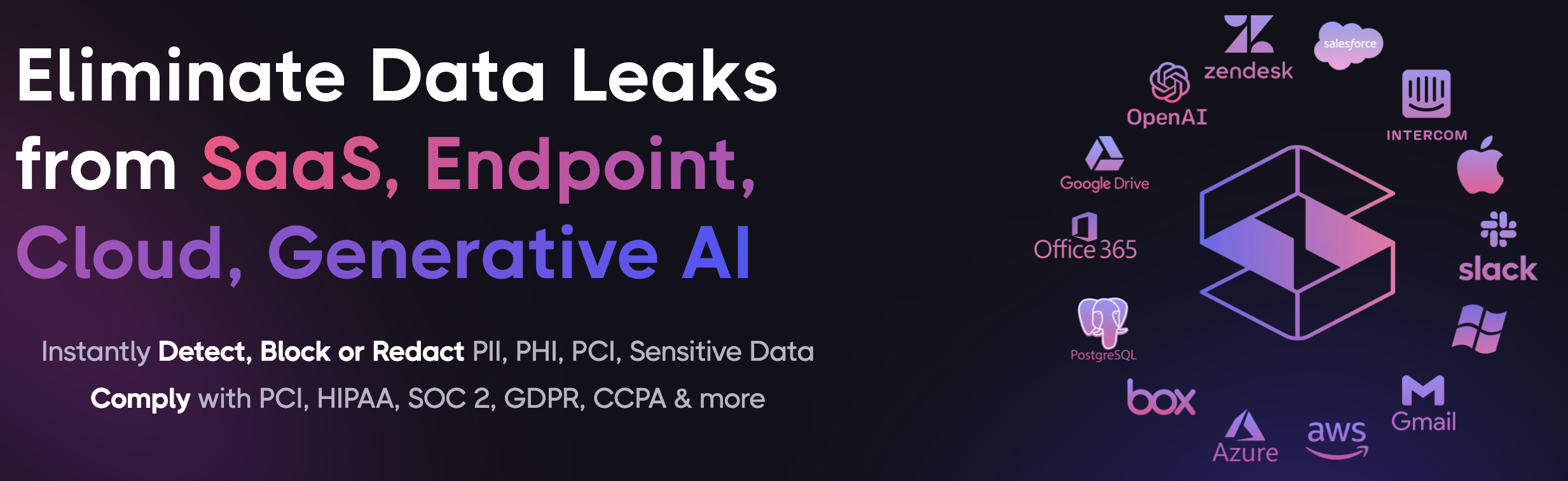
SaaS DLP. Strac connects by API to apps like Slack, Google Workspace, Gmail, Microsoft 365, Zendesk, and Salesforce. It scans messages, files, and tickets in real time and on history, including the SaaS to SaaS sharing a firewall never sees. Most integrations go live in under 10 minutes.
DSPM and data lineage.DSPM finds sensitive data at rest across SaaS and cloud storage and removes public links and stale access. Data lineage fingerprints files from Box, Google Drive, OneDrive, SharePoint, and Dropbox, so a renamed or edited copy is still stopped on the way to personal storage or an AI tool.
Detection and API. Built-in and custom detectors cover PII, PHI, PCI, credentials, and source code, drawn from Strac's catalog of sensitive data elements. OCR reads images and screenshots, and deep inspection opens PDF, DOCX, XLSX, and ZIP files. Developers can call the same detection and redaction through the Strac API. Teams that need data to stay in their own environment can run DLP on premise.
Remediation follows the same order everywhere:
Redact / mask: remove the SSN, card number, or secret from the prompt, Slack message, email, ticket, or doc, and let the rest through.
Block: stop the upload to a personal account or the external share from Google Drive, SharePoint, or Box when the data type is not allowed.
Warn and coach: tell the user why and point to the approved option, without stopping their work.
Revoke access: remove public links and old permissions on files that hold sensitive data.
Days 0 to 30, Discover: keep your DLP firewall rules in place. Connect Strac to your main SaaS apps and run DSPM to find where sensitive data sits and who can reach it. Deploy the browser extension in Audit mode to see which AI tools people use.
Days 30 to 60, Protect: turn on redaction for GenAI prompts and SaaS messages, deploy the endpoint agent to remote users, and connect MCP DLP to any AI agents with access to company data.
Days 60 to 90, Prove and scale: map events to your compliance evidence, review which TLS inspection rules still earn their latency, and tune detectors to cut false positives.
A DLP firewall still does its job on the traffic it can see. The trouble is how little of that traffic is left. Network, identity, and model controls each fail at some point, and when they do, the data layer is what still protects you. Redact sensitive data on every prompt, message, upload, and agent action, and a gap in the network never turns into a breach.
Book a demo to see Strac protect the data your firewall cannot reach.
🌶️ Spicy FAQs for DLP Firewalls
Is a DLP firewall the same as network DLP?
Mostly, yes. A DLP firewall is one way to deliver network DLP, alongside proxies and cloud security gateways. All of them inspect data in transit on the network, so all of them depend on traffic passing through them.
Why isn't our existing firewall DLP enough?
Because most data no longer crosses it. Remote devices, SaaS to SaaS sharing, GenAI prompts, and MCP agents all bypass the corporate network. Strac inspects content in the app, browser, endpoint, and agent, so coverage does not depend on the network path.
Can we stop data leaks without blocking AI tools?
Yes, by redacting instead of blocking. Strac removes sensitive fields from a prompt or upload and lets the rest continue, with a short note to the user. People keep their AI tools, and the regulated data stays behind.
Can any DLP inspect all encrypted traffic?
Not reliably at the network layer. Certificate pinning, privacy exclusions, and direct to cloud apps leave gaps in TLS inspection. That is why the data layer matters: Strac reads content in the browser, endpoint, and SaaS app, before it is encrypted.
Where does a DLP firewall fit in a full DLP program?
It is the network layer, not the whole program. Pair it with endpoint, browser, SaaS, and AI controls that follow the data wherever it goes. See types of DLP and data exfiltration prevention for the full picture.
Discover & Protect Data on SaaS, AI, MCP, Endpoints & Cloud
Strac provides end-to-end data loss prevention for all SaaS and Cloud apps. Integrate in under 10 minutes and experience the benefits of live DLP scanning, live redaction, and a fortified SaaS environment.


.webp)






.gif)
.avif)



.gif)
