Learn whether Dropbox is PCI compliant in 2026, the biggest risks of storing cardholder data in Dropbox, PCI DSS 4.0 requirements, and how Strac helps discover, protect, and remediate sensitive PCI data.
· Dropbox can be part of a PCI DSS-compliantenvironment, but it is not PCI compliant by default.
· PCI data stored in Dropbox can still leakthrough shared links, permissions, synced devices, AI assistants, or humanerror.
· PCI DSS 4.0 requires organizations to discover,monitor, protect, and remediate Primary Account Number (PAN) data wherever itexists.
· The best practice is to avoid storing cardholderdata in Dropbox unless there is a documented business need.
· Strachelps organizations automatically discover, classify, redact, quarantine,delete, and remediate PCI data across Dropbox and the rest of the SaaSecosystem.
Can You Store PCI Data in Dropbox?
The short answer is yes, but only if your organization implements the security controls required by PCI DSS.
Dropbox provides enterprise security features such as:
Encryption in transit and at rest
Role-based access controls
Audit logs
Version history
Multi-factor authentication
Enterprise administration controls
However, Dropbox is simply a storage platform. It does not automatically prevent employees from uploading spreadsheets containing credit card numbers, sharing folders publicly, or accidentally exposing sensitive payment information.
PCI DSS compliance depends on how your organization configures and governs Dropbox, not on Dropbox alone.
If your teams regularly exchange invoices, payment forms, customer onboarding documents, or financial records through Dropbox, you should continuously monitor the environment for sensitive payment data.
Can PCI Data Leak from Dropbox?
Absolutely.
Most PCI incidents are not caused by hackers breaking encryption. They happen because sensitive information ends up somewhere it shouldn't.
Common Dropbox leakage scenarios include:
Public or incorrectly shared folders
Employees uploading spreadsheets containing PANs
Third-party applications connected to Dropbox
Personal Dropbox accounts used for work
Sensitive files synced to unmanaged endpoints
AI assistants or MCP-enabled tools accessing Dropbox content
Legacy documents that were forgotten years ago
Dropbox makes file sharing incredibly easy, which also makes it easy for sensitive payment information to spread across your organization without anyone realizing it.
The challenge isn't protecting one file. It's knowing where PCI data exists across thousands of files and folders.
What Changed with PCI DSS 4.0?
PCI DSS 4.0 places much greater emphasis on continuous monitoring and protecting cardholder data throughout its lifecycle.
For Dropbox users, several requirements are especially important.
1. Discover Where PAN Exists
Organizations must know where cardholder data is stored.
That means continuously identifying:
Credit card numbers
Payment records
Customer financial documents
Archived reports
Attachments
Images containing payment information
Without automated discovery, hidden PCI data can easily accumulate across years of Dropbox usage.
2. Protect Primary Account Numbers (PAN)
Requirement 3 requires organizations to protect stored PAN data.
This includes:
Strong encryption
Access restrictions
Masking where appropriate
Limiting who can view or copy payment information
Simply storing files inside Dropbox does not satisfy these requirements if sensitive information remains broadly accessible.
3. Prevent Unauthorized Copying and Movement
PCI DSS 4.0 introduces stronger expectations around preventing unauthorized copying, exporting, and relocation of cardholder data.
Organizations should monitor for:
Downloading payment spreadsheets
Moving files outside approved folders
Copying payment information into collaboration tools
Uploading PCI data into AI applications
Modern DLP solutions help enforce these controls automatically.
4. Respond Quickly to PCI Data Exposure
PCI DSS now expects organizations to rapidly investigate and remediate exposed payment information.
This includes:
Identifying where the data exists
Removing unauthorized copies
Redacting sensitive information
Recording remediation activities
Maintaining audit evidence
Finding sensitive files manually is rarely practical in large Dropbox environments.
Best Practices for Protecting PCI Data in Dropbox
Organizations should treat Dropbox as one part of a broader data security strategy.
Recommended practices include:
Avoid storing payment card data whenever possible.
Continuously discover sensitive PCI data across Dropbox.
Restrict access using least-privilege permissions.
Encrypt sensitive files and manage encryption keys securely.
Review shared folders and external collaborators regularly.
Scan images, PDFs, spreadsheets, and attachments for cardholder data.
Audit Dropbox permissions on an ongoing basis.
Automatically remediate exposed payment information before it spreads.
🎥 How Strac Protects PCI Data in Dropbox
Traditional DLP tools often generate alerts and leave security teams to investigate manually.
Strac takes a different approach by combining Data Security Posture Management (DSPM) with content-aware Data Loss Prevention (DLP) in a single platform.
For Dropbox, Strac can help organizations:
Automatically Discover Sensitive PCI Data
Continuously scan Dropbox to locate:
Credit card numbers
PAN
CVV (where detected)
Financial records
Payment documents
Archived files
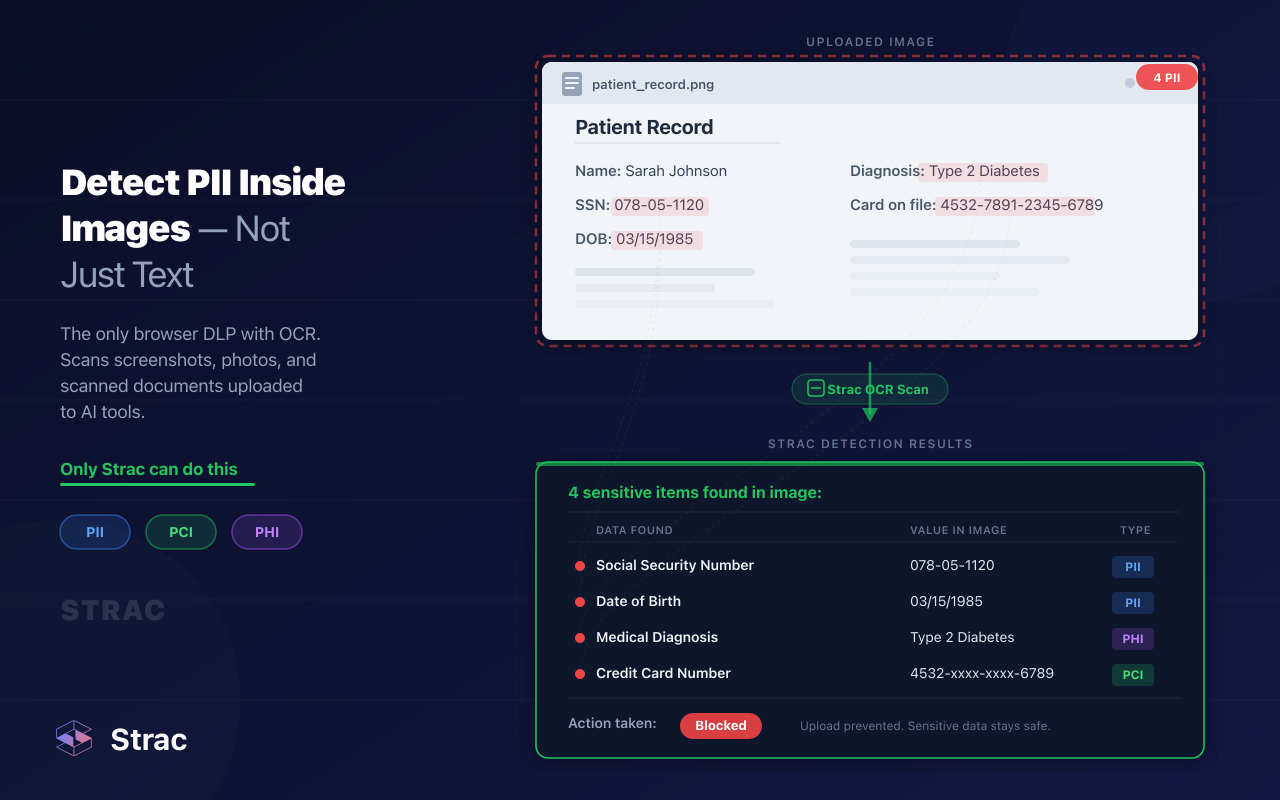
Images using OCR
PDFs, spreadsheets, presentations, and hundreds of document formats
Detect More Than Regex
Rather than relying only on pattern matching, Strac uses ML-powered content detection and OCR to identify sensitive PCI data with higher accuracy and fewer false positives.
Inline Remediation
Instead of simply creating alerts, Strac can automatically:
Redact payment information
Mask sensitive values
Quarantine files
Delete exposed documents
Revoke sharing permissions
Block risky workflows
This dramatically reduces the window of exposure.
Unified Protection Across Your SaaS Stack
Sensitive payment data rarely lives only inside Dropbox.
Strac provides unified visibility across:
Dropbox
Google Workspace
Microsoft 365
Slack
Salesforce
Zendesk
Jira
Confluence
Notion
Cloud storage
Endpoints
Browser activity
ChatGPT, Claude, Gemini, Microsoft Copilot, and MCP-connected AI applications
Organizations can also build custom policies for proprietary financial data and internal compliance requirements.
Bottom Line
Dropbox provides a secure cloud storage platform, but PCI compliance depends on how you manage the sensitive data stored inside it.
As PCI DSS 4.0 shifts toward continuous discovery, monitoring, and remediation, organizations need visibility into where payment information exists and the ability to act before it becomes a breach.
Modern DSPM and DLP platforms like Strac help security teams automatically discover, classify, monitor, redact, quarantine, and remediate sensitive PCI data across Dropbox and the rest of their SaaS environment, making PCI compliance significantly easier to maintain.
Spicy FAQs on Dropbox PCI Compliance
1. Is Dropbox PCI compliant by default?
No. Dropbox provides enterprise-grade security features like encryption, access controls, and audit logs, but PCI DSS compliance depends on how your organization configures and manages the platform. You are responsible for protecting cardholder data, enforcing access controls, and meeting all PCI DSS 4.0 requirements.
2. Can PCI data be accidentally exposed in Dropbox?
Yes. Common causes include publicly shared folders, overly permissive access, employee mistakes, synced unmanaged devices, third-party integrations, and forgotten files containing payment information. Continuous monitoring is essential to detect and remediate exposed PCI data before it leads to a compliance violation.
3. What does PCI DSS 4.0 require for Dropbox?
PCI DSS 4.0 requires organizations to continuously discover where Primary Account Numbers (PANs) are stored, protect stored cardholder data, prevent unauthorized copying or movement, maintain detailed audit trails, and respond quickly to unauthorized data exposure. These requirements apply to cloud storage platforms like Dropbox just as they do to on-premises systems.
4. How does Strac protect PCI data in Dropbox?
Strac continuously scans Dropbox for sensitive payment data using AI-powered detection, OCR, and content-aware classification. It can automatically redact, mask, quarantine, delete, or revoke access to exposed files while providing centralized visibility across Dropbox, Microsoft 365, Google Workspace, Slack, Salesforce, AI applications, and other SaaS platforms.
5. Should organizations store payment card data in Dropbox?
Only when there is a legitimate business or regulatory need. PCI DSS recommends minimizing stored cardholder data whenever possible. If payment information must be retained, organizations should implement strong encryption, least-privilege access, continuous data discovery, automated DLP, and regular security audits to reduce compliance risk.
Discover & Protect Data on SaaS, AI, MCP, Endpoints & Cloud
Strac provides end-to-end data loss prevention for all SaaS and Cloud apps. Integrate in under 10 minutes and experience the benefits of live DLP scanning, live redaction, and a fortified SaaS environment.


.webp)










.avif)





.gif)
