

October 21, 2026

5
min read
How to redact PDF?
How to redact a PDF so the data is really gone: manual steps, the Strac Redaction API with OCR, and automatic PDF redaction in Zendesk, Gmail, and AI tools.
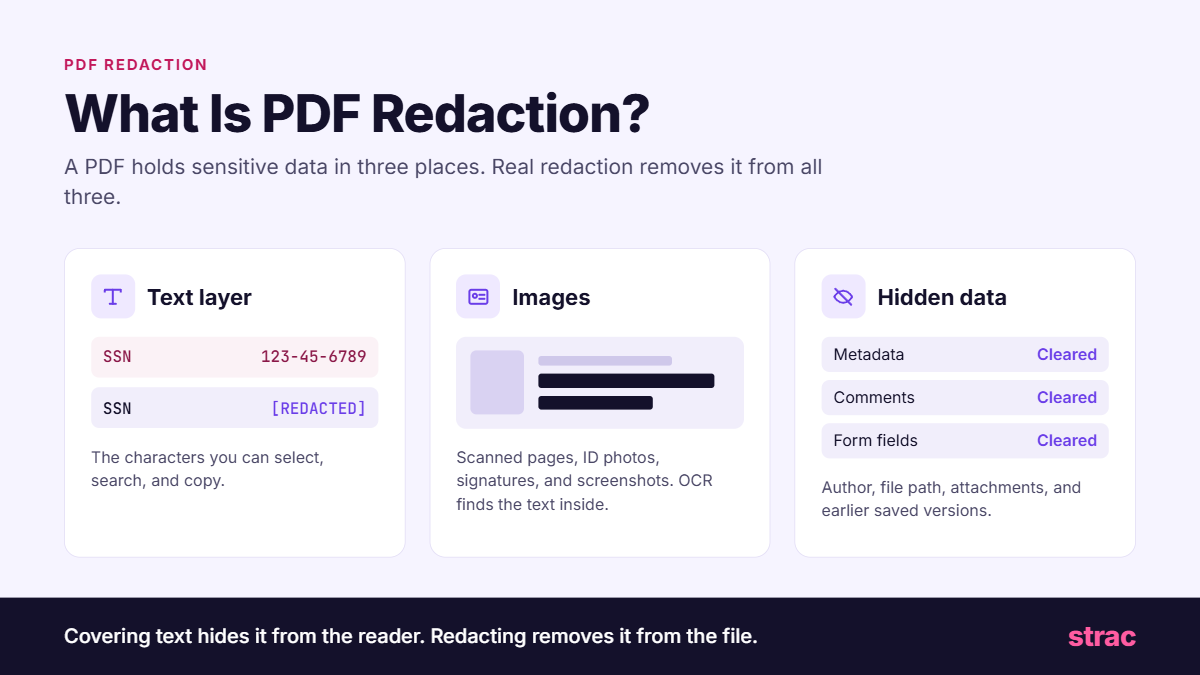
PDF redaction is the permanent removal of sensitive content from a PDF. The words, numbers, or images are deleted from the file and replaced with a solid mark or a label like [REDACTED]. Anyone who opens the redacted copy sees the mark, and there is nothing underneath it.
A PDF holds data in more places than the page you see:
Real redaction clears all three. Covering text hides it from the reader. Redacting removes it from the file.
Most redaction mistakes come from three habits.
The first is drawing a black rectangle or highlighting text in black. The page looks redacted, but the text layer is untouched. Select the area, copy it, paste it into a note, and the full Social Security Number comes back.
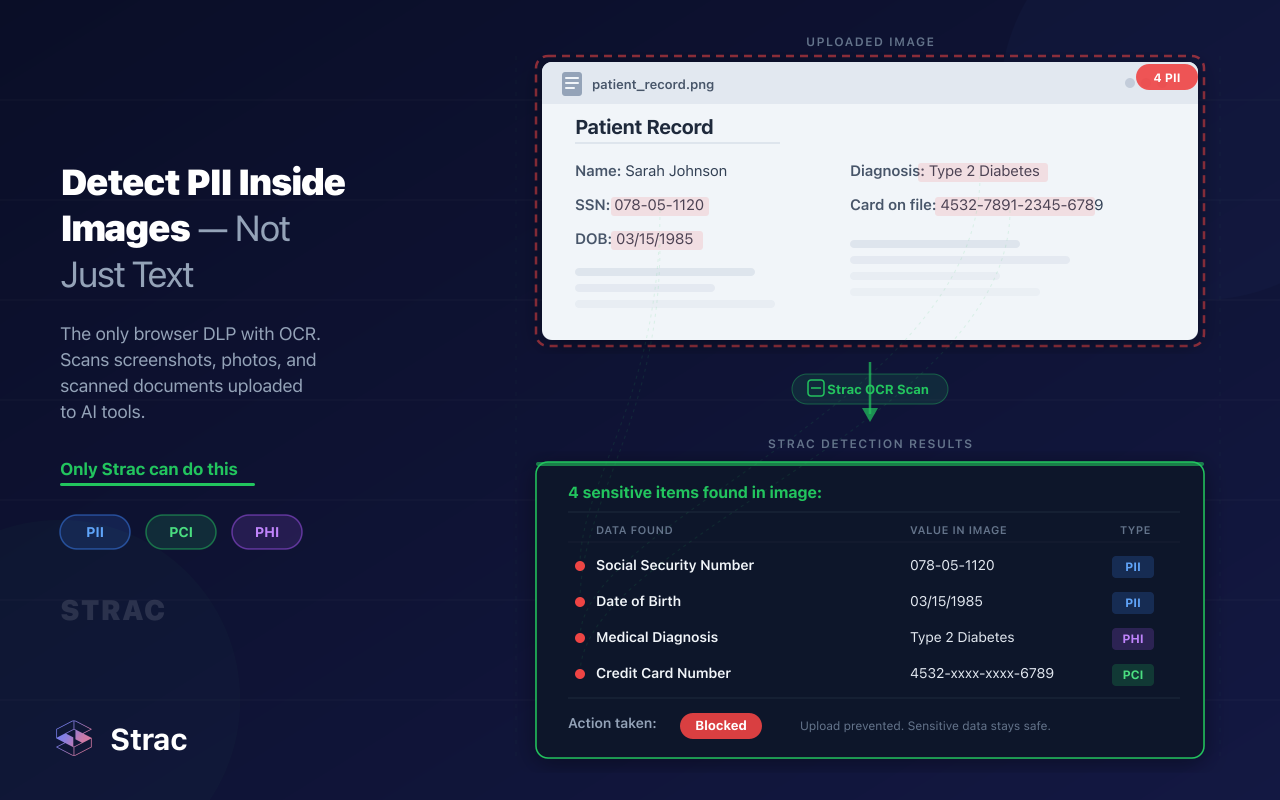
The second is searching a scanned PDF. A scan is a picture of text, so a search for "SSN" finds nothing, and the reviewer assumes the file is clean. Without OCR, the sensitive data stays in the image.
The third is forgetting the hidden data. A comment that says "customer's account number is in section 4" or a form field that still holds a date of birth will leak even when the visible page is perfect.
Then there is volume. A legal team redacts a handful of PDFs a week. A support team receives hundreds of PDF attachments a day: bank statements, medical forms, tax documents, ID scans. Nobody opens each one in an editor.
For a single file that needs a human decision on every line, manual redaction still makes sense. Follow these steps:
This works for a court filing or a records request. It breaks for an inbox, a ticket queue, or a shared drive with ten years of exports.
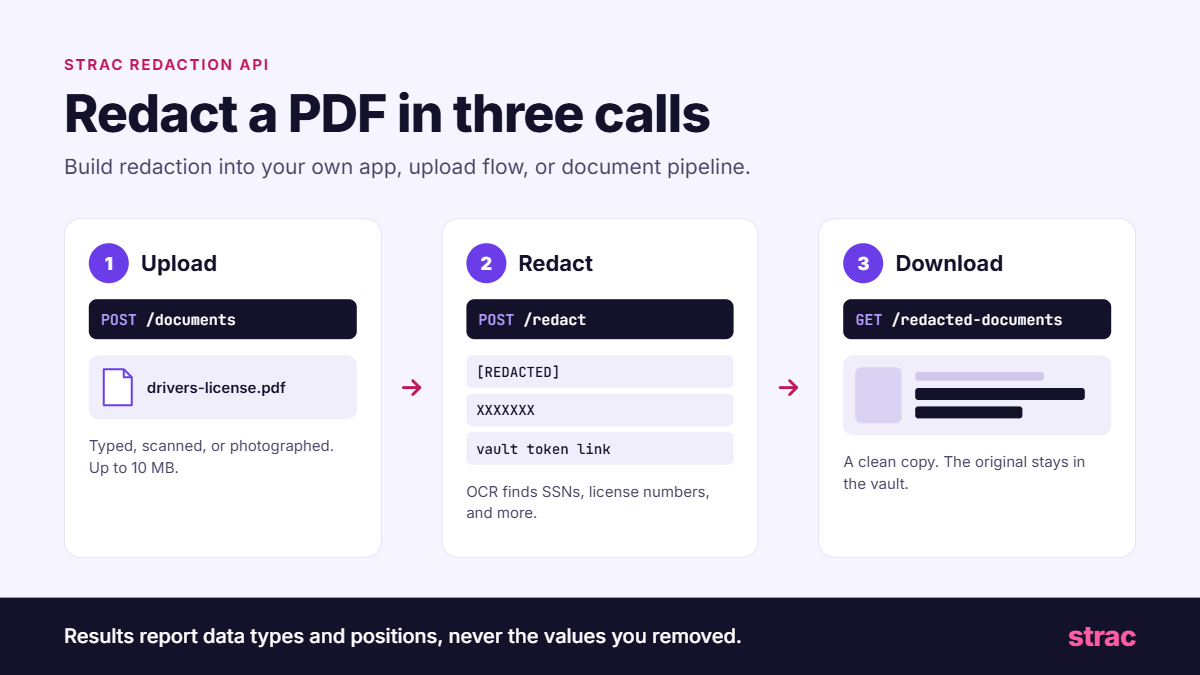
The Strac Redaction API redacts PDFs in code, so you can build redaction into your own app, upload flow, or document pipeline. It takes three calls.
Step 1: Upload the PDF.
curl -X POST 'https://api.test.tokenidvault.com/documents' \
  -H 'X-API-Key: <api_key>' \
  -F 'file=@drivers-license.pdf'
Step 2: Redact it.
curl -X POST 'https://api.test.tokenidvault.com/redact' \
  -H 'X-API-Key: <api_key>' \
  -H 'Content-Type: application/json' \
  -d '{"document_id": "<document_id>"}'
Step 3: Download the redacted copy.
curl -X GET 'https://api.test.tokenidvault.com/redacted-documents/<document_id>' \
  -H 'X-API-Key: <api_key>' > redacted-drivers-license.pdf
Test keys start with sk_test_ and call the test endpoint. Live keys start with sk_live_ and call api.live.tokenidvault.com. Document uploads can be up to 10 MB.
What the API handles in 2026:
[REDACTED], mask it as XXXXXXX, remove it entirely, or swap it for a link to the original in the Strac document vault, so an authorized person can still retrieve it.Full request and response details are in the Strac API docs. For keeping the original values usable in other systems, see data masking and tokenization vs encryption.
AI agents now open PDFs on their own: a W-2 in a shared folder, an invoice attached to a ticket, a contract pulled through an MCP connector. Whatever the agent reads goes into a prompt and then to a model provider.
Strac ships an open-source MCP server for this. Add it to Claude Code, Claude Desktop, Cursor, or VS Code, and the agent gets two file tools. detect_file scans a PDF and reports what sensitive data it holds without changing it. redact_file writes a redacted copy next to the original, never edits the source file, and refuses to overwrite it.
That tool redacts when the agent asks. Strac MCP integrations redact whether it asks or not: when an agent pulls a Drive file or a Salesforce record through MCP, Strac removes the sensitive data before the agent receives it. Asking an agent to redact is a request. Redacting at the connector is a control. Read more in MCP DLP and AI DLP.

The API is for PDFs you control. Most sensitive PDFs arrive in apps you did not build. Strac connects to those apps through their APIs and redacts attachments as they arrive, plus the ones already sitting there.
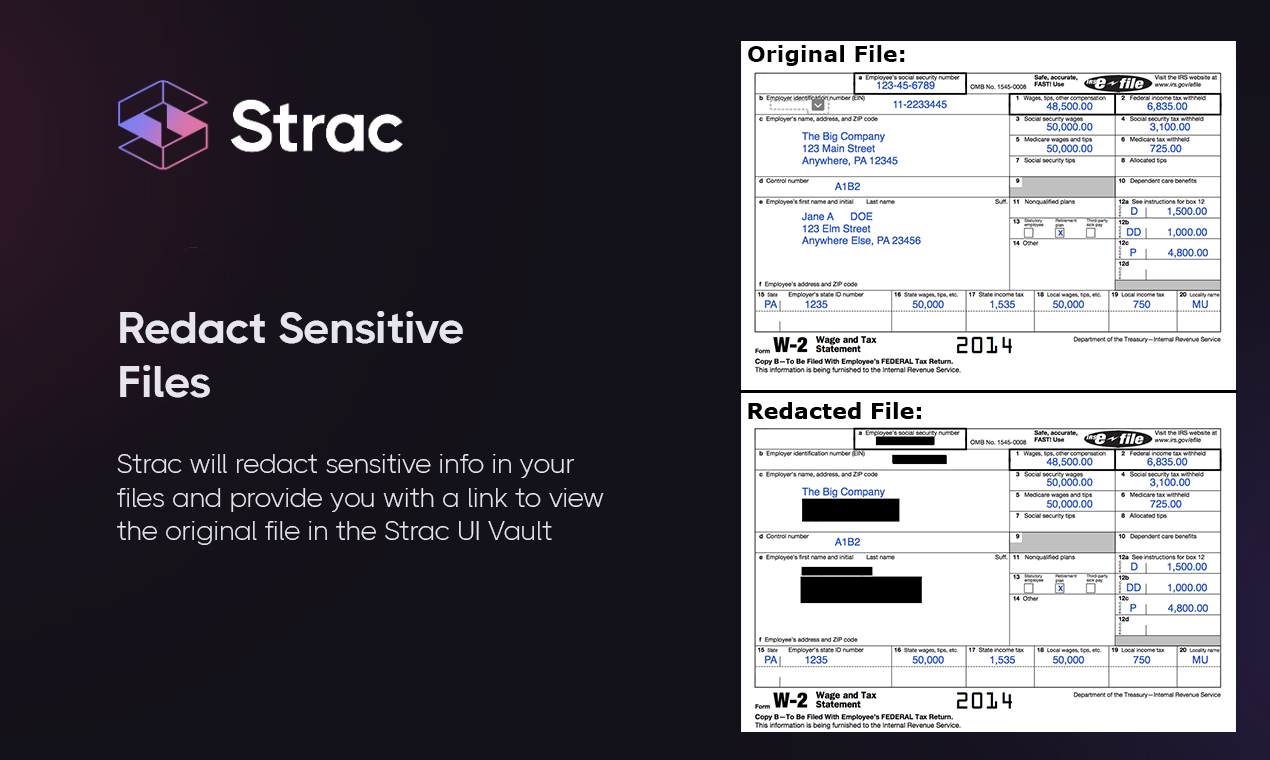
Strac runs the same detectors on the API, the MCP server, and every connected app, so a PDF is judged by one policy wherever it shows up.
See DLP remediation for how each action works. SaaS integrations connect in under 10 minutes with no agent and no code.
Related reading:
Drawing a box on a PDF hides data from the person reading it, not from the file. Real redaction deletes the data from the text, the images, and the metadata, and in 2026 it has to happen in tickets, inboxes, drives, and AI tools, not only in an editor. Every other control fails eventually, so the data layer is the backstop: redact the PDF the moment it lands, and a leaked file holds nothing worth stealing.
Book a demo to see Strac redact PDFs across your stack.

No. Blacking out draws a shape over the text, and the text stays in the file where anyone can copy it. Redacting deletes the text, image content, and hidden data, then puts a mark in its place. Only redaction removes the data.
An editor works one file at a time and depends on someone opening the file. Most sensitive PDFs arrive as ticket and email attachments that nobody reviews. Strac redacts them automatically inside Zendesk, Gmail, and Google Drive.
No. Strac removes only the sensitive values and leaves the rest of the PDF readable. Agents still see the statement period, the transaction list, and the form answers they need. You can also delay redaction until the ticket is solved.
Not everything. Handwriting, very low-quality scans, and data types you never defined can slip past any tool. That is why legal disclosures still get a human review, and why redacting at every entry point matters: what does get caught never spreads.
Yes. Strac checks PDF uploads in the browser and redacts or blocks sensitive data before the file reaches the AI tool, and does the same for agents through MCP. See AI data governance for the full picture.
.avif)


.gif)


.webp)








