September 11, 2026

8
min read
Data Loss Prevention FAQ: Your Comprehensive Guide
Explore FAQs, best practices, and achieve robust data protection with Strac's seamless integration capabilities
· DLP protects sensitive data from unauthorizedsharing, exposure, loss, or misuse across SaaS, cloud, endpoints, browsers,email, GenAI, and AI agents.
· Effective DLP begins with data discovery andclassification, then applies policy-based controls such as redaction, masking,blocking, quarantining, deletion, encryption, or user coaching.
· In 2026, organizations need DLP that addressesSaaS sprawl, shadow AI, browser uploads, endpoint exfiltration, andMCP-connected AI agents.
· Strac combines data discovery, DSPM, and DLP toidentify sensitive data and remediate it across the places employees actuallywork.
· Thegoal is not to block work. It is to let teams collaborate and use AI safelywhile reducing the chance that PII, PHI, PCI, secrets, or intellectual propertyleaves approved controls.
Data loss prevention is no longer just about stopping an employee from emailing a spreadsheet outside the company. Sensitive data now moves across SaaS apps, cloud storage, customer-support tools, employee devices, browsers, generative AI, and AI agents connected through MCP. A modern DLP program needs to discover where that data lives, understand its context, and take the right action before an exposure becomes an incident.
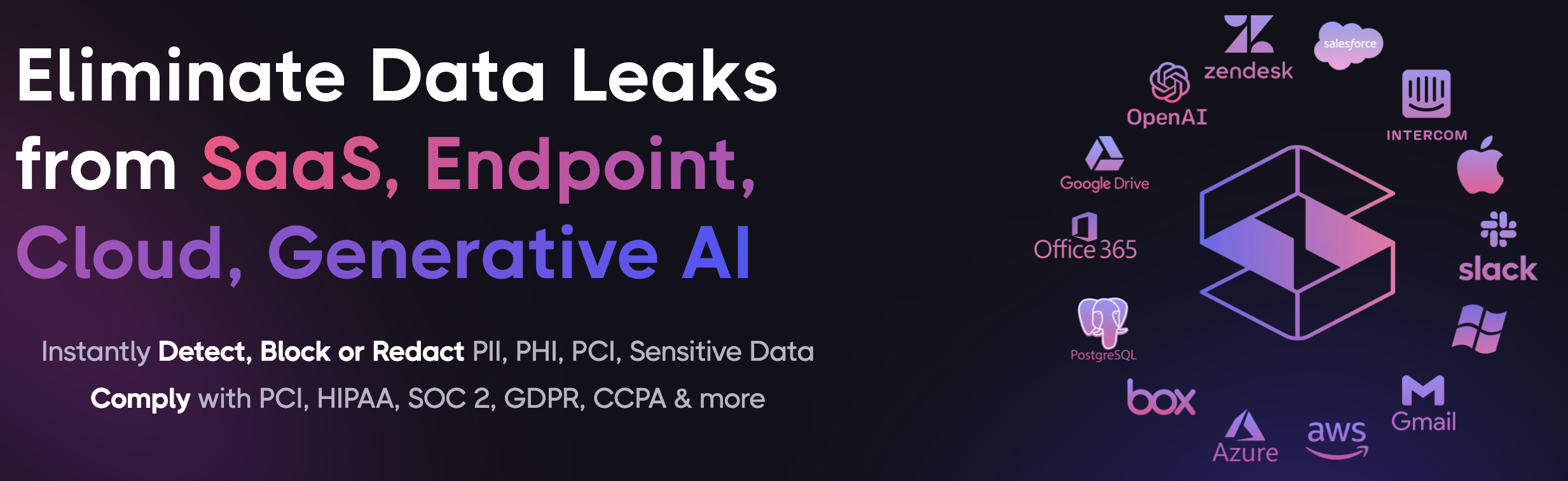
Data Loss Prevention, or DLP, is a set of technologies, policies, and processes that identifies sensitive data and prevents it from being exposed, shared, copied, or used in ways that violate security or compliance requirements.
DLP applies to data at rest, data in motion, and data in use. In practical terms, it can find a customer’s Social Security number in a support ticket, a credit card number in an email attachment, API keys in a Slack message, PHI in a shared cloud file, or confidential source code pasted into an AI assistant.
A strong DLP program answers three questions:
The modern data estate is fragmented. Employees collaborate in Slack, Google Workspace, Microsoft 365, Salesforce, Zendesk, Notion, Jira, cloud storage, browsers, and a growing number of AI tools. Sensitive data can move between these tools in seconds, often without a security team seeing the full path.
At the same time, GenAI adoption has created a new class of data risk. Employees paste customer records into ChatGPT, upload spreadsheets to AI tools, and connect AI agents to internal systems through Model Context Protocol, or MCP. These workflows can create useful automation, but they also create new routes for sensitive information to enter model context or leave approved systems.
DLP helps organizations reduce that risk by providing visibility and controls across the tools where data is created, stored, and shared.
Modern DLP works through a continuous cycle of discovery, classification, policy enforcement, and response. It should not be treated as a one-time scan or a tool that only sends alerts after data has already left the organization.
Discovery identifies where sensitive data exists across SaaS applications, cloud repositories, endpoints, databases, and communication tools. It can find data in messages, documents, spreadsheets, support tickets, attachments, images, PDFs, source code, logs, and shared folders.
For example, Strac’s Google Drive DLP can help organizations discover sensitive data in files and identify exposure risks such as externally shared or broadly accessible content. Box DLP and DSPM and OneDrive DLP and DSPM extend similar visibility to other cloud content repositories.
Once data is discovered, it needs to be classified. Basic rules can identify known formats, such as payment-card numbers or national IDs, but modern data protection needs more than pattern matching.
Strong classification considers context and uses a combination of prebuilt detectors, custom policies, machine learning, OCR, and content analysis. This helps identify PII, PHI, PCI data, secrets, credentials, source code, financial information, intellectual property, and organization-specific identifiers.
Strac can inspect text as well as content embedded in images, screenshots, PDFs, office documents, CSV files, and ZIP files. This matters because sensitive data is often hidden in a document attachment or screenshot, not only typed into a message field.
Not every sensitive-data event should produce the same action. A credit card number in a customer-support ticket may require redaction. A spreadsheet containing PHI shared publicly may require access removal and quarantine. A developer pasting an API key into an AI tool may need to be blocked immediately.
DLP policies can be configured to:
The key is to match the action to the data type, destination, user context, and business risk.
DLP should continuously generate visibility into what is happening with sensitive data. Security teams need to see which systems contain the most exposed data, which policies trigger most often, which users need guidance, and where controls should be adjusted.
This is where DLP and Data Security Posture Management work together. Strac DSPM helps teams discover and prioritize data exposure risks across SaaS and cloud environments, while DLP policies help remediate those risks and prevent new ones from recurring.
DLP can protect any data category that an organization defines as sensitive. Common examples include:
The right DLP solution should support prebuilt detectors while allowing custom policies for internal data formats, customer IDs, contract numbers, project codenames, and other business-specific content.
DLP and DSPM are closely related, but they solve different parts of the data-security problem.
DSPM focuses on understanding the organization’s data posture. It discovers sensitive data, identifies where it lives, maps access and exposure, and prioritizes risk. It is particularly valuable for finding forgotten files, excessive permissions, public links, risky repositories, and shadow data.
DLP focuses on enforcing policy and preventing harmful data movement or exposure. It can act when sensitive data is sent in a Slack message, uploaded to an AI tool, shared in email, copied to a USB device, or exposed in a customer-support platform.
Together, DSPM tells you where your risk is. DLP helps you reduce it.
A 2026 DLP strategy should cover the channels where sensitive data actually moves. Limiting protection to email or a company network leaves major gaps.
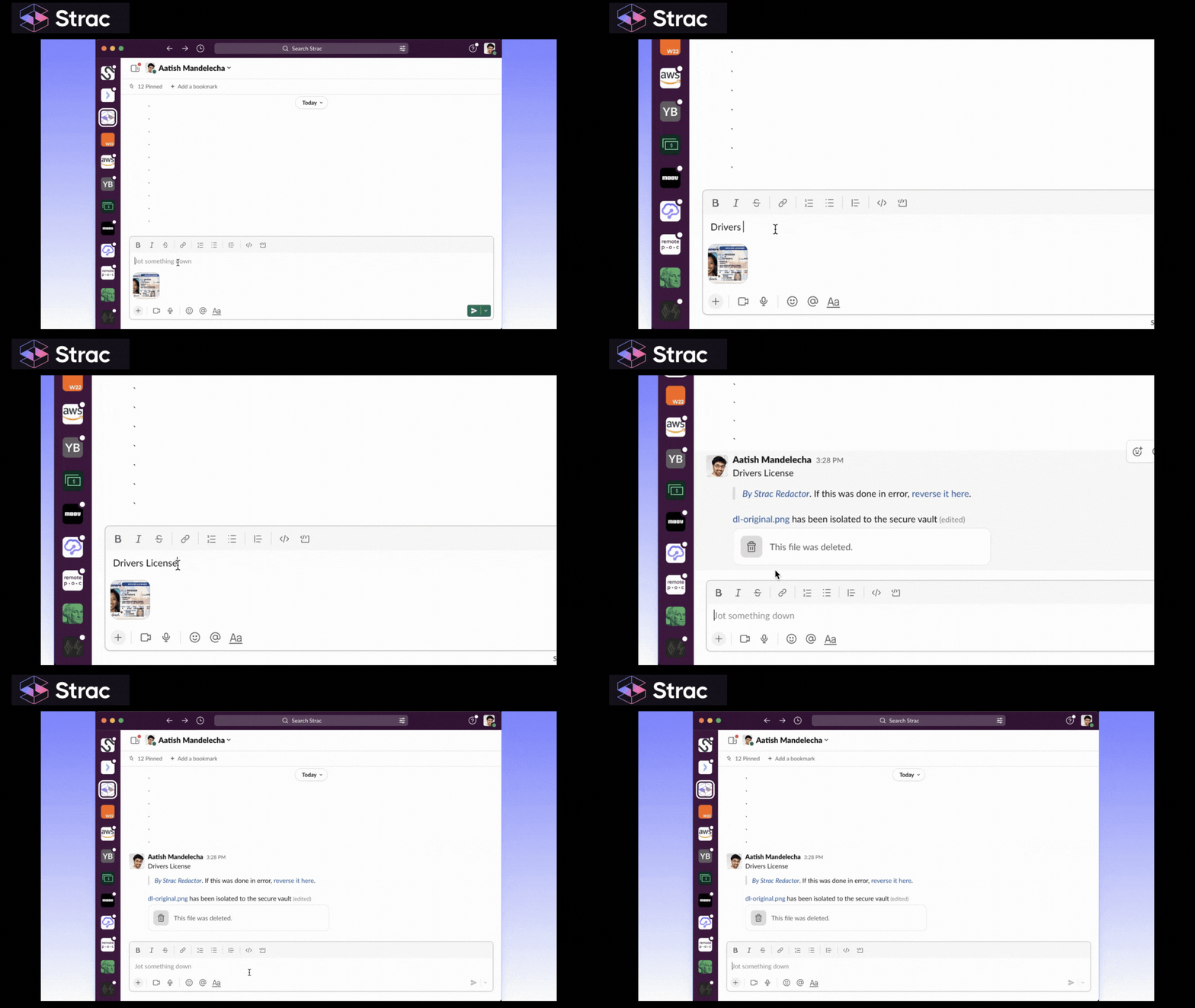
SaaS apps contain large amounts of customer, employee, and business data. Collaboration and support tools are especially risky because users often share information quickly to resolve an issue or move work forward.
For example:
These controls are especially important for support, sales, operations, finance, healthcare, and customer-success teams that routinely handle sensitive customer information.
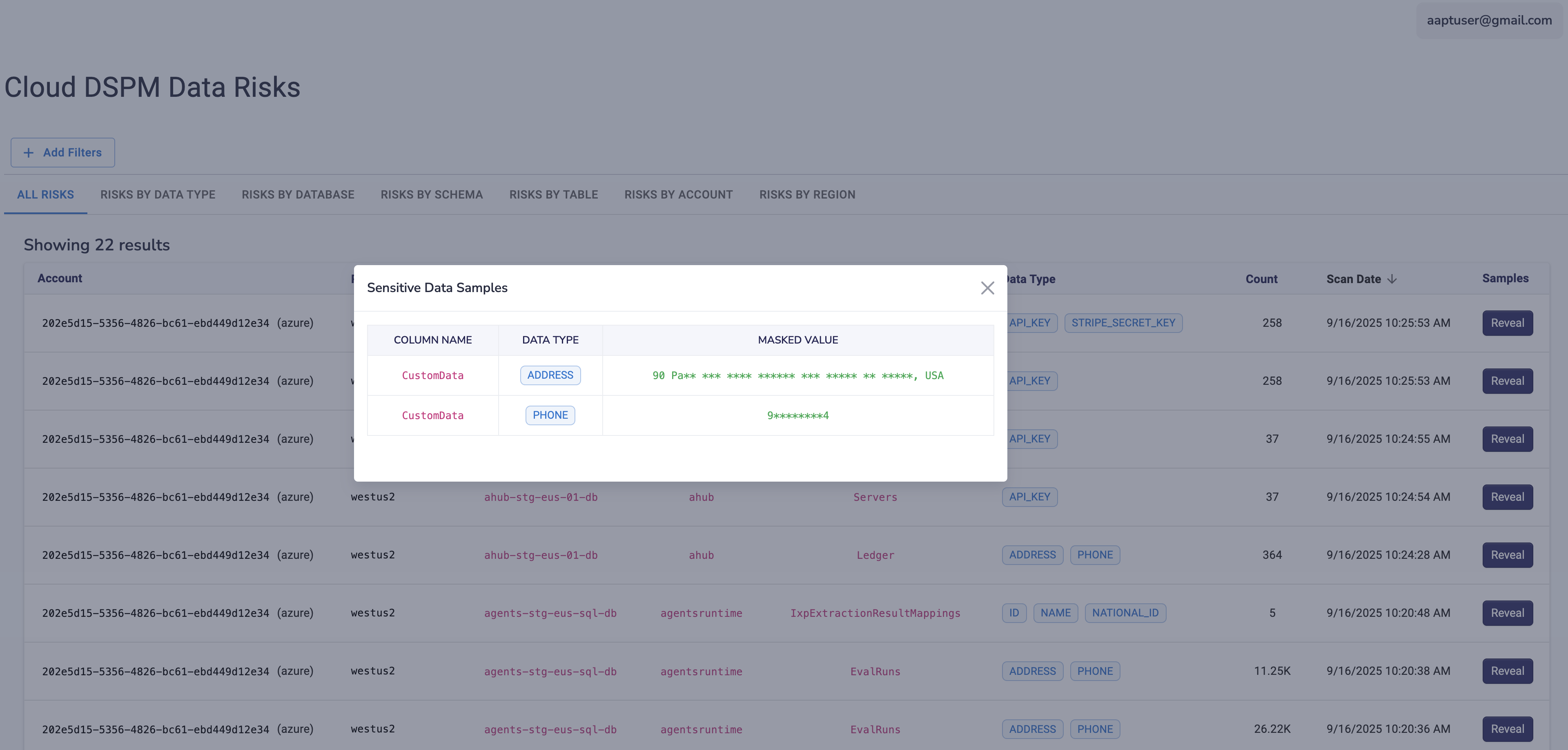
Cloud files are frequently overexposed through public links, external sharing, inherited permissions, and copied data. A modern DLP program should scan both historical data and new uploads, then prioritize files based on sensitivity and exposure.
Organizations should monitor shared drives, individual folders, cloud documents, spreadsheets, PDFs, and attachments. They should also be able to remove risky permissions, apply labels, quarantine content, or alert the right owner when a policy is violated.
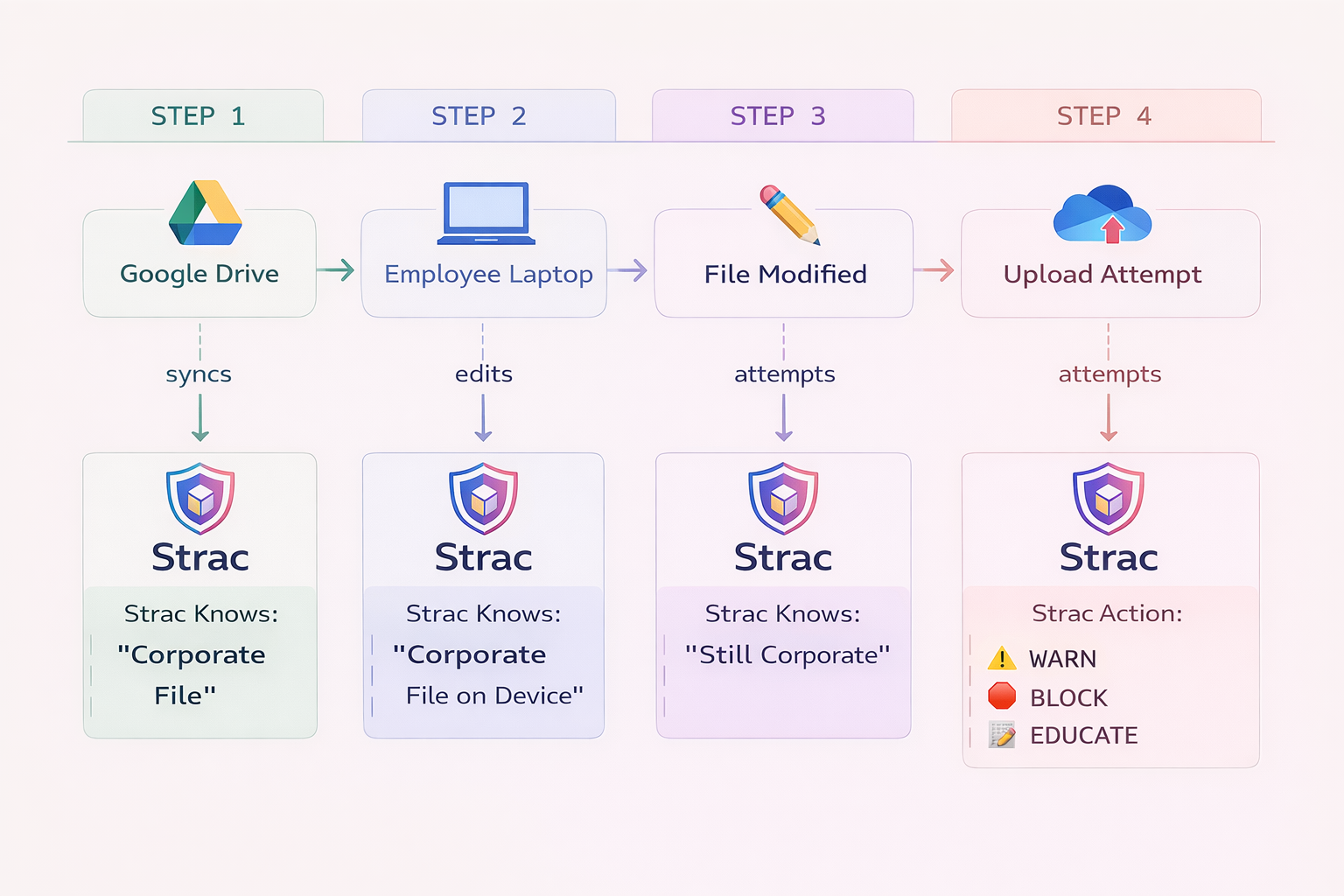
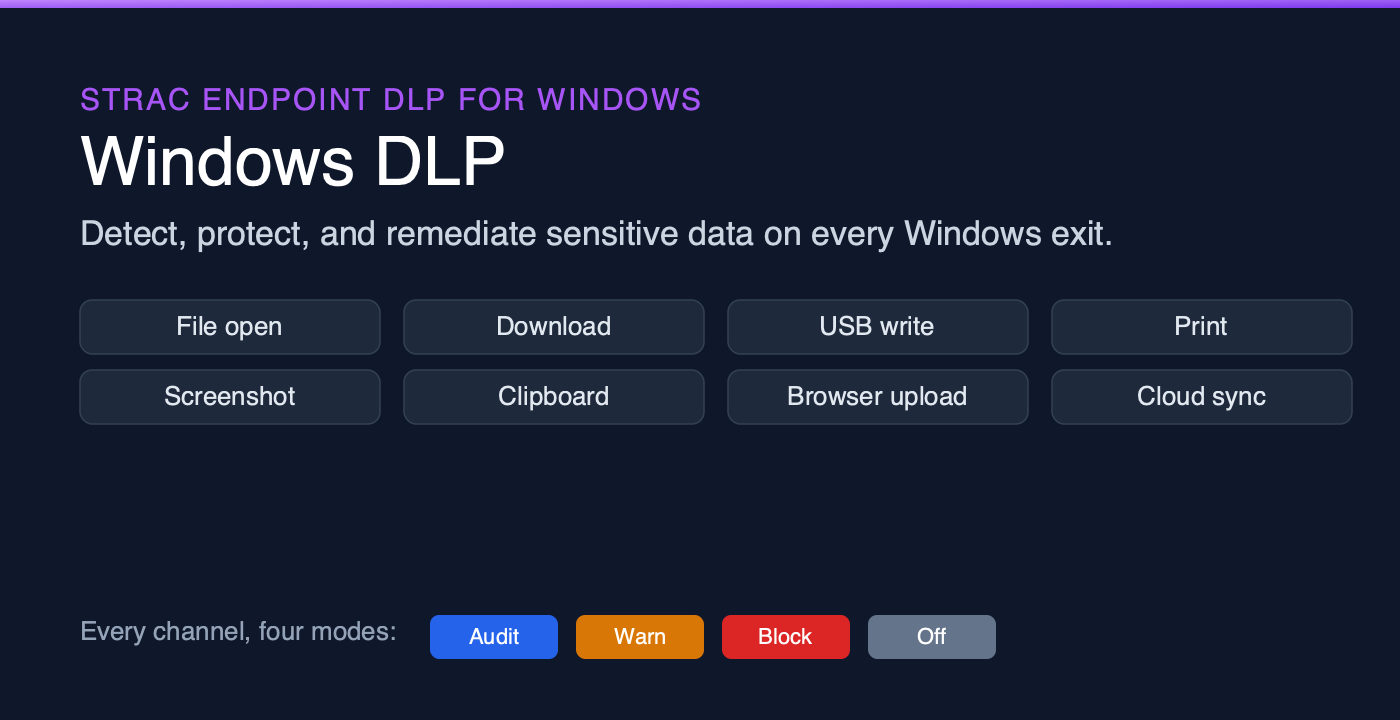
Sensitive data can still leave through endpoints, even when SaaS and cloud applications are well protected. Employees may copy files to USB devices, upload them to personal storage, print them, transfer them through local applications, or move them across unmanaged channels.
Strac Endpoint DLP provides controls for sensitive data in use on employee devices. This allows organizations to apply policies to channels such as removable media, browser uploads, clipboard activity, printing, local file movement, and other common exfiltration paths.
.gif)
The browser has become one of the largest unmonitored data-exfiltration surfaces. Users access personal email, shadow SaaS apps, web forms, AI assistants, file-sharing sites, and unapproved cloud services from a browser every day.
Strac Browser DLP helps organizations detect, nudge, and block risky browser actions involving sensitive data. This is particularly useful when users paste data into websites, upload files to web apps, or use unsanctioned tools that do not have a direct API integration.
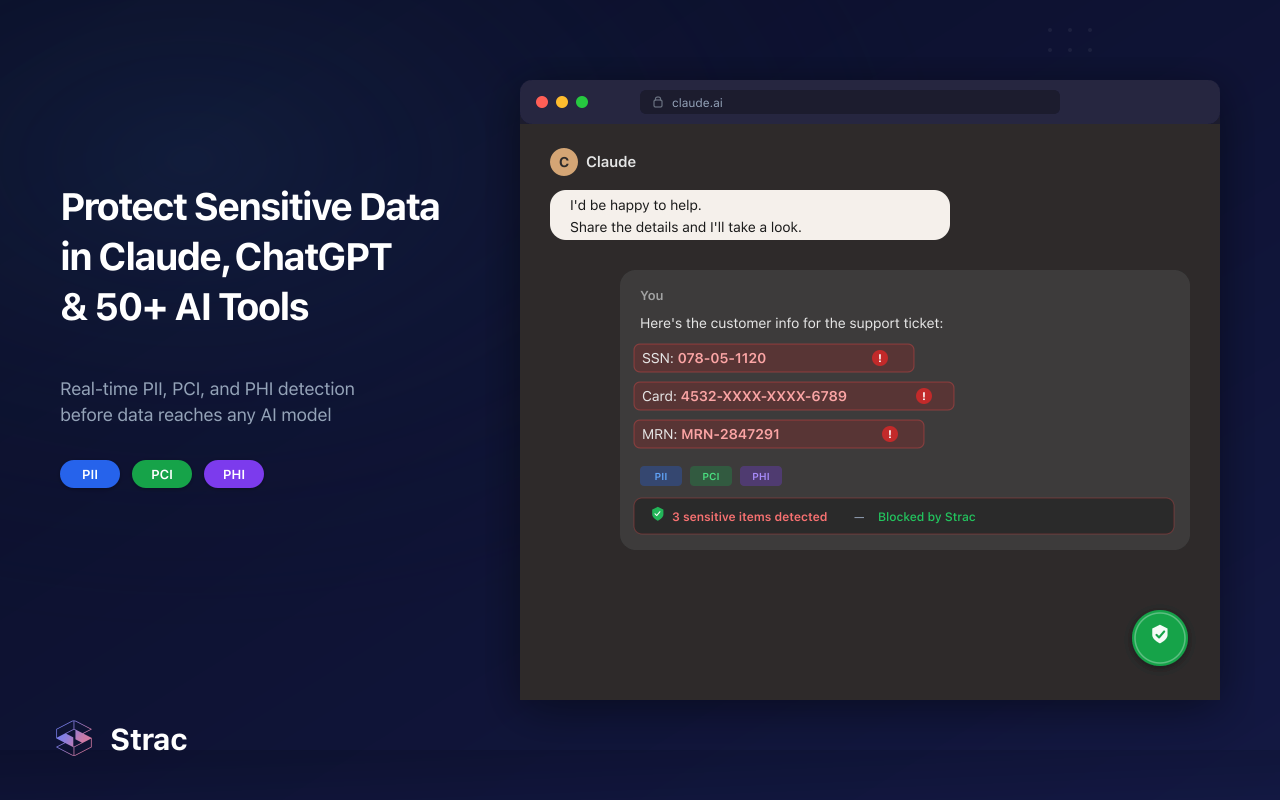
GenAI tools create new data-loss risks because employees can paste sensitive information into prompts or upload documents for summarization, analysis, or content creation. Even well-intentioned use can violate internal policy, contractual obligations, or regulatory requirements.
Strac ChatGPT DLP helps organizations monitor, nudge, or block sensitive data entering AI workflows. The broader goal is not to ban AI. It is to give employees a safe way to use it without exposing PII, PHI, PCI data, secrets, or confidential business information.
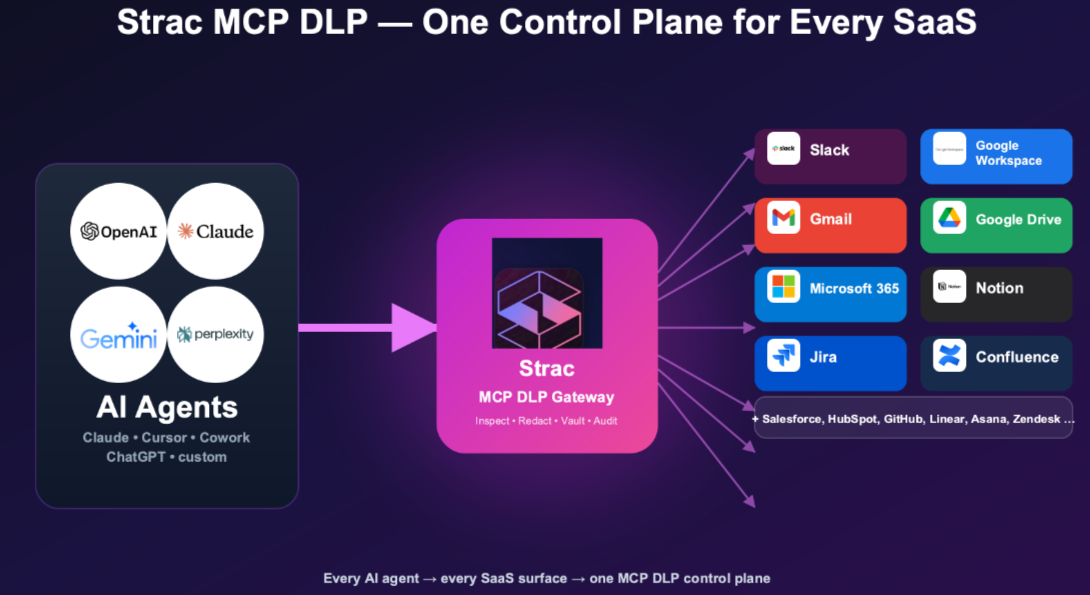
MCP enables AI assistants and agents to connect to systems such as Slack, Google Drive, Microsoft 365, Salesforce, Jira, GitHub, Zendesk, and other business tools. This can be powerful, but it means an AI agent may retrieve sensitive data directly into model context through a tool call.
Strac MCP DLP helps protect these workflows by inspecting MCP tool calls and responses. Depending on policy, organizations can detect, redact, tokenize, vault, block, or audit sensitive data before it reaches an AI agent or model.
This is one of the most important additions to an enterprise DLP strategy in 2026. Traditional DLP programs were not designed for an AI agent that can search internal systems and assemble sensitive records in seconds.
DLP programs often fail because they are deployed as a restrictive, isolated security control rather than a practical part of how people work. The most common challenges include:
If policies are too broad, employees and security teams are overwhelmed with alerts. Users lose trust in the tool, security teams ignore noise, and important incidents are harder to find.
The solution is to use contextual detection, test policies in monitor-only mode, tune rules by application and data type, and apply stronger actions only when confidence and risk are high.
Organizations cannot protect what they do not know exists. Shadow SaaS, personal accounts, browser-based AI tools, and new AI integrations can create blind spots quickly.
Start with discovery and inventory. Identify the applications, repositories, browser destinations, AI tools, and agent connections that handle sensitive data before attempting to enforce broad policies.
An alert that arrives after a sensitive file has already been shared is useful for investigation, but it may not prevent harm. DLP should support practical, policy-driven remediation such as redaction, blocking, access revocation, deletion, quarantine, and user coaching.
Security teams do not want employees to work around controls. The best DLP programs use graduated policies. Lower-risk events may trigger a notification or approval workflow, while high-risk events such as uploading PHI or credentials to an unapproved AI tool are blocked immediately.
Successful DLP deployments are iterative. Begin with visibility, prioritize the highest-risk workflows, and tune policies before expanding enforcement.
Define the data categories that matter most to your organization. For many teams, this begins with PII, PHI, PCI data, credentials, secrets, and customer records. For technology companies, source code and proprietary documents may also be high priorities.
Identify the systems your teams use for email, collaboration, support, cloud storage, CRM, development, AI, and endpoint work. Include both approved applications and likely shadow tools.
Start where sensitive data is most likely to move quickly or be exposed to many people. Common first integrations include Slack, Google Drive, Gmail, Zendesk, Salesforce, Microsoft 365, and GenAI tools.
Use initial scans and alerts to understand the volume and nature of sensitive-data activity. This gives teams time to tune detection and avoid creating unnecessary friction.
Once policies are tested, introduce actions appropriate to the risk. Automatically redact payment information in customer-support tickets, remove public access from sensitive files, block secrets from being pasted into AI tools, or quarantine high-risk content for review.
Track the number of exposures found, the time to remediate, the data types involved, the applications generating risk, and the number of repeat policy violations. These metrics help security teams demonstrate progress and focus on the controls that reduce risk most effectively.
DLP supports compliance by helping organizations identify sensitive data, apply consistent controls, and produce evidence of monitoring and remediation. It can support security and privacy programs aligned with requirements such as HIPAA, PCI DSS, GDPR, SOC 2, ISO 27001, CCPA, and internal data-handling policies.
However, DLP is not a substitute for a complete compliance program. Organizations still need appropriate policies, access management, vendor reviews, incident response, employee training, records of processing, and governance.
The value of DLP is that it turns data-protection policy into repeatable technical controls across the systems where sensitive data is used every day.
Strac brings data discovery, DSPM, and DLP together for SaaS, cloud, GenAI, browsers, AI agents, and endpoints. It helps teams discover sensitive data, understand exposure, and apply inline remediation instead of relying on alerts alone.
With Strac, organizations can:
The best DLP strategy in 2026 is not one that stops people from doing their jobs. It is one that gives them a safe, practical way to collaborate, support customers, use cloud software, and adopt AI without turning sensitive data into an uncontrolled risk.
.avif)


.gif)


.webp)