November 3, 2026

5
min read
Data Loss Prevention for Zendesk: DLP for Ticketing Systems
Discover how integrating Data Loss Prevention (DLP) with Zendesk can protect sensitive customer data, ensure compliance, and preserve your business's reputation
Zendesk DLP is a set of controls that detect sensitive data inside Zendesk and act on it automatically. It covers the places data actually lands: ticket comments, chat messages, email replies, and file attachments.
A Zendesk DLP tool does three jobs. It runs sensitive data discovery on the tickets you already have. It checks each finding against a DLP policy. And it applies DLP remediation, such as redaction or deletion, when new data arrives.
The data usually falls into four groups:
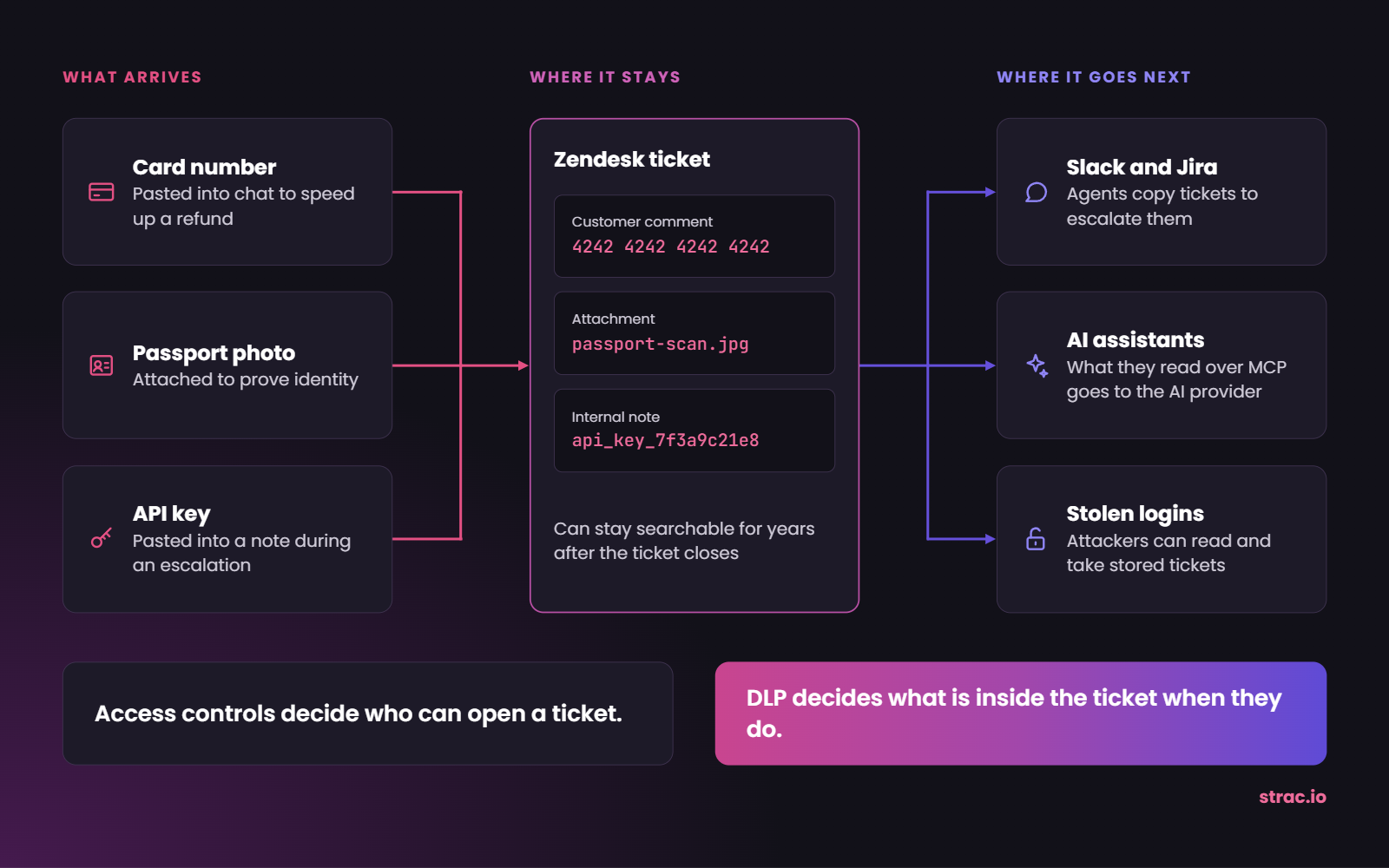
Zendesk is built to keep a complete record of every customer conversation. That history is the point of the product; it is also the risk.
A customer pastes a card number into chat to speed up a refund. Another attaches a passport photo to prove their identity. An agent copies a ticket into Slack to escalate it. None of this looks like an attack, yet the data now sits in several systems for years.
Recent incidents show what is at stake. In February 2026, Hims & Hers disclosed that support tickets were stolen from its customer service platform, with names and contact details among the data involved. In 2025, Discord disclosed a breach of a third-party support system that exposed ID images.
The lesson is broader than any one vendor. Access controls decide who can open a ticket. DLP decides what is inside the ticket when they do.
AI raises the stakes. Assistants such as Claude and ChatGPT can connect to Zendesk through the Model Context Protocol (MCP), the standard that lets an assistant read data from another app. Zendesk announced its own MCP server in May 2026, and third-party servers already exist. Whatever the assistant reads may be sent to the AI provider, including a card number from an old ticket.
Zendesk has no complete DLP product, but it does have native data protection controls. Every team should turn on the ones available to them.
Included in many plans:
Added by the paid Advanced Data Privacy and Protection (ADPP) add-on:
Those controls have clear edges:
Native redaction cleans the ticket; DLP also covers where the data goes next. For the mechanics, read Zendesk redaction. For a direct comparison, read Zendesk ADPP alternative. Card-specific rules are covered in is Zendesk PCI compliant.
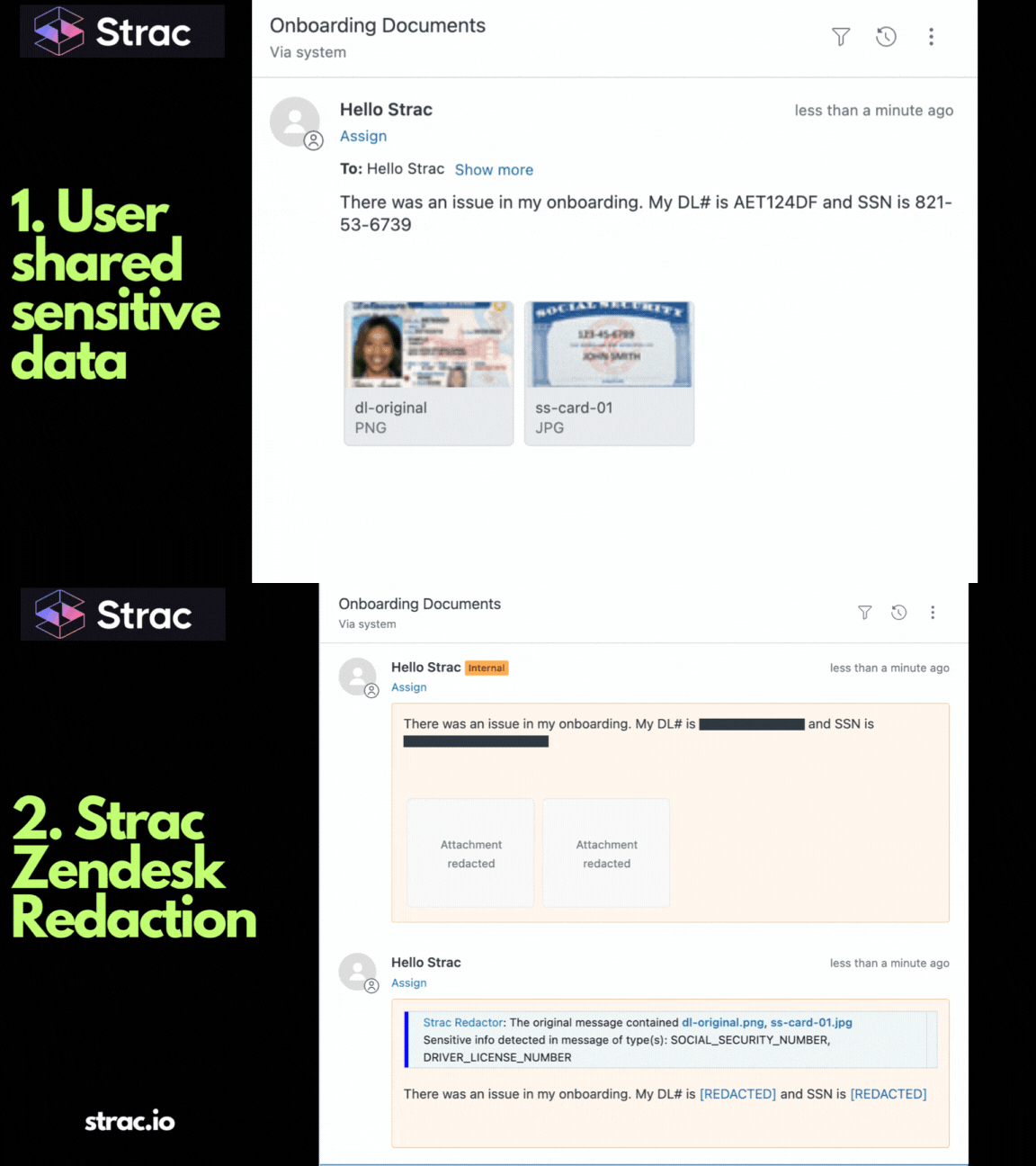
Strac connects to Zendesk through an approved app, with nothing to install on agent laptops. Each new comment or attachment then follows the same path:
You can also delay redaction until a ticket closes or until a set number of days has passed, so agents can finish the work first.
A redacted ticket still solves the customer's problem; it just cannot leak the card number that came with it.
Strac Zendesk DLP works with the Zendesk Team, Growth, Professional, and Enterprise suites. It scans new tickets in real time and runs historical scans across old comments and attachments, so years of stored data get cleaned up too.
Strac detects PII, PHI, card data, bank details, and secrets, and you can add your own detectors and sensitivity settings. Ready-made policy templates cover HIPAA, PCI DSS, SOC 2, ISO 27001, and GDPR.
Strac remediates each finding in four ways:
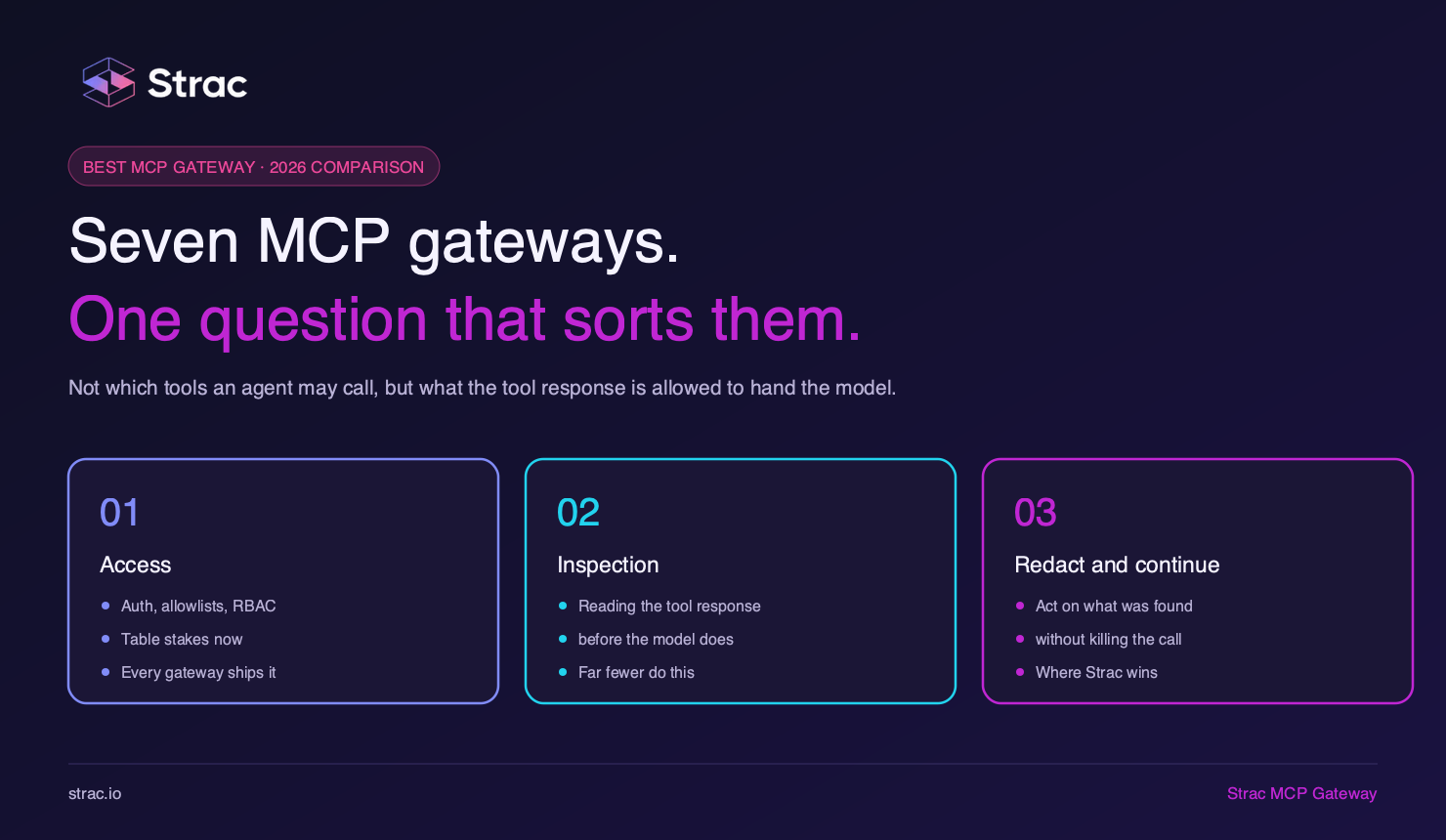
The same protection follows Zendesk data to AI assistants. Strac Zendesk MCP DLP sits between the assistant and Zendesk and redacts sensitive data before the AI model receives it. It can also block risky actions or require approval, and it logs every request. Read MCP DLP for the full approach and AI DLP for what agents paste into AI tools by hand.
Zendesk data rarely stays in Zendesk, so the same platform covers the places it travels:
DSPM shows where sensitive data already sits across those apps. For a wider view of the support stack, read customer support DLP or the customer support case study.
Finding the card number tells you there is a problem; removing it is what closes the risk.
Related reading:
The best test is a real one: run the tool against a sample of your own tickets, including messy attachments. Then check these points:
For most teams, no. A homegrown script can match a clean card number. It is much harder to read text inside images, keep detectors accurate, redact without breaking the ticket, and produce evidence for auditors. Someone then has to maintain all of it as Zendesk, your data, and the rules change.
Customers will keep sending sensitive data to support, and tickets will keep traveling to other apps and AI tools. Access controls fail eventually; the data layer is the backstop. Redact sensitive data in every ticket, attachment, and assistant request, and a stolen login exposes far less.
Book a demo to see Strac scan and protect your Zendesk tickets.
No. Redaction is one action. Zendesk DLP also finds sensitive data, applies a policy, logs the result, and can follow the same data into other apps and AI tools. Read Zendesk redaction for the mechanics.
For redaction, it can. Strac automatically handles comments and common attachments, including images, and also covers other apps. ADPP includes other features, such as customer-managed encryption keys, so check which of those you need before deciding.
No. Strac removes the sensitive value and leaves the rest of the ticket intact. Delayed redaction lets agents finish the case first, and authorized people can open the original in the vault when they truly need it.
No. Redaction cleans the copy stored in Zendesk, not an email already sitting in a customer's inbox. That is why the data layer matters: removing data early limits how much can spread, and agents still need care with outbound replies.
Not automatically. Compliance depends on your plan, your configuration, and what agents and customers put in tickets. Read is Zendesk PCI compliant, then see HIPAA DLP and the SaaS DLP pillar.
“Don’t just alert on problems, fix them.”
Scott Roberts, Chief Information Security Officer, UiPath









Customers include