November 13, 2026

5
min read
A Practical Guide to Protecting Data in Motion
Learn how to protect data in motion in 2026 across email, SaaS, browsers, GenAI and MCP agents, and how Strac redacts sensitive data in real time.
Data breaches are getting more expensive again. According to the IBM Cost of a Data Breach Report 2026, the global average cost of a breach hit a record $4.99 million, up 12% from the year before. In the United States the average reached $11.5 million.
AI is a big part of that increase. One in four malicious breaches in the 2026 study was AI-enabled, a 56% jump, and those breaches cost about $6 million each. IBM also found that 92% of organizations with an AI-related breach had no proper access controls for their AI models and data.
Much of this exposure happens while data is moving between people, apps and AI tools. This guide explains where data moves in 2026, what controls actually work, and how Strac helps you protect it.
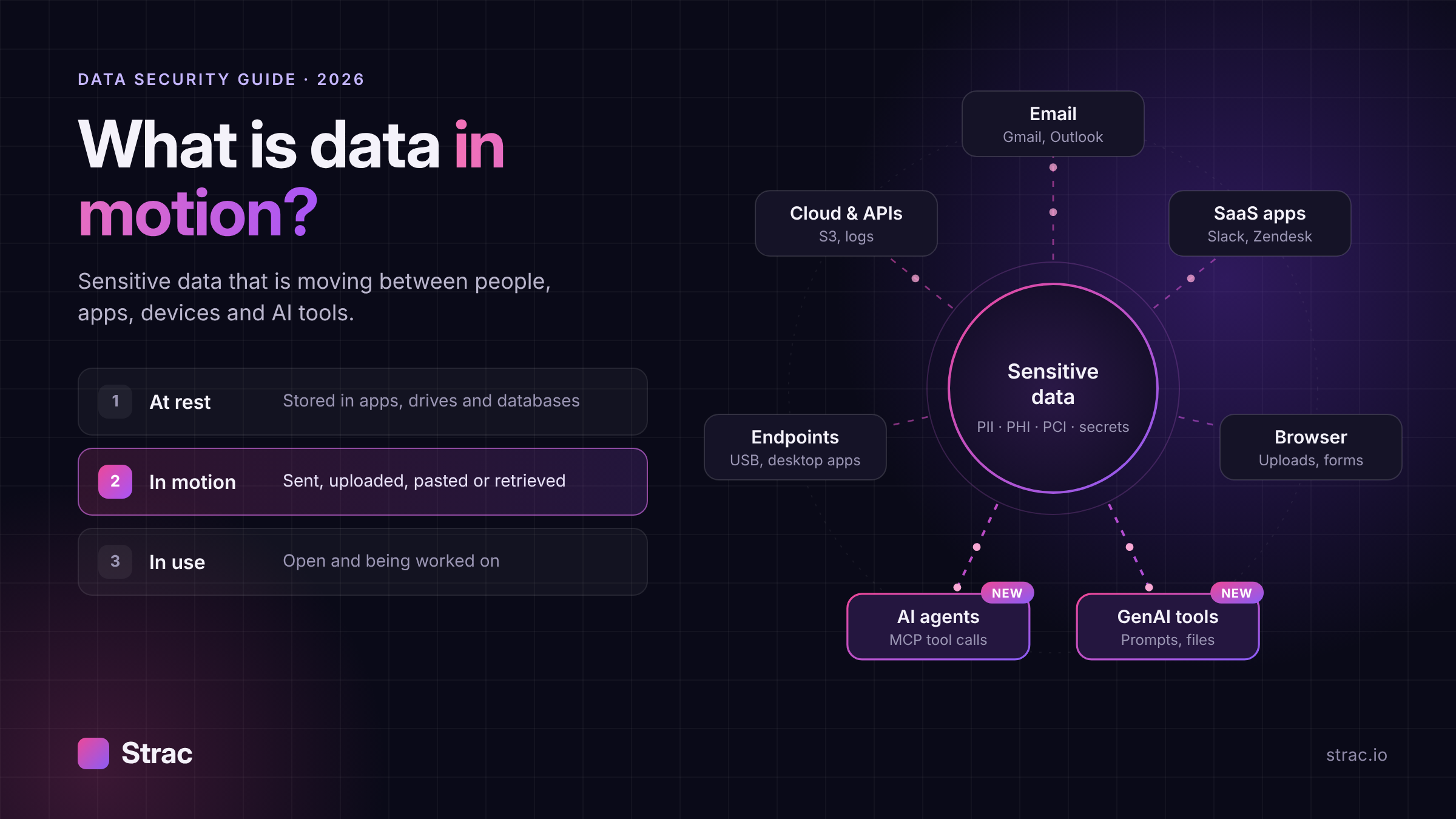
Data in motion, also called data in transit, is data that is moving from one place to another. It might travel across a network, between two SaaS apps, from a laptop to a website, or from a database into an AI model.
Digital data exists in three states:
A few years ago, data in motion mostly meant email and file transfers. Today it also means a support agent pasting a customer record into an AI chatbot, or a coding assistant reading a production database through an MCP server. The sensitive data is the same. The paths it travels are new.
The data that needs protection has not changed much either:
For the full list of data types Strac detects, see the Strac catalog of sensitive data elements.
Sensitive data now leaves your control through seven main paths. Each one needs its own kind of visibility.
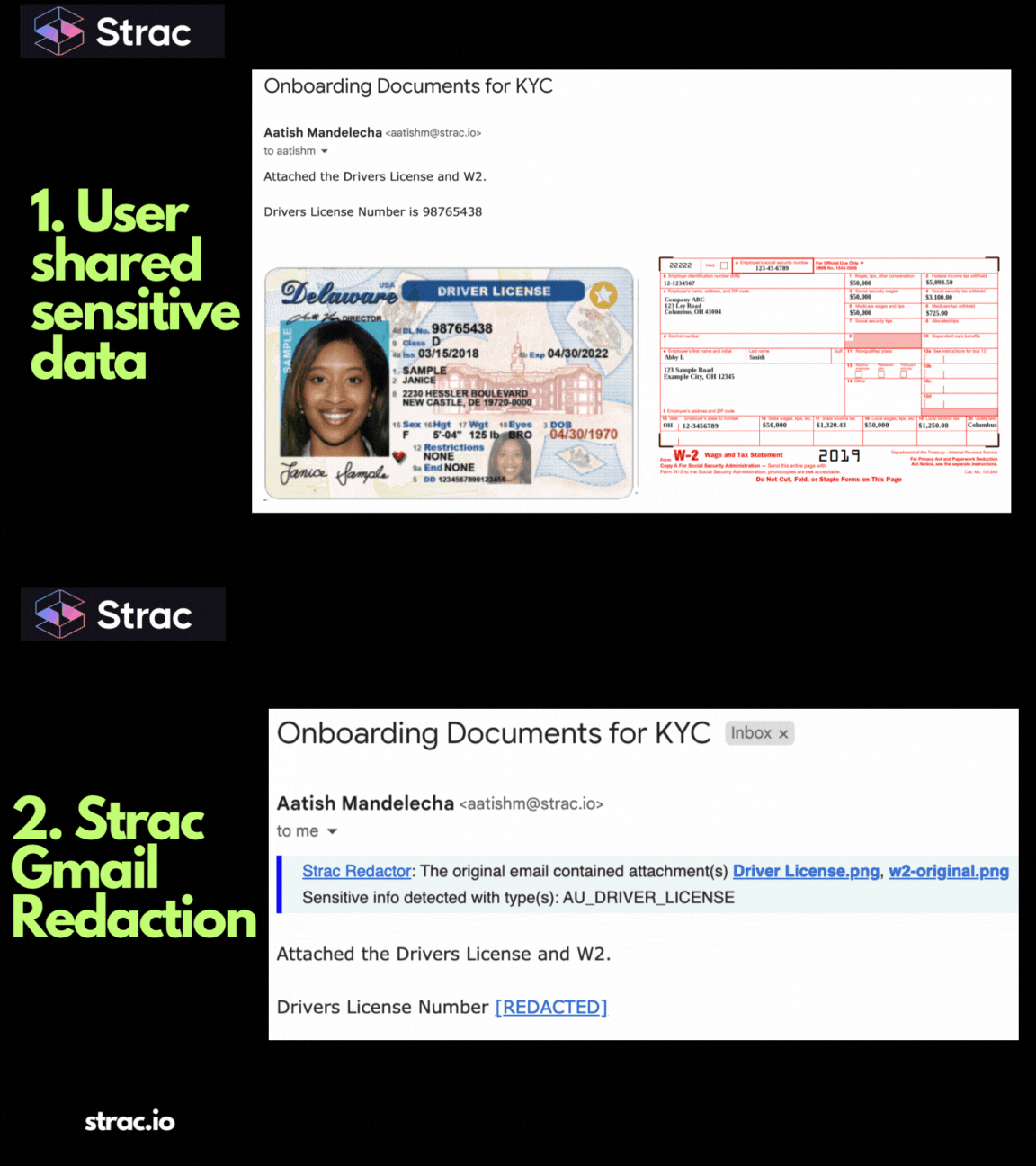
Support and sales teams send and receive sensitive data by email every day, often without meaning to. A customer replies with a photo of their ID. A rep forwards a spreadsheet with card numbers. Gmail and Office 365 both carry this risk, and attachments are where most of it hides. See Strac's email security page for how inbound and outbound mail can be redacted automatically.
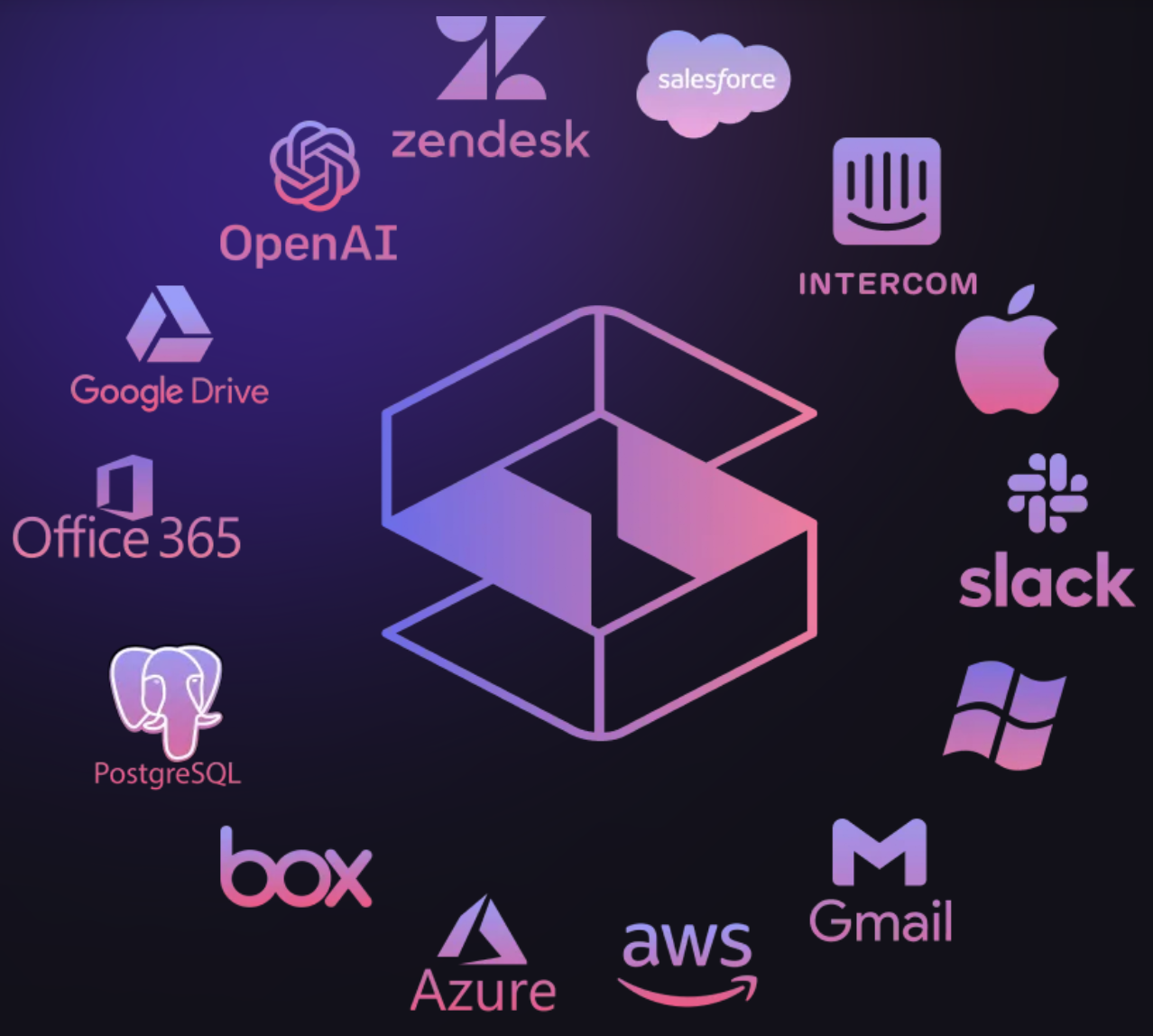
Chat, ticketing and CRM tools are where customers and employees share data most freely. Common examples:
Our SaaS DLP overview and Slack DLP guide go deeper on this path.
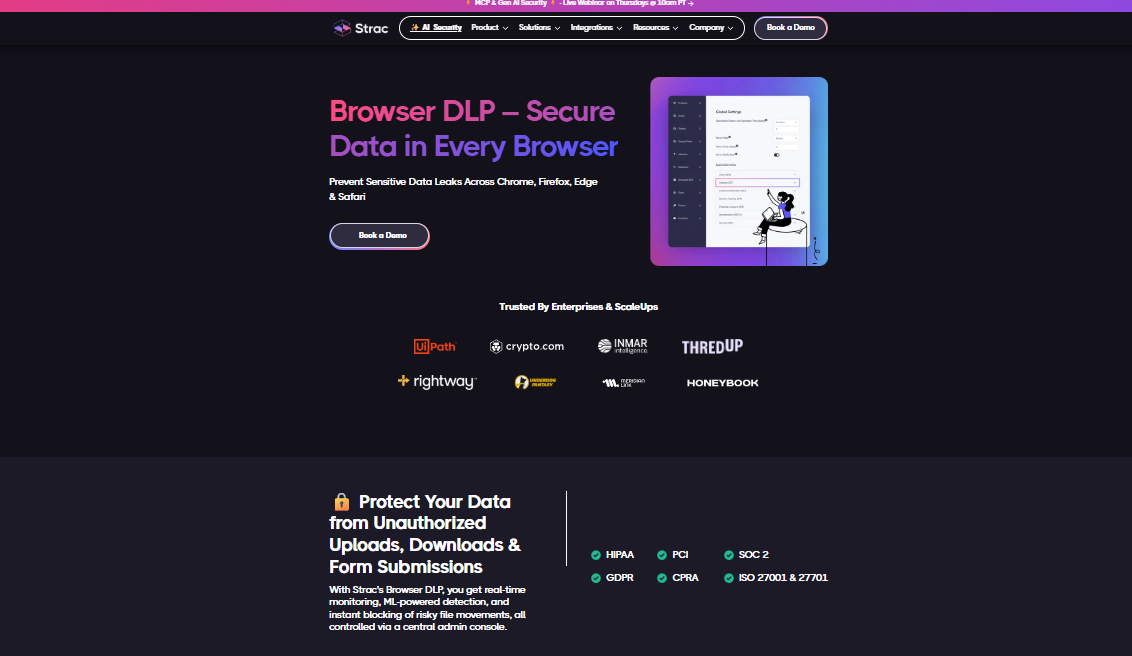
Most work now happens in a browser tab. Employees upload files to personal cloud storage, download customer reports, fill in web forms and copy text between sites. A network firewall sees encrypted traffic and little else. Browser DLP sees what the user actually uploads, pastes or submits.
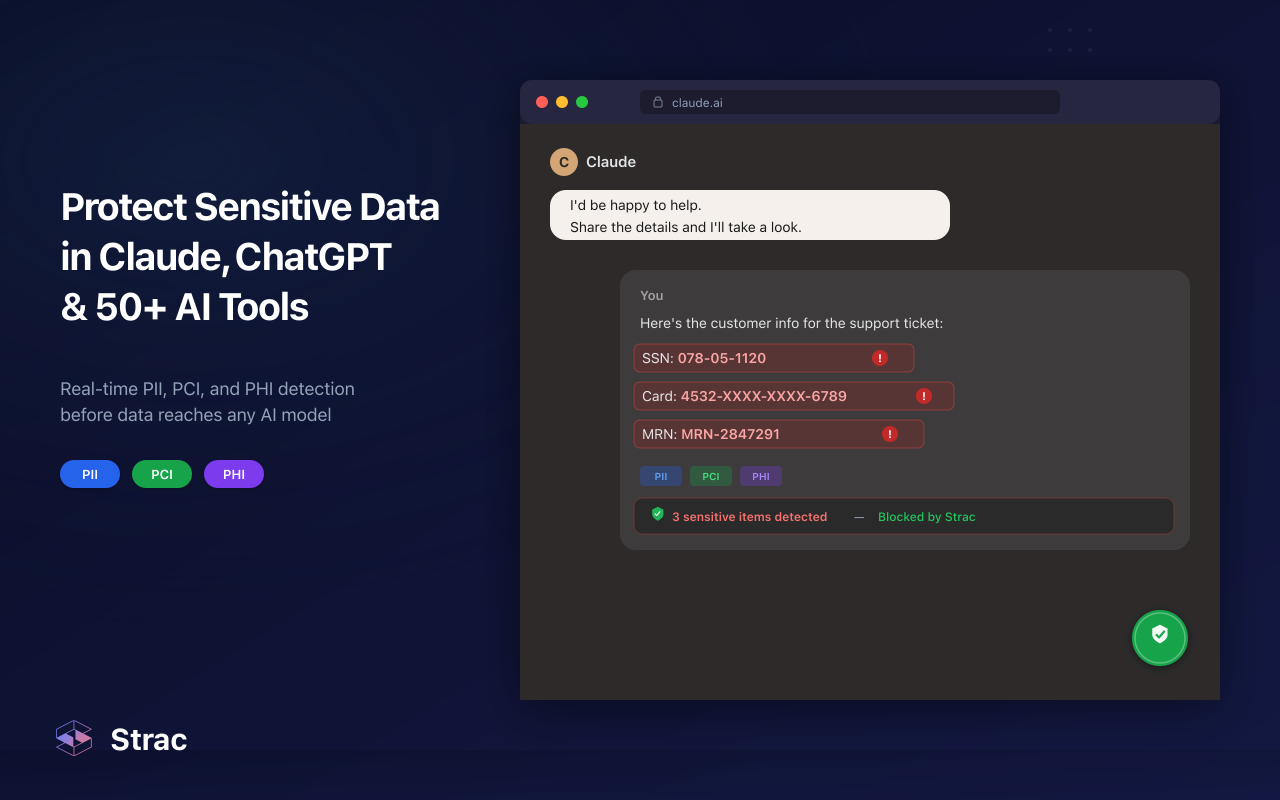
Employees paste contracts, customer emails and code into ChatGPT, Claude, Gemini and Copilot to get work done faster. Every prompt and uploaded file is data in motion to a third party. Much of this use is unapproved, which is why shadow AI has become a top concern for security teams.
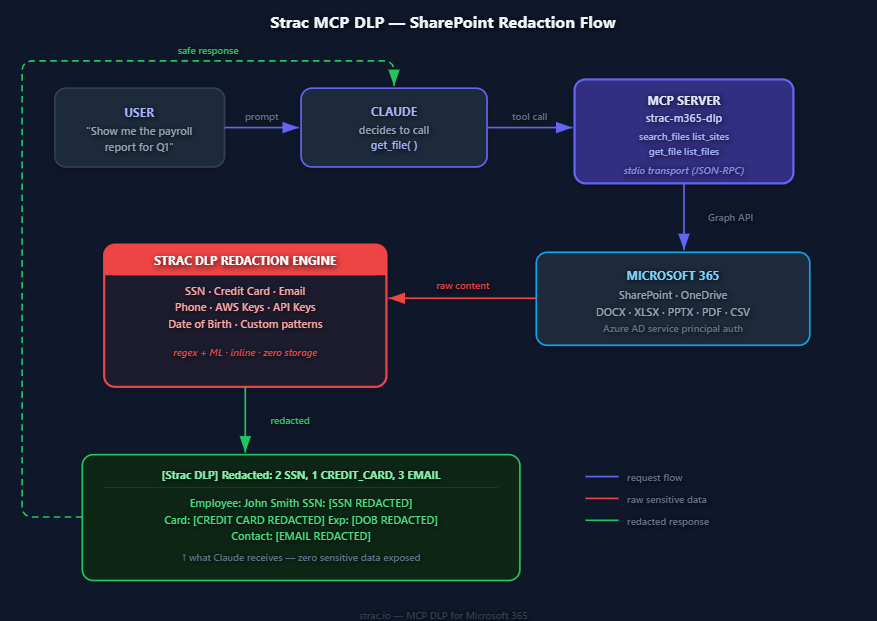
This is the newest path and the least monitored. The Model Context Protocol lets AI agents connect to your databases, SaaS apps and code repositories. When an agent queries a Postgres database or searches a GitHub repo, the results flow straight into the model's context. If that response contains Social Security numbers or AWS keys, they go with it.
The risks include over-broad tool responses, prompt injection hidden in retrieved content, agents acting with more access than the user has (the confused deputy problem), and shadow MCP servers that developers run without security review. Our guide to agentic AI security covers these in detail.
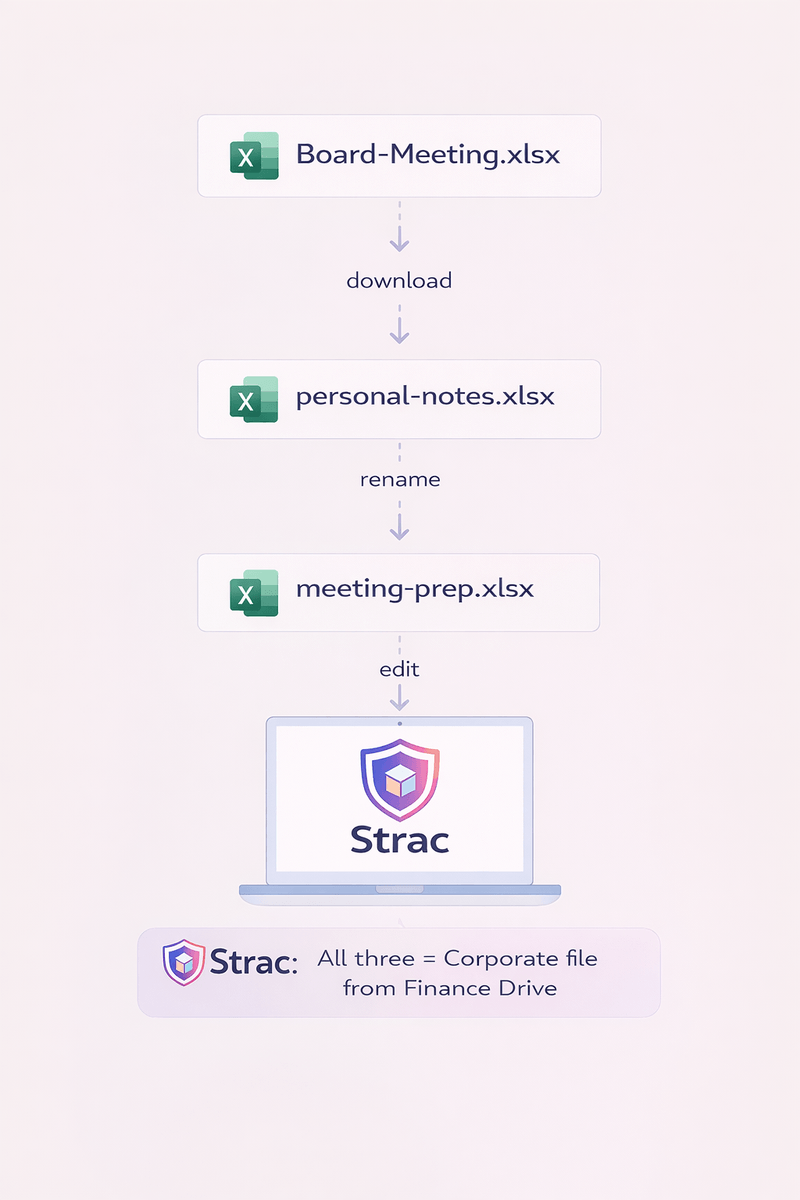
Laptops are still a major exit point. Files get copied to USB drives, synced to personal cloud folders, printed, or opened in desktop AI apps. Endpoint DLP for macOS, Windows and Linux covers what browser and SaaS controls cannot.
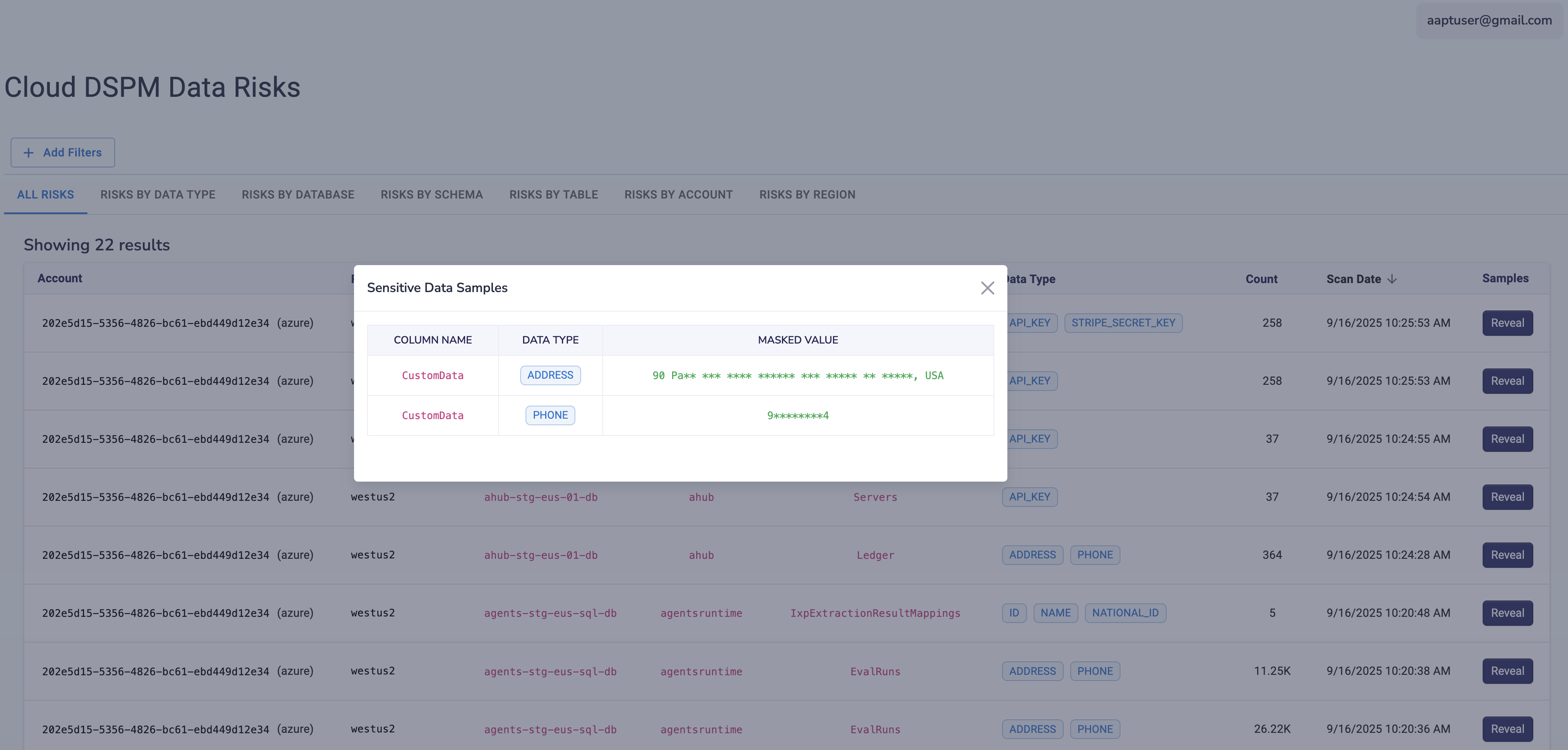
Data moves constantly between cloud services: backups to Amazon S3, service-to-service API calls, and application logs that quietly capture request bodies. A single debug log or HAR file can expose tokens and customer records. Read our cloud DLP guide for more.
You cannot protect data you have not found. Start by scanning the places data sits before it moves: SaaS apps, cloud storage, databases and endpoints. Data discovery and classification tells you which apps hold PII, PHI, card data and secrets, and who can reach them. Classification also maps data to the rules that govern it, such as GDPR, HIPAA, CCPA and PCI DSS.
Encryption in transit is the baseline. Use TLS 1.2 or higher for all web and API traffic, enforce TLS for email, and retire old file transfer methods like plain FTP. Encryption stops someone from reading data on the wire. It does nothing when an authorized user sends that data to the wrong place, which is why the steps below matter.
Network controls alone cannot read what is inside an encrypted Slack message or a ChatGPT prompt. Put inspection at the point of use: in the SaaS app through its API, in the browser, on the endpoint, and in the MCP layer between agents and your systems. Detection should cover text, PDFs, Office files and images, since many sensitive documents arrive as screenshots or scanned IDs.
Blocking a message or prompt stops work and pushes people to find a workaround. Redaction removes just the sensitive part, such as a card number or SSN, and lets the rest go through. When teams need to keep using data in an AI model, data masking or pseudonymization swaps real values for realistic fakes. For card data specifically, see our guide to PCI DSS PAN masking.
Limit who can view, share or export sensitive data using role-based access and least privilege. In 2026 this must include non-human identities. An AI agent should only retrieve what the user behind it is allowed to see, and every agent action should be tied to a real person. Our guide to AI agent governance explains how to set this up.
Log what sensitive data moved, where it went, who sent it and what action was taken. This record is what auditors ask for under SOC 2, ISO 27001, HIPAA and PCI DSS. For AI agents, log every tool call so you can answer the question "what did this agent read, and on whose behalf?"
The less sensitive data you keep, the less can leak. Delete old tickets and files you no longer need, revoke public sharing links, and stop collecting data you do not use. Our guide to data minimization covers practical ways to do this. Pair it with regular training so employees know what not to paste into chat tools and AI assistants.
DSPM (data security posture management) answers the question "where is our sensitive data, and who can reach it?" It scans data at rest across SaaS, cloud and databases.
DLP (data loss prevention) answers a different question: "what is happening to that data right now?" It watches data in motion and stops or redacts it before it leaves.
Each one is weaker alone. DSPM without DLP gives you a list of risks but no way to stop a leak as it happens. DLP without DSPM enforces rules without knowing which apps and files matter most.
The link matters even more with AI agents. An MCP server can only leak the data its connected systems hold. If DSPM shows that a Google Drive folder holds thousands of unprotected patient records, you know to tighten that connector before an agent ever reads it. Our article on data classification and DLP explains how the two work as one program.
Strac combines DSPM and DLP in one platform. It finds sensitive data, then protects it across SaaS apps, browsers, endpoints, GenAI tools and MCP agents. Most SaaS integrations connect through APIs in minutes, with no proxy to route traffic through.
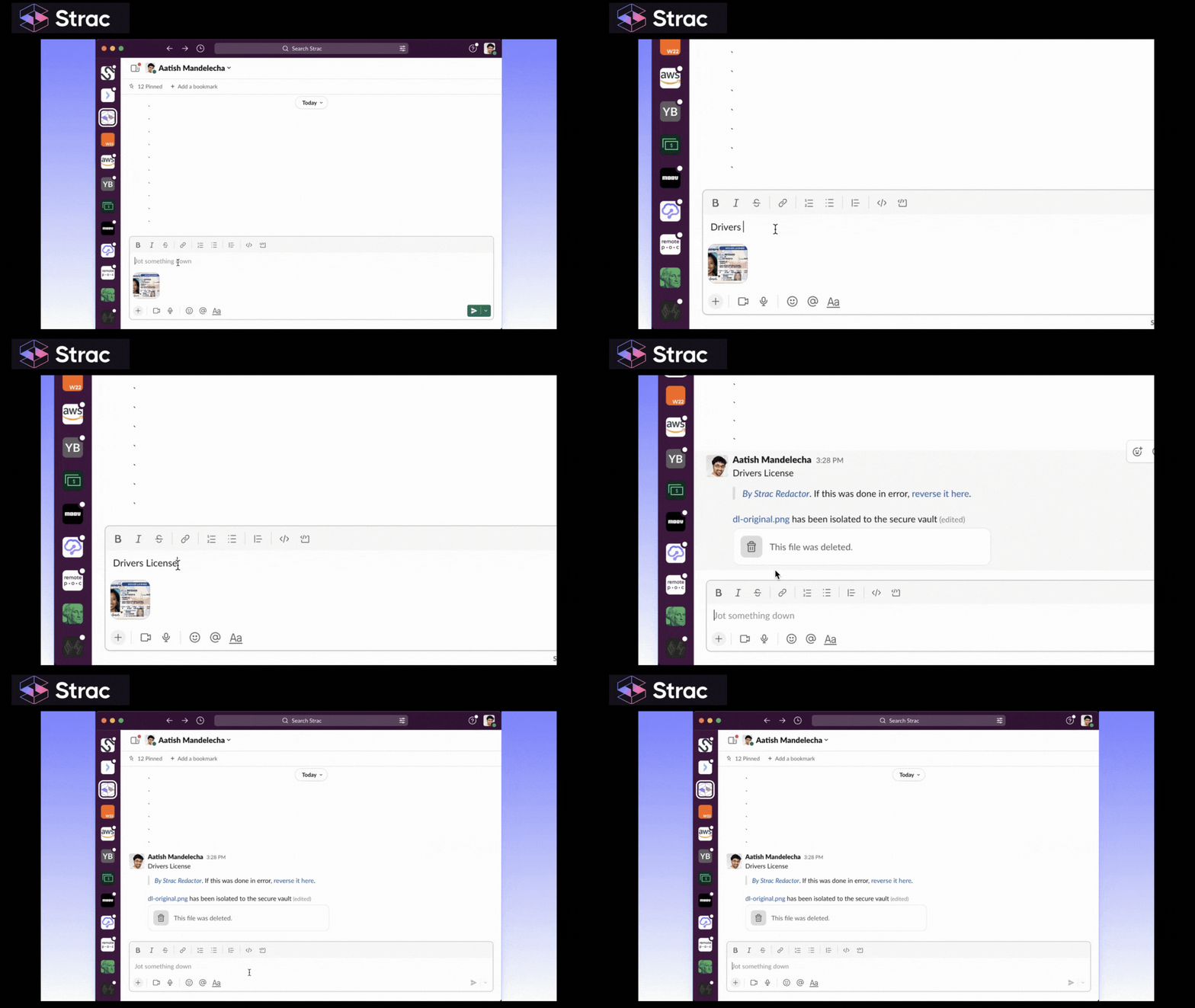
Strac connects to more than 50 apps, including Slack, Zendesk, Gmail, Office 365, Salesforce, Jira, Zoom and Zoho Desk. See the full list of integrations.
Here is how it works in a support ticket. A customer sends a Zendesk message with their bank account number and a PDF of their driver's license. Strac detects both in real time. The account number is masked in the ticket, and the license in the PDF is redacted. Authorized staff can view the original in a secure vault if they need it. Everyone else, including the AI assistant summarizing the ticket, only sees the redacted version.

Strac's Browser DLP runs as an extension for Chrome, Edge, Firefox and Safari. It monitors file uploads, downloads, copy and paste, and form submissions on any website. You can choose to log, warn the user, redact or block. It also flags uploads to unapproved apps, which helps you find shadow IT.

GenAI DLP inspects prompts and file uploads to ChatGPT, Claude, Gemini, Microsoft Copilot, DeepSeek and others. Sensitive data is redacted before the prompt is sent, so employees can keep using AI without exposing customer data. Strac is also a listed partner for the Claude Compliance API, which gives security teams a second view into data shared with Claude Enterprise.
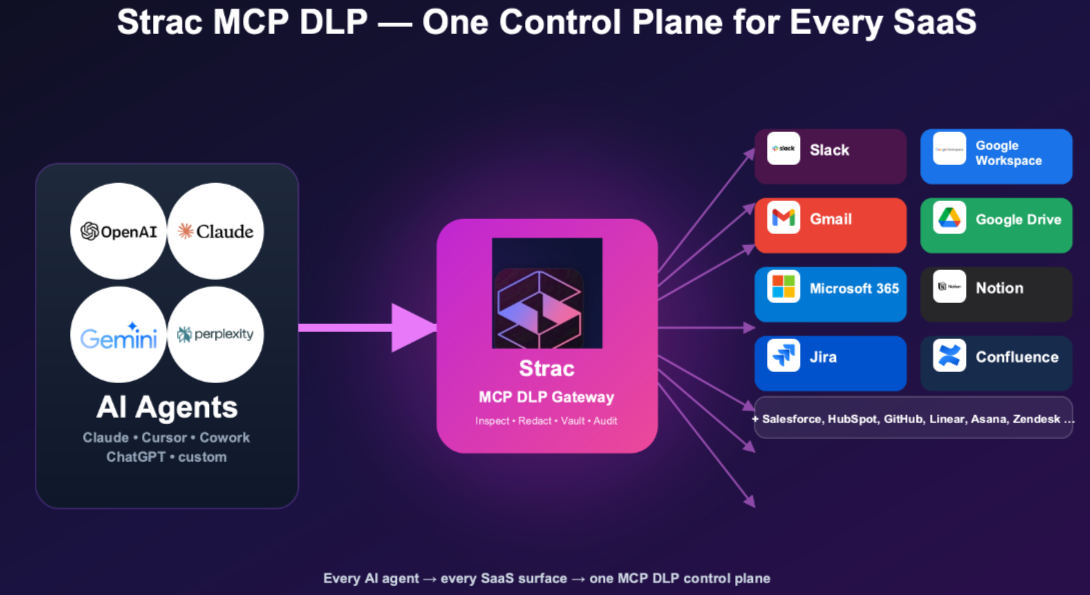
Strac MCP DLP sits between AI agents and the systems they connect to. On every tool call it:
It works with Claude, ChatGPT, Gemini, Copilot, Cursor and other MCP clients. Covered systems include Slack, Google Drive, Microsoft 365, Salesforce, GitHub, Snowflake and Postgres. Developers can also add redaction to their own agents with Strac's open-source MCP server.
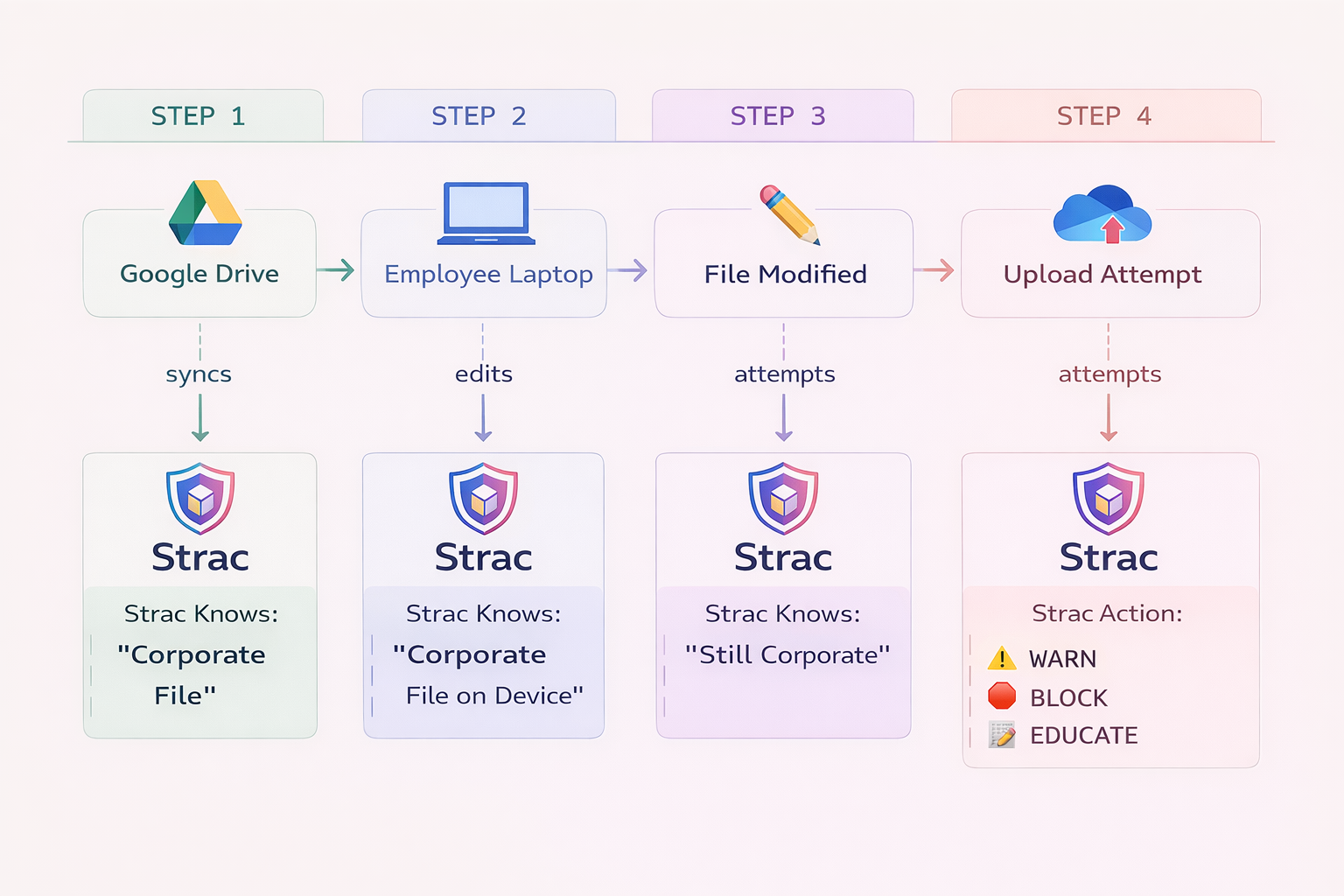
Endpoint DLP covers macOS, Windows and Linux. It watches files moving to USB drives, personal cloud folders and desktop AI apps. Data lineage shows where a file came from, so you can tell a copied customer export from a harmless document.

Strac DSPM scans SaaS apps, cloud storage like Amazon S3, and databases like Postgres. It finds sensitive data at rest, flags risky sharing such as public links, and can remediate by redacting, deleting or revoking access.
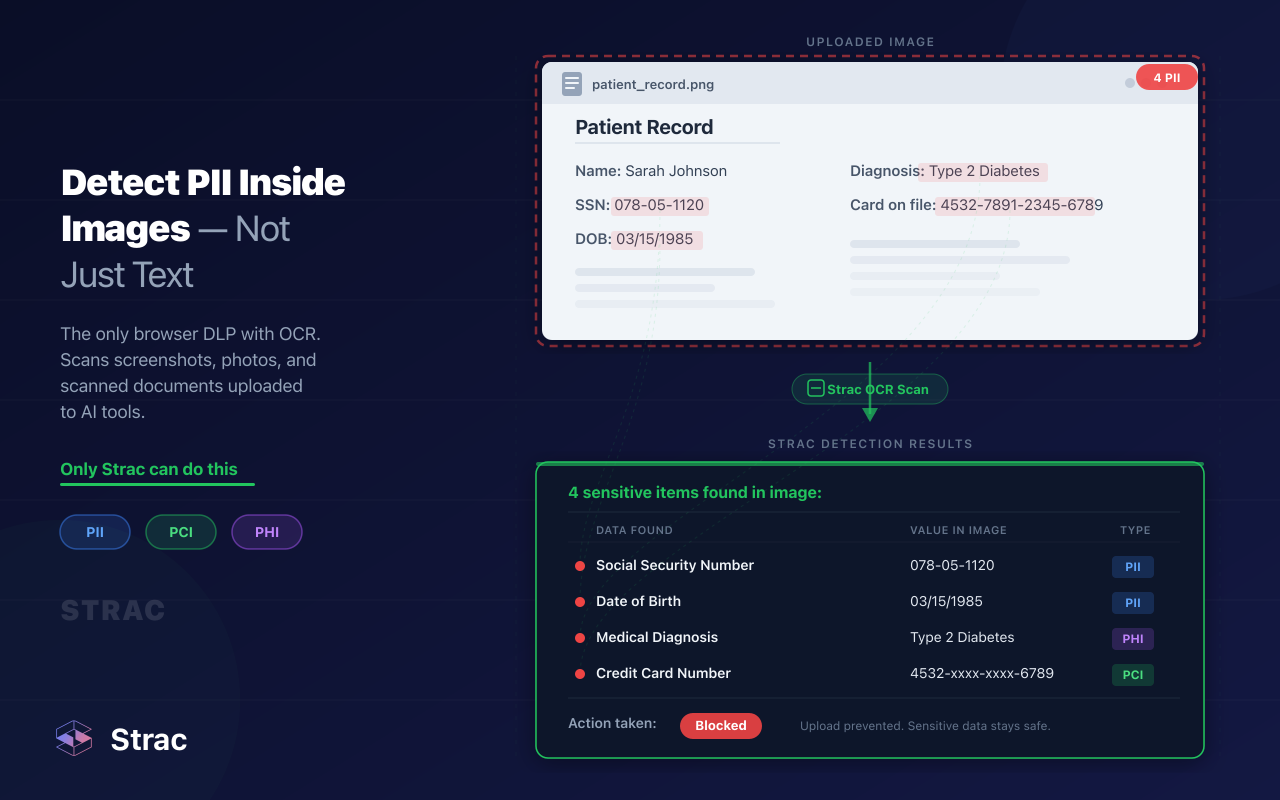
Strac uses machine learning models and OCR to detect sensitive data in text, PDFs, Word and Excel files, ZIP archives and images. This matters because a lot of sensitive data in motion is a screenshot, a scanned form or a photo of an ID card. Rules are fully configurable, so you decide what counts as sensitive for your business.
Strac helps you meet data protection requirements under PCI DSS, HIPAA, SOC 2, ISO 27001, CCPA and GDPR. Detection events and audit logs give you evidence for auditors. Teams in healthcare and fintech use it to keep regulated data out of tools where it does not belong.
👉 Related reading: Data Loss Prevention Guide · Cloud DLP Guide · CASB Guide · Office 365 DLP Guide · MCP Security · AI DLP
Sensitive data now moves through more channels than ever: inboxes, chat apps, browser tabs, AI prompts and AI agents. A strategy built only on encryption and network firewalls misses most of them.
Strac gives you one place to find sensitive data, see where it moves, and redact it before it leaks, across SaaS, browser, endpoint, GenAI and MCP.
Book a demo to see how Strac protects data in motion in your environment.
Data in motion is data being transferred from one place to another, across networks, between apps, from devices to websites, or from systems into AI tools. It is also called data in transit.
Data at rest is stored. Data in use is being opened or processed. Data in motion is being sent, shared or retrieved. Each state needs different controls.
Yes. A prompt or uploaded file leaves your environment and goes to a third-party AI provider. If it contains customer data, source code or credentials, that data has left your control. GenAI DLP can redact it before it is sent.
MCP lets AI agents pull live data from your databases and SaaS apps. Every tool call moves data into the model's context, and often to an external AI provider. Traditional DLP does not see these calls. MCP DLP inspects and redacts each response before the model receives it.
No. Encryption stops outsiders from reading data on the wire. It does not stop an employee from pasting customer records into an unapproved AI tool or sharing a file with the wrong person. You need content inspection and redaction too.
DSPM finds and secures sensitive data at rest. DLP controls data in motion. Using both gives you full coverage. Read more in our guide to the best DLP tools.
How does a DLP solution protect data in motion?
A DLP solution inspects content as it moves through email, SaaS apps, browsers, endpoints and AI tools. When it finds sensitive data, it applies your policy: alert, warn, redact or block. It also keeps a log for audits.
“Don’t just alert on problems, fix them.”
Scott Roberts, Chief Information Security Officer, UiPath









Customers include