October 29, 2026

5
min read
How to scan sensitive data in AWS S3 bucket?
Learn how to protect your AWS S3 buckets
Amazon S3 is where most companies keep the files nobody wants to lose and nobody remembers creating. Customer uploads, KYC images, database exports, old log archives and data lake folders all end up in buckets. Some of those files hold SSNs, card numbers, health records or API keys, and many teams only find out after something goes wrong.
This guide explains how to scan sensitive data in AWS S3 buckets in 2026, what a good scan has to cover, where native tools stop, and how Strac AWS S3 DLP and Strac AWS DSPM find, label and fix sensitive data across your buckets.
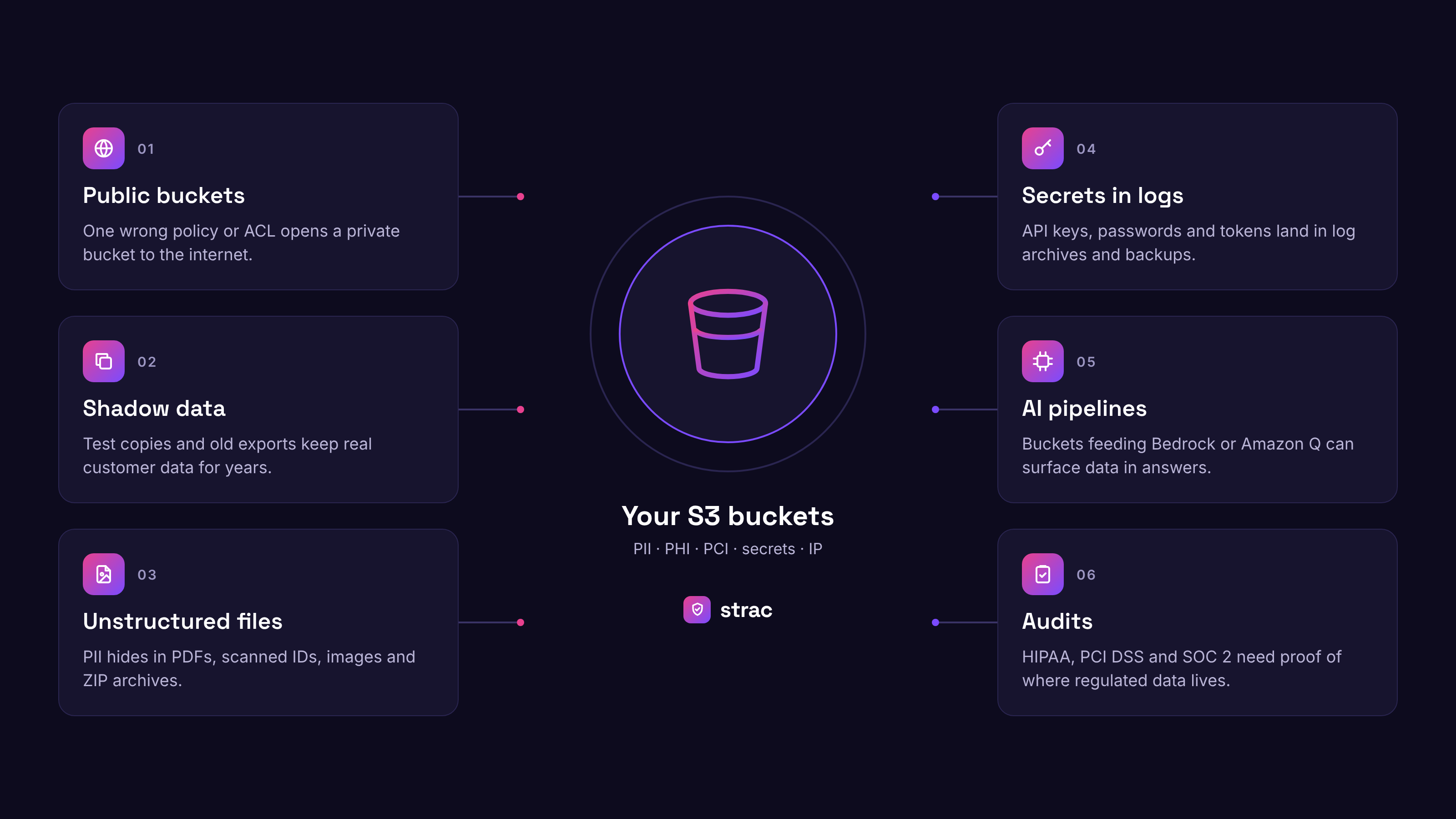
You cannot protect data you do not know you have. S3 makes storage cheap and easy, so buckets pile up faster than anyone reviews them. Here is where the risk usually comes from.
Public and misconfigured buckets. One wrong bucket policy or ACL can expose a private bucket to the internet. A bucket with 10,000 SSNs is a problem. A bucket with 10,000 SSNs that any AWS user can read is an emergency.
Shadow data. Engineers copy production exports into test buckets, take snapshots for debugging and move on. Those files keep real customer data long after the project ends.
Unstructured files. S3 holds PDFs, spreadsheets, scanned IDs, ZIP archives and JSON logs. Sensitive values hide inside these files, not in neat database columns.
Secrets in logs and exports. API keys, passwords and tokens end up in log archives and config backups. Strac also covers this in CloudWatch DLP and logs DLP.
AI pipelines. If an S3 data lake feeds Amazon Bedrock, Amazon Q or SageMaker, any sensitive file in it can show up in an answer or end up in a trained model.
Audits. HIPAA, PCI DSS, SOC 2, ISO 27001, CCPA and GDPR all expect you to know which buckets hold regulated data and to prove access is limited.
For the bucket level controls that go alongside scanning, such as bucket policies, encryption and access logging, read our guide on how to secure your S3 buckets in AWS.
A scan that only checks bucket settings tells you a bucket is public. It does not tell you what is inside. A scan worth running looks at the content of every object and ties it back to access.
Sensitive data types. The scanner should detect PII, PHI, PCI data, bank details, API keys, credentials, source code and your own custom patterns. Strac ships with a large catalog of sensitive data elements and supports custom regex for internal IDs. For healthcare teams, see our list of HIPAA PHI data elements.
Every file type. Text and CSV are easy. The harder cases are PDF, DOCX, XLS, PNG, JPEG and ZIP files. Strac uses OCR to read scanned passports, driver licenses and image based PDFs stored in S3.
Historical and real time scanning. Most risk lives in data that has sat in buckets for years. Strac runs deep historical scans across existing objects and keeps scanning new uploads as they land, without moving your data out of your cloud.
Access context. Each finding should show whether the bucket is public, shared with another AWS account, readable by an over permissioned role, or stored without KMS encryption.
Accuracy. Pattern matching alone floods teams with false positives. Strac pairs pattern matching with machine learning to cut false positives, so your team reviews real findings instead of noise.
You can see how this works across sources on our sensitive data discovery and classification page and in the Strac PII scanner.
DSPM finds and fixes sensitive data already sitting in your buckets. DLP stops new sensitive data from moving where it should not. One looks at data at rest, the other at data in motion.
DSPM for S3 answers four questions. What sensitive data exists, where it lives, who can reach it, and how exposed it is. Strac DSPM scans buckets, scores risk, maps IAM access and lets you fix issues in bulk.
DLP for S3 watches the flow of data. It catches a new upload that contains card numbers, a log file that starts capturing tokens, or a confidential export headed to a personal device. Strac AWS S3 DLP applies policies to new objects as they arrive.
Run together, DSPM cleans up the past and DLP keeps it from coming back. For a deeper comparison, read DSPM vs DLP and our cloud DLP guide.
AWS gives you a few ways to look for sensitive data in S3. They are useful, but each one leaves gaps you will need to fill.
Amazon Macie. Macie uses pattern matching and machine learning to find sensitive data in S3. You can run one time or scheduled discovery jobs and add custom data identifiers. The limits show up quickly. Macie covers S3 only, cost climbs with data volume, it skips JPG and PNG images and images inside PDFs and Office files, and findings are alerts. It does not redact a card number inside a file, and it cannot see the same data once it is copied into Slack, Google Drive or a support ticket.
Scripts and open source scanners. Some teams write Lambda functions or run open source tools against buckets. This works for a one off check. It rarely handles OCR, archives, access mapping or ongoing scans, and someone has to maintain it.
AWS Security Hub and Config. These tools check infrastructure settings, such as whether a bucket blocks public access or uses encryption. They do not open files to see what is inside them.
Strac fills these gaps with content level scanning, access context and remediation in one place.
Strac AWS S3 DLP scans S3 in five stages: connect, inspect, classify, map access, and fix. It brings DSPM and DLP into one agentless platform, so a finding arrives with its risk and its fix already attached.
1. Agentless connection and discovery. Strac connects to AWS through secure APIs and IAM roles with read-only access to the buckets you choose. Nothing is installed on your servers, and most integrations are set up in under 10 minutes. Once connected, Strac AWS DSPM builds an inventory of buckets and objects, including forgotten test buckets and old exports. Discovery runs continuously, so a new bucket is picked up and scanned as soon as it appears. The same inventory extends to RDS, DynamoDB, Redshift and CloudWatch Logs.
2. Content inspection with OCR. Strac opens each object and reads what is inside, using machine learning and OCR. It covers the file types Amazon Macie supports, such as CSV, JSON, Parquet, XML, PDF, DOCX, XLSX, EML and ZIP. It also reads what Macie skips: JPG and PNG images, screenshots, images embedded inside PDFs and Office files, and audio and video. Historical scans work through data already sitting in your buckets, and real time scanning checks new uploads as they land.
3. Classification and labeling. Extracted content runs against the Strac catalog of sensitive data elements, from phone numbers and SSNs to health record IDs, card numbers, bank details and API keys. Strac combines pattern matching with contextual machine learning to keep false positives low, and you can add custom policies for your own data types. Each finding gets a label such as Confidential, PCI or HIPAA, and those labels can map to AWS resource tags so your existing AWS policies can act on them.
4. Access mapping and monitoring. A finding on its own does not tell you how urgent it is. Strac shows which IAM users and roles can read each sensitive bucket, flags access that is broader than it should be, and watches AWS CloudTrail and CloudWatch events for unusual activity. It flags:
It also alerts when behavior changes, such as a private bucket with PII becoming public or a user suddenly downloading gigabytes of sensitive files. These signals feed a risk score, so a public bucket full of SSNs rises above a locked down bucket with a single email address.
5. Automated remediation. Strac does not stop at an alert. Based on your policies it can redact, mask or tokenize sensitive values inside a file, encrypt or quarantine an object, block downloads and external sharing, delete data that should not exist, or tighten access on a public bucket. Actions run on one object or thousands at once. Findings can also open a ticket, notify the security team, feed AWS Security Hub or your SIEM, or trigger an AWS Lambda function for custom fixes. See every option in our DLP remediation guide.
The result is a live view of sensitive data in S3 that stays current as buckets change. Findings and fixes are mapped to HIPAA, PCI DSS, SOC 2, GDPR and NIST, so the same scan produces audit evidence.
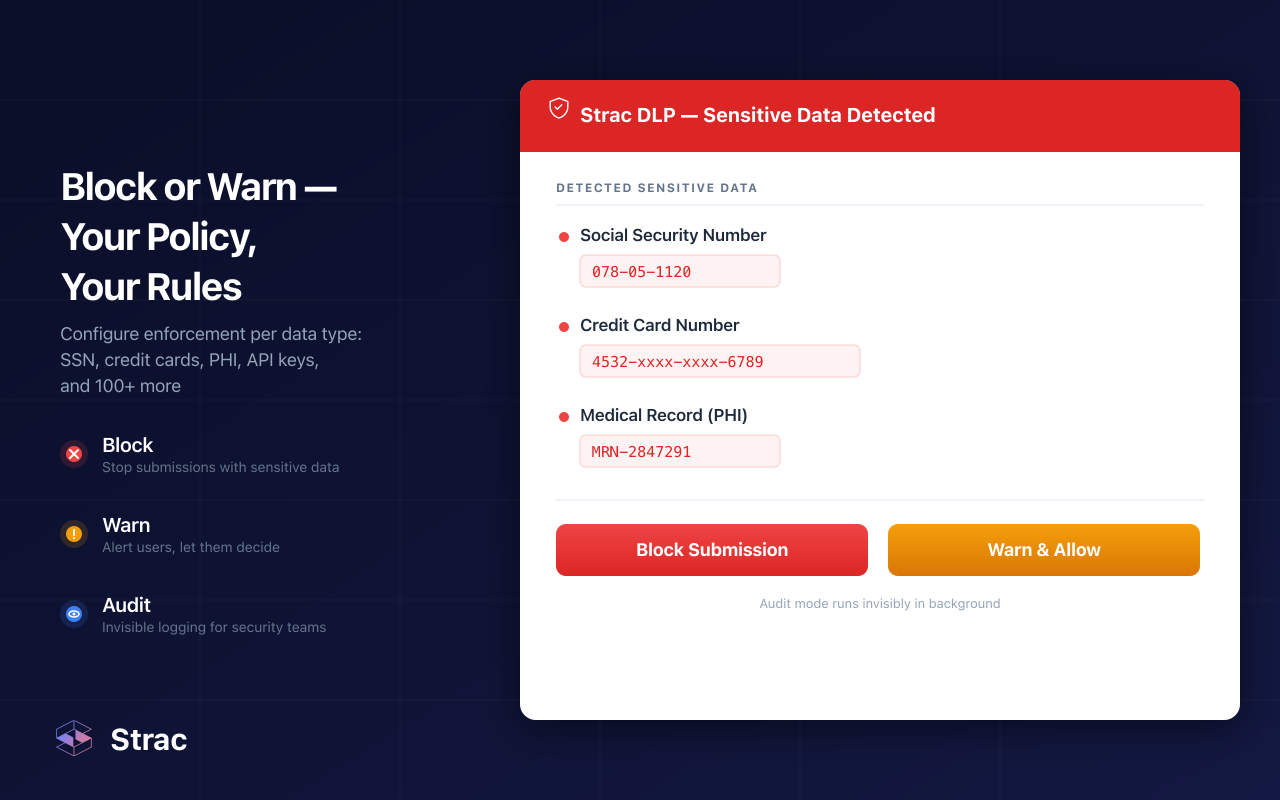
Finding sensitive data is half the job. Strac lets you act on findings from the same screen, one file at a time or in bulk. Read more about each option in our DLP remediation guide.
Before an S3 bucket feeds Amazon Bedrock, Amazon Q, SageMaker or an AI agent, scan it. AI tools read everything you give them, so a forgotten salary sheet or patient export can surface in a chat answer.
Retrieval leaks. If Amazon Q or a Bedrock knowledge base indexes a bucket, anyone with access to the assistant may be able to pull sensitive details out of it with a simple question.
Training risk. Sensitive records used to fine tune a SageMaker model become part of the model. Removing them later usually means retraining.
Agents and MCP. AI agents now reach S3, databases and SaaS apps through MCP tool calls. Strac MCP DLP redacts sensitive content in tool responses before the model sees it, logs every call, and finds shadow MCP servers. See all MCP integrations.
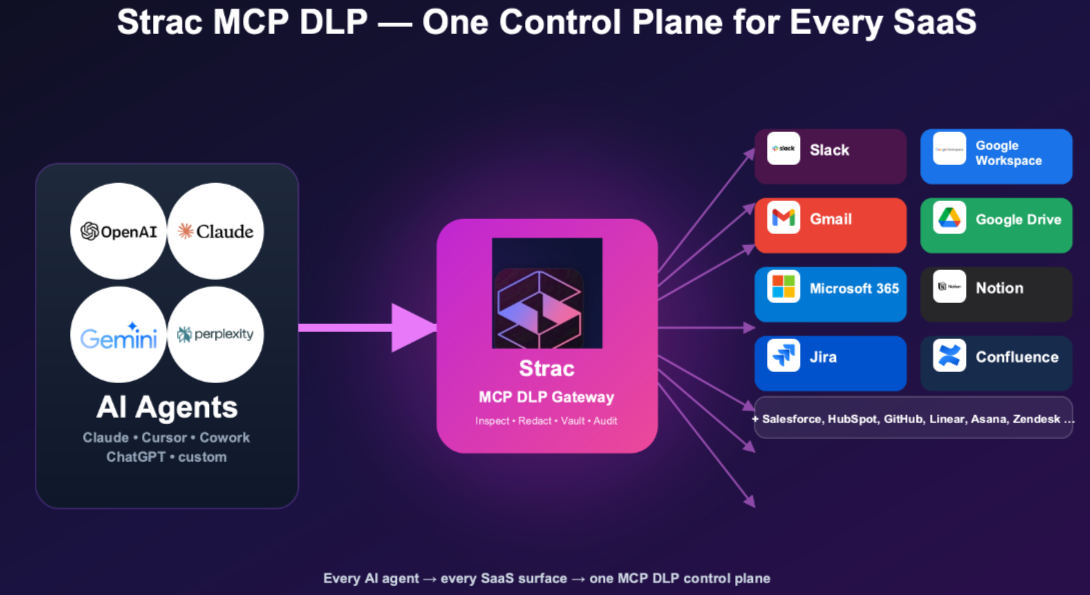
A simple order works well. Scan the buckets, find the sensitive files, redact, move or delete them, then point AI at the clean dataset. For employee use of ChatGPT, Claude and Gemini, pair this with Gen AI DLP and Strac AI data governance.

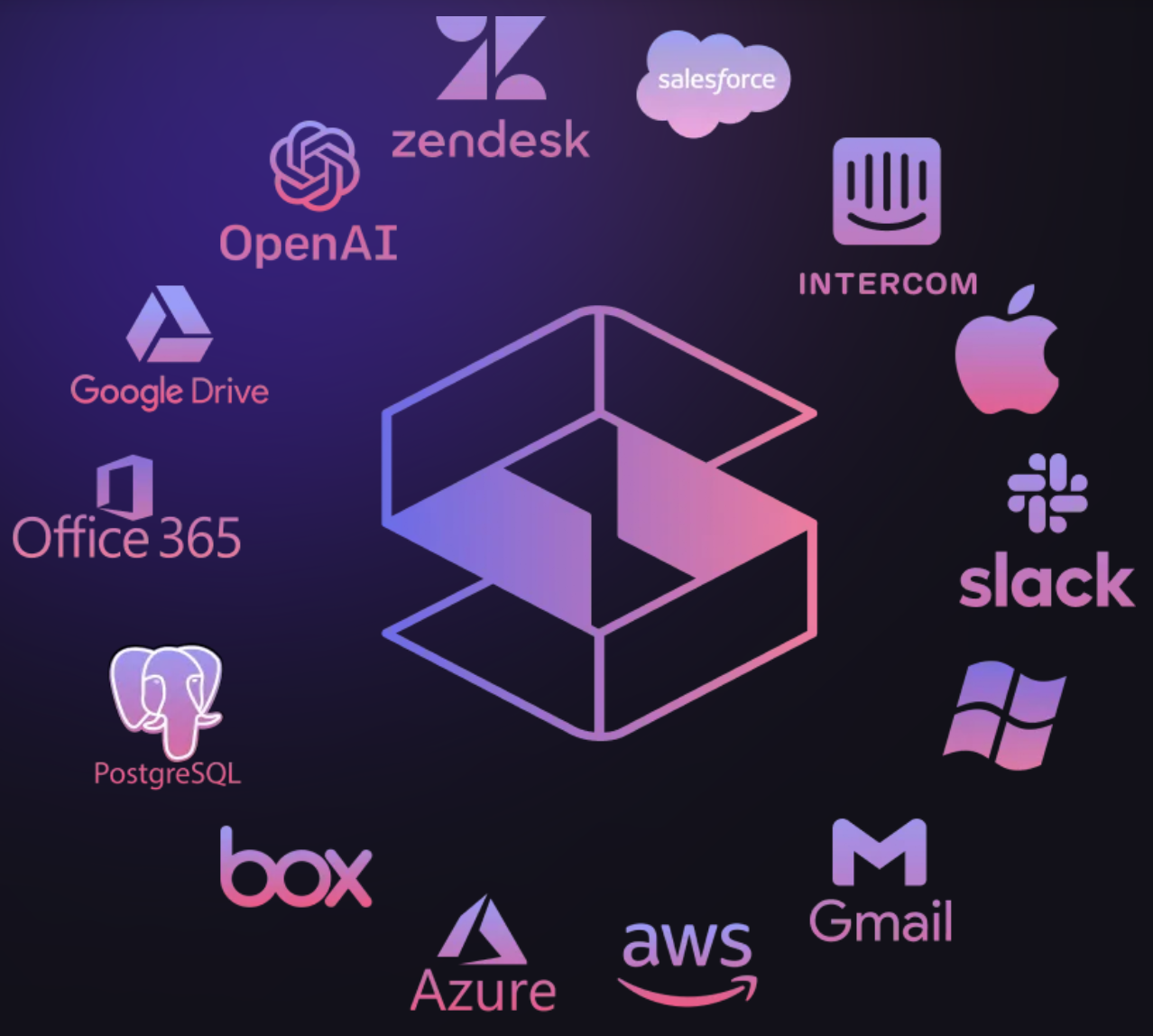
Sensitive data rarely stays in one bucket. The same customer file gets loaded into a database, written to a log, shared in Slack and downloaded to a laptop. Strac covers each of those places with one set of policies.
Browse every connector on the DSPM integrations and all integrations pages. For a wider view of AWS coverage, read Secure your AWS environment with Strac.
Auditors want an up to date inventory of where regulated data lives and proof that access is limited. Regular S3 scans give you both.
Industry teams can also check our pages for healthcare and fintech.
The fastest way to know what is in your buckets is to scan them. Strac connects to AWS in minutes, scans old and new objects, shows who can reach each sensitive file, and fixes issues in bulk across S3, your other AWS data stores, SaaS apps and AI tools.
Book a demo to see Strac scan your own S3 buckets, or explore Strac AWS DSPM to learn more.
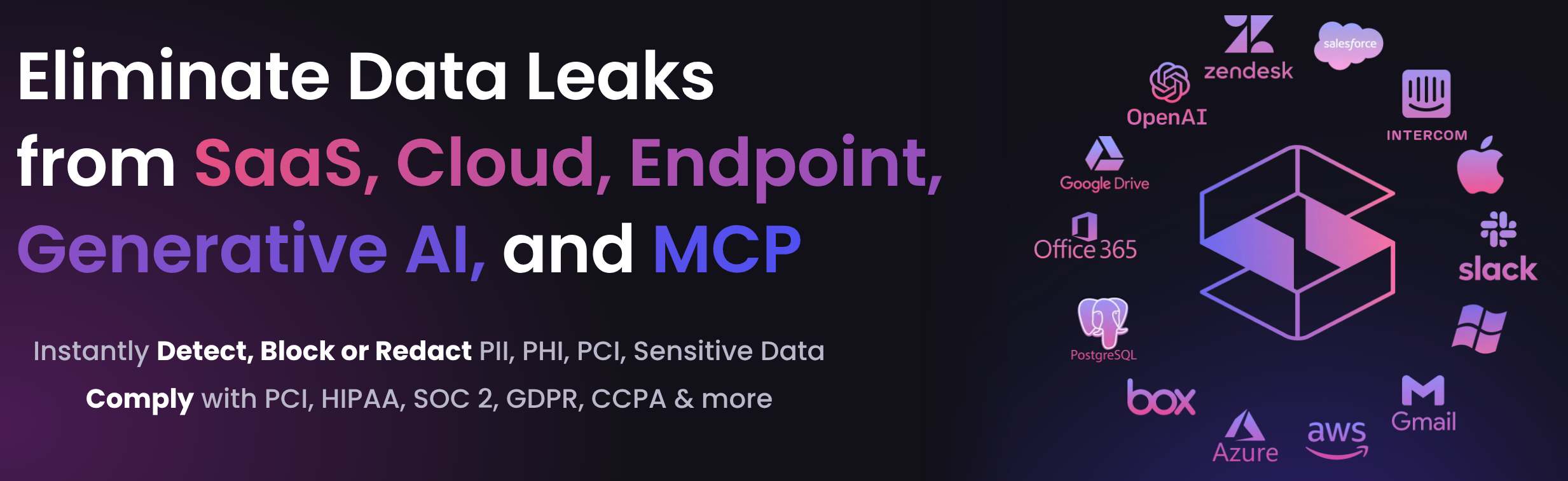
Related reading
S3 is where sensitive data piles up without anyone noticing, and a bucket setting check alone will not show you what is inside. To scan sensitive data in AWS S3 buckets properly, you need to read every object, including images and PDFs, cover years of old data as well as new uploads, and tie each finding to who can actually reach it.
Native tools like Amazon Macie get you part of the way, but they stop at alerts and at the edge of S3. Strac brings DSPM and DLP together so you can find sensitive data in S3, see the real risk, and fix it in bulk. The same policies then follow that data into RDS, DynamoDB, CloudWatch, SaaS apps, browsers and AI tools.
If you plan to connect S3 to Bedrock, Amazon Q or an AI agent, scan first. Cleaning the data before AI reads it is far easier than pulling it back out afterward.
Connect your AWS account to a scanner that reads object content, such as Strac AWS S3 DLP. Pick the data types to detect, run a historical scan, then review findings by bucket, file and risk.
Yes. Strac uses OCR to read scanned IDs, passports, photos and image based PDFs, along with DOCX, XLS, CSV, JSON and ZIP files.
Macie is a fair starting point for S3. It does not redact data inside files, it does not cover RDS, DynamoDB or CloudWatch the same way, and it stops at the edge of AWS. Strac adds remediation and covers SaaS apps, browsers and endpoints too.
Strac is agentless. It connects with read-only access through AWS APIs and IAM roles, and nothing is installed on your servers. Ask our team during a demo for the deployment details that fit your setup.
Security Hub checks infrastructure settings, like whether MFA is on or a bucket is public. DSPM checks data content, like whether a file holds card numbers. Most teams run both.
Yes. Strac detects API keys, passwords, tokens and cloud credentials in files, exports and logs, and can alert on or redact them.
“Don’t just alert on problems, fix them.”
Scott Roberts, Chief Information Security Officer, UiPath









Customers include