

October 1, 2026

5
min read
What is Google Cloud DLP?
Learn what Google Cloud DLP is, how it works, its strengths, limitations, and how it compares to broader multi-cloud DLP alternatives.
Most organizations assume Google Cloud DLP protects all their data in Google environments. It doesn’t.
Google Cloud DLP is designed to discover and classify sensitive data inside Google Cloud infrastructure such as BigQuery, Cloud Storage, and Datastore. It helps security teams detect regulated data like PII, PHI, and PCI and apply masking or tokenization policies.
But modern organizations store sensitive data far beyond Google Cloud infrastructure. It lives in Google Workspace apps, SaaS tools, support systems, and collaboration platforms where traditional cloud DLP controls rarely reach.
Understanding where Google Cloud DLP works well, and where additional protection is required, is critical for building a complete data security strategy.

Google Cloud Data Loss Prevention (DLP) is a cloud-native service that scans data stored in Google Cloud environments and identifies sensitive information using pattern matching, machine learning, and predefined detectors.
Security teams typically use Google Cloud DLP to:
Google Cloud DLP focuses primarily on data discovery and classification within the Google Cloud infrastructure layer.
In practice, most sensitive data inside Google environments doesn’t stay only in Google Cloud infrastructure.
It spreads across Google Workspace collaboration tools, where employees create, share, and communicate information daily.
The most common locations include:
These environments introduce data movement risks that traditional infrastructure-focused DLP solutions don’t fully address.
This is why organizations often need additional DLP coverage across Google Workspace applications, not just Google Cloud.
Relevant protections include: Google Workspace DLP, Google Drive DLP, Gmail DLP
Google Cloud DLP provides several powerful capabilities for organizations operating inside the Google Cloud ecosystem.
Google Cloud DLP automatically scans datasets to identify regulated information such as Social Security numbers, financial records, or healthcare data.
This helps security teams gain visibility into where sensitive data exists across cloud storage and analytics systems.
The service classifies detected information using predefined InfoType detectors for many common sensitive data types.
These classifications allow organizations to apply appropriate security policies based on data sensitivity.
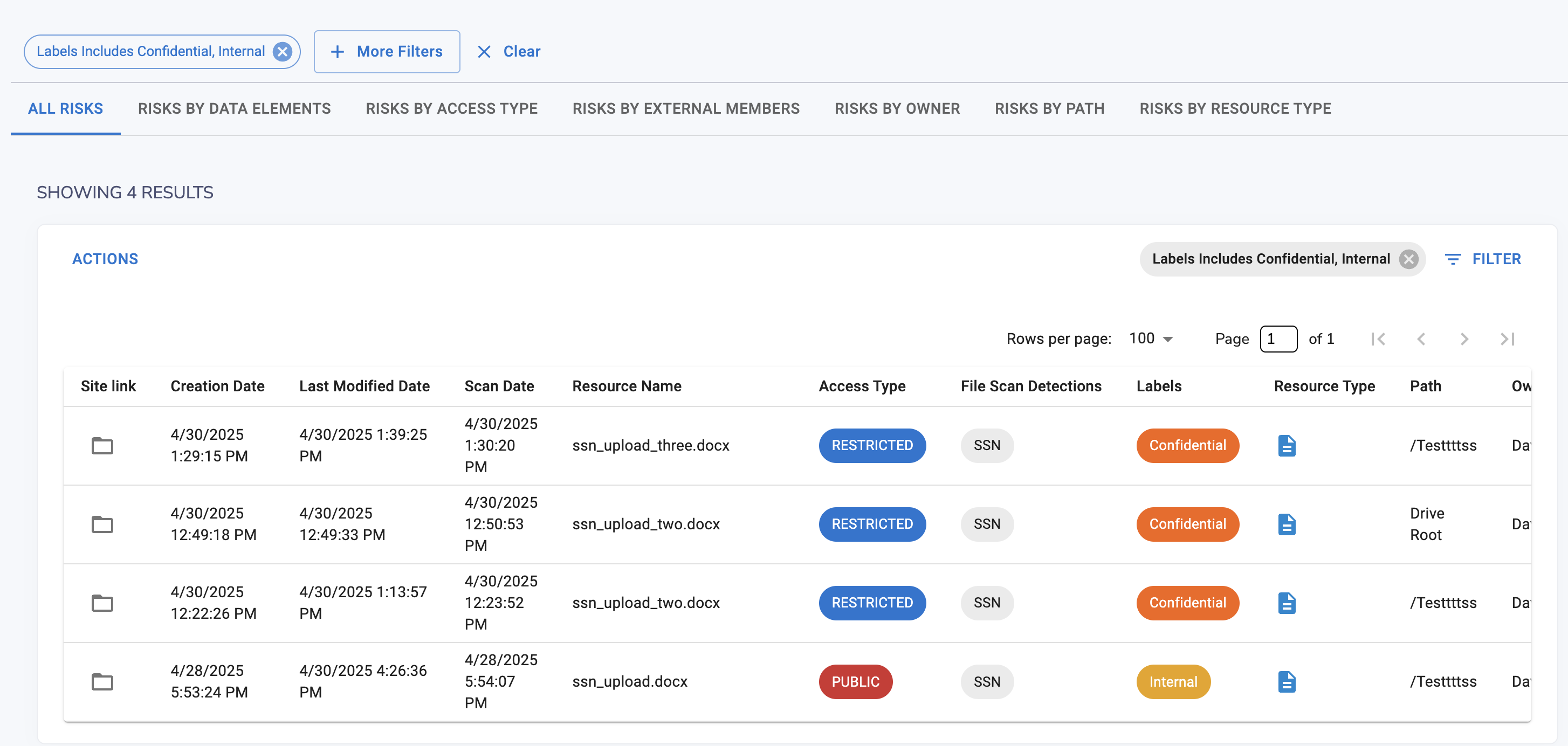
Google Cloud DLP includes tools for transforming sensitive data so it can be safely used in analytics workflows.
Common techniques include:
This allows teams to analyze data without exposing sensitive values.
Google Cloud DLP can estimate how exposed sensitive data might be within datasets. This helps security teams prioritize remediation efforts and reduce compliance risk.
While Google Cloud DLP is powerful inside Google Cloud infrastructure, it has several limitations that organizations often encounter.
Google Cloud DLP is primarily designed for services like BigQuery and Cloud Storage.
Organizations operating in multi-cloud or SaaS-heavy environments may struggle to gain consistent visibility across platforms like Slack, Salesforce, Zendesk, or internal collaboration tools.
Strac Slack DLP
Deploying and managing Google Cloud DLP policies requires familiarity with Google Cloud architecture and APIs.
Security teams without deep Google Cloud expertise may face challenges during setup and ongoing management.
In many workflows, Google Cloud DLP focuses on identifying sensitive data rather than automatically remediating it.

This can create operational overhead for security teams that must manually investigate alerts and enforce protection policies.
Modern organizations operate far beyond infrastructure environments.
Sensitive data constantly moves between:
Traditional infrastructure-focused DLP solutions struggle to keep up with this constant movement of sensitive data across SaaS environments.
This is where newer approaches combine Data Security Posture Management (DSPM) with Data Loss Prevention (DLP) to monitor where sensitive data lives, how it moves, and who accesses it.
Strac expands beyond the infrastructure layer by protecting sensitive data across SaaS applications, cloud environments, endpoints, and AI workflows.
Unlike traditional DLP tools that focus only on detection, Strac enables inline remediation such as redaction, masking, or blocking sensitive data automatically.
Key capabilities include:


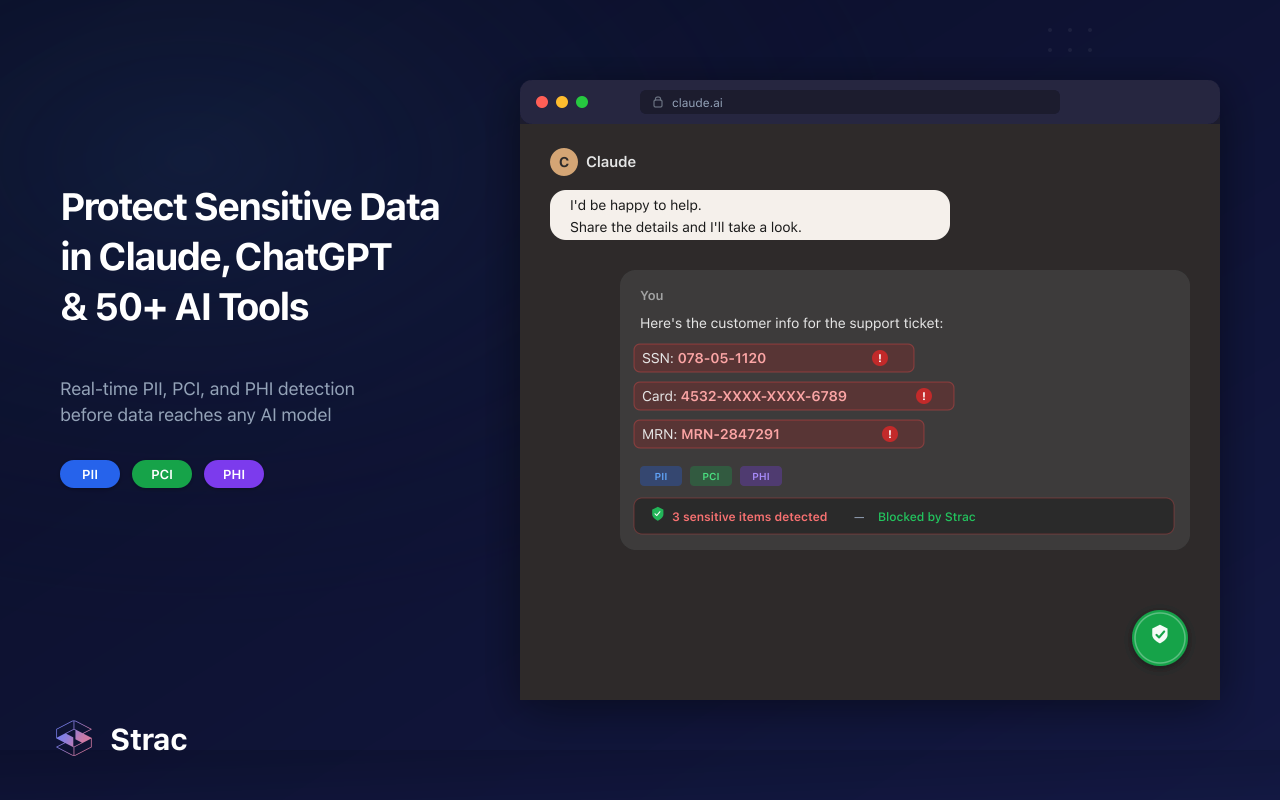
👉 Check out: Strac: GenAI DLP
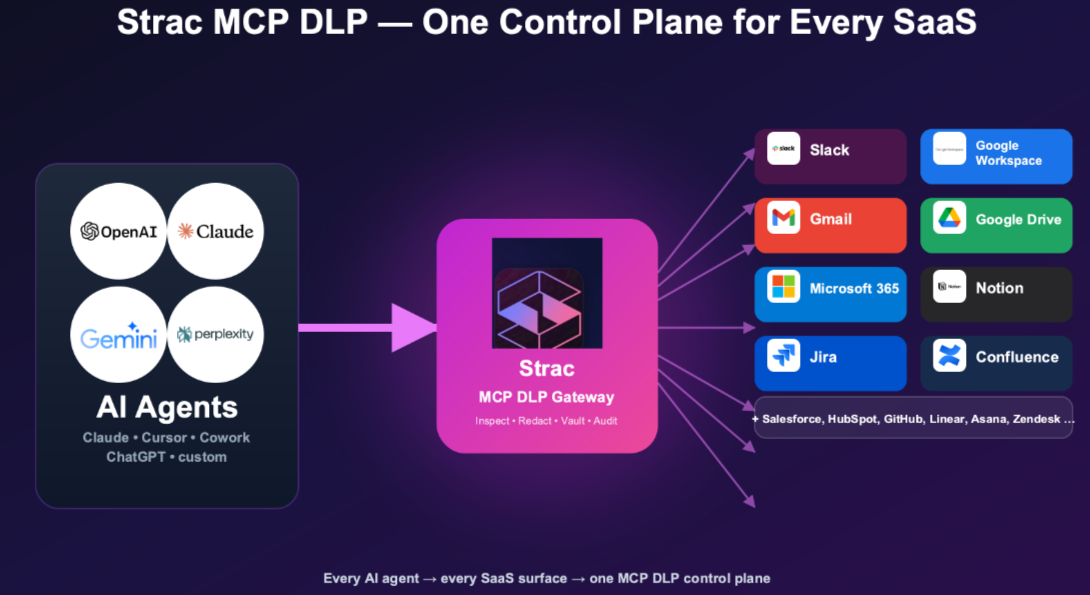
👉 Read our blog on MCP DLP and How to Prevent Data Loss in Model Context Protocol Deployments
Strac also unifies DSPM and DLP into a single platform, allowing security teams to discover where sensitive data exists and remediate risks automatically.
This unified approach provides broader visibility across the entire data environment rather than only inside infrastructure storage systems.
Google Cloud DLP is a powerful tool for discovering and classifying sensitive data stored within Google Cloud services.
However, most organizations operate across a much wider ecosystem that includes Google Workspace, SaaS applications, cloud platforms, and AI tools.
Protecting sensitive data across this modern environment requires solutions that extend beyond infrastructure scanning and address how data actually moves through collaboration platforms and operational workflows.
Related reading:
Google Cloud DLP is used to discover, inspect, classify, and de-identify sensitive data stored in Google Cloud services. It helps organizations detect regulated information such as Social Security numbers, credit card data, healthcare records, and other confidential data to reduce breach risk and maintain compliance.
Google Cloud DLP uses predefined InfoType detectors, custom detectors, machine learning models, and pattern recognition techniques. It scans structured and unstructured data across services like BigQuery and Cloud Storage to identify sensitive information and apply protection measures.
Yes. Google Cloud DLP is primarily designed for Google Cloud infrastructure. While it integrates deeply within Google Cloud services, organizations operating in multi-cloud or SaaS-heavy environments may require additional tools to achieve broader DLP coverage.
Common limitations include configuration complexity, limited visibility outside Google Cloud environments, and reduced coverage across SaaS applications and third-party platforms. Organizations with hybrid or multi-cloud architectures may find it challenging to implement a unified DLP strategy using Google Cloud DLP alone.
Google Cloud DLP provides strong protection within Google Cloud; however, organizations managing sensitive data across SaaS tools like Slack, Salesforce, Zendesk, or multiple cloud providers may require a more comprehensive DLP platform to ensure consistent protection across their entire digital ecosystem.

.avif)


.gif)


.webp)








