Jira serves as a pivotal tool in project management and issue tracking, its native Data Loss Prevention (DLP) capabilities, though integral for basic security measures, present several limitations and challenges in a landscape where data protection demands are increasingly sophisticated.
· Jira DLP is the practice of discovering,classifying, and redacting sensitive data that lands inside Jira issues,comments, custom fields, and attachments, and proving that remediationhappened.
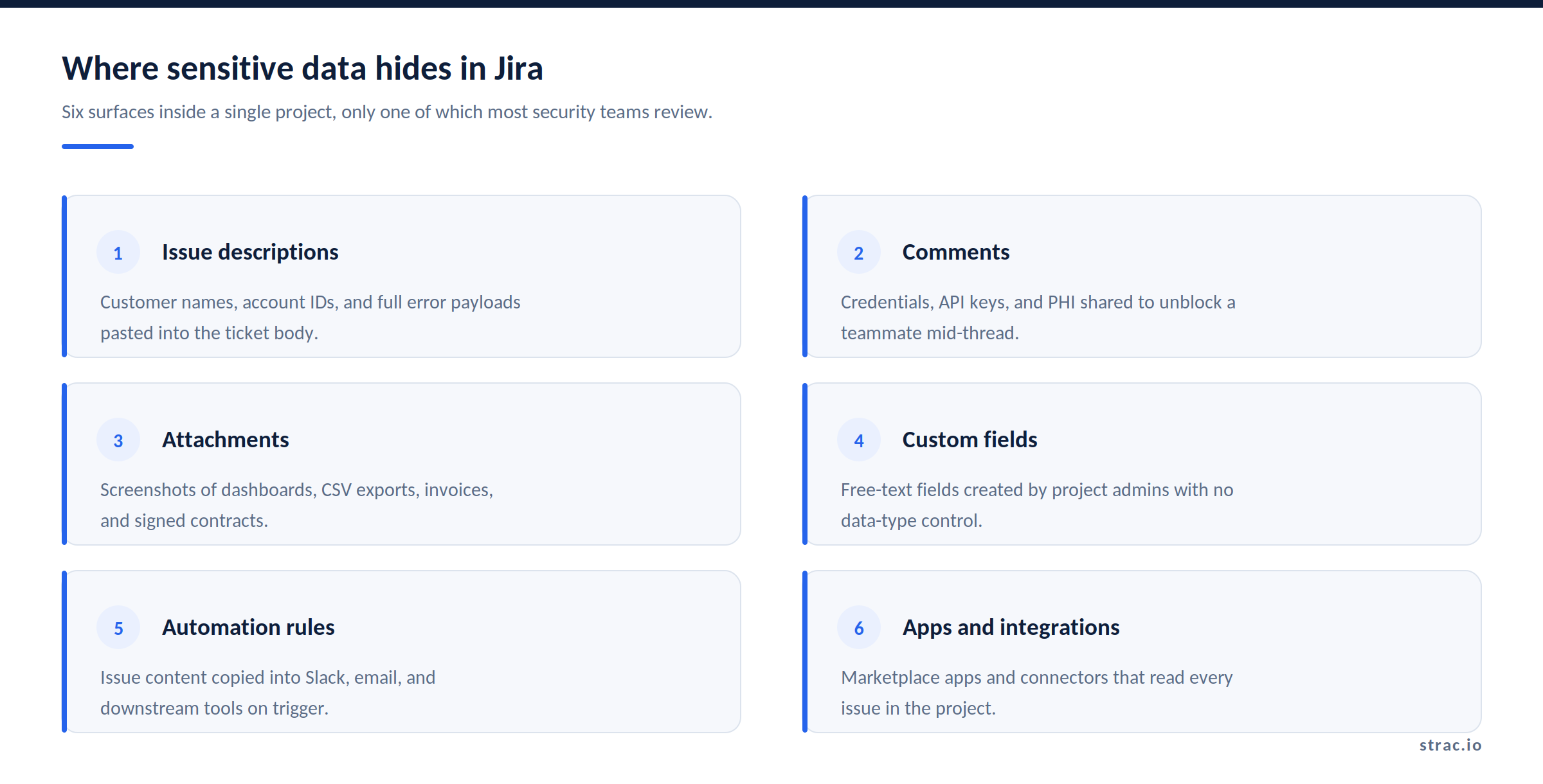
· Jira is where the whole company writes thingsdown, so it accumulates the data nobody meant to store there: customer recordspasted into a bug report, an API key dropped into a comment, a signed contractattached to a procurement ticket.
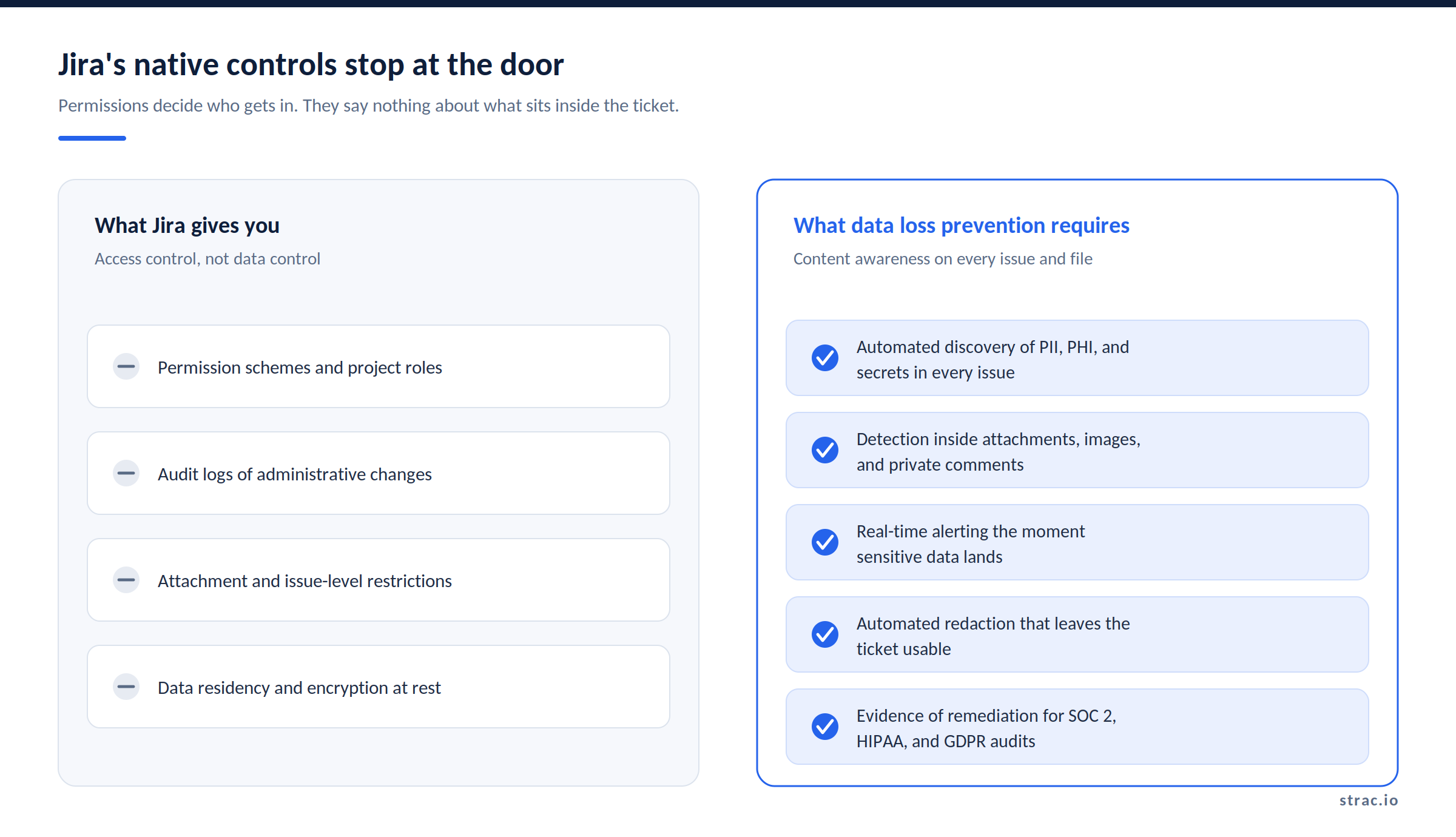
· Jira'snative controls are access controls. Permission schemes decide who can open aproject. They do not read what is inside the ticket, and they do not act whensomething sensitive appears.
· Strac connects to Jira Cloud, scans everyproject and its history, classifies PII, PHI, PCI, and secrets, and redactsthem in place across Jira, SaaS,browser, endpoint DLP, and MCP DLP.
· Jirais one surface in a wider program. Start from the pillar on SaaS data protection.
What Is Jira DLP?
Jira DLP is data loss prevention applied to the content of Jira issues rather than to the perimeter around them. It answers three questions: what sensitive data is sitting in Jira right now, what sensitive data is arriving today, and what happened to it after it was found.
That is a different job from what most teams already have configured. Access control asks who is allowed into the project. Data loss prevention asks what is in the project and whether it should be there at all. Both matter. Only one of them survives a ticket being shared with a contractor.
Jira earns its place in this conversation because of how it is used, not because of any flaw in the product. A support agent pastes a full customer export to reproduce a bug. An engineer drops a temporary credential into a comment to unblock a teammate at 11pm. A finance analyst attaches an invoice to a procurement ticket. None of these people are careless. They are moving fast inside a tool built for exactly that.
Most reviews look at issue descriptions. The data that gets an org in trouble is usually two clicks deeper, inside an attachment or a private comment.
✨ Why Jira's Native Controls Stop Short
Atlassian gives you real security machinery. Permission schemes, project roles, issue-level restrictions, audit logs of administrative changes, encryption at rest, and data residency options are all there, and they are worth configuring properly.
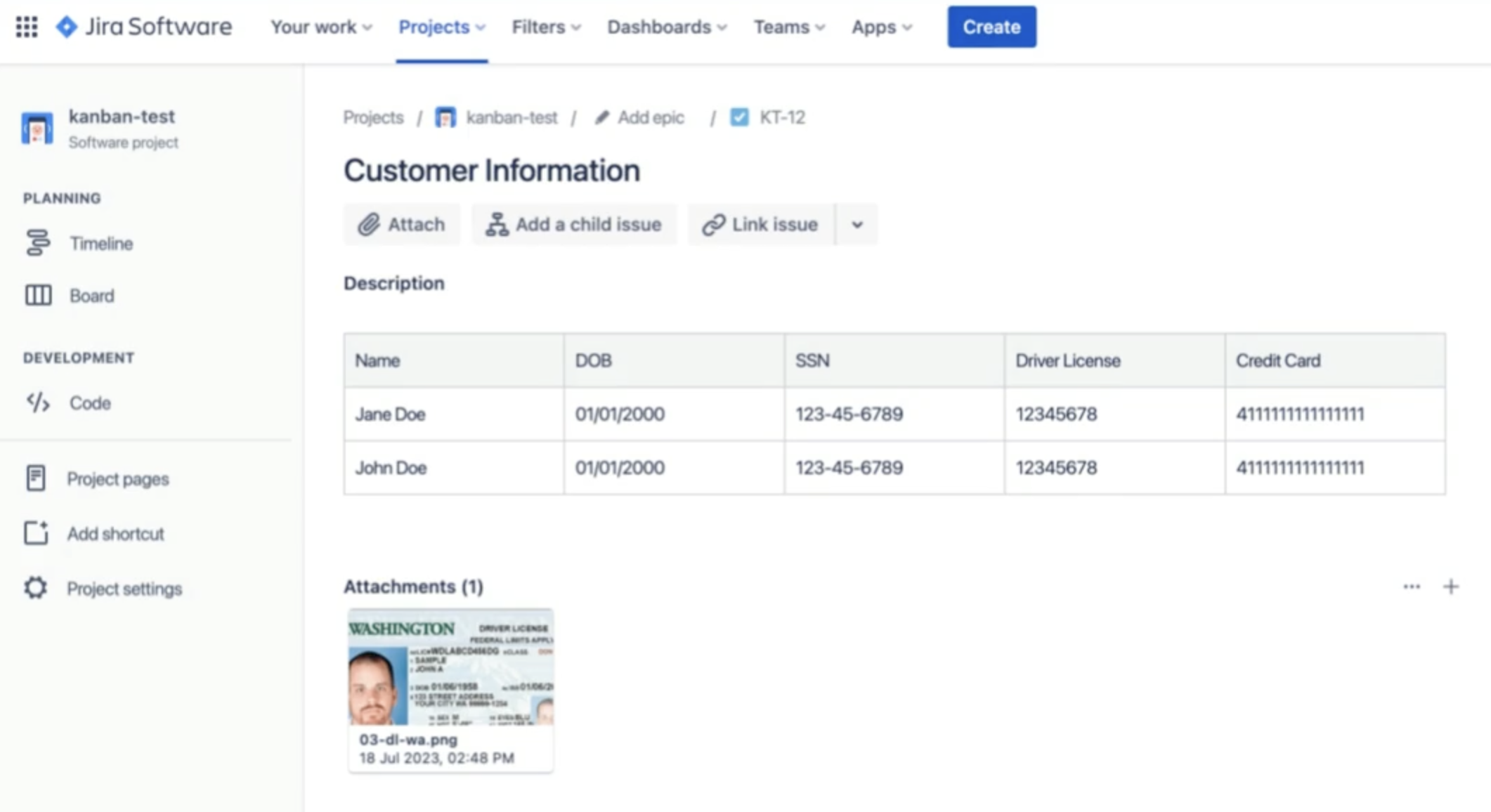
What none of them do is look at content. A permission scheme cannot tell the difference between a ticket that says "login button is misaligned" and a ticket that contains a spreadsheet of 4,000 patient records. To Jira, both are issues in a project, visible to whoever the scheme allows.
The audit log has the same shape of gap. It records that an attachment was added. It does not record that the attachment held cardholder data, and it does not tell anyone in time to matter. A log tells you what happened; data loss prevention decides what is allowed to happen.
✨ How Content-Aware Detection Works on a Ticket
Strac connects to Jira Cloud through an OAuth app and reads issues, comments, custom fields, and attachments. Detection runs on the content itself, not on filenames or field labels.
Text is classified against detectors for names, addresses, national IDs, payment card numbers, health identifiers, API keys, and source code, each with a confidence threshold you set. Attachments are opened and inspected, including images, where optical character recognition pulls text out of a screenshot before classification runs. Historical issues are scanned on first connection, so day one produces an inventory rather than a policy.
When something matches, Strac acts in the ticket. The value is replaced with a masked placeholder, the original is held in an encrypted vault for authorized retrieval, and the issue stays readable and workable for the team that owns it.
Strac redacts the customer record and leaves the bug report intact. The engineer keeps working; the data stops traveling.
🎥 Strac: Data-Layer Protection for Jira
Strac treats Jira as one surface in a single data protection program rather than as a standalone integration. The same detectors, the same policies, and the same audit trail cover SaaS applications, cloud storage, the browser, the endpoint through endpoint DLP, and AI traffic through AI DLP and MCP DLP.
Remediation follows a fixed ladder:
Redact or mask. Sensitive values are replaced in the issue, comment, custom field, or attachment, in Jira and across Slack, email, tickets, docs, Google Drive, SharePoint, and Box.
Block. Uploads and posts that carry regulated data are stopped before they land.
Warn and coach. The person who pasted the data gets a message explaining what was found and where it should go instead, which is the control that actually changes behavior.
Revoke access. Over-shared issues, public links, and stale app grants are pulled back.
Jira DLP and the Compliance Conversation
Auditors under SOC 2, HIPAA, GDPR, and PCI DSS have moved past asking whether access is restricted. They ask how sensitive data is identified wherever it lives, and what the organization does when it turns up somewhere it should not.
Jira is a difficult answer to that question without content-aware tooling, because the honest response is that nobody knows what is in there. With discovery, classification, and automatic remediation in place, the answer becomes a report: this is what we found, this is what we redacted, this is when.
Jira holds the operational memory of the entire company, and the sensitive data inside it arrived one helpful paste at a time. Access controls decide who reads the ticket; data loss prevention decides what the ticket is allowed to contain. Identity, permissions, and app review all fail eventually, and when they do, the data layer is the backstop: redact sensitive values on every issue, comment, and attachment, and a compromise never becomes a breach.
Book a demo to see Strac find and redact the sensitive data already sitting in your Jira instance.
🌶️ Spicy FAQs on Jira DLP
Does Jira have built-in DLP?
No. Jira offers permission schemes, issue restrictions, audit logging, and encryption, all of which control access. None of them inspect the content of an issue, comment, or attachment, or remediate sensitive data once it is there.
Why doesn't our existing DLP cover Jira?
Network and email DLP inspect traffic in transit, and Jira content is created and stored inside a SaaS application rather than crossing those chokepoints. Covering Jira requires an API-level integration that reads issues and attachments directly. See why legacy DLP fails for AI for the same failure in a different setting.
Will DLP break our engineering workflows?
No, because the default action is redaction rather than blocking. The sensitive value is masked and vaulted, the ticket stays readable, and work continues. Blocking is reserved for the narrow set of data classes where an upload should never happen.
Can DLP stop someone from screenshotting a ticket?
Not completely. Anyone with legitimate access to a screen can photograph it, and no tool solves that reliably. This is exactly why the data layer matters: if the value in the ticket was redacted the moment it appeared, the screenshot captures a mask instead of a customer record.
What about Confluence, Slack, and the AI tools connected to Jira?
They are the same problem on different surfaces, which is why Jira DLP belongs inside one program rather than a point integration. Strac applies one policy set across SaaS, browser, endpoint DLP, AI DLP, and MCP DLP.
Discover & Protect Data on SaaS, AI, MCP, Endpoints & Cloud
Strac provides end-to-end data loss prevention for all SaaS and Cloud apps. Integrate in under 10 minutes and experience the benefits of live DLP scanning, live redaction, and a fortified SaaS environment.


.webp)







.avif)




.gif)
